
![PUB IPTV [10,000+ Channels VODs] Review](https://techthanos.com/wp-content/uploads/2022/12/PUB-IPTV-10000-Channels-VODs-Review.jpg)
IPTV services are the most used services now to watch live TV on any internet-supported device. There are many IPTV services now available all over the internet, and PUB TV IPTV is among them. With PUB TV IPTV, you can watch channels that are international and have programs on sports, entertainment, news, pay-per-view, and more. Most of the IPTV services are made into applications for easy access on your SmartPhone, but PUB TV is not available at any of the app stores and can only be sideloaded as a third-party app on your devices. With Smart IPTV, you can access PUB TV on most devices. Get to know more information about this IPTV service when your surf through this page.
Table of Contents
What is PUB IPTV?

PUB IPTV is a subscription provider for Smart IPTV. With PUB TV, you can watch 10,000+ worldwide channels along with VODs and series in HD and SD video quality. You can watch all up-to-date movies and series on stations from the US, UK, Canada, Arab, France, Swiss, Indian, Italian and Arabic nations. With the help of the independent IPTV receiver and player application, the Smart IPTV, you can watch all the content offered by PUB TV.
Check the Post: Mom IPTV
How to Sign Up for PUB IPTV?
To watch all the channels offered by PUB IPTV, you need to subscribe to the plans offered by it. You need a PUB TV account to watch it either online using a website or on your devices using Smart IPTV. Follow the procedures to subscribe and sign up for PUB TV services.
- Visti IPTV PUB official site.
- Select Start Free Trial

- Complete the empty boxes with the details asked.
- Choose the type of device you want to use PUB TV on.
- Select Submit to complete the Sign Up process.
NOTE: The trial period for different devices varies, and the function starts right after you get the confirmation mail.
Also, Read How to watch FA Cup on TV USA
Subscription Offered by PUB IPTV:
Once your free trial period ends, you need to subscribe to the device you have selected during the trial or change your subscription to another device. The subscription plans offered by IPTV PUB vary with respect to the device you use and the period of validity you want the service for. Here is the list of plans offered by PUB TV and its price.
|
IPTV SUBSCRIPTION
|
VALIDITY | |||||
| 48 Hours | 1 Week | 1 Month | 3 Months | 6 Months | 12 Months | |
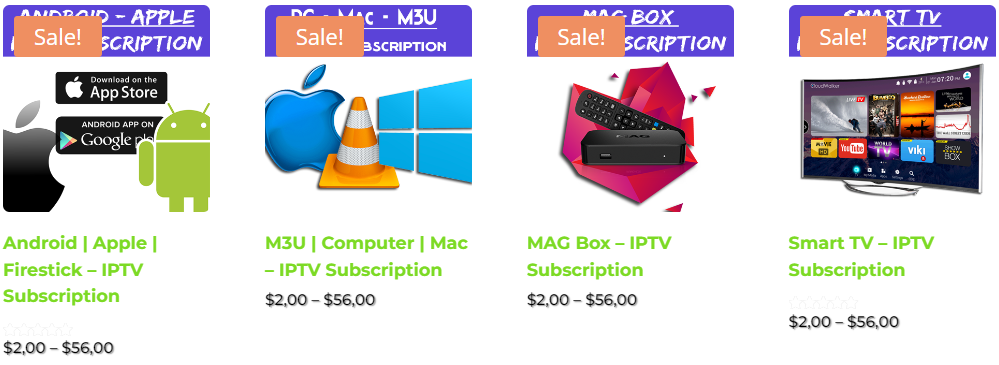
| Android / Apple / FireStick |
$2
|
$4
|
$10
|
$22
|
$37.50
|
$56
|
| M3U / Computer / Mac | ||||||
| MAG Box | ||||||
| Smart TV | ||||||
How to Subscribe to PUB IPTV?
- From the IPTV PUB home page, select the subscribe now option.
- Now choose the IPTV Subscription for your device.
- After this, you can reach the product description page.
- Select the period of time you want the subscription for.
- Enter the quantity you want and select Add to Cart.
- If you have a coupon code, enter it, press Apply coupon, then tap on Proceed to Checkout.
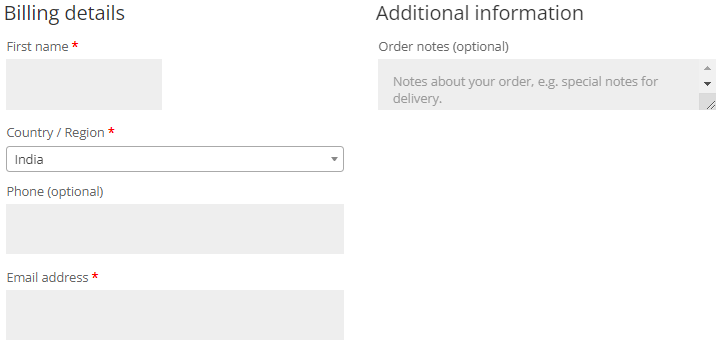
- Now enter the billing details in respective fields.
- Payment is made using PayPal, Skrill, or Payoneer.
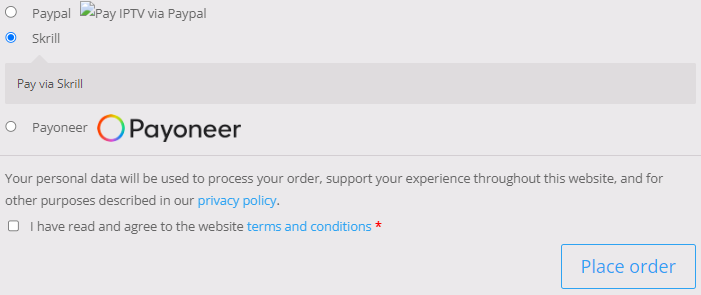
- Choose the payment method and enter the details asked.
- Check the required boxes and select Place Order.
The subscription process is complete once you receive the email from PUB TV.
Read this article, NECRO IPTV
Where to Watch PUB TV?
You can watch PUB IPTV on many devices with the help of an IPTV player. The devices that can be used to watch PUB TV differ with respect to the subscription you have subscribed for. If your device has access to the supported IPTV players, you can easily access PUB TV on it. The different IPTV Players you can use to watch PUB TV are as follows,
- GSE Smart IPTV
- Smart IPTV
- IPTV Smarters
- NET IPTV
- SS-IPTV
- Duplex IPTV
- Perfect Player
and more. The devices on which you can watch all the channels, movies, and series offered by PUB TV areas are as follows,
- Android Smartphone, TV, box, Tablet.
- iPhone
- Fire TV, FireStick
- Apple TV
- PC (Windows, Linux)
- Mac
- Samsung Smart TV
- LG Smart TV
- MAG Box
- Sony Smart TV
How to Watch PUB TV?
As said before, you can download the IPTV player apps from the app store on supported devices. Then use the PUB TV credential to watch all the content available on it. If you have subscribed to the M3U plan, then you can use the VLC player on your PC to watch live TV.
NOTE: Not all IPTV Players are available on all devices; for example, Smart IPTV and SS IPTV are accessible on Samsung Smart TV and LG Smart TV.
Since PUB TV offers channel playlists for IPTV services, you can upload the playlists or external Player URLs. Mostly the M3U URL is used on all the IPTV Players. You can use it to access all the channels of PUB TV on your device using IPTV players. For more information, you can visit the official site to learn about the procedures for watching PUB TV on your device.
Why Should I Choose IPTV PUB?
- PUB TV is one of the best IPTV subscription providers in this era.
- Playlists have 10,000+ channels in video qualities of SD, HD, UHD, and 4K.
- You can reach all your favorite channels with stable servers.
- PUB TV support is available for you 24/7.
- By reselling an IPTV subscription, you can make extra income.
- You can watch your favored sports team games and cartoons for your child.
- If your internet speed is stable, there will be no buffering in the middle of the shows.
- All the VOD channels, movies, and series are updated daily, and the content library enlarges daily.
THE END
Now you know everything about IPTV PUB, subscribe to any plan and start watching live TV on any of the supported devices. I would recommend you use any VPN service to avoid getting treated by your government, ISP, or hackers. If you are not sure about this service, try the 24 or 48-hour trial, you can also test this service with the 7-day subscription. Using the M3U URL is the best way to access PUB TV on any device or IPTV player.
Frequently Asked Questions:
What is an M3U file?
M3U is a type of file format which has a list of addresses, audio files, and video fields. Most of the IPTV channels, VODs, and other content come in this file format.
What are the Channels available on PUB TV?
With the EPG that comes with this IPTV, you can find all the channels available on it. The channels are mostly international channels with content like movies, series, documentaries, anime, sports, kid’s shows, and more.