
![NECRO IPTV. [Features | Subscription | Access]](https://techthanos.com/wp-content/uploads/2023/03/NECRO-IPTV.-Features-Subscription-Access.jpg)
IPTV services can bring live TV programs and on-demand videos to any of your screens with an internet connection. NECRO IPTV is one such IPTV service provider which brings you 7000 channels from around the world. The subscription price for NECROIPTV is lowered than a cinema ticket. Here you can learn about the features offered by this best IPTV service along with its subscription plan and procedure to get it on your device.
Table of Contents
NECRO IPTV:
This IPTV service can help you to watch TV shows, Live Sports, Premium Channels, PPV events, and more from countries like the US, CA, UK, DE, IT, FR, AE, IN, GB, and more. The 24-hour Trial offered by NECRO IPTV gives you first-hand experience on live TV, after which you can decide whether to subscribe or not. To watch NECROIPTV on any device, you need an IPTV player. You can also watch simultaneously on two devices at the same time. Continue with this article to learn more about this IPTV service.
You may also like to learn about PUB IPTV [10,000+ Channels | VODs]
How to Watch NECRO IPTV?
To get NECRO IPTV you will need its subscription, supported devices, IPTV Player, and a good internet connection. After subscribing to NECROIPTV you will get M3U8 URL along with credentials sent to your subscribed Email ID. You can use this information on an IPTV Player and start Live Steam the channels available on it.
How to Subscribe to NECRO IPTV?
You need to first register with NECRO IPTV and create an account. After that, you can choose the plan of your choice and continue with the on-page instructions. Once you have completed your payment procedure and received the confirmation mail, you can start to watch live TV on your device.
Register to NECROIPTV:
- Visit necroiptv.com site on yoru Phone or PC.
- Tap on the Get Started option.
- Go to the My Account option and select the Register option.
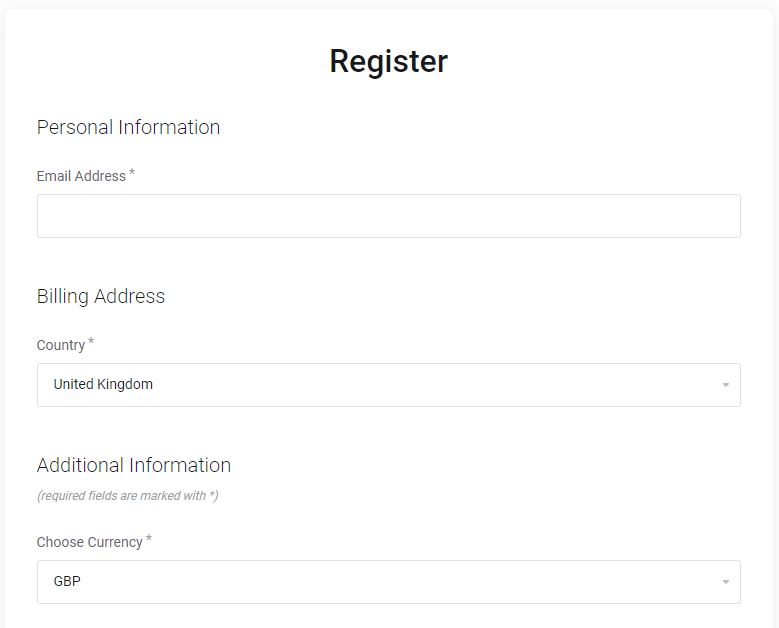
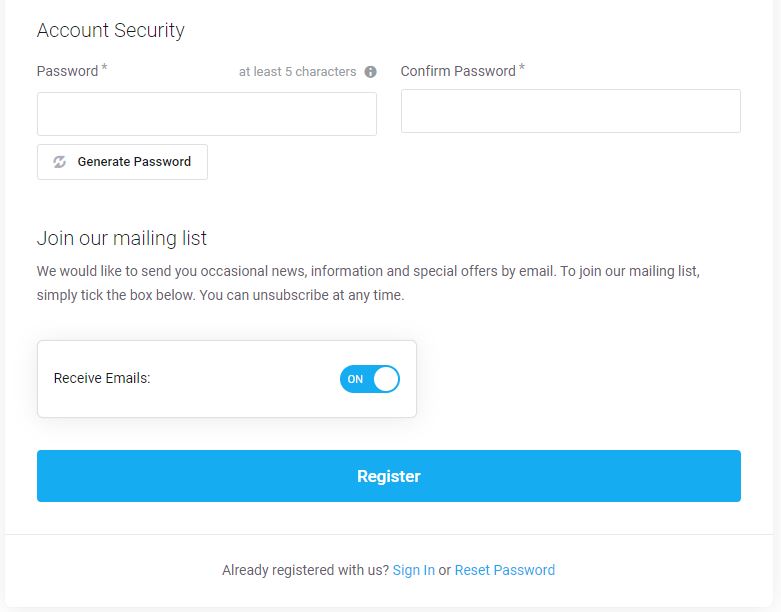
- Complete the details asked and tap on Register.
- You have now successfully created an account on this IPTV.
Subscribe:
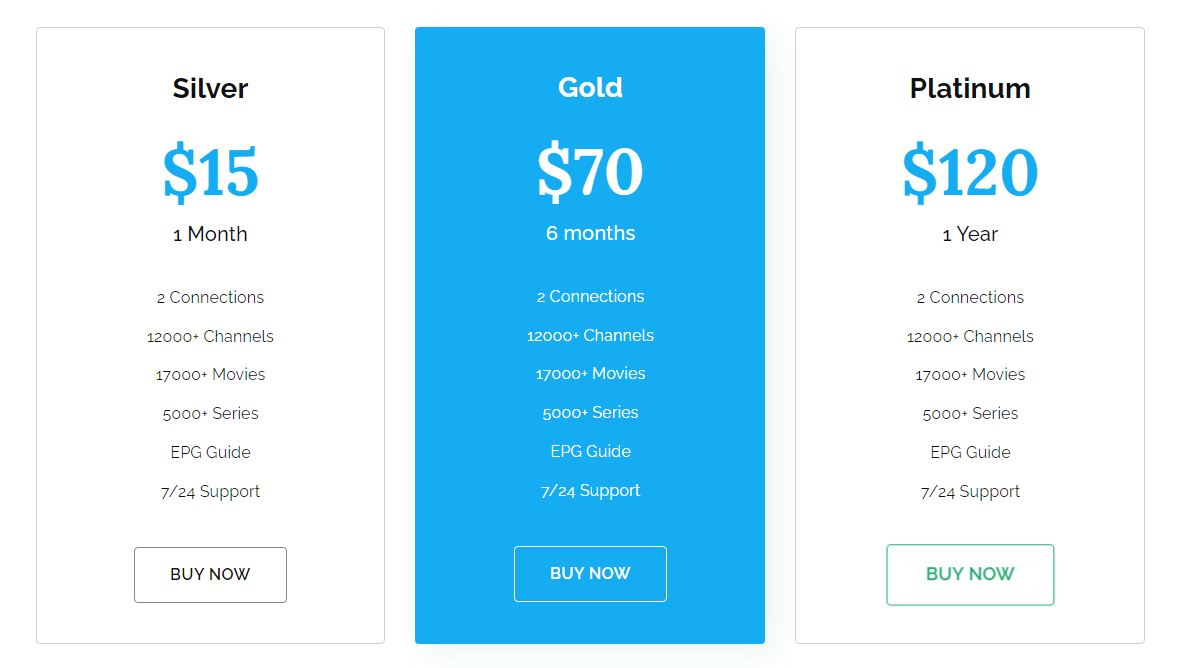
- Go to necroip.tv/shop page on your web browser.
- Select the Order IPTV option.
- Now choose a NECROIPTV Plan of your choice.
- Tap on the Order Now option and reach the Configure page.
- Select Continue and go to the Review & Checkout page.
- Choose the type of Payment Method and Provide your Billing Address.
- Tap on Checkout and complete the payment procedure.
How to watch NECRO IPTV on my Device?
After your subscription, you will get a confirmation mail sent to your email ID. You can use the information provided in this email to access this IPTV on your devices. The devices on which NECRO IPTV is better are Smart TV, FireStick, Smartphone, PC, Tablet, and more. The IPTV Players that are more compatible with this IPTV are as follows,
IPTV Players to watch live TV with NECRO:
- TiviMate IPTV
- IPTV Smarters
- Flix IPTV
- Kodi
- SS IPTV
- GSE Smart IPTV
- VLC
and more. You can use the M3U8 URL from your email ID on the IPTV Players on your device to watch live TV. To install and access IPTV Players on FireStick you can refer to How to Install TiviMate IPTV on Firestick.
NECRO IPTV Features:
The features offered by NECRO IPTV are top-notch and make it easier to access live TV on supported devices. Here are all the features you can get from subscribing to this IPTV service.
Safety and Security on NECROIPTV:
- On this IPTV service, every data transfer is encrypted and secured. Using a VPN can get rid of annoying ISP Blocks and insecure servers.
- By working with secure credit card providers, this IPTV service gets enhanced with safety and security.
Channels and VOD:
- You can watch 12000+ channels from different countries in one place, which is NECRO IPTV.
- You can watch new movies and TV series with this subscription.
Support:
- Right after signing up with a subscription you can access the channel available in it without any delay.
- 24/7 Customer Support can help you with all your needs on this IPTV service.
Quality:
- The channels on NECRO IPTV are in Full HD or Ultra HD (4K) video quality.
- With the new Load Balance Technology, you will never come across any buffering or freezing while watching your favorite channel.
Devices:
- You can use the M3U8 URL on IPTV Players to watch live TV on it.
- Every device with a screen and access to the internet can be used to watch Live TV with NECROIPTV.
THE END
With NECRO IPTV you can enjoy watching your favorite shows and sports from anywhere you like on any screen of your choice. I hope that this review can help you understand more about this IPTV service. This is a very good IPTV service with many channels at a low price. I would definitely recommend you try NECRO IPTV another high-cost IPTV service with less number of channels.