
Atomic Build is one of the greatest Kodi builds where you can get from Misfit Mods Wizard. Like Atomic Build, Misfit Mods Wizard is also great in producing other builds such as Misfit Mods Lite, Khaos, Hard Nox, Samurai, Zodia and etc. Using Atomic Bomb 17 Skin sized 176 MB, Atomic Build operates easily. Since the Build has many add-ons, it helps to watch various kinds of media.

Atomic Kodi Build has many divisions like Eternal TV, Horror, Movies, TV Shows, Kids, Sports, Music, Urban, Add-ons, Fan faves, system and much more. The following divisions help to know much about Atomic Build
- Movies- It contains trending and popular movies. And it also has distinguished into several divisions. Popular Movies, Trending movies, 24/7 movies and many more.
- Shows- It contains lots of famous TV shows and series that too with the recent episodes, trending shows, and 24/7 TV shows.
- Sports- Another important category is sports where it contains sports videos. It is divided according to games like Hockey, Football, Tennis, and Golf.
Atomic Kodi is well-known for its 4K video streamings. It contains trending Kodi add-ons like Eternal TV, Uncoded, Enzo, Bob Unleashed, Neptune Rising, Oculus, Supra Box, Spinzflix, Project D.
Similar Post: Install Ares Wizard Kodi, The given hints are used to install the Ares Wizard add-on on the Kodi application. We are using the application of Kodi without any payment or charge.

Table of Contents
How to Install Atomic 18 Kodi Build Leia?
#Step-1: Home screen > Settings.

#Step-2: Select File Manager.

#Step-3: Click Add source > None.
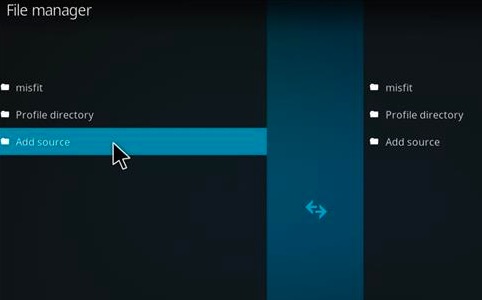
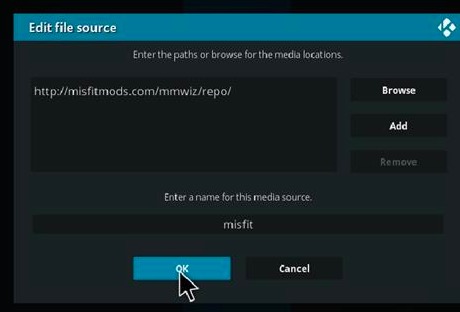
#Step-4: Type https://misfitmods.com/mmwiz/repo/.

#Step-5: Type Misfit.
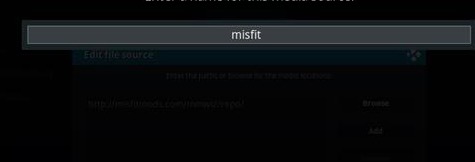
#Step-6: Click OK.
#Step-7: Go to Home screen > Click add-ons.

#Step-8: Click the add-on browser.
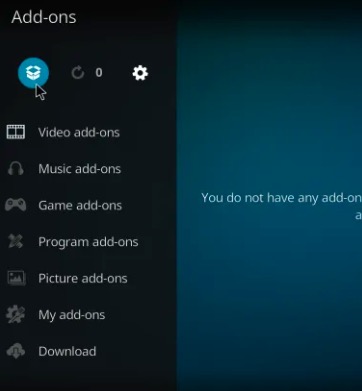
#Step-9: Click install from zip file.

#Step-10: Click plugin program misfit mods -1.4 zip.
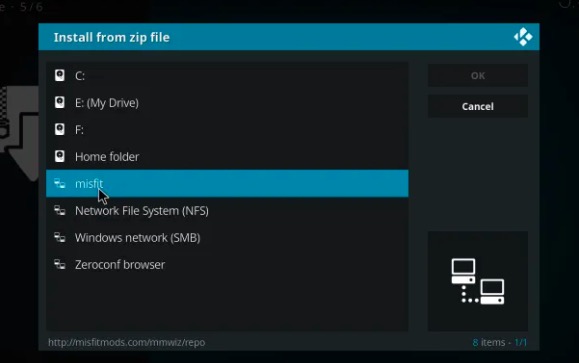
#Step-11: Click Install.

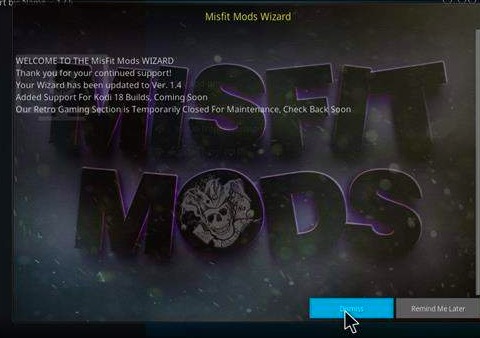
#Step-12: Click Dismiss, when it puts information about Misfit Model Wizard.
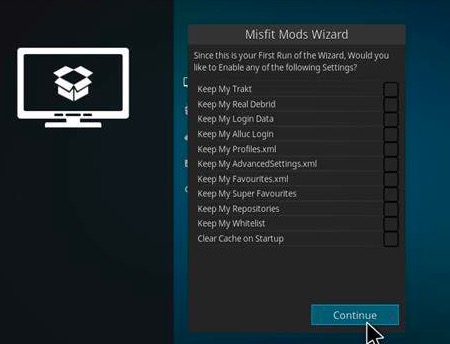
#Step-13: Click Continue > Build menu > Atomic.
#Step-14: Choose Fresh install.

#Step-15: Click Yes.
#Step-16: Once download, install it.
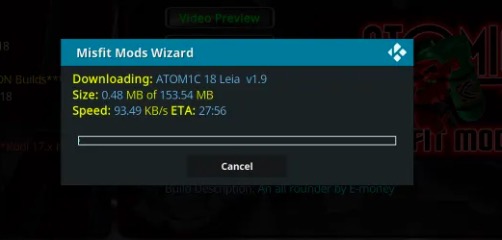
#Step-17: Select Force close to restarting Kodi app so that it works with Atomic Build.
If this Build fails to work you can remove easily using the this steps,
#Step-1: Home screen > System.
#Step-2: Click Interface settings.
#Step-3: Click Skin.
#Step-4: Click Estuary.
#Step-5: Click Yes.
Know About Misfit Mods Lite
One of the world’s greatest Kodi build among many other builds are Misfit Mods Lite. It was also considered as the year’s best build in many tech journals. People who are looking for the great build should surely select Misfit Mods Lite. Kodi builds are distinguished based on its add-ons, sizes, and skin. This Kodi is weightless to use.
Among others, this particular Kodi has got some great add-ons that are modernized with outstanding add-ons such as Death star, The Magic Dragon. When you click add-ons you will get different subgroups such as My add-ons, recently updated, updates, install from repository and much more.
Trending Kodi Builds:
Among several builds, the best builds which work with Kodi are listed below,
- Atomic Build
- Xontech
- Blue Magic Build
- Kodi World Build
- Nebula Build
- The Smokin
- Fury X 18
- Breezz Base
- SG Console
- Franks Build
- The Last Kingdom Family Build.
Conclusion
Atomic Build on Kodi 18.3 Leia is popularly used by many users. It automatically updates its trending media subjects. It has got famous add-ons for the betterment of people’s usage. We hope this article will surely help you to use Atomic Build.