
Those who are all people famous on Social media, they are all considered and called celebrities. For example, Instagram, TikTok, Musically, Facebook, and more like this. If you are active in posting videos and live videos, Your followers will increase, and you will feel like a celebrity. One of the best entertaining social media in recent days is TikTok. You can stream TikTok on Samsung Smart TV. Proceed forward to this article to know more.
Watching the most entertainment streaming service on a big screen lets, you pay more attention and action in the TikTok app. In this article, I will be going to teach you to install the TikTok app and stream it on your Samsung Smart TV. Follow the Methods and the steps I have provided in the following section.
Table of Contents
Is TikTok on Samsung Smart TV?
TikTok is a popular active social media platform. It is available even on small streaming platforms. But in the middle, we heard that the TikTok app is banned or something like that. But it is active. So, the TikTok app is available on the Samsung Smart TV.
You can get the TikTok app on your Samsung Galaxy App Store. If you already know How to install the apps on the Samsung TV, you can apply the same procedure to get the TikTok app. Or, if you need an installation procedure, refer to the following section to grab the procedure.
How to Stream TikTok on Samsung Smart TV?
So, we know the TikTok app is available on your Samsung Smart TV in-built App Store. Our work is to install and enjoy the TikTok videos on the big screen. Pay keen concentration to the steps given in the following.

Follow the instructions to Get TikTok on Samsung Smart TV:
- If the Software update requires, then proceed right now.
- And link your Smart TV with a Stable Wi-Fi internet connection.
- You can also connect your Samsung TV to your home Wi-Fi router with wireless.
- Then, tap on the Home button on your Samsung TV remote controller.
- Now, you have to click on the Apps section on your Samsung TV home page.
- And tap the search field and type “TikTok” in the required space.
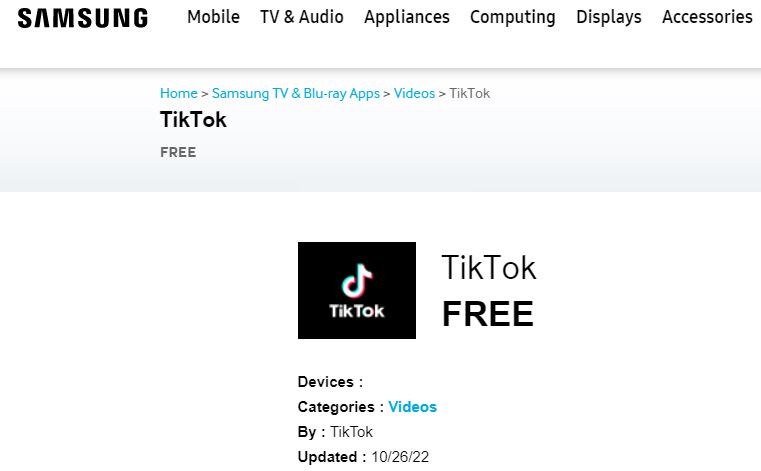
- Select the official TikTok app from the search result.
- And hit the Install button to download the app on your Samsung TV.
- After the TikTok app gets downloaded, click on the Open button to reveal the app.
- If you want to add the TikTok app on the home screen, tap the Add to Home tab.
Once you have launched the TikTok app, Sign In using the Username and Password credentials. And start streaming funny videos and informative videos on the app screen. You can also post videos and be popular on the TikTok social media platform.
Alternative Method to Stream TikTok on Samsung Smart TV:
Yeah, I know we have a direct method, and the Samsung Smart TV lets us install the app directly from its app store, which we have done in the above section. Now, we are going to Screen Mirror the TikTok app.
Try this method if the TikTok app is not available on your Samsung TV app store or the app is not working properly after it gets installed.
Steps to Screen Mirror TikTok on Samsung Smart TV:
- Link your Android and Samsung Smart TV with a similar Wi-Fi connection.
- And open the Google Play Store on your Android Smartphone device.
- Now, search for the “TikTok” app on the Play Store page.
- Then, select and highlight the required TikTok app from the play store result list.
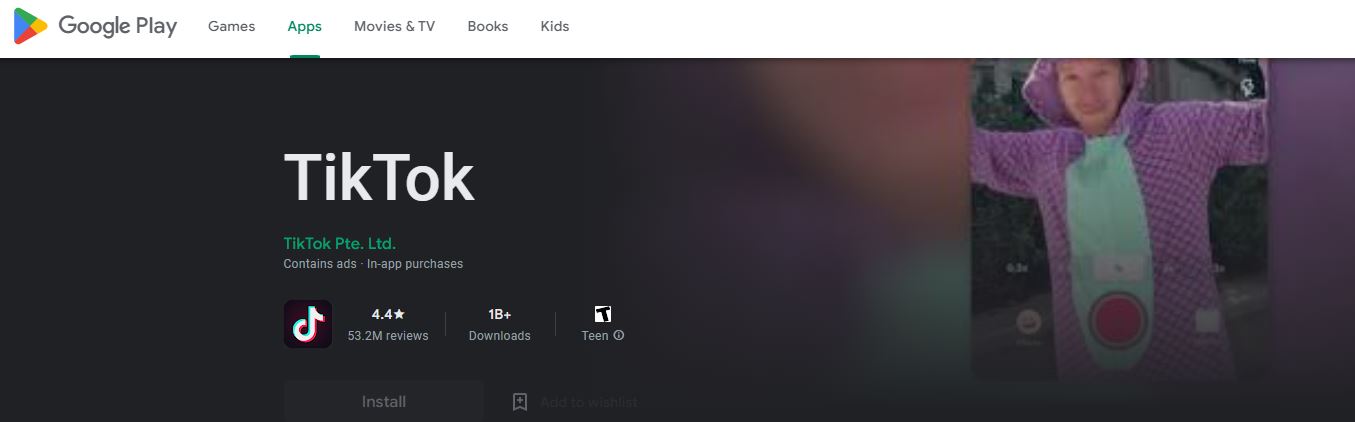
- Now, you have to click on the Install button to get the required app on your device.
- If your internet is speedy, the TikTok app gets downloaded this time.
- Select the Open tab to launch the TikTok app on your mobile screen.
- Login using the required credentials and play the content from the TikTok app on a mobile screen.
- Get straight to the Control Centre of your Android device.
- And click on the Cast button to initiate screen mirroring.
- After that, you have to select your Samsung Smart TV model name on the pop-up screen on your mobile display.
Within one minute, your Samsung Smart TV and your Android device get connected. And you can watch the TikTok videos on your Samsung TV display.
TikTok Features:
TikTok has many features and benefits to impress its users. I have listed the features and benefits in the following section. They are:
- Uploading Own Videos.
- Editing the Video.
- Use Effects and Filters.
- Share videos Socially.
- Get and Give Likes and comments.
- Get the Notification from the following and followers.
- Also, Duet with someone.
- Give Reactions to someone’s videos.
- Use the Trending Hashtags to make the video popular.
- Live Videos.
- Scan the QR Code.
- It lets you find the Geolocation.
- Preview the video before posting.
These are all the most used features on the TikTok social media streaming service. Now, you can access the TikTok app on your Samsung Smart TV device. If your Samsung TV WiFi Keeps Disconnecting, you can not be able to stream TikTok on Samsung Smart TV fluently. Tap on the link and learn the methods to fix the issue.
Our Final Notes:
Install and Stream TikTok on Samsung Smart TV directly from the App Store, and If the TikTok app is not available on the App Store, you can Screen Mirror the TikTok on Samsung Smart TV. Why we are Screen Mirror or Sideloading the streaming service on the TV is when the app is not available on the in-built app store or the app is not working on your device.
TikTok has been famous in recent days, but we have had Facebook and Instagram for long days. If you would like to access Instagram or any other streaming devices on your TV, drop an app name and your Streaming device name in the comment section below.