
Watching on the big screen is quite comfortable and reliable to stream. However, you can still relish your favorite content on your streaming service without a cable TV network by using a streaming app on your smart TV. Nowadays, everything has become Smart, so our world also changed smart. We were updating our technologies using smart ways. Likewise, today we will teach you How to Install the Spectrum TV App on Samsung Smart TV? If you are curious to know about it, then read till the end of the article.

Table of Contents
About the Spectrum TV App:
Spectrum TV app is a mobile app where you can stream live and on-demand TV video content without any additional cost with your mobile device and your smart TVs by using certain tricks. Also, you can tune your DVR recordings, do a content search, search for channel guides, know about your desired programs, and many more.
This is a United States popular TV streaming service that Charter Communications owns. The service is constructed as a virtual multichannel video programming distributor. It is only available to Charter Spectrum internet customers. Spectrum is also an alternative to OTT bundles that want to stream without a cable TV network and can watch through your Smart TV, mobile apps, and digital media players. They offer third-party services such as HBO Max service.
Is Spectrum TV App on Samsung Smart TV?
Yes. The Spectrum TV App is available on the Samsung Smart TV. You can Install the app officially on your Smart TV from the Samsung Galaxy App Store. Also, you have another method to install and stream the Spectrum TV App on your Samsung Smart TV. The following topics will let you know the direct installation procedure and another method installation procedure step-by-step for your reference.
How to Install Spectrum TV App on Samsung Smart TV?
As mentioned earlier, Samsung smart has an official app store that is compatible with the Spectrum TV app to download after the 2012 manufacturing models. So follow the below steps to get the Spectrum TV app on your Samsung smart TV.
Steps to Install the Spectrum TV App on Samsung Smart TV:
- First, Turn On your Samsung Smart TV.
- And connect it with the Stable Internet Connection.
- Tap the Home Button on your Samsung TV Remote.

- Select the Apps option from the menu toolbar.

- Then, click on the Search icon and type “Spectrum TV” in the given search space.
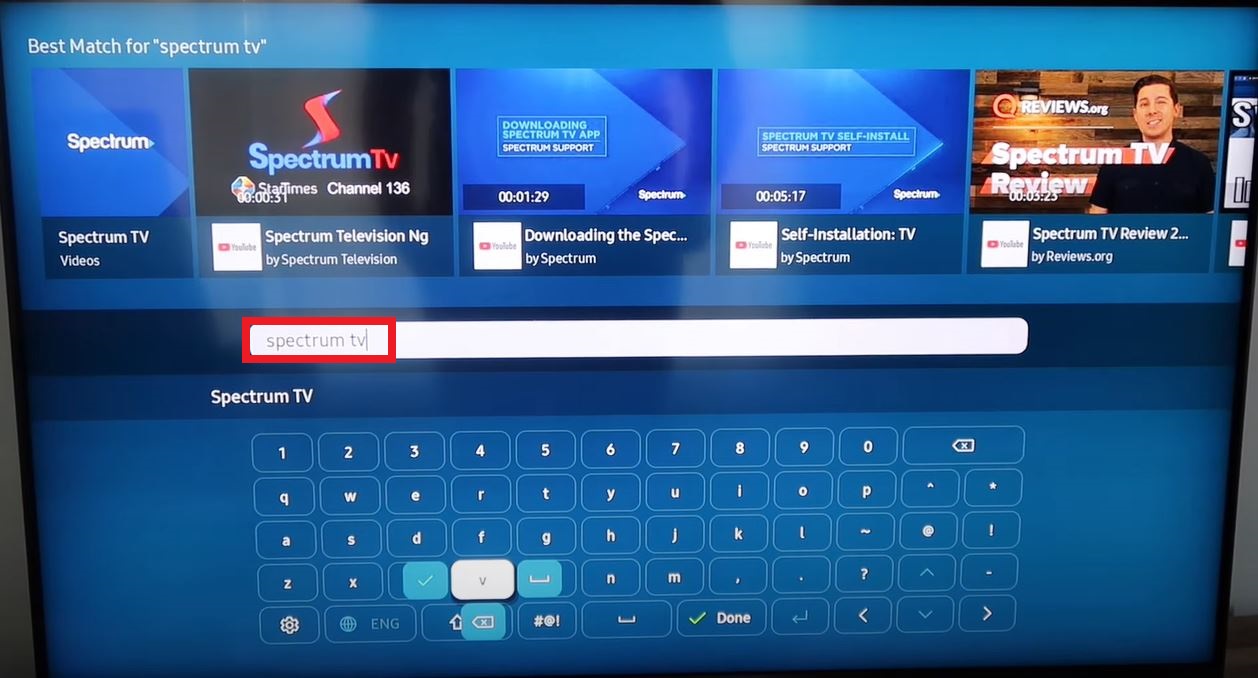
- Select the Official Spectrum TV App from the search result.
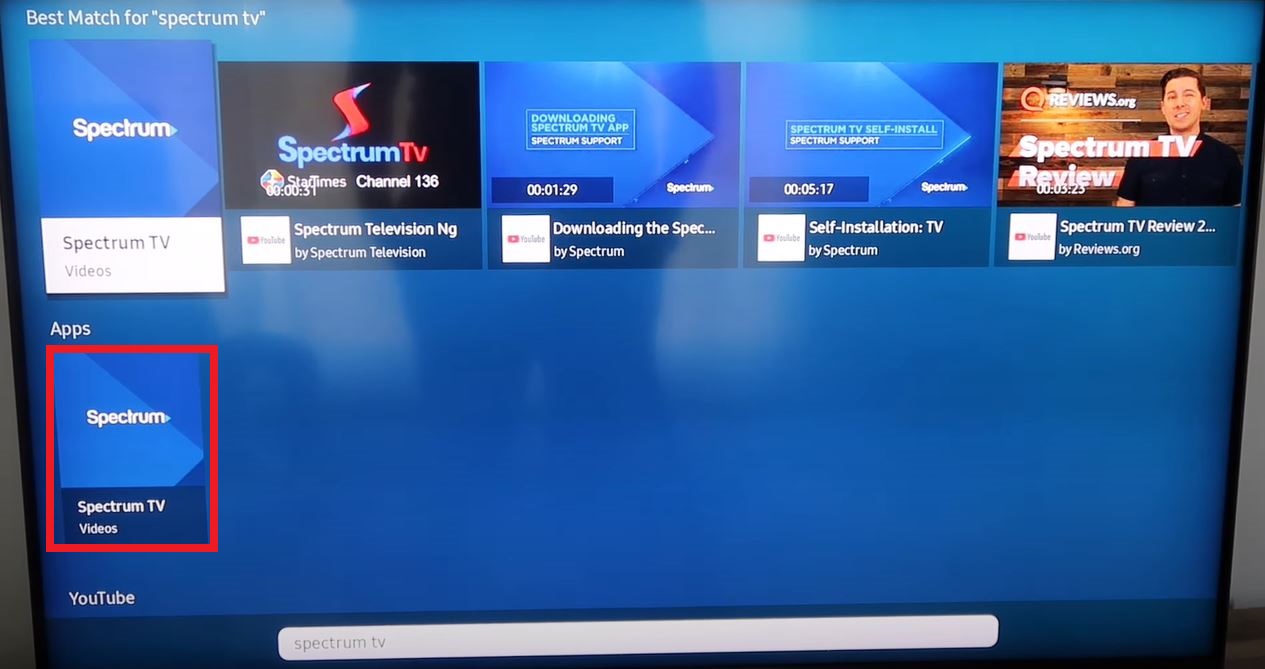
- And click it to highlight the installation page.
- Now, tap on the Install button to get the Spectrum TV app on your TV.

- Now, the Spectrum TV App is started Installing on your device.
- Based on your Wi-Fi speed, the Spectrum TV App gets Installed quickly.
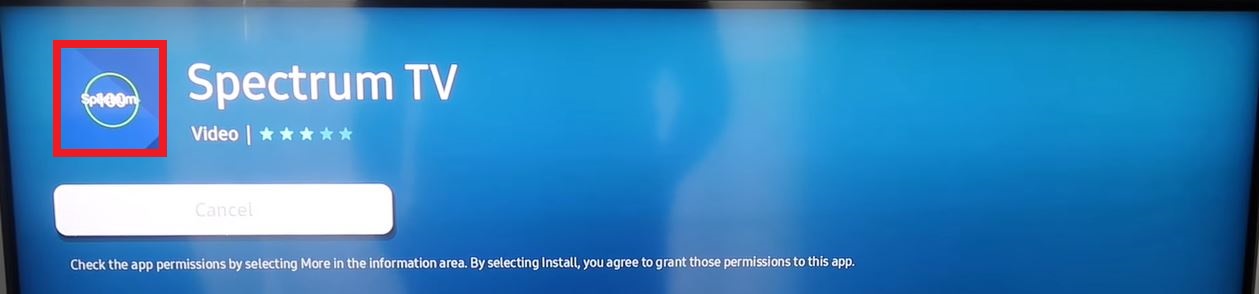
- Open the Spectrum TV app after it gets owned.

- Select the Agree tab to accept the Terms and Conditions from Spectrum App.
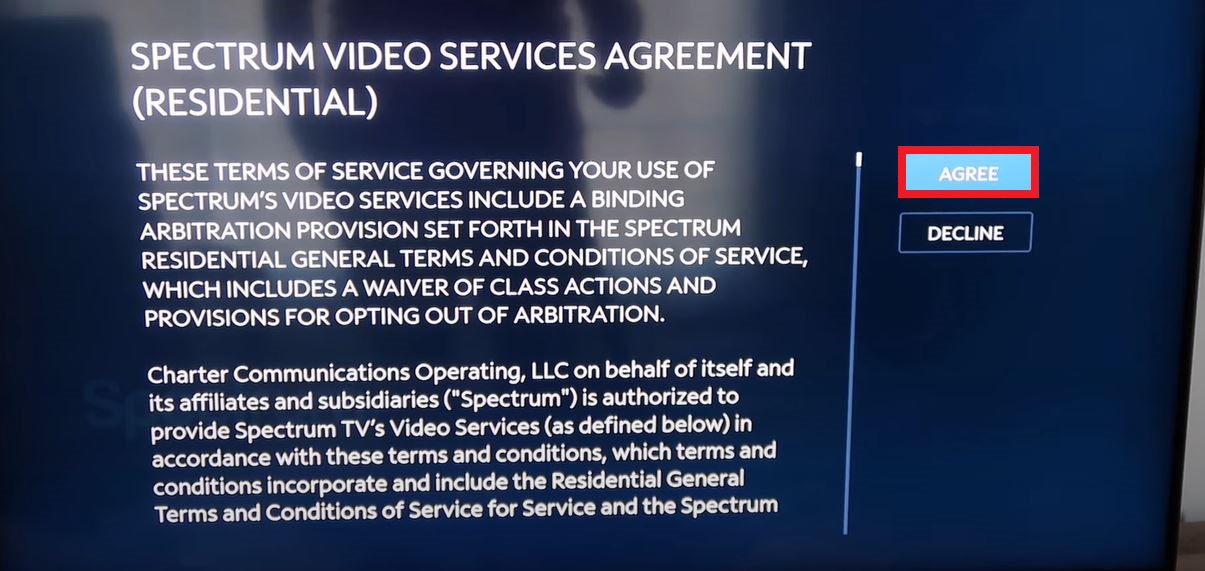
- Then, Select the content on the page.
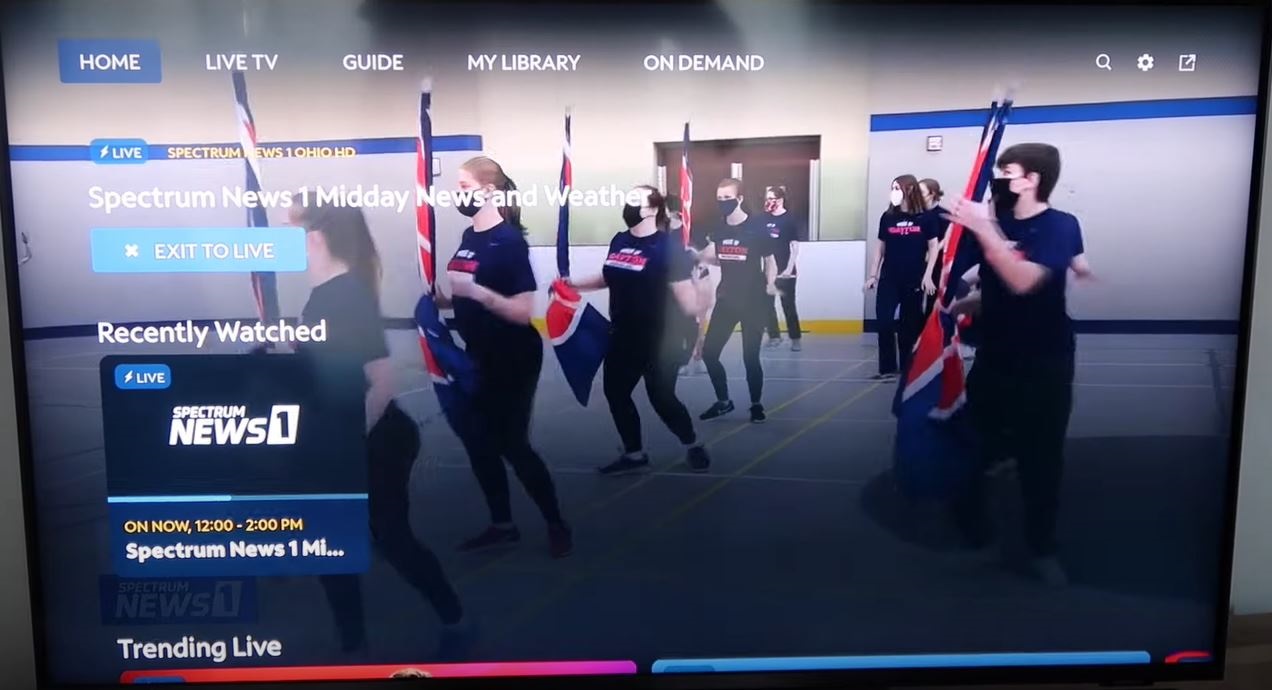
And start streaming the content on your Samsung Smart TV. You can also watch the Live TV channels on your device from the Spectrum TV App. You have to Login using your Spectrum Television Provider user credentials. If you do not have a user account, create one now.
How to Add Spectrum TV App on Samsung TV Home Page?
If you would like to add the Spectrum TV to your Samsung Smart TV home page, you can do it after the installation is completed. Learn it how in the steps mentioned below:
- After the Spectrum TV App is installed on your device.
- You can see the Add to Home option on the installation page.
- Click the Add to Home tab in the middle.
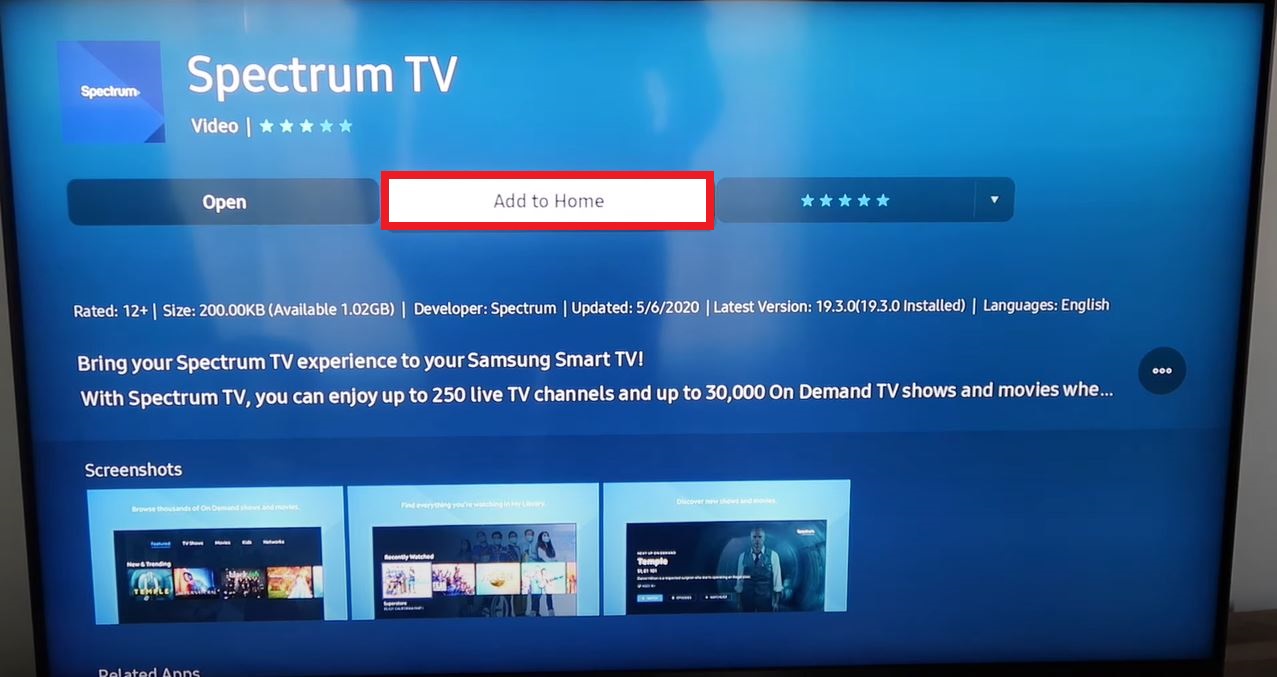
- Then, Drag the Spectrum TV App to the left or right where you want to place it.
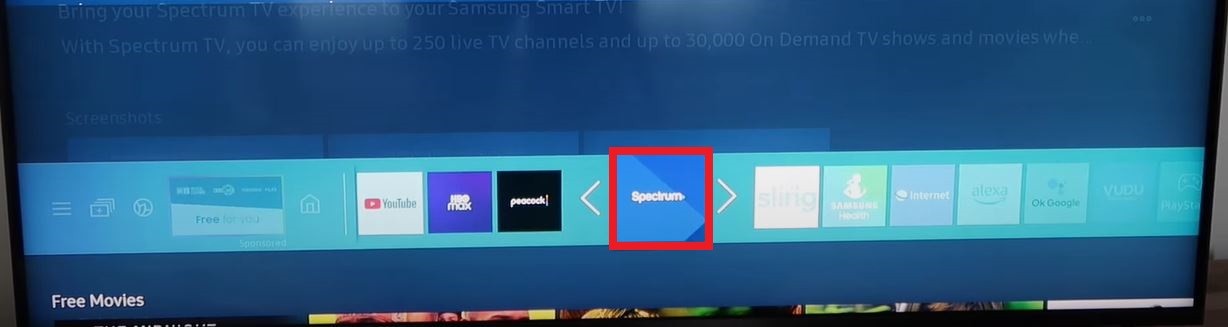
- If you would like to move the app to another place,
- Navigate to the Spectrum TV App and select the menu button.
- Click the Move option.
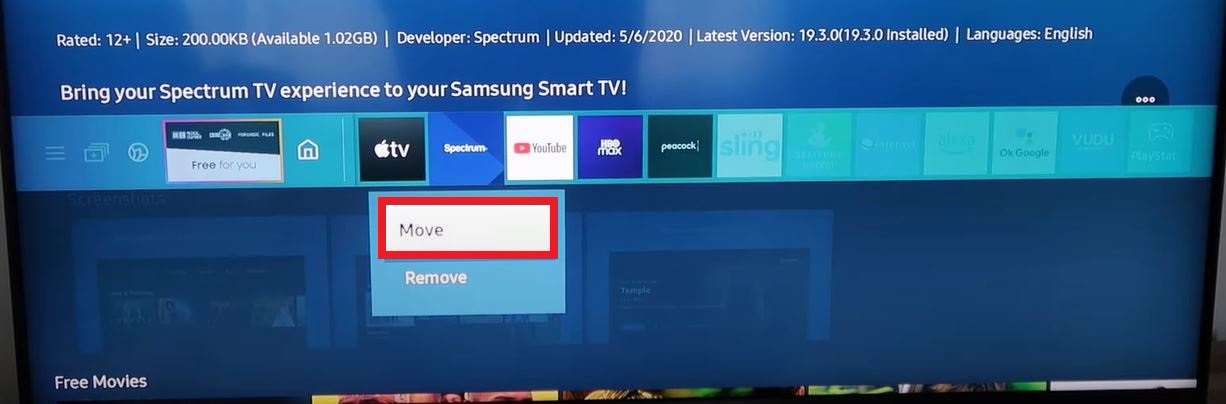
- And then, drag the app to the place you would like to move.
How to Install Spectrum TV App on Older Samsung Smart TVs?
If you are using the Samsung Smart TV before the 2012 model, you can not Install the Spectrum TV App. Because it is unavailable in the old model Samsung Smart TV. But you have another way to Install and Stream the Spectrum TV App on Samsung Smart TV.
We are going to use external streaming devices to get the Spectrum TV App on your older Samsung TV models. Check out the devices name in the following:
- Roku
- Chromecast
- Amazon Fire TV
- Xbox One | Series
- Apple TV and devices
These listed five external streaming devices are all compatible with the Samsung Smart TV. So, you can connect it to your TV and Install the Spectrum App on your device. I have given the Installation Guidelines for two devices from this list in the following.
1). Install using Firestick:
So, first, we choose the Amazon Firestick device to learn the Spectrum TV installation and streaming on your device.
👉Step 1
Insert the USB Cable connected to the Firestick device with your Samsung TV HDMI portal.

👉Step 2
Then Connect it with your Secure Wi-Fi connection.
👉Step 3
Then, click on the Home Button on your Firestick device.

👉Step 4
On the menu toolbar in your Firestick home screen, click on the Find tab.

👉Step 5
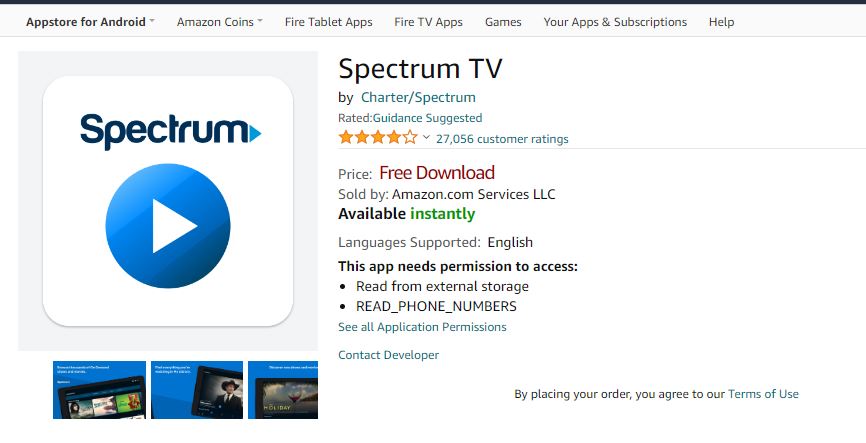
Select the Search panel and type “Spectrum TV” and select it from the search result.
👉Step 6
Head towards and click on the Download tab.
👉Step 7
Once the Spectrum App is downloaded on your Firestick, Launch the app.
👉Step 8
Then, Sign In using your Spectrum TV Provider credentials. If you don’t have one, you can create a new one. And purchase the subscription.
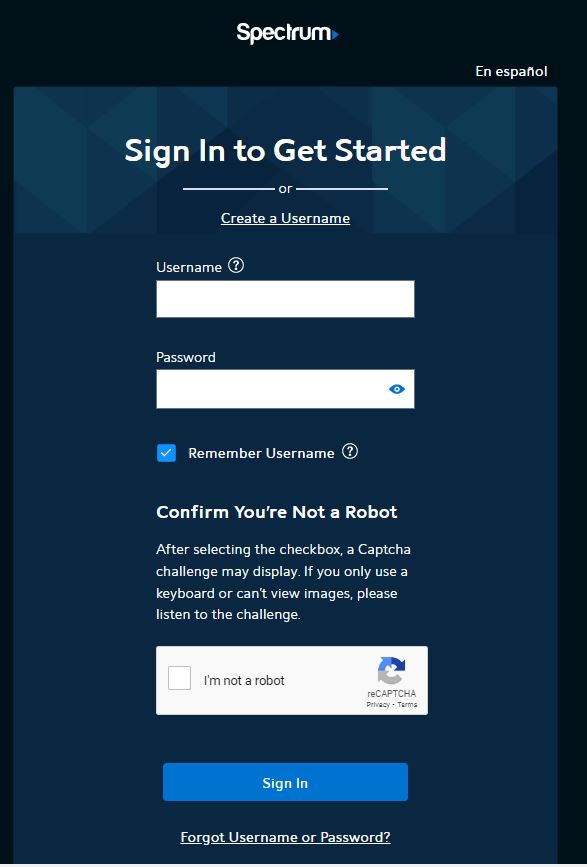
Go to the Spectrum TV App Home page and select the content and play the Spectrum TV App on Samsung Smart TV. Check the next topic to install the app on Roku.
2). Install Using Roku:
If you have a Roku device, the Spectrum TV App is available on the Roku Channel Store. Refer to the steps below to Install the app on your Roku streaming device.
Follow the Steps to Stream the Spectrum TV App on Samsung Smart TV:
- Connect the Roku Device with your Samsung Smart TV HDMI.
- Set the Roku and Samsung Smart TV with a stable Internet Connection.
- Click the Home Button on the Roku Remote.

- Navigate to the Menu option.
- And select the Streaming Channels option from the menu.
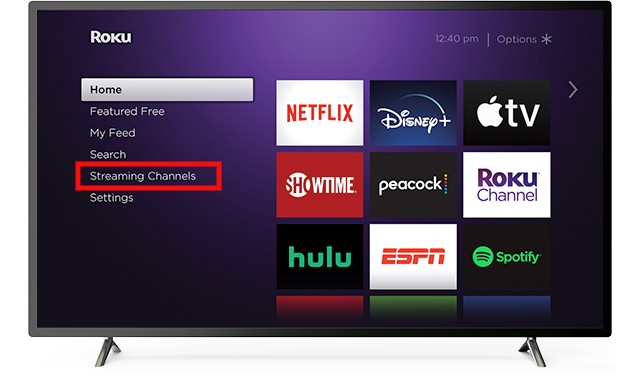
- Click the search section and type “Spectrum TV” in the panel.
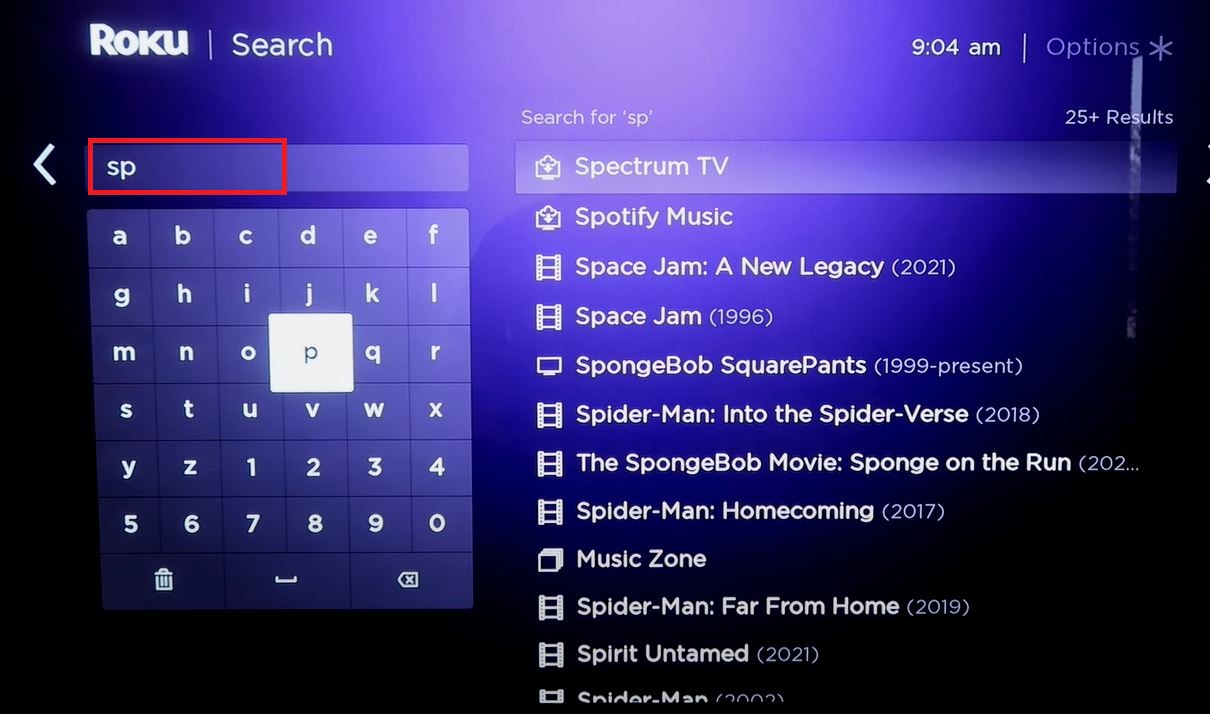
- Select the official app from the search result.
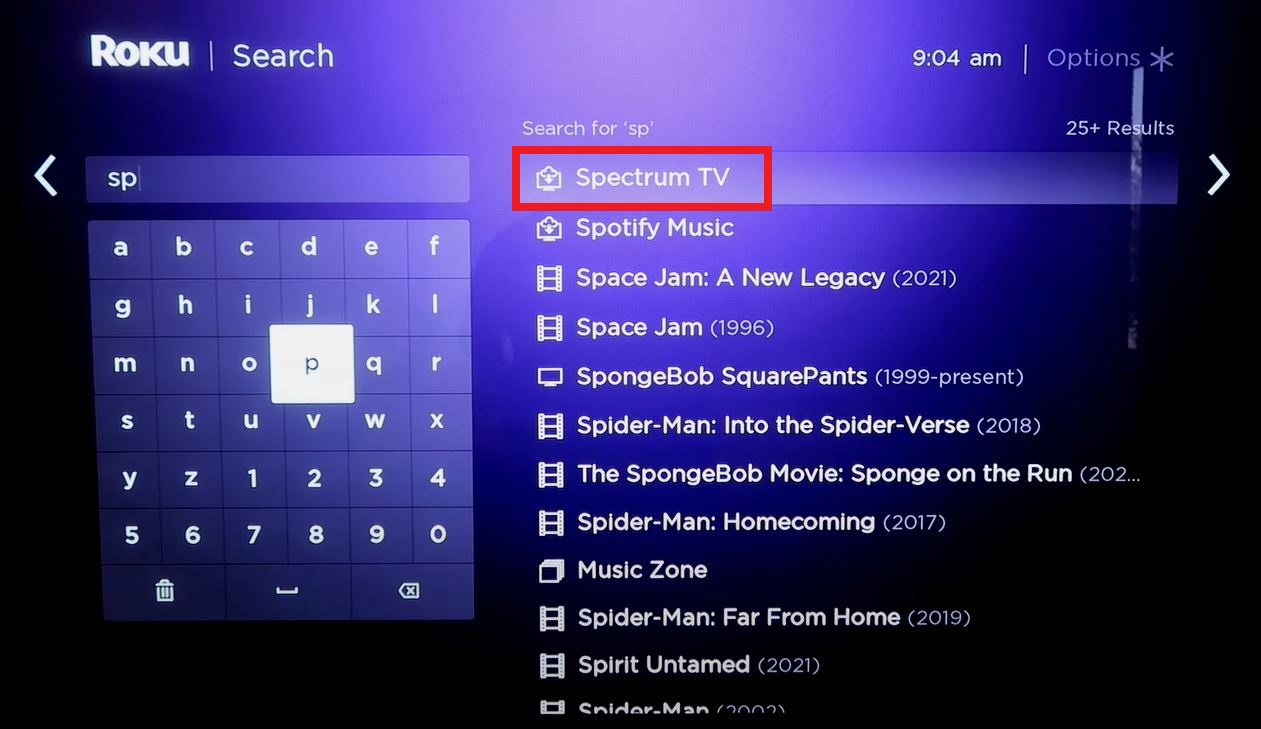
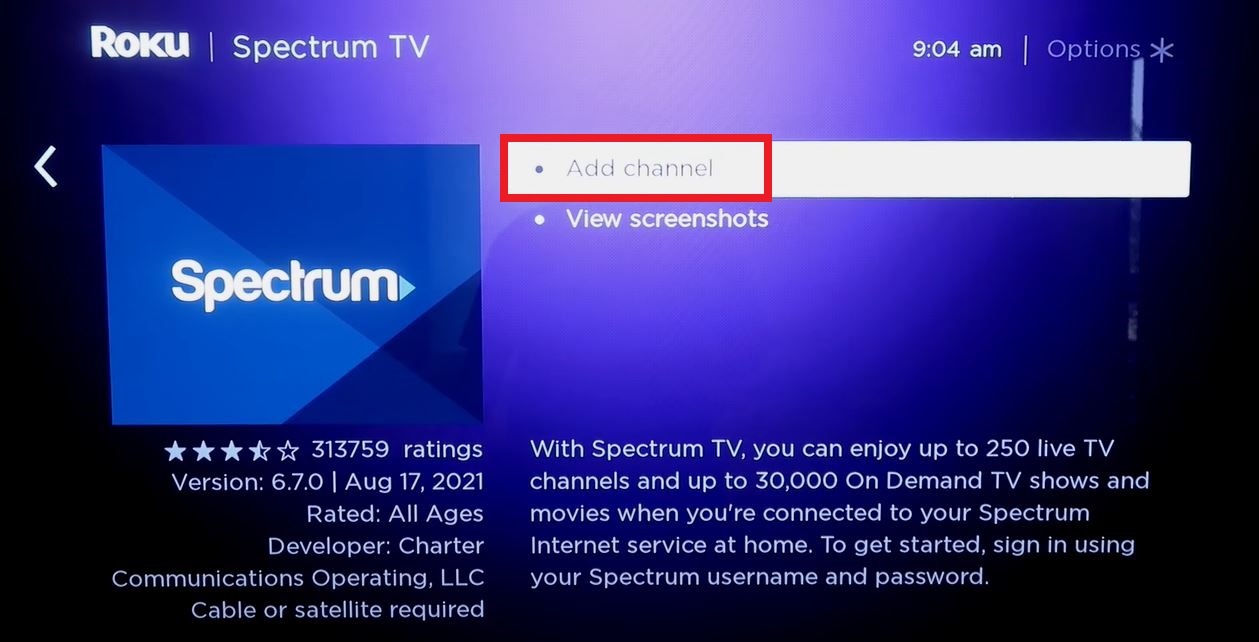
- And tap on the Add Channel option.
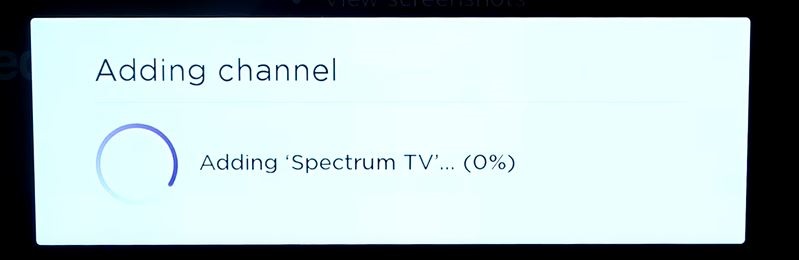
- Wait until the Spectrum TV app is installed on the Roku device.
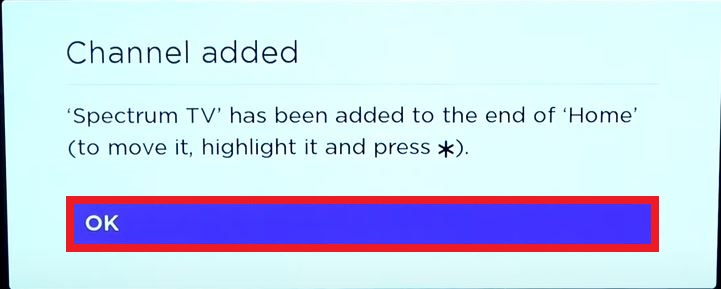
- On the pop-up screen, click the OK tab.
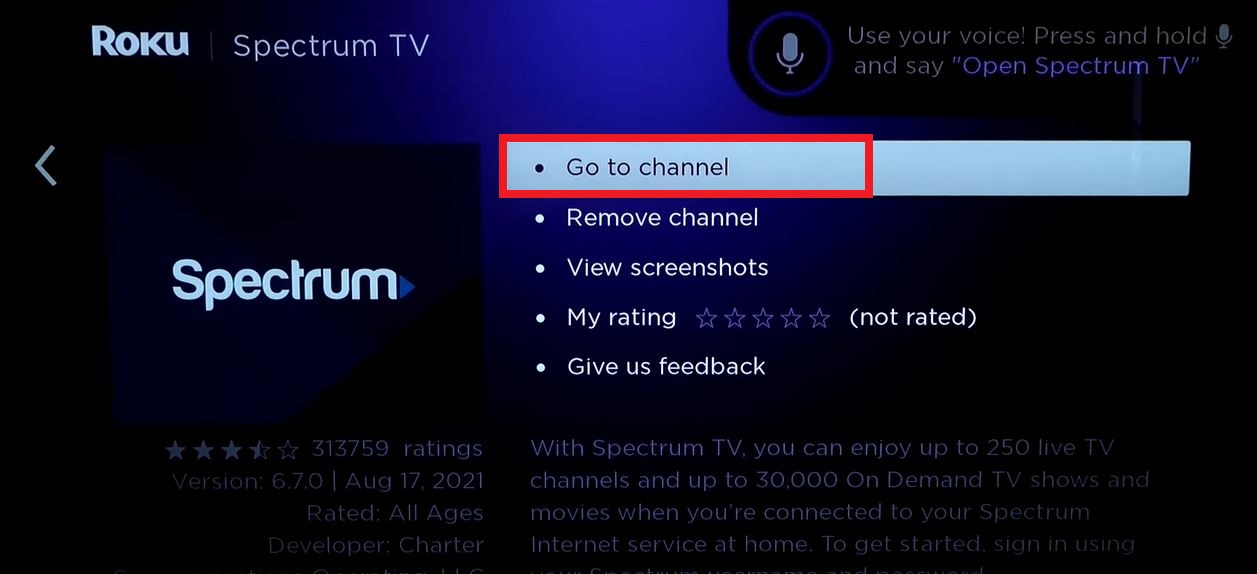
- Then, tap on the Go to Channel button.
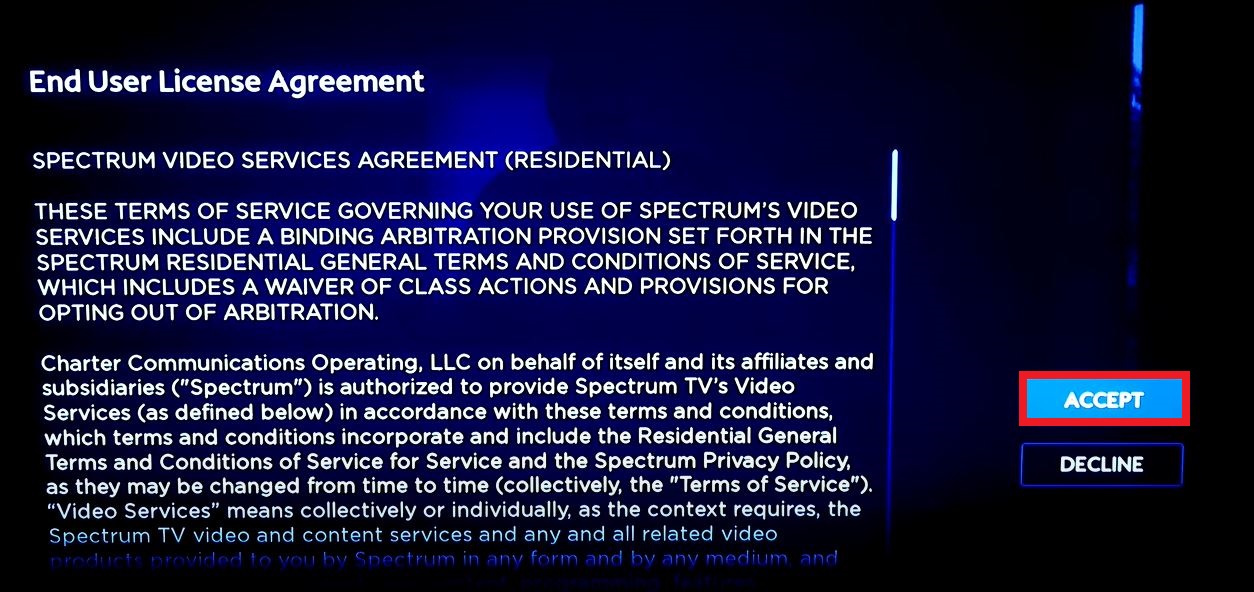
- Head toward the Accept tab to allow the terms and conditions.
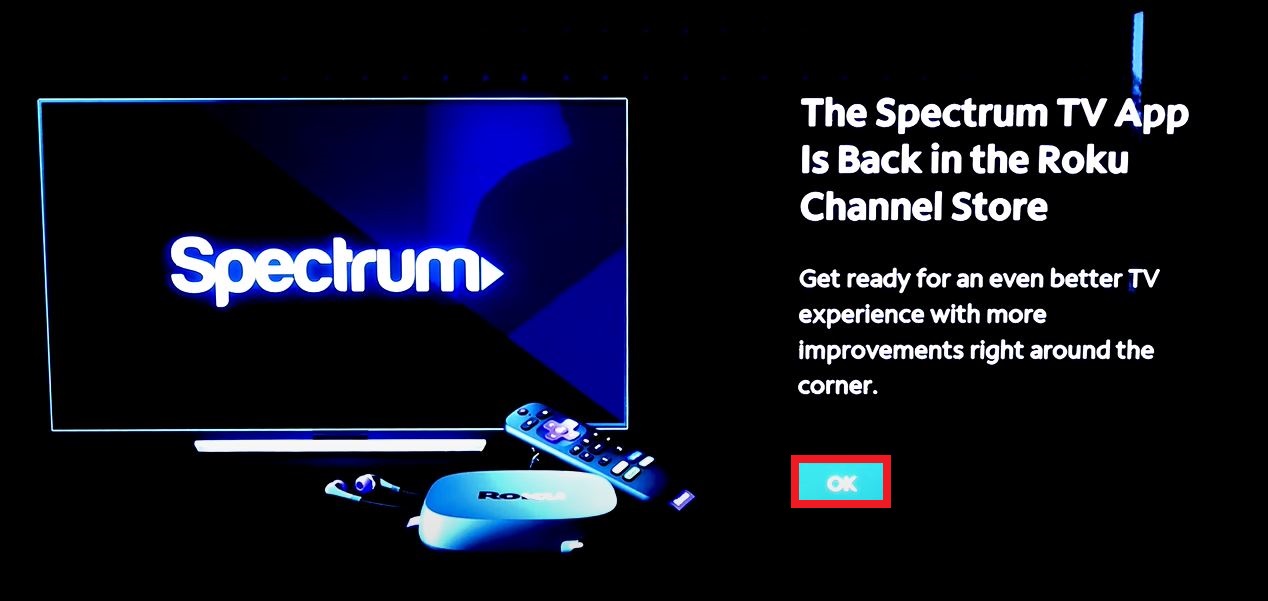
- Again, click the OK tab.
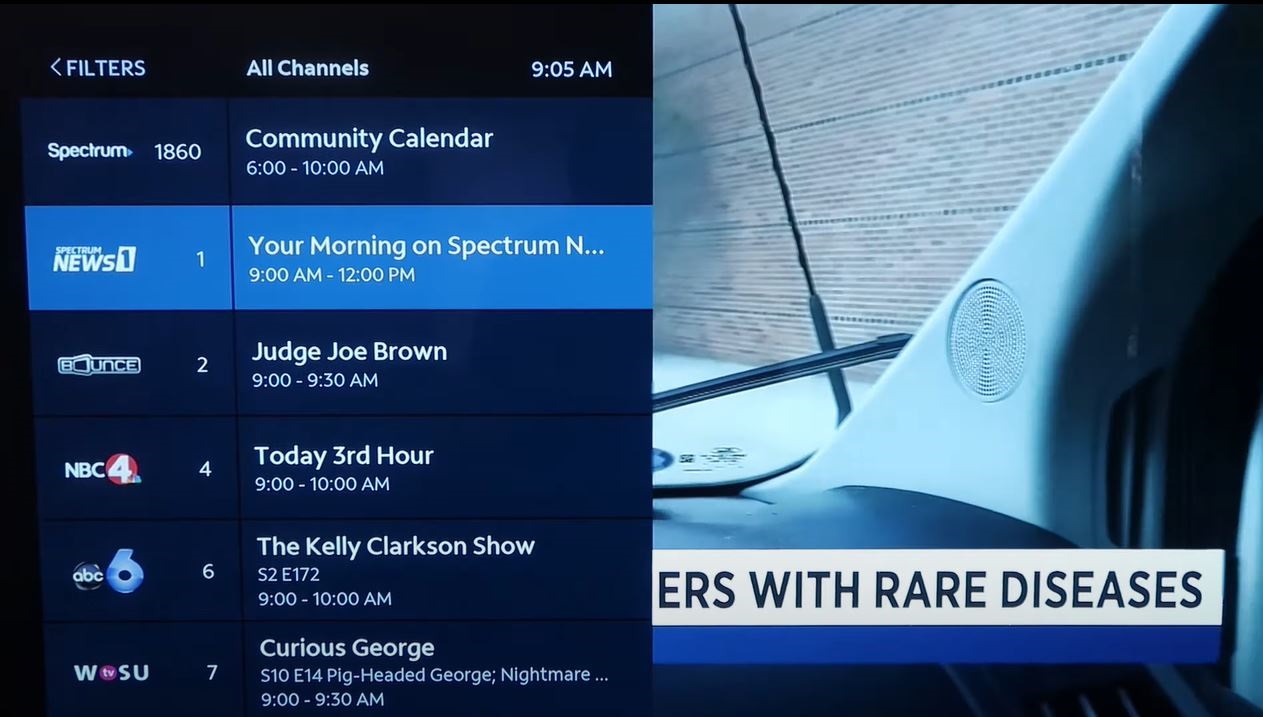
- On the homepage, select the content and stream it on your device.
That’s it. Finished. Using these steps, you can download the apps on your Roku device. And, if any apps are not unavailable on the Roku Channel Store, you can use the External streaming devices to get the app on your device.
Spectrum TV App Subscription:
The Spectrum TV subscription plan has three ranges to utilize according to your choice. You can pick either a subscription to enjoy the service.

Spectrum TV App Compatible Devices:
On these listed streaming devices below, you can download the Spectrum TV app officially and directly on your device from the in-built app store.
- Apple TV
- Android TV
- Google Chromecast
- Firestick/Fire TV
- Roku TV
- Samsung smart TV
- Android smartphones | Tablets
- Windows and Mac
- iOS| iPad devices
- Xbox One| 360
- Xbox Series X|S
Spectrum TV App Features:
Suppose you are a user of Spectrum TV cable subscription. In that case, you can also get the spectrum TV app by downloading it on your compatible devices to relish your desired on-demand and live video content wherever and whenever using the Spectrum TV internet source. Here we mentioned some features of the Spectrum TV app.
- It is a mobile app, so you can watch without additional payment when you have a Spectrum TV subscription.
- Free to download with DVR recordings to watch later.
- Stream on-demand, live, recorded content while you are away from your home.
- Limitless streaming while you are at home.
- Service has parental control for kids while watching.
Wrapping Up:
Spectrum TV is a popular US streaming service and also a cable TV network. It is a paid service, so you have to buy a subscription to Spectrum TV plan and can enjoy the service. Spectrum TV app is a mobile app that offers anywhere to watch with your Spectrum TV features. So here we let you know how to install the Spectrum TV app directly on your Samsung TV and other alternative methods to get the app on your compatible streaming devices.
Mention your feedback about this article; we will respond to you and clarify your doubts and problems by using the given comment box. Suppose you are having any issues getting the Spectrum TV app, let me know in the comment section.
FAQs:
1). Can I watch the Spectrum TV App internationally?
Spectrum TV app works across the United States with compatible streaming devices like Android TVs, Smartphones, and gaming consoles.
3). Which model of Samsung TV is available to stream the Spectrum TV app?
If you have a 2012 or above model, then you can get the Spectrum TV app easily from your Smart Hub store.
REFERENCE GUIDE:
How to Watch Sky Go on Samsung TV?
Virgin Media Player for Samsung TV
How to watch MLB.TV on Samsung TV?
Get Beachbody On Demand On Samsung TV
How to Watch Philo On Samsung TV