
If you are a User of the LG Smart TV, It has lots of features and many benefits while using this brand of smart TV. If you are user-facing an error such as Horizontal Lines appears on the LG TV Screen. So it is not working properly also you can’t see the video and shows in good quality. You will have to Clear the issues to stream all your favorite content. Here in this article, we will share the solutions and Methods to solve the error. Read this Guide on How to Fix Horizontal Lines on LG TV screens.
Table of Contents
What Causes Horizontal Lines on TV Screens?
The Horizontal Lines that occur due to the part getting damaged on your smart TV are the LCD Panel, T-Con Board, Physical damage to the panel, Loose or defective Cables, Interference issues, or Row driver. You can solve it by yourself. Follow the Upcoming common solutions.
How to Fix Horizontal Lines on LG TV Screen?
LG Smart TV Contains many Applications and More features to watch tons of content. But Suddenly your LG TV Not working and showing errors Such as Horizontal Lines on the LG TV Screen. There are some possible solutions and methods available to retrieve your LG Smart TV. You can solve the error by yourself. But if the error is not solved at the end then you have to contact the customer support center.
Power Cycle your LG TV
This is one of the easiest solutions to retrieve the LG TV from the Error. You can Power cycle your LG TV. It is just an easy step to remove and connect the cable of your smart TV.
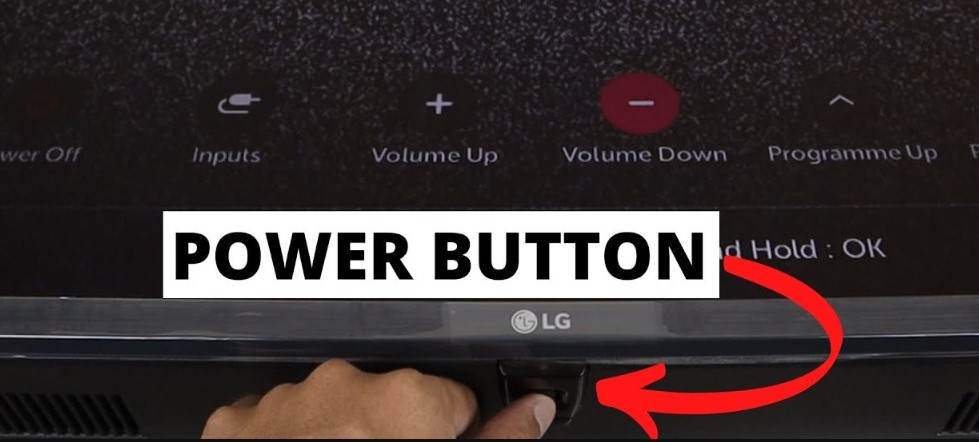
- First of all, You have to Switch off your TV.
- Disconnect the power Socket from the TV.
- Wait for at least 15-30 Minutes.
- Again connect back to your Smart TV to Electric Socket.
- Now Check that the horizontal Lines on the LG TV Screen issue are Cleared.
If the Error still appears on the screen then you have to move to the Further move to upcoming tricks and methods to Solve the errors.
Also, Read How to Fix AirPlay not Working on LG TV
Unplug your HDMI Cable
Suppose the HDMI Cable signal is too weak or you can’t set the Cable well then you can see the Horizontal Lines of the LG TV Screen. This is a common problem that happens on some of the LG Smart TV screens. It has a Chance to affect three types of HDMI Cable Errors.
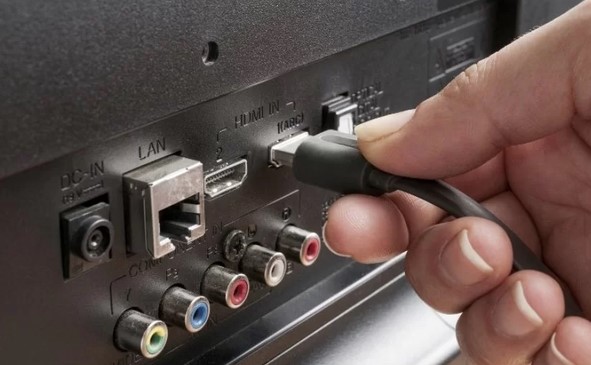
- Damaged HDMI port- Some pins get broken inside.
- Poor HDMI Connection– The cables are not connected properly.
- Faculty HDMI Cable- Wires get Broken.
Check the HDMI Cable:
- Turn off your TV.
- Disconnect the HDMI cable from the back of your TV.
- You have to clean the HDMI cable connectors on Both sides of your TV.
- Push the Cables again to the port of the TV.
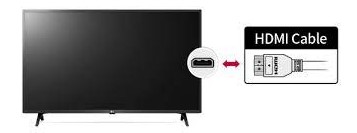
- Now Switch on your TV again.
See now the Horizontal Lines on the LG TV Screen Error is Solved.
Update Your TV Software
If you run your New and latest Model of LG Smart TV with an older version then they won’t work properly sometimes the screen shows horizontal lines. Then you have to Update the Software if any new and Latest update is available. This is one of the Possible solutions to solve the error. Once you update the Smart TV many new features and applications are added to your LG Smart TV. Try out this method.
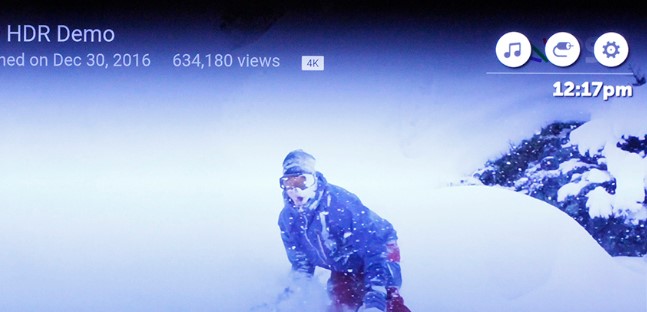
- Click the Settings Button on your remote.
- Move to the All Settings option.
- Tap the Support.

- Press the Software Update.
- Now you have to accept the terms and conditions.
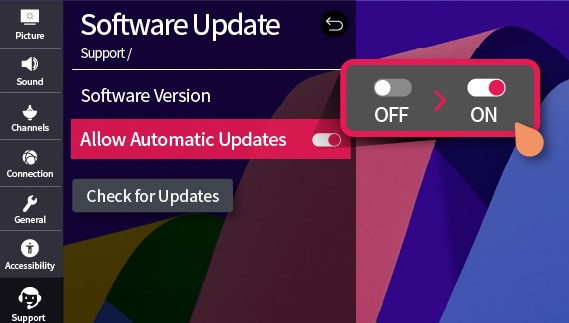
- Then Turn On the Auto Update option.
- Also, the option is available to check the Updates manually.
If you have to Older version of the LG Smart TV the updating steps are a little different.
On an Older Version
- Click the setting option on your remote and the Move to All Setting option.
- Then Forward to the General Option.
- Now Click the About this TV.
- Also, enable the Auto Update option. It helps to Update your Smart TV Software Automatically.
- You can also check the updates manually.
Check the Post: How to Fix Roku Not Working LG TV
Factory Reset Your LG TV
Factory Reset is the process of removing all the errors, bugs, and glitches from your smart TV. Also, it is the finest solution to solve the Error that appears on the LG Smart TV. But before proceeding with this process, you must be sure to copy any important data or files to the safest folders.
The Steps are:
- Click and Hold the “home button”.
- Navigate to the “All settings option”.
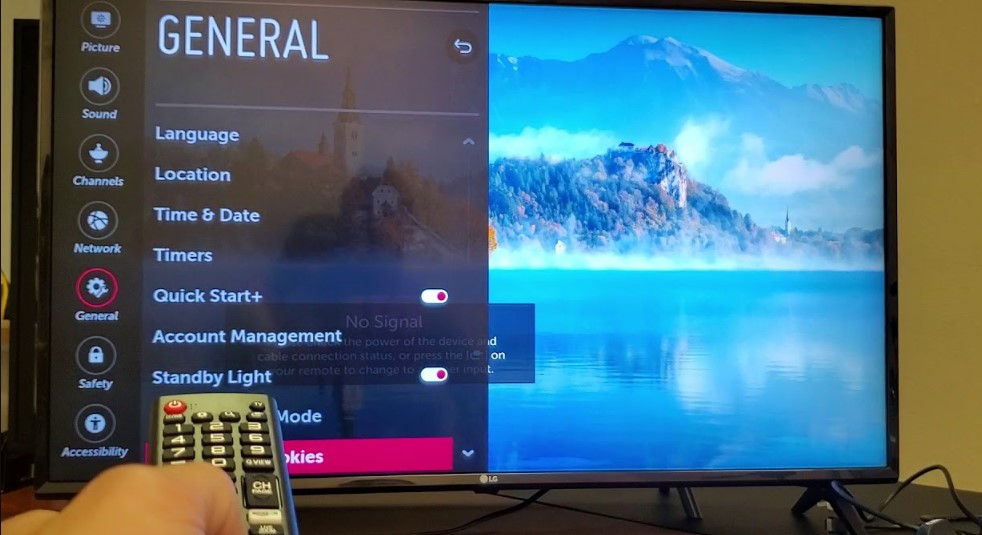
- After that, move to General.
- Following this click the system option (Some LG TV Models don’t contain these Steps, So just Skip).
- Select the Reset to Initial Settings option.
- Once done, Tap the Confirm Button.
- After that, restart your device.
Now you have to check whether the Horizontal Lines on the LG TV Screen error are solved or not.
Suppose, you lost your remote controller then you have to use these buttons to reset your LG TV.
The Steps are:
- Click and long-press the power button for 10 Seconds.
- You can use the volume + or – Option or also use a Channel + or – button.
- Swipe to click the menu option.
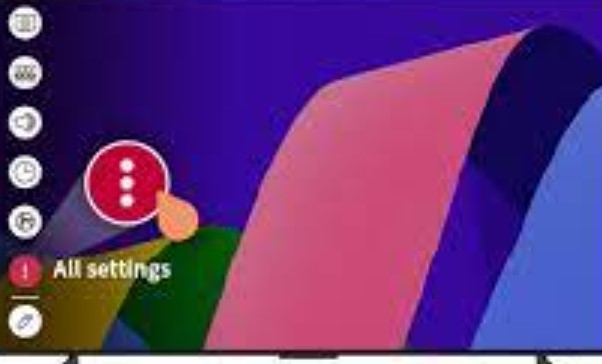
- Navigate to the All settings.
- Tap the Generals.
- Now your LG Smart TV device starts resetting.
- Once you confirm the process you have to enter the PIN.
- After that, It will start restarting.
Check the TV Settings
Sometimes the TV Settings are Changed automatically. This is one of the reasons that Horizontal Lines on LG TV issues appear on the screen. So you have to check the picture Mode on the TV Settings mode and also check all the display settings. May this help you to solve the errors on the LG Smart TV. Also, in this adjust the options of Brightness, Contrast option, and more.
For More Info, Paramount Plus Not Working on LG Smart TV
Run the Picture test
You can check the picture quality if you see the Horizontal Lines of the LG TV. Here we share the steps for this process and also check the cable TV connection.
- On the LG Smart TV Home Page.
- Move to the settings options.

- Tap the Picture Option.
- Click the Picture test.
Contact the LG Support Center
Suppose you have tried all these steps and methods but your LG Smart TV is still facing the error of Horizontal lines. Then you can contact the LG Customer Support Center. If you share your doubts and details about the error that appears on your LG TV. They will share the screenshot of the Exact solution for this issue. You can contact them through email or use their toll-free Number.
What Causes Vertical Lines on the TV Screen?
You can see the vertical Lines error on your TV Screen it will come due to the error of a Loose Cable Connection or Video Cable connection, Overheating is commonly said to be an underlying issue. Once checked the lines appear on all channels then it will be the error on hardware or software problem.
The Ending Words
In this conclusion, finally, you have a Solution to solve the error on LG Smart TV. Sometimes it will happen to your Smart TV. Then you have to know the solution of How to Fix Horizontal Line on LG TV Screen. We have outlined here the methods along with the steps. There are some common steps available to solve the problem by yourself. Sometimes the Horizontal lines come when your Software is not updated, or any other technical issues. Also, Customer support is available 24/7 for you. Contact them through its website, or email, or also use their Toll-free number.