
If you are a user of Hisense Smart TV. Lots of Settings options are available on your Smart TV. Read this article, If you want to know the Hisense 4K TV Best Settings. You can access the Pictures Setting and Game mode. Suppose, your Hisense smart TV comes with a 4K feature then you can access it. In case, your smart TV contains this option but is not enabled then you can properly turn it on to access everything. If you want to play the games on your Hisense Smart TV then you have to enable the Game mode. You can get everything in detail in this below article.
Table of Contents
How to Turn on 4K Hisense?
If you have a Hisense TV with a 4K option then you have to enable it to access many additional features. Some of the Smart TV comes with 4K features by default. If your smart TV comes with a 4K option, it will turn on. You have to follow the upcoming steps to enable it.
The Steps are:
- Switch on your Hisense TV and move to the settings menu option.
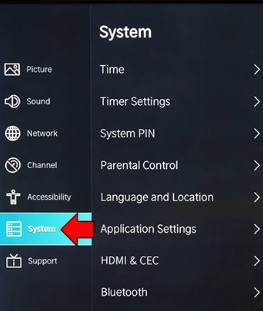
- Click the “System” and Press the “HDMI Format”.
(Note: If you are the user of the new version of this Smart TV then you have to click the HDMI Format option. Otherwise, Skip the Step).
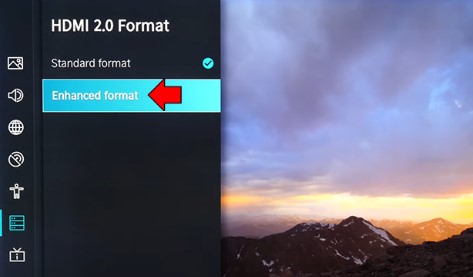
- Click the Checkbox and then press the “Enhanced Format”.
If you finish these steps then you have to enable the 4k option on your Hisense Smart TV.
Also, read How to Install ITVX on Hisense Smart TV
What are the best Settings available on Hisense 4K TV?
If you have a Hisense 4K TV then you must know about its settings option. There are many settings features that are available and easy to access. Settings are unique, Let’s know about the option and use it based on action. Sometimes, you have to change the settings if there are any issues that occur on your Smart TV. Here we will share the information on the Hisense 4K TV’s best Settings.
Best Picture Settings for Hisense 4k TV
Hisense is one of the best brands and it contains lots of features and benefits for the users. You feel so comfortable while using these TV Settings. Every 4K TV contains a Hi-res Display panel along with Backlight technology. Most of the users need to check and change the picture settings based on their Choice,
For this process, you have to fix up the best picture settings for the Hisense 4K TV. Follow the steps Navigate to Settings—> picture settings–> Switch off Auto mode–> Now you have to set the optimal Level.
It contains different types of Picture settings modes, You have to access it to watch all your favorite shows and programs in better quality. Picture settings are means that include Brightness, Backlight, Contrast, Color Tone, Sharpness, HDR, and Dolby Vision on your Smart TV.
If you want to know the general settings on Hisense Smart TV then read the upcoming section.
Picture mode
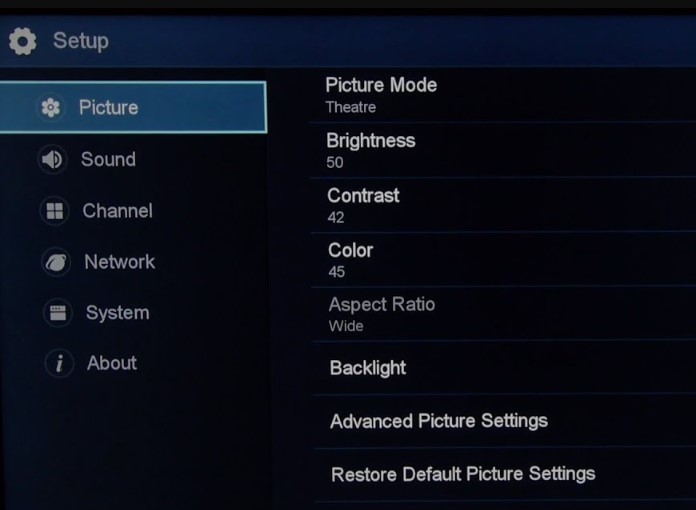
You can adjust the picture setting mode to see your smart TV picture Quality better. The picture setting mode is divided into various types such as Natural or Standard, Cinema, Sports, Game, Vivid, and HDR. Picture setting mode includes options like Brightness, Adjusting the color level based on your video, Contrast, and more Options. It allows you to set all these settings based on your choice.
Also, it has a specific option “Cinema mode” You can turn on it based on the type of content and also adjust the Calibration level setting it will suit all types of movies, shows, TV programs, and everything.
If you want a HD Quality of Videos then you have to fix these settings on these ratios. First, you have to move to the Advanced settings option and start to adjust the option backlight the brightness of the screen up to 50, the Color tone of your video up to 45, the Contrast up to 90, and then set the Sharpness to 0.
For More Info, How to Get and Watch Disney Plus on Hisense Smart TV
Viewing Angle
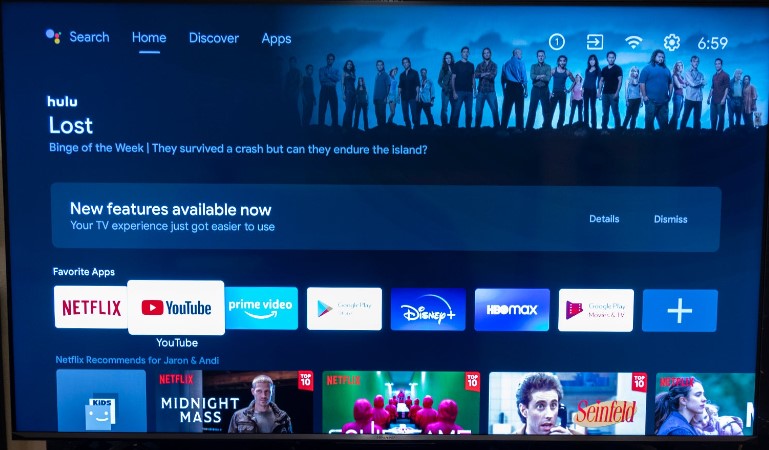
Not all the Smart TVs contain this setting option. But you are the lucky user the Hisense 4K TV contains these features for you to get a better Streaming experience. This option is available under the picture mode, If your TV contains this option then you have to enable it. This is the most important feature it helps you to watch all your favorite movies and Shows from different Angles. It will help you to get a Distraction-Free Streaming from Any Angle.
Dolby Vision
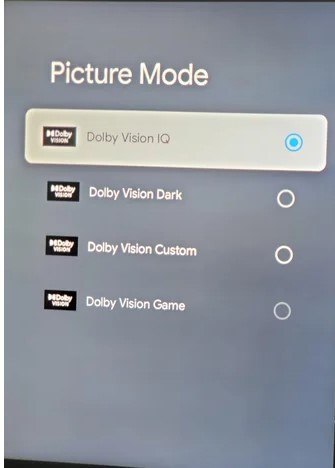
You can see this option in most of the smart TVs, This is an amazing feature presented under the Picture Mode section, You have to enable it. It will increase the audio and Video Quality on your Smart TV and also keep your Video to its natural Color Tones. If you are going to watch Dolby Vision-certified Movies or shows then you don’t enable it to stream this Content. In case, if you access the OTT service movies or shows then you have to keep this option On to watch the content in better Quality.
HDR Settings
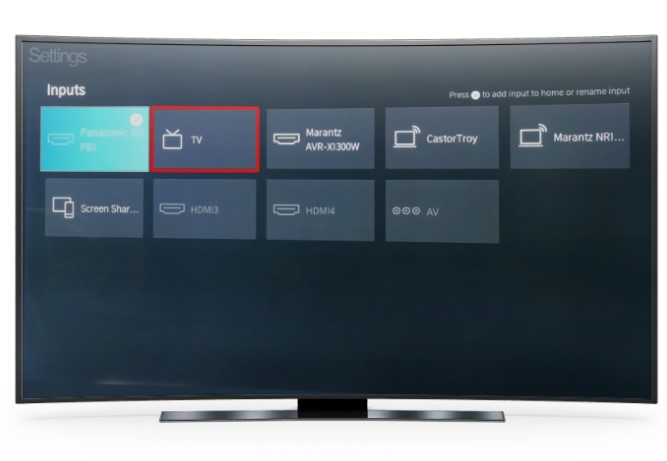
You can get this option as a Default setting and it will be present in every 4K TV. HDR Stands for High Dynamic Range and it will be available on every image and video on your Smart TV. You have to adjust it to protect the Human eye from heavy rays. Also, this is the most important feature of every smart TV, HDR means the eyes of your smart TV, If you enable this option only then you can stream all your favorite shows, programs, and movies on that respective Smart TV.
Additional info, Hisense Smart TV Remote App:
Game Mode
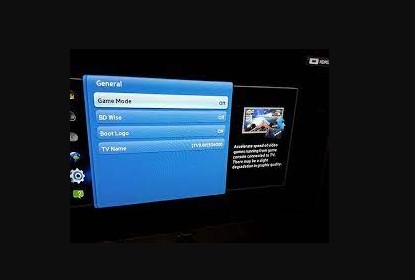
If you are playing the games on your Hisense 4K TV connect to any gaming Console or else. Must enable the game Mode or settings to Play it. Without Enabling the Mode it won’t allow you to Play your favorite Games. The Game mode option gives the best experience while Playing games with Hisense 4K TV. Also, this feature supports some additional features that include Auto Low Latency, Refresh Rate, and more related options. It will give the fastest and Lag-free Gaming.
Suppose you played a game on PC then you don’t change the colors too much, If the image is not enabled then it leads to reducing the lag between your games and your controller.
The Final Words…
From this article, you guys know that Hisense 4k TV Best Settings. There are many setting options available for your comfort. If you want then enable it to get the best experience. Also, it contains a game mode option, If you like to play your favorite Games with Hisense TV then you have to enable it to avoid the lag of games. Some of the Hisense comes with a 4k Feature that is On by default. For some models, you have to enable it to access its features. We have mentioned the steps for turning on the 4k Option on your smart TV. Also, we have shared the details of picture setting mode and game mode or setting. Never miss to utilize these amazing features of Hisense Smart TV.