
If you are an iPhone user and have doubts about How to Cancel Google One Subscription on iPhone, refer to this whole content. And learn the step-by-step guide to do this on your iPhone.

Along with that, you can learn more things about the Google One Subscription and its features in this whole article. Here they are…
Table of Contents
What Happens When You Cancel Google One Subscription?
Google allows you to change the Downgrade and Upgrade your Plan. Also, you can cancel your Google One Subscription at any time on any device. So, first, we check, What Happens When you Cancel the Google One Subscription. Here they are;
-
-
- You can’t Create or Add Anything new.
- You will be Stopping Futuring the Google One Subscription.
- Your Family Members and you will lose the benefits of accessing the additional member.
- Also, You can lose Google Experts through the Google Website and Google One app.
- And, you can lose the Additional Storage But With no charge, everyone can use the 15 GB default storage.
-
If you are canceling the Google One Subscription while using the extra storage, you cannot receive any mail to your Gmail account. The mail will be returned to the sender.
Also, read: How to Connect and Use Google Home on Apple TV?
What Happens on Google Drive when I Cancel Google One Subscription?
Everyone stored their important photos and documents in a drive to keep them safe. Also, it is easy to back up all data on another device. If you canceled the Google One Subscription;
-
-
- You cannot sync anything on Drive.
- Also, you can’t Upload any files.
- Syncs between your PC’s Drive and My Drive will end.
- And, you can’t create any new files in;
-
- Google Sheets
- Jamboards
- Google Sheets
- Google Forms
- Slides
- Google Drawings
-
-
- It doesn’t allow anyone to Copy or edit your file.
- Importantly, you cannot back up your data.
-
To avoid it, you can clean up your Google Storage. Or, can buy Google Storage.
How to Cancel Google One Subscription on iPhone?
So, In the above section, you will learn what you are going to face after Canceling the Google One Subscription. If still, you still want to know, How to Cancel a Google One Subscription, check the steps given here;
-
-
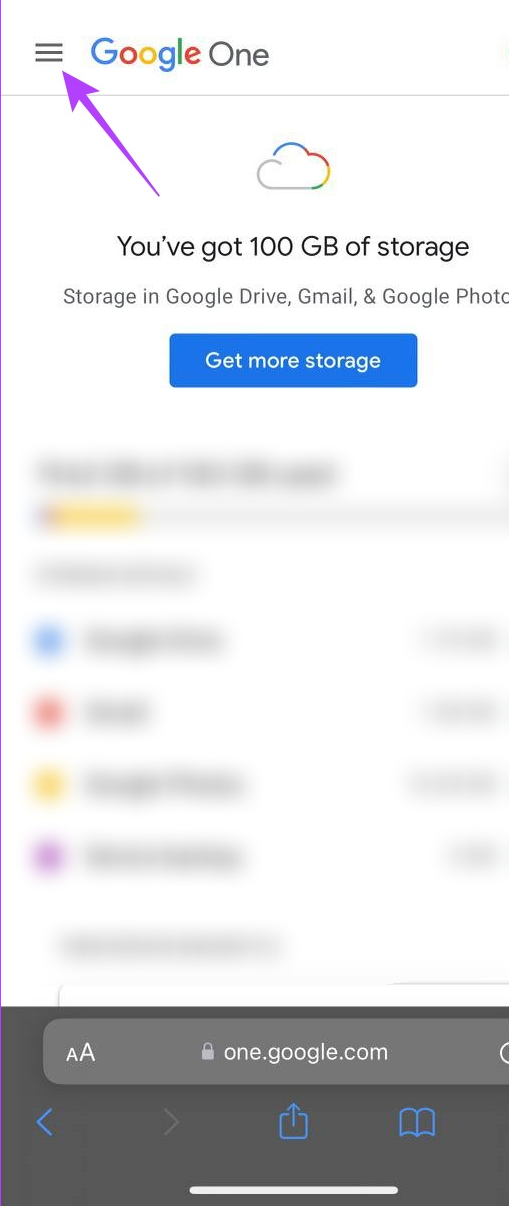
- Launch the Google One app on your iPhone.
- Click the Menu button once.
-
-
-
- You can find the menu option at the top left corner.
- And, select the Membership Plans option.
- Following that, tap the Manage Plan button.
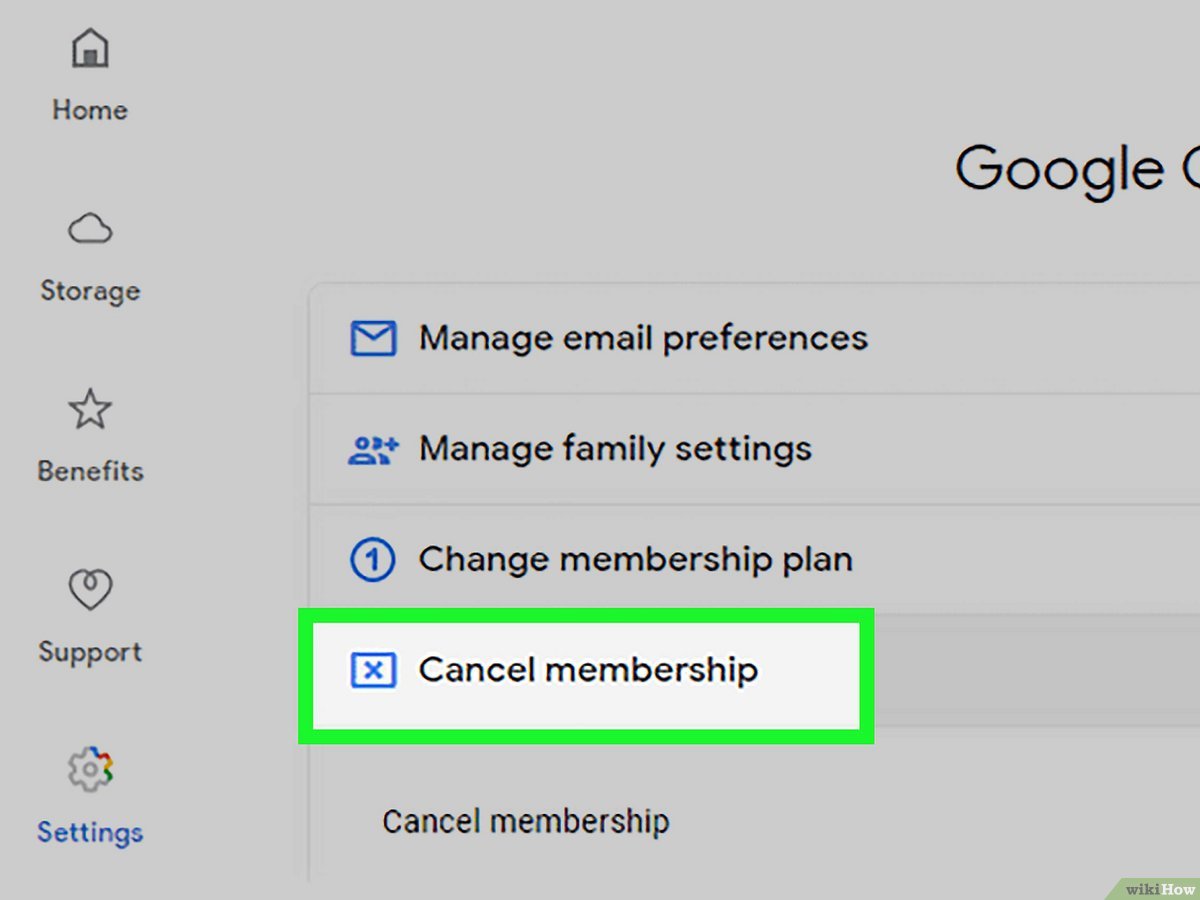
- Then, head to the Cancel Membership option.
-
-
-
- It will redirect you to the Management page.
- There you can see all the details of your Google One Subscription.
- Then click the Cancel Subscription tab.
-
Once your Google One Subscription gets canceled, you will receive the confirmation from Google Inc’s side.
Also, check: How to Get Google Chrome on FireStick?
How to Cancel Google One Subscription on a Computer?
Alternatively, if you have a Laptop or Desktop PC, you can use it to cancel your Google One Subscription plan. Here is the guide for you…
-
-
- Launch the Google Chrome app.
- Search for the “Google One” website.
- Or, copy and paste this link https://one.google.com/ in the search bar.
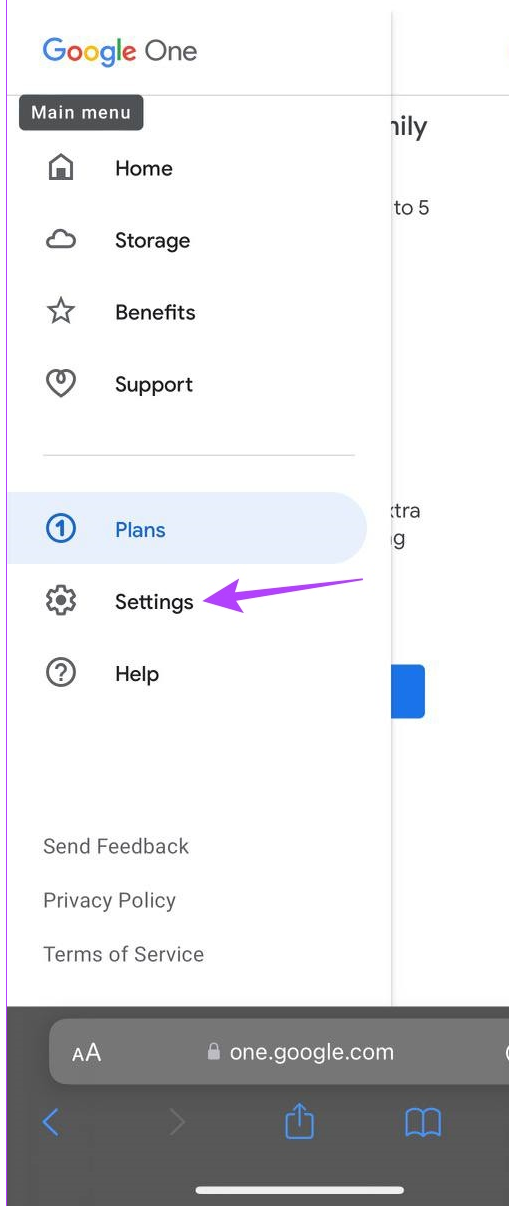
- Go to the Main Menu section.
- Click the Three Hamburger icon at the top left corner to visit the Menu section.
- Select the Settings option.
-
-
-
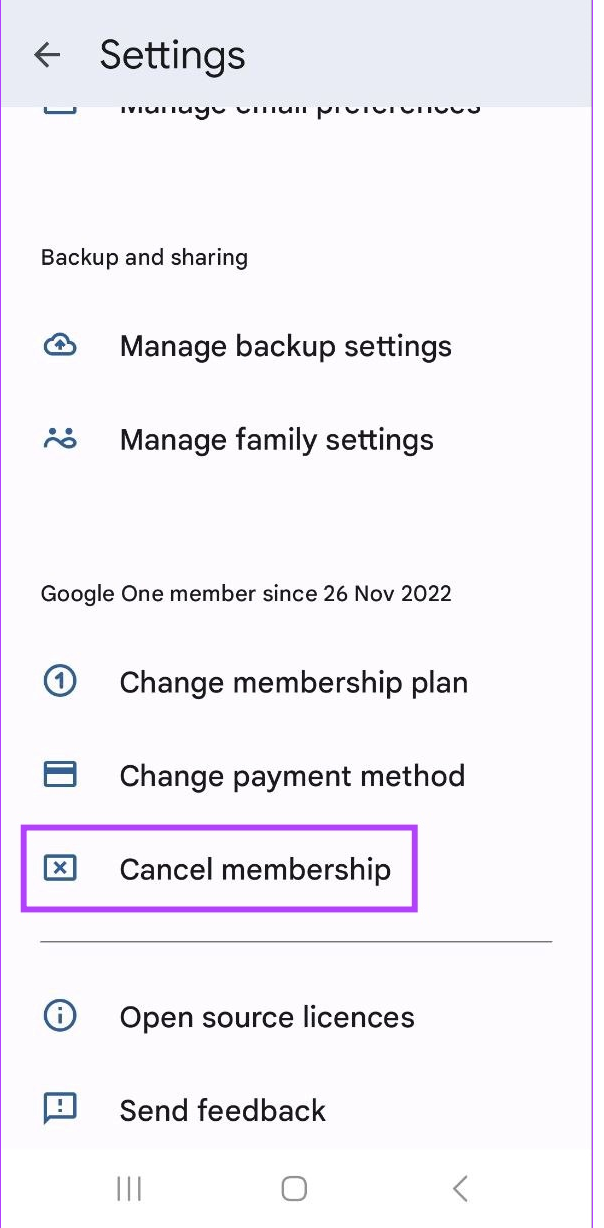
- Then, tap the Cancel Membership button.
-
-
-
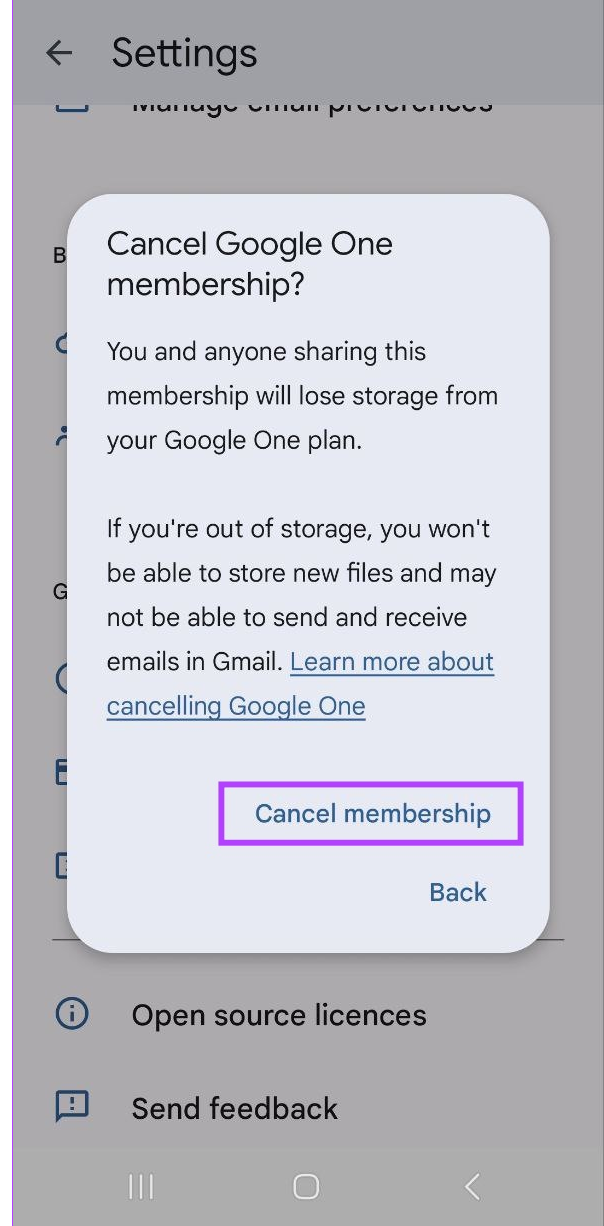
- Again click the Cancel Membership option.
-
-
-
- Finally, head to the Yes button.
-
Over. Within a while, your Google One Subscription will be canceled. And it will notify you.
Finally…
Refer to the topics given in this article to know How to Cancel Google One Subscription on iPhone. Also, continue reading the content to know, what happened if you canceled the Google One Subscription. And, learn what features are disabled on Google Drive after the subscription has been canceled. In the above section, you can find two or more methods and step-by-step instructions to cancel the Google One Subscription on your iPhone.
Remember to remember any main details before canceling the Google One Subscription, such as your billing cycle and changes associated with the cancellation or potential refunds.