
HBO Max on Vizio Smart TV: Are you displeased that you couldn’t stream HBO Max on Vizio Smart TV? Don’t sweat it!
This article will help you learn the different ways in which you can watch all your favourite shows and movies from HBO Max on your Vizio Smart TV.

Table of Contents
HBO Max on Vizio Smart TV
What is HBO Max?
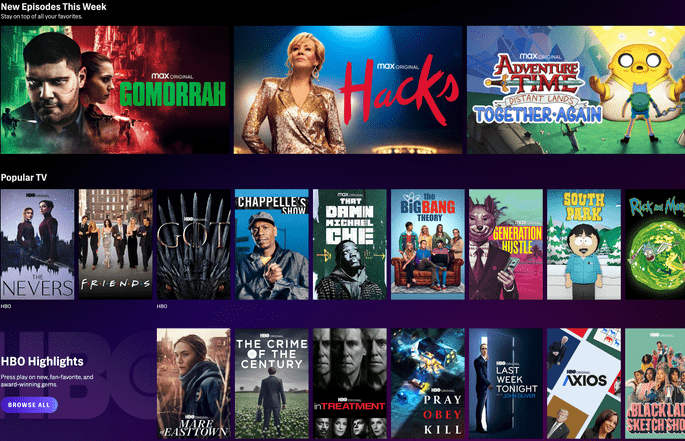
HBO Max is an American online subscription-based streaming service. HBO Max combines the HBO originals to its database along with movies, talk shows, series, live shows, and more that are in the regular HBO pack. You also get to access the exclusive content that is only available on HBO Max.
Besides that, HBO Max also offers content from Studio Ghibli, Looney Tunes, DC, Sesame Workshop, TCM curated classics and more. There is a huge collection of programs that counts up to 10,000 hours from the Warner Bros and HBO archives.
HBO Max Subscription fee
Fortunately, HBO Max offers two plans from which you can choose the most appropriate one. Take a look at the different plans provided in HBO Max.
- Ads-supported plan – $9.99/month or $99.99/year
- Ad-free plan – $14.99/month or $149.99/year
Regrettably, HBO Max isn’t available for a free trial. It had in the past, but now you cannot access it that way.
But luckily, you still have a chance. You can test out a seven-day free trial by subscribing to Hulu’s HBO Max Free Trial. This service offers you both channels for free for a week.
Note that you need to cancel the free trial before it ends to save yourself from debiting $14.99 from your pocket.
How to get HBO Max on your Vizio Smart TV?
Since the app isn’t currently available on the Vizio Smart TV app list, you need to follow the below-given steps to get the app in an instant.
- Stream HBO Max on Vizio Smart TV using Google Chromecast for Android, Mac devices, and iOS
- Add HBO Max on Vizio Smart TV using AirPlay 2 for iOS and Mac devices
- Install HBO max on Vizio Smart TV by using a USB flash drive
Now that the options are mentioned find out which suits you better or which product you own and choose to your liking.
Also, read How to Add Apps to Vizio Smart TV
Stream HBO Max on Vizio Smart TV using Google Chromecast
You can screencast your content to the Vizio TV from either android or iOS devices, or even from Mac.
- 1- Firstly, turn on your Vizio Smart TV
- 2- You need to connect your Vizio Smart TV to the same internet connection as you have connected your devices
- 3- Go to the Play Store or App Store, based on your device, and navigate to the search box
- 4- In the search option, look for the HBO Max app
- 5- Press on the Download or Get option
- 6- After installing the app, run the app by opening it
- 7- Now, enter your HBO Max account details. If you don’t have an account yet, you can create one by signing up for a pack.
- 8- When you enter into the app, play the video that you would like to watch on the TV screen
- 9- Find the “cast icon” on the top right corner of the screen and select it
- 10- Lastly, select the device name from the list shown and watch the shows
Click to read How to Install Vizio Smart Tv Web Browser
Add HBO Max on Vizio Smart TV using AirPlay 2
Using AirPlay is another way you can watch the content from the app on Vizio Smart TV. This feature is exclusively only for iPhone and iPad users.
- 1- Get your Vizio Smart TV on
- 2- From your iPhone or iPad, visit the apple store
- 3- Search for HBO Max in the search option
- 4- After finding the app, download it on your device
- 5- With your HBO Max account’s credentials, log in to your account from the app. Sign up for a new account if you don’t have an existing account.
- 6- Now, connect both your apple device and Vizio Smart TV to the same internet connection
- 7- Choose any movie or show you want to watch and select the AirPlay button on the top right corner of the screen
- 8- You will see a list of devices. Choose Vizio Smart TV from it.
- 9- You can now enjoy the video on your Vizio TV
Hence, these are the steps you must follow to get the app on your Vizio Smart TV using AirPlay 2 for Apple users.
Read about Paramount Plus on Vizio TV
Install HBO max on Vizio Smart TV by using a USB flash drive
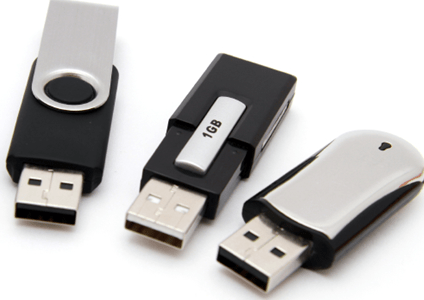
Another option through which you can watch the video on your Tv is by using a USB flash drive.
Note: You need to download an apk file for this method. So make sure you download from only a trustworthy website to be safe.
- 1- Using any web browser of your choice from your computer, search for the HBO Max apk file
- 2- Choose a trustworthy source and download it to your system
- 3- Now, wire the USB drive into the system and copy the apk file into it
- 4- Plug in the USB to the port of the Vizio Smart TV
- 5- Then open the My files app from the USB flash drive
- 6- Look for the apk file from the screen and click on install
- 7- The installation process might a moment to complete. After that, you will have to launch the app on your Vizio Smart TV.
- 8- Now go to settings
- 9- Choose the applications menu
- 10- Choose to manage the installed application
- 11- Find the HBO Max app and select launch application
- 12- You can now enter your log-in credentials and start streaming. If you don’t have an account for you, then sign up for a new account.
Therefore, this is how you need to download apk files and use them to stream HBO Max on Vizio Smart TV.
You might like this How To Connect Laptop to Vizio Smart TV Wirelessly?
Conclusion
HBO Max is pretty still a new app, but the millions of users have turned up to tune in in such a short period of time. This is because the content is original and interesting. In this article, you have got to know how you can stream HBO Max on Vizio Smart TV using three different methods.
You can choose any one of the above three options and enjoy streaming.
FAQ
Is HBO Max available on Vizio Smart TV?
Sadly, no. Vizio TV does not have HBO Max app. You need to use different methods explained in the article to get it on your TV.
Can I watch HBO Max for free?
No, you cannot stream HBO Max for free. You need to get a relevant pack in order to stream the content.