
Our ancestors get all their knowledge by reading newspapers and entertaining themselves by playing the drama of any story virtually. But, we are blessed because we are in the technological world. Now, we have smartphones, Smart TVs, and a lakh of Stories as a movie and series. To watch series and movies, we have apps on our mobile. Thousands of streaming services we have on our App Store. Choosing the best one and worth watching is a little tricky. But I choose my best option to watch all my favorite movies and to get in connect with my country by watching the news. So, today we are going to learn about BBC iPlayer on Sony TV.

Join me and watch new series and movies on Sony Smart TV. The Tricks to install and instructions to activate the BBC iPlayer gets provided in the following topics. Additionally, I have given the alternative method in case of your TV does not support downloads. Let’s get into the process.
Table of Contents
Do BBC iPlayer available on Sony TV?
Sony TV is an Android TV, and it has Google Play Store in-built on its function. BBC iPlayer was available in Google Play Store. So, you can download the app directly on your Sony TV.
You can download it directly, but sometimes the server or glitch on our device may not support you to download the app. At that time, the alternative method lets you stream the BBC iPlayer on Sony TV. Instructions for the direct method and the alternative method gets mentioned in the upcoming portions. HBO Max on Sony Smart TV is one of the best Originals streaming services. Tap the link to learn how to get and stream it on your Sony TV.
How to Watch BBC iPlayer on Sony TV?
BBC iPlayer is a popular streaming service. You can get this app on all your streaming devices, including all Google TV devices. Here are the methods I have given to guide you.
- Download BBC iPlayer on Sony TV.
- Screencast BBC iPlayer on Sony TV.
- Activate BBC iPlayer.
One is the direct method, and another one is the alternative method. First, we start the procedure with the direct method. Continue reading the topic to get the guidelines.
1). Download BBC iPlayer on Sony TV:
The very easy process is the Direct method. Read the steps I have given below to stream the BBC iPlayer on Sony TV.
- Turn On your Sony Smart TV and couple it with your home Wi-Fi connection.
- Hit the home button on your Sony TV remote controller.
- Tap on the Apps section at the menu bar.
- Click on the Google Play Store app in-built on your Sony TV.

- Tap the search field and browse for BBC iPlayer in the play store.
- Select the BBC iPlayer app from the search result.
- Move forward to the Install tab and hit the button to initiate downloading the app.
- Get previous to the Home screen of your TV and launch the Apps section.
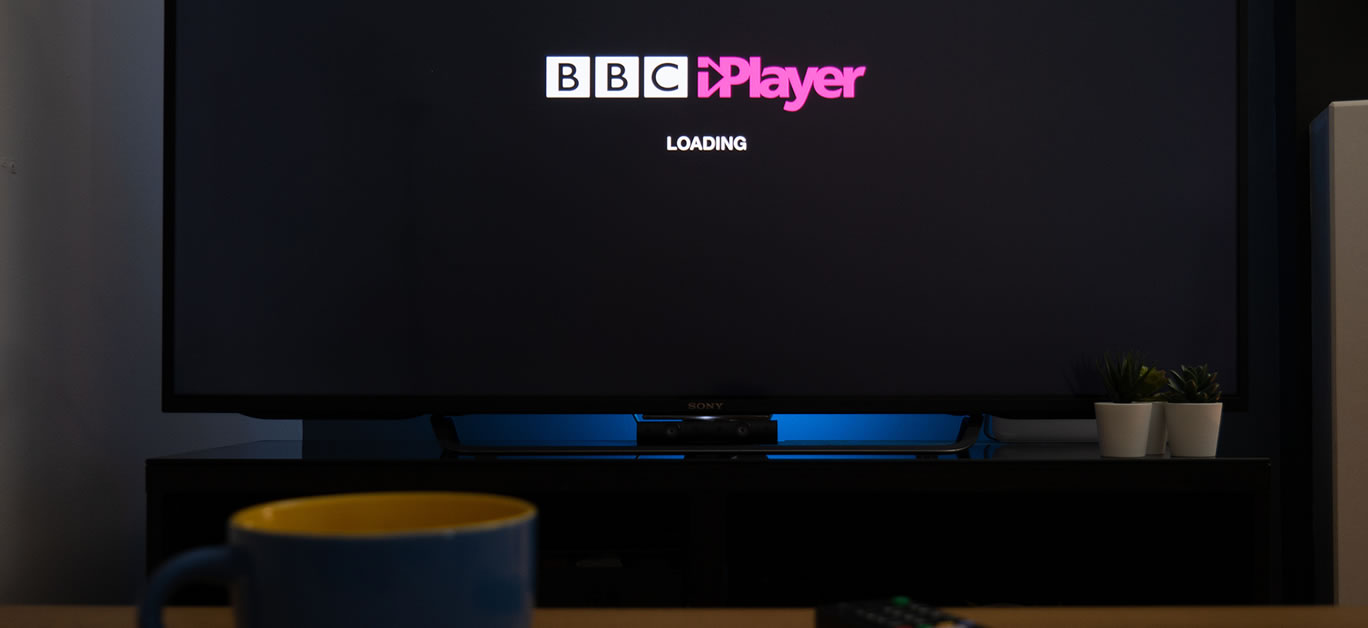
- Tap the installed BBC iPlayer and Sign In using the credentials.
Watch Superman, Spider-Man, Doctor, Drama, Crime, Comedy, and a ton of entertainment content on BBC iPlayer on Sony TV. You completed the direct installation and streaming of the required streaming service on your Sony Smart TV.
2). Screencast BBC iPlayer on Sony TV:
Sometimes our Smart TV or the streaming service we installed is not working correctly. At that time, this screencasting method is very useful to you.
- Set your Android and Sony TV with a similar Internet connection.
- Open the Google Play Store on your Android device.
- Tap the search section and find the BBC iPlayer on your Android device.
- Pick the app from the Play Store search result.
- Click on the Install button to download the app on your device.
- Wait for a while until the BBC iPlayer gets installed on your Android device.
- Open the BBC iPlayer app from your Android device screen.
- Select the content and play the video on your Android device.
- Shift to the Control panel of your Android device and tap on the Cast icon.
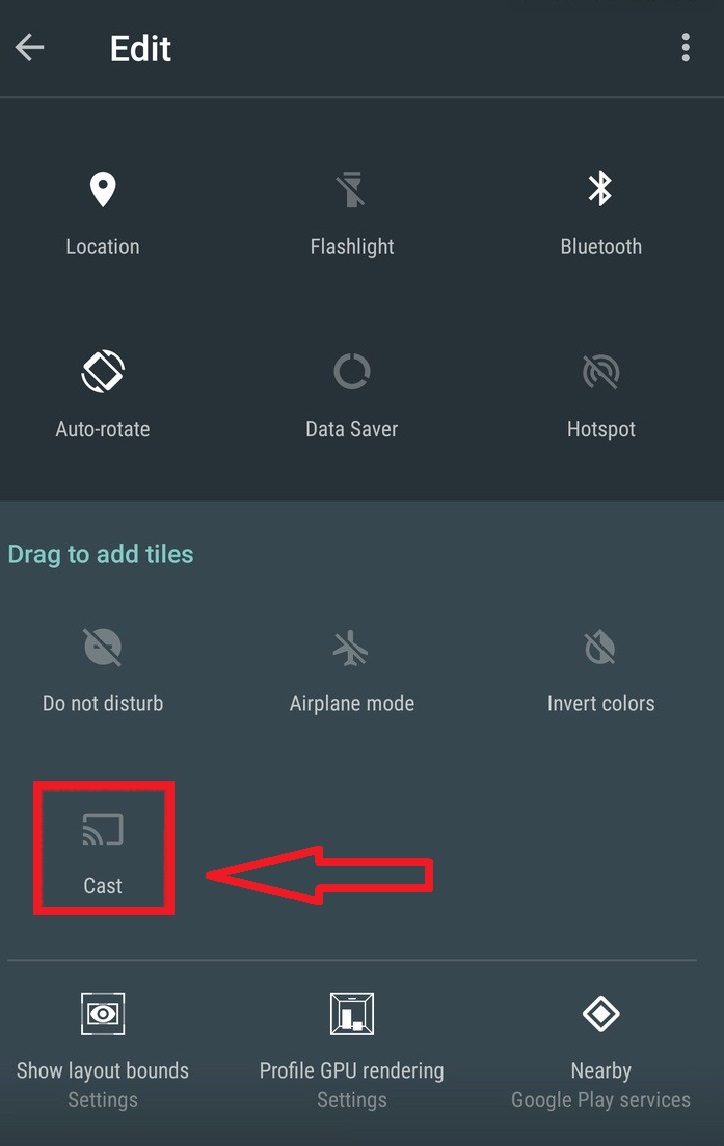
- Look at your Sony TV screen, and it will mirror your mobile screen.
- Or it will ask you permission to take access to your mobile.
- Click Allow option to start watching the content on your mobile screen.
You can stream the ultimate shows, movies, and On-Demand content from BBC iPlayer on Sony TV screen. It is not enough to install an app, but also you have to activate it. Grab the instructions below. Peacock TV on Sony TV is a paid streaming service. Peacock is famous for live sports streaming and On-demand content.
3). Activate BBC iPlayer:
Without registering on the chosen streaming service, your search history, watchlist, or favorites can not be saved. So, let us register your profile on the chosen streaming service.
Guide to Activate BBC iPlayer:
For this process, you can use your Android, iOS, Laptop, Tablet, or PC device to activate the app.
- Launch the Web Browser service on your streaming device.
- Tap the URL portion and peruse https://www.bbc.co.uk/iplayer in the URL space.
- Select the Sign In option at the menu toolbar on the top of the page.

- Head Towards the Register Now tabs given below at the bottom of the Sign In option.
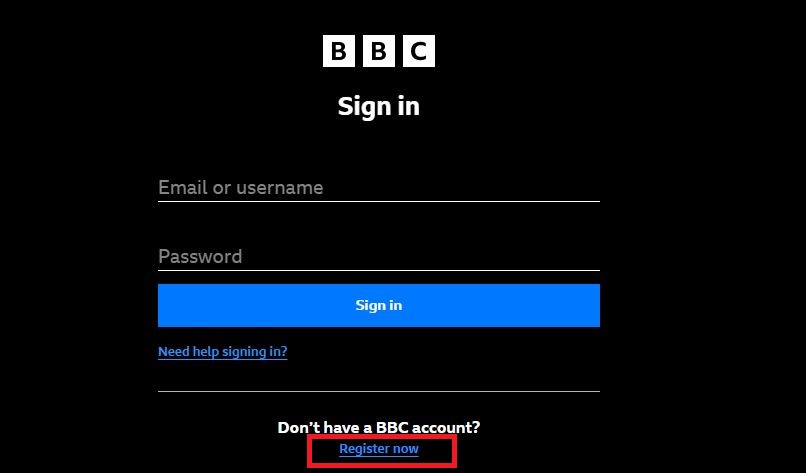
- BBC iPlayer wants to confirm your age to access the site. So, choose your age category under 16 or above 16.

- After selecting the age category, Enter the Date of Birth in the given space.

- Select the Country and Fill in all the details required on the page, such as email address, Create a New Password, Postcode, and Select Gender.

- Then, click on the Register tab to save your details and create a user account on BBC iPlayer.
- Now, you have received the confirmation mail from the registered streaming app.
- Open the BBC iPlayer app on your Sony TV and enter the Sign In credentials you have created.

If you have questions about the Subscription packages of this streaming service, forgive them right now. BBC iPlayer is completely a free streaming service. Install, Activate and start watching all blockbuster content for free from BBC iPlayer on Sony TV. Also, check the Top 10 Best IPTV For Sony Smart TV and stream all television content and live sports on your Sony TV. But the IPTV is all unofficial, so you have to use the VPN services.
Our Final Notes:
BBC iPlayer is available on Sony TV App Store. You can download it directly, activate it free of cost, and stream the entertainment content from BBC iPlayer on Sony TV. If you can able to download the chosen streaming app on your Sony Smart TV, you can try the Screencast alternative method to watch the content on your TV.
Not only the BBC iPlayer app, but also we have a lot of the best free and paid streaming services to watch On-Demand and Original content to stream. To know the app’s name, click the Smart TV category at the bottom, and learn about more apps on Sony and other television brands.
FAQ:
How to Fix BBC iPlayer not Working on Sony TV?
Sometimes it may happen, but don’t get worried or tensed about it. It is very easy to fix the problem. You can Uninstall and Reinstall the app, Clear Cache on App, Check for updates on Play Store, Restart Sony TV, Delete unwanted Loads on Sony TV, or Reset your TV by the Factory Data Reset option.
Can I Watch BBC iPlayer Free on Sony TV?
BBC iPlayer is a free streaming service. No, the cost will charge for you to stream the regular videos or On-Demand content on the app. Also, you can download the app and Activate it for free.