

No limits magic build is inclusive of Kodi Builds. This particular Build was appreciated for its several great features. This massive Kodi Build contains a catalog of popular Kodi add-ons which provides a large variety of amazing videos and music addons. Here you can also get recent add-ons like The Magic Dragon, Deja Vi, Death from Above, and much more. Go through this helpful guide to Install Kodi No Limits Magic Build on FireStick/PC.

Also, search How to Install Plex on kodi: Quick Installation Guide
Using No Limits Magic Build, you can enjoy numerous content without any cots. You can stream movies, TV shows, Sports, Music, and Live television shows.
As the developers renovate the addons routinely, you will get all the latest addons. Developers discard the non-functioning and discarded addons by displacing the functioning and recent add-ons. This Kodi Build uses Aeon Nox 5: Silvo skin which helps you to enjoy all the video contents.
How to Install Kodi No Limits Magic Build on FireStick/PC?
Now the following content provides you with the installation steps for both Kodi 18.8 Leia and Krypton 17.6 as both contain identical build menus.
Steps to Install No Limits Magic on Kodi:
To install any third-party application you have to turn on the Unknown sources option. So follow the below-given steps to turn on the Unknown source.
-
- First, go to settings.

- Click on system settings.
- Choose add-ons.
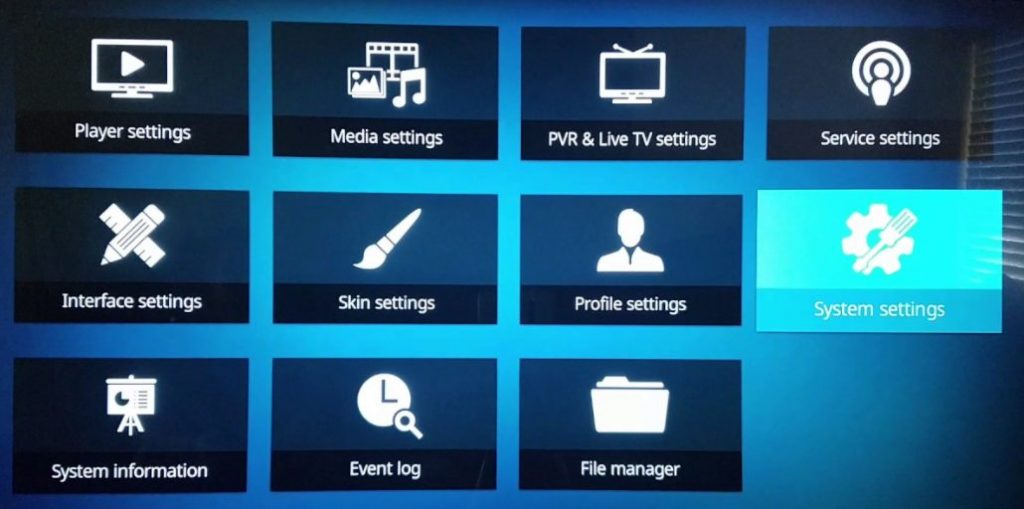

- Unknown sources —> Turn ON.
- Tap on yes for the pop-up warning message.
Once you have turned on the Unknown sources option follow the below-given steps to install No limits Magic on Kodi.
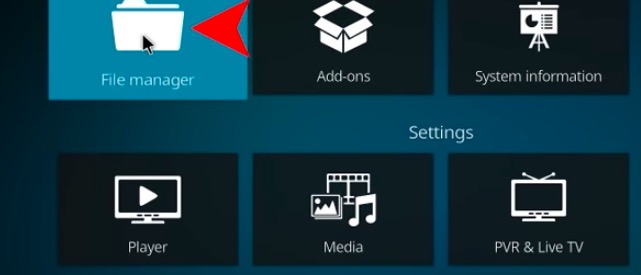
1- Navigate to the Kodi home screen and tap on Settings.
2- Select File Manager.
3- Click on Add Source.
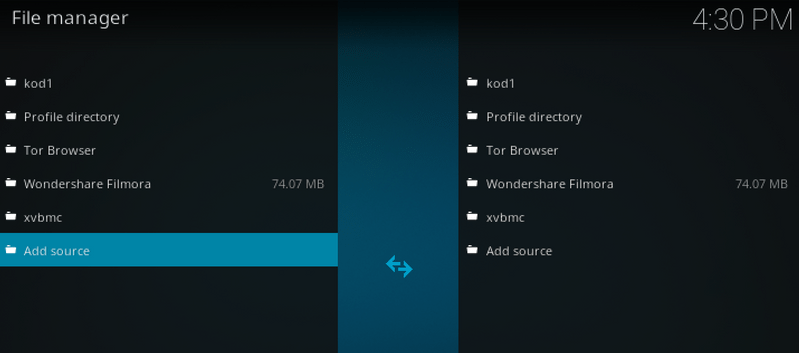
4- Tap on None.
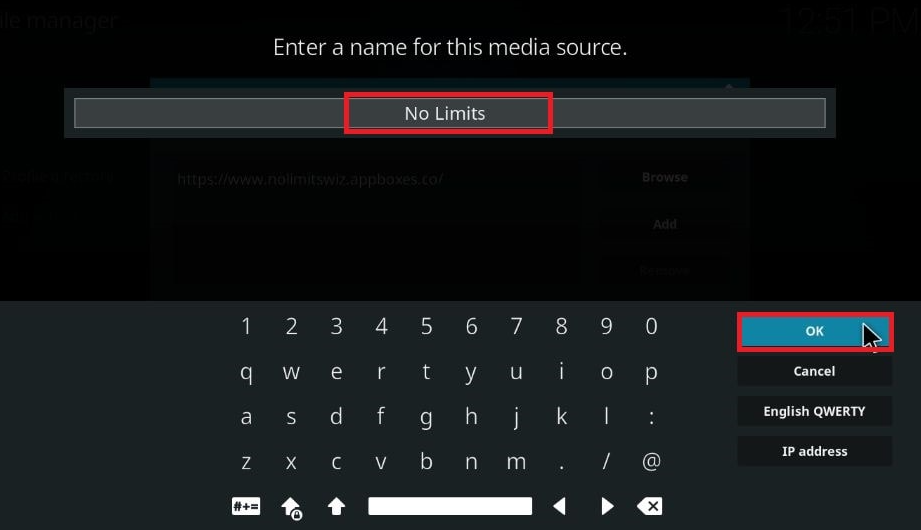
5- Type the URL address.
6- Enter Kodi No Limits in the Media source Name box. And now verify the given URL/name and then tap on OK.
7- Navigate to Kodi’s Home page and tap on add-ons and then choose the option Package Installer.
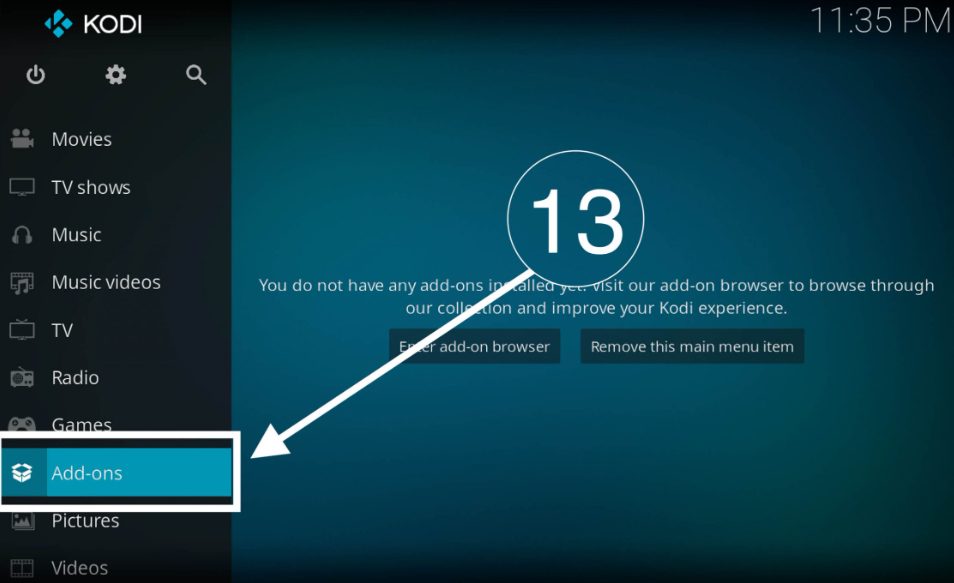
8- Choose Install from Zip file and then click on Kodi No Limits.

9- Choose plugin.video.nolimitswizard.zip for selecting Kodi 17.6 Krypton and its downward version.
Similar post, How to Install Seren Kodi Addon: Easy Guide
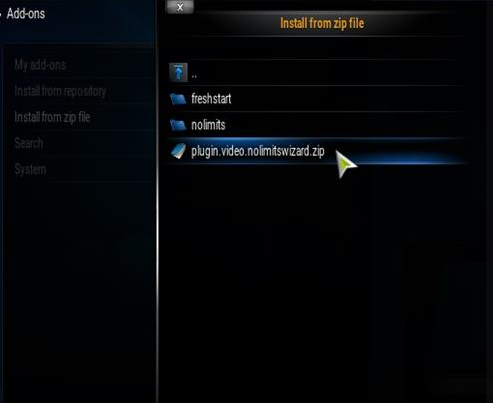
And to select Kodi Leia, tap on plugin.video.nolimitswizard18.zip
10- Once you have chosen the zip file, then tap on OK.
11- Wait for a while to get the message as No Limits Wizard Add-on Installed.

12- Now, go back again to the Kodi home page and then choose add-ons.
13- Select program add-ons.
14- Now, tap on No limits Wizard where the add-ons are documented.

15- Now, it displays many No Limits Builds, select No Limits Magic.
16- Wait until the downloading process is over.
17- Once the No Limits Kodi Build is downloaded, wait for some time so that the files will get removed. Now, you need not click anything because it lives itself when all the procedure is done.
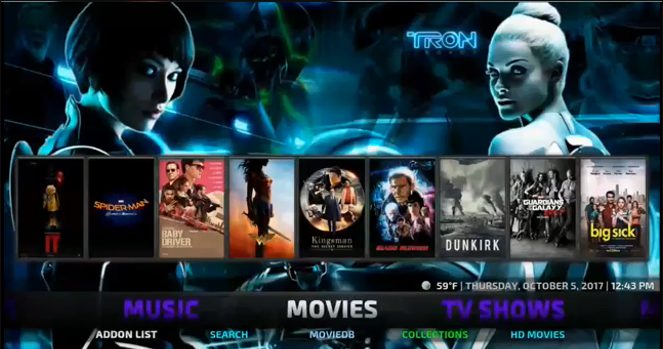
18- Restart Kodi on your Windows. But if you wanted it to install on FireStick, then you have to plug out the device and leave it for two minutes, and then a plugin.
19- Now open the Kodi on FireStick. But you have to wait until your No Limits Build finishes its other remaining procedure. So it is better to wait for 15 minutes to complete all its processes.
Conclusion
Kodi Build is the biggest platform that contains several add-ons for your entertainment. You can stream any video content without any cost. We hope this article will help you to Install Kodi No Limits Magic Build on FireStick/ PC.
You may like, How to Install Misfit Mods Kodi Build? Easy Guide