
If you want to stream Weather reports and their related shows and programs. Then you can read this article to know the daily weather reports. For this process, you have to install the Weather Channels on your Device. If you are an Apple TV user then this article is perfect for you. Now, we are going to share the steps on How to Get Weather Channel on Apple TV. Sure this entire guide will help you to know much more information and details related to the Weather Channel on the Apple TV device. Let’s Get Started.
Table of Contents
The Weather Channel
Whereas the Weather Channel is a subscription-based streaming service. Only you can get the Weather report if you subscribe to the Weather Channel. Moreover, it has three types of subscription packages you can purchase your subscription package based on your wish.
How much is the Weather Channel?
- Premium Pro: $4.99 for a month and also get an annual Package at the rate of $29.99 per annual.
- The Weather Channel premium: At the cost of $0.99 for one month and $9.99 for one year.
- Premium Pro Annual: The service cost at $19.99.
Also, Read How to Watch CW App on Apple TV
How to Get Weather Channel on Apple TV?
You can easily download the Weather Channel application on the Apple TV device because it is officially available on the Apple TV app store. Here we will share the steps and information to get Weather Channel on the Apple TV streaming device.
The Steps are:
- First, you have to connect a stable internet connection to your Apple TV device.

- Then you have to launch the App Store from the Home page.
- Now, tap the Search option in the App Store.
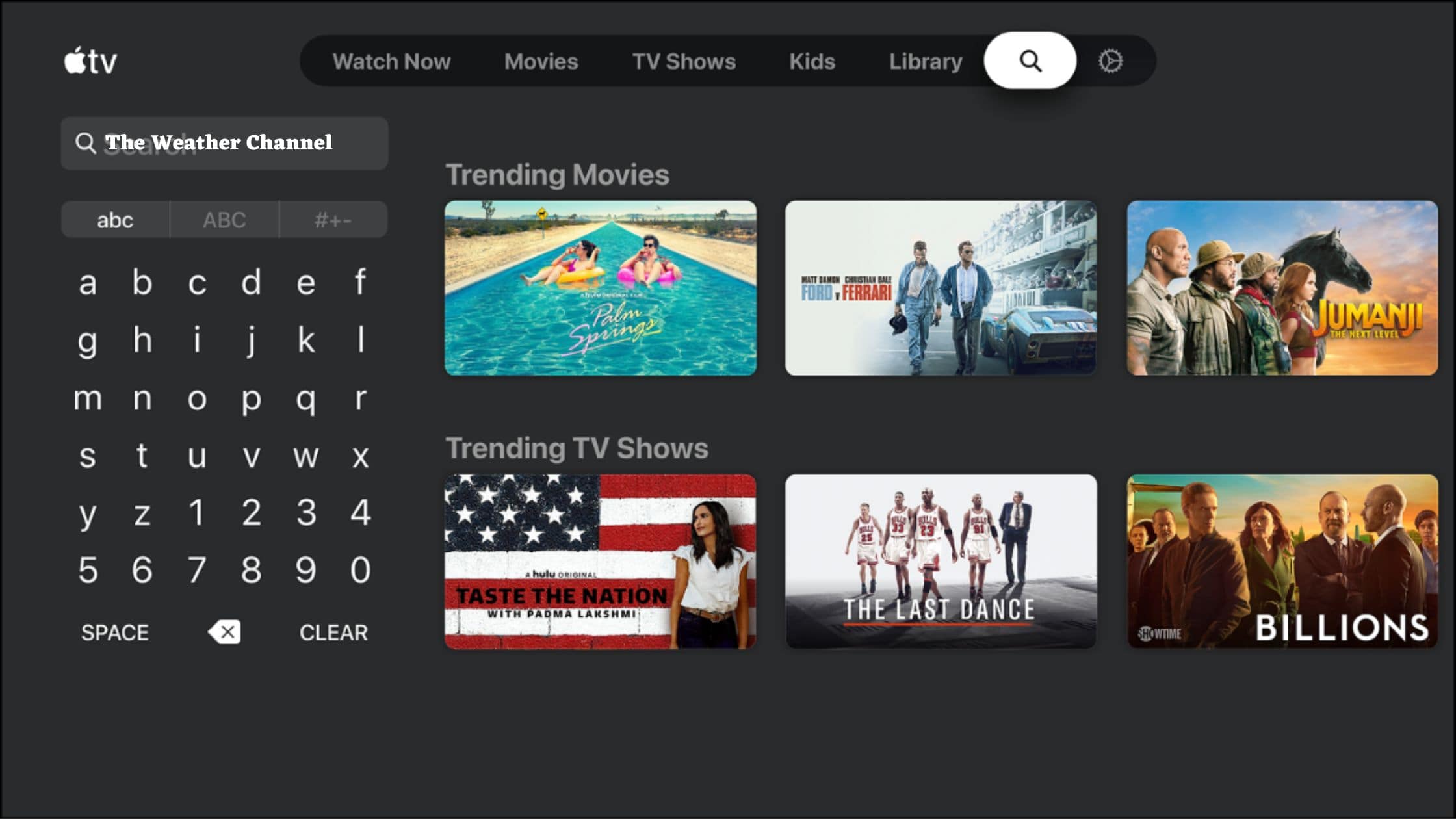
- And type the keyword “The Weather Channel”.
- Hit the application from the list and press the installed button.
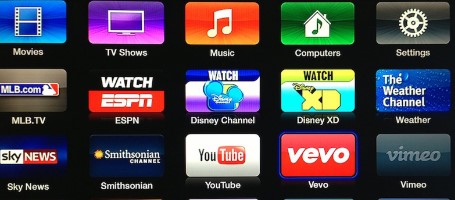
- Once the application is installed then you have to activate the app to access its content.
Activate the Weather Channel on Apple TV
Activating the application is the process to get a permit to access the Weather Channel content on your Apple TV device. This is a simple process to get access to stream the Weather Channel on Apple TV. Follow the upcoming steps to activate the application.
The Steps are:
- Open the Installed Weather Channel and the screen will show the activation code.
- Note it down.
- Then you have to visit the browser on your smartphone or PC and Search for the site to activate the Weather Channel website.
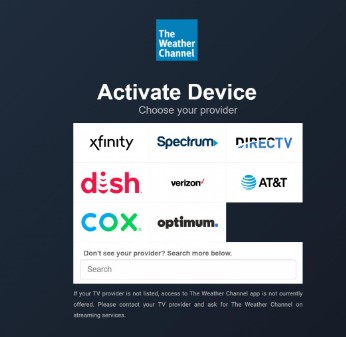
- After that, you have to Select your TV provider service from the suggestion list.
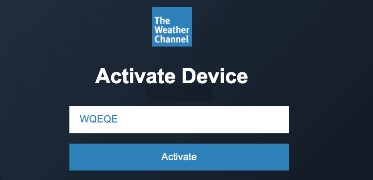
- Now you have to enter the Activation code and click the OK button.
- Once the application is verified your code and given access to stream its content on Apple TV.
- Then you can start streaming the content and know the weather report and its related programs and shows on Apple TV.
For More Info, How to Watch paramount Plus on Apple TV
How to Watch Weather Channel on Apple TV without Cable?
There are some streaming services available to watch Weather Channel on Apple TV. You can install that respective Service onto the Apple TV device and choose the Weather Channel from the categories and then stream its content on the Apple TV.

The available Streaming service is:
- Fubo TV.
- Frndly TV.
- DirecTV stream.
- Hulu Live TV.
- YouTube TV.
Frndly TV
Whereas Frndly TV is one of the most affordable streaming services at the Cost of $6.99 for a month. Also, it gives one week’s free trial days. Along with the package you can obtain many Channels. The Plan is $7.99 for one month which gives a Cloud DVR storage space to record your content and you can access the content on multiple screens at the same time. Furthermore, Frndly TV supports the devices like Roku, iOS, Android, Chromecast, Amazon Fire TV, and More.
Fubo TV
The Fubo TV streaming service includes a Weather Channel and that channel comes under the package pro Plan at the cost of $74.99 per month. With the package, it offers 100 popular Channels and also provides one-week trial days. Also, you can get 1000 hours of DVR cloud storage space and three devices can access the content concurrently. Whereas the Fubo TV is compatible with the devices such as Amazon Fire TV, Roku, Apple TV, and more device.
Check the Post, How to Stream Cinemax on Apple TV
DirecTV Stream
The Weather Channel is available on the DirecTV Stream Streaming service and it comes on the subscription Plan on Choice Package at the cost of $99.99 for a month and also you can sign up for a Five-days of Free trial days. And it gives unlimited DVR storage Space and three users can stream the content at the same time.
Hulu Live TV
You can access the Weather Channel on Hulu Live TV. Tap the link and know the way to get Hulu Live TV on Apple TV. Once you installed the Application and choose the weather channel from the categories and watch its content. Additionally, you can get more than 60 Channels, and the subscription cost for Hulu cost of $79.99 for one month. In addition, you can record your favorite content by using a DVR storage space.
YouTube TV
The YouTube TV service contains Weather Channels in its Channel lineups and you can install the YouTube TV service on the Apple TV service. Moreover, YouTube TV is a subscription-based service at the cost of $64.99 for one month. Also, it gives top Channels such as Local Network Channels, BCC America, and More. Nearly 70 Channels are provided by this streaming service. Furthermore, That YouTube TV is compatible with devices such as Android, Fire TV, Apple TV, iOS devices, and more. Along with the package you can acquire one week of a free trial package.
Closing Off
In short, this article contains the required information to get Weather Channel on Apple TV. Most Important, the Weather Channel is a subscription service so you can subscribe to its service. We included the cost information in the above article. Additionally, we mentioned the steps to install, and activate. Referring to this article we included the details to watch the Weather channel on Apple TV. We hope you like this guide, If you have any doubts related to this article, Let me know in this comment section.
Frequently Asked Questions
1)Is the Weather Channel available on Peacock TV?
The answer is yes! You can acquire Local Weather Channel news, and also you can get to watch NBC Show live on Peacock TV. Moreover, It gives more than 50 Channels. Whereas the Peacock Channel contains various Hit programs, shows, Movies, and on-demand content.
2) Is Weather Channel on Amazon Prime?
In That, you can get to stream Live TV or Your favorite on-demand titles and programs. Also, You can obtain various categories of programs and shows.
3) Is the Weather Channel app Free?
You can download the Weather Channel on your Fire TV and you can obtain Live and on-demand content. Moreover, currently, the Application is free if you have a compatible device then you can purchase the device and stream the Weather Channel content.