
![How to Get Skype on Roku?[Direct|Alternate]](https://techthanos.com/wp-content/uploads/2023/03/How-to-Get-Skype-on-RokuDirectAlternate.jpg)
Skype is one of the best video telephonic service providers in the world. You can use it on desktops, smartphones, and tablets. But can we use Skype on Roku? If you are looking for the same thing then this article will help you find the answer to it. Here you can get information on the different ways you can use to get Skype Video Calls on your Roku device screen.
Table of Contents
Is Skype on Roku?

Yes, you can get the Skype app on Roku from its Channel Store. But is not evident that you can make a video call through this Skype app. Instead, you can only chat using this app. To engage in video chats you must cast your PC or Smartphone with Skype to your TV screen.
You may also like to learn about How to Install Skype on Firestick?
How to Get Skype on Roku?

There are two ways to get Skype on Roku, you can either directly get the Skype app from Channel Store. Otherwise, you can screencast or screen mirror the Skype app from your device to the Roku TV screen. The Screencast method is considered the best method to get video calls from Skype to your Roku device screen. Continue to read and learn the simple procedure to get Skype on your TV.
NOTE: Since there is no camera available on your Roku devices, it is impossible to make video calls on Skype on Roku. But if you have an external camera connected to Roku, then video call through Skype might be possible.
Add Skype To Roku
- Hold your Roku remote and press the Home button on it.
- Navigate and select the Store option.
- Tap on the Channels option to launch the Channel Store.
- Select the search icon and type Skype in it.
- Press ok to start the search and select the Skype app from the results and go to its information page.

- Select Add Channel option and wait for the app to be added to your Roku account.
- Sign in with your Skype credentials.
You can now easily find the Skype app on your TV in the apps section. Now you can watch other users’ videos during a video call on Skype on your device but cannot send your video to others. You may also like to learn about How to Use Chromecast for WhatsApp Videos?
How to Get Skype Video Calls on Roku?
The only way you can get your Skype Vidoe calls on your Roku TV is by casting or mirroring the Skype app from supported devices to your TV screen. The Skype app is available for Android, iOS, Mac, and other PCs. By connecting, your favorite Skype app-supported device and device to the same WiFi network you can get Skype Video Call on your TV screen. To learn more, follow the simple procedures given here.
NOTE: All the devices and the screens must be connected to the same WiFi network to make screencast or screen mirroring possible.
How to Screen Mirror Skype Vidoe Call from iPhone to Roku?
- Go to the Roku device Settings menu.
- Select the Apple AirPlay and Homekit option and tap on the Apple AirPlay and Homekit Settings option.

- Toggle the AirPlay option to on.
- Get the Skype App on iPhone from Apple App Store and Sign In with your credentials.

- Start the Video call.
- Go to the iPhone command center and tap on the Screen Mirroring option.
- From available devices select your Roku device.
- Enter the AirPlay code from your TV screen on yoru iPhone and press OK.
- Your Skype Video Call from your iPhone is mirrored to your Roku TV screen.
You may also like to learn about How to Share Screen on FaceTime?
How do Get Skype on Roku by casting Video Calls from Android Phone?
- Install the Skype app from Google Play Store on your Android device.

- Use your credentials and sign in to your Skype account.
- Swipe down to open the notification tab and press Smartview, Cast, or other relevant terms.
- Select your Roku device from the available devices.
- Your Android device screen with Skype is cast to your device screen.
- Now you can make a video call on the Skype app on an Android device and watch it on your Roku TV.
How to Cast Skype from Windows PC to your Roku TV?
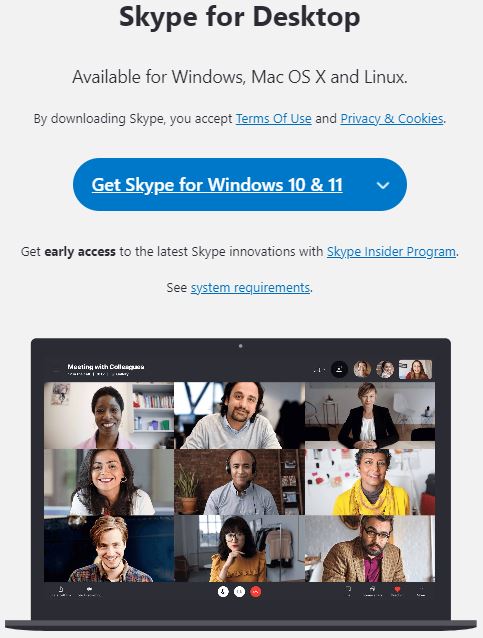
- Make sure that your PC and Roku device are connected to the Same WiFi network.
- Now go to the notification tab on your PC and select Connect.
- Wait till your PC discovers Roku TV as a wireless Display device.
- Select your Roku device and get your PC screen on your Roku TV.
- You can now attend any Skype video conference from your Roku TV big screen.
The Skype app is most compatible with Windows PCs, so casting from your PC with widows OS to your Roku TV is the best option. You may also like to learn about How to Use Skype on Windows/ Mac/ SmartPhone?
How to Mirror Skype from Mac to Roku TV?
- Enable the AirPlay option on your Roku device.
- Go to your Mac Share icon and tap on the AirPlay option.
- Select your Roku TV and get your Mac screen on your TV.
- Now launch Skype and get the Video call on your TV screen from your Mac computer screen.
By following any of these four methods you can easily get your Skype video call on your TV easily.
Can I Connect the Camera to Roku?
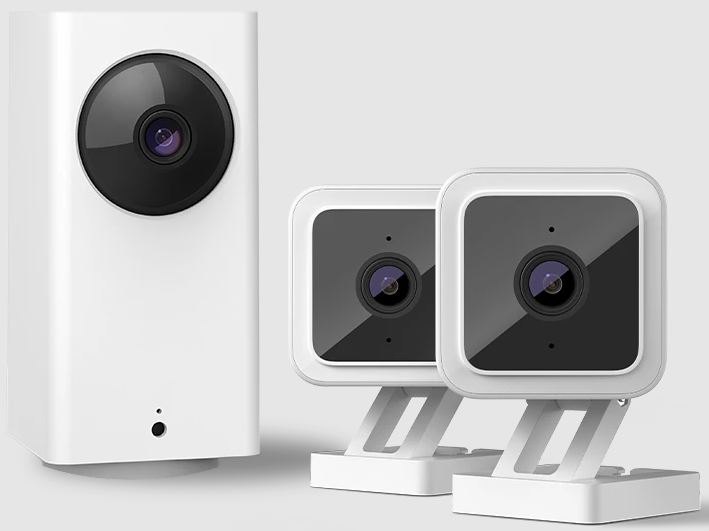
You can easily connect Roku Indoor or Outdoor Camera SE to your Roku TV or Roku device easily. By using this you can get live feed of what’s happening in and around your home using the Roku Smart Home app. You can easily watch the live feed on Roku TV by following the simple steps,
- Press the Home button on your Roku remote.
- Find the Roku Cameras channel and press OK.
- Now select the camera you want to live stream on your Roku TV.
How to Create an Account on Skype?
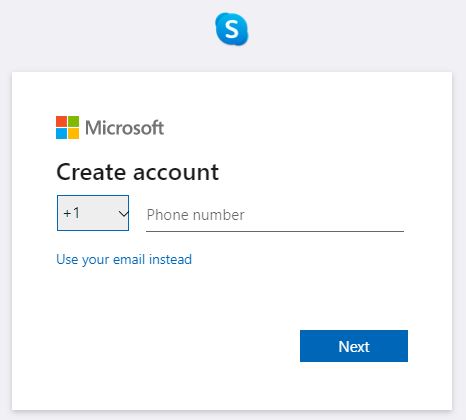
Go to the Skype official site on any web browser and tap on Sign in then select the Sign-Up option. Now provide the information asked and press Next. Follow the instruction to the end to create your own account on Skype. If you have a Microsoft account you can easily create an account on Skype.
THE END
You can now watch all your Skype video calls on your big Roku TV screen from Skype-supported devices. You can try to use the Roku Camera and Skype app on Channel Store to try to make Video calls using Skype. But if you are not able to do so, casting and mirroring is the best way to get Skype on Roku.
Frequently Asked Questions:
What are the Best Alternatives for Skype?
Zoom and Google Duo are considered to be the best alternative for Skype. But Skype is best for video calls around the world.
What is a Roku Camera?
Roku cameras are home security cameras that can be placed both outside and inside your home. The live feeds are always sent to your Roku devices through which you can see what is happening around you.