
LIV Golf Tournament has started and the first event at Mayakoba Stage is completed. Charles Howell III is in the lead with 40 points and the Crushers GC team tops the table with 32 points with a total of -26. What if you can experience the beauty of Golf right from your home? You can catch all the live action of the LIV Golf tour on your Samsung Smart TV with the finest video and audio quality easily. Here you can learn the different ways you can use to watch LIV Golf on Samsung TV.
![LIV Golf on Samsung TV. [Apps|Channels|Schedule]](https://techthanos.com/wp-content/uploads/2023/02/LIV-Golf-on-Samsung-TV.-AppsChannelsSchedule.jpg)
Table of Contents
LIV Golf:

The “LIV” in LIV Golf refers to the number 54 in Roman numerals. Which is the score you will get when you complete all the holes in a par-72 course. LIV Golf is financed by Public Investment Fund from Saudi Arabia. Many were against Saudi Arabia using Sports as a means to cover up corruption and human rights abuse by the Saudi Monarchy. Despite that many Golf Stars have taken part in LIV Golf Tour.
There will be 12 teams with four players each competing in LIV Golf Tour. The 14 events will take place on different Golf Courses. At the end of the LIV Golf tournament, rewards are given out to the team and individual winners.
How to Watch LIV Golf on Samsung TV?

To watch LIV Golf on your TV, you must have access to The CW channel. Because The CW Network has obtained the broadcast rights for every game of LIV Golf. You can also use the YouTube, Facebook Watch, and Apple TV apps at your Samsung TV App Store to watch LIV Golf.
Using Streaming Devices on your Samsung TV, you can have access to other LIV Golf streaming services like YouTube TV, Hulu+Live TV, and DIRECTV Stream. You can also get the LIV Golf Plus and The CW App on your Samsung TV. These apps can be accessed only on devices with access to Google Play Store, Apple App Store, and Amazon App Store.
If you are already a cable or satellite service user, you can navigate to the CW channel number and watch LIV Golf games live on your TV. You may also like to learn about What Channel is CW on Spectrum?
How to Watch LIV Golf on Samsung TV Directly?
You can directly watch LIV Golf Tour without the use of streaming devices or cables for free. That is with the help of YouTube and the Facebook Watch app on your Samsung TV. The live game of LIV Golf is live-streamed on their official Facebook page and YouTube channel. By following are subscribing to it, and with the schedule for LIV Golf, you can easily catch up with all the tournaments on your Samsung TV.
The YouTube and Facebook Watch apps are available as default apps and no need to install them again. But you have to make sure that the apps are updated to their latest version.
LIV Golf Live on YouTube:

- Press the Home button on your Samsung TV remote.
- Use the directional keypad to highlight the YouTube app and press OK.
- If you have not yet Signed In using your Google Credentials to get your YouTube account on your TV.
- Go to the YouTube Search Tab and press ok to launch the on-screen keyboard.
- Type “liv golf” and press Go to start the search.
- Select the LIV Golf official site from the results.
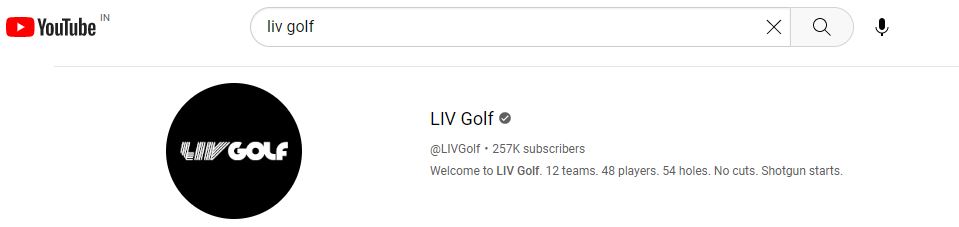
From the LIV Golf YouTube channel home page, you can now subscribe to its channel or start watching the live tournament streaming at it. You can also have access to highlights and other exciting moments during the Tour here.
LIV Golf on Facebook Watch:

- Launch the Facebook Watch app on your Samsung TV.
- Use your Facebook account credentials to get into your account.
- Now search for LIV Golf’s official Facebook page and Follow it.

- The LIV Golf tournament will be live-streamed on its official Facebook page.
- You can enjoy every moment of LIV Golf on your TV using the Facebook Watch app.
LIV Golf on Apple TV App:

You can access The CW Network channel on the Apple TV app. There is no need for a subscription because you can access the CW channel for free with the Apple TV app. To find and stream The CW channel to watch LIV Golf on Apple TV, follow the steps given here.
NOTE: You can access Apple TV on the latest Samsung Tizen Smart TV models.
- Open the Apple TV app on your Samsung TV.
- Enter your Apple ID credentials and sign into your account.
- Go to the Watch Now section and select the More Channels option.
- Choose the CW channel from the list and tap on subscribe or try it for the free option.
- Go back and select the My Channels option.
- Tap on The CW channel and start to watch LIV Golf on it.
Alternates:
How to Watch LIV Golf on Samsung TV with The CW App?

Since The CW Network has the Broadcasting rights for LIV Golf, you can easily stream the tournament live on the CW App. But the CW App is not officially made available in the Samsung TV default App Store. Do not worry, you can use a streaming device on your TV and get The CW app on it. You can refer to How to Get The CW App on Samsung Smart TV?
Is LIV Golf Plus on Samsung TV?

The official app for LIV Golf the LIV Golf plus app is not available for Samsung TV. You can access the LIV Golf Plus app on TV with the help of streaming devices.
How to Watch LIV Golf on Samsung TV using Streaming Devices?
With streaming devices like Chromecast, Apple TV 4K or HD, and FireStick, you can easily access the CW app, LIV Golf Plus, YouTube, and Facebook Watch. You can use streaming devices if you cannot access any of the LIV Golf streaming apps directly on your TV. You may also like to learn about Can I Get The CW App on PS4?
How to Watch LIV Golf of Samsung TV with Cable?
The CW Network has over-the-air coverage of up to 36 stations and 192 affiliated stations. You can easily access the CW channel on any of the cable or satellite connections you use on your Samsung TV. Make sure that you have subscribed to a plan with The CW Channel in its channel lineup. Some of the best Satellite or Cable services to use with Samsung TV are DIRECTV, Spectrum, Dish, Optimum, Cox, and more.
LIV Golf Schedule:



You may also like to learn about How to Get CW App on Firestick?
THE END
You can now watch every swing mand at LIV Golf Tour live on your TV. Use the default apps on Samsung TV to watch LIV Golf to avoid subscriptions and device costs. Have a proper internet connection to watch LIV Golf in good video quality and without buffering on Samsung TV. You can simply cast the LIV Golf Plus app which is free on your Smartphone to your TV screen by connecting the device to the same WiFi network.
Frequently Asked Questions:
Can I Watch LIV Golf on the Samsung TV Plus app?
No, you cannot watch LIV Golf on the Samsung TV Plus app. You can try navigating to the KCWE channel at channel number 1035 and know if you can watch LIV Golf on it or not.
What Channel is The CW on Dish?
The channel number of The CW channel at Dish network changes with respect to your region. Here are some of the regions and The CW channel numbers, New York – 11, Philadelphia – 57, Dallas – 33.