
PPV means Pay-Per-View. It is a Webcast or Webcast service that offers its viewers to purchase for a single event and pay for that only through the private service. To watch the 2023 Live PPV Event on your Streaming device, you have to install the multichannel streaming services. In the article, How to Watch PPV on Firestick, you can learn everything about it.

Table of Contents
Can I Watch PPV on Firestick?
Yes. You can watch the 2023 Live PPV on Firestick. All You will need to make sure that you have an Updated Software System on your Firestick and then there you go. Using this Service, You can Know How to Watch Spence vs Crawford, Watch Fights Tonight for Free, and So on.
To Watch the PPV on Firestick, There are two ways that you can choose.
Free and Paid PPV Services.
Also, you can watch the PPV on Roku. Click this link to learn more about it.
How to Watch PPV on Firestick?
Getting the PPV on Firestick and Watching the Fight on Firestick is not easy as the usual Installation. You will need a Relevant app on your Device and Install it on your Device. Then Buy a PPV Event through the app or You can also Buy a PPV Fight tonight through the Website of the Particular Service.
Here is a Simple Guide on How to Watch PPV on Firestick.
- Choosing any of the below-mentioned Streaming Services – Free or Paid. Move on to Installing and accessing the Fights like Spence vs Crawford Tonight on your Firestick.
- First of all, Make sure you have a Stable Internet / Wifi connection to Stream Online at any Event.
- Access your Firestick > Go to the App Store > Search and Find the app > Install > Buy an Event that you want to Stream ( Watch Free or if you have chosen Paid – Do Pay for its Subscription ).
- For Users outside of the US, You will need to have a VPN Connection on your Firestick to Vanish any Geo Restrictions.
Best Paid Apps for Paid PPV Events
We have a List of Paid Live Streaming Services that includes the Streaming of PPV Events throughout the year.
- Showtime
- DAZN
- Sling TV
- Fite TV
- B/R Live
- ESPN+
- Amazon Prime Video
- Peacock TV
- BT Sports.
- Sky Sports
The majority of the Apps mentioned here as easily accessible on the Amazon Firestick and also have PPV Events such as the UFC, and Boxing 2023, as a Pay Per View Service.
1). B/R Live

Bleacher Report is formerly called the B/R. It is a Sports Streaming service. Not only the live telecast but also you can check Live Scores, Leaderboard, Highlights, Storylines, and more. Also, it is a Paid Streaming Service. The Bleacher Report app is available on the Amazon Firestick device. Here are the steps to Install it.
THE BELOW-MENTIONED STEP IMPLIES TO INSTALLING ANY APPS YOU CHOOSE.
- Firstly, Set up your Firestick Device and Ensure an Internet Connection.

- Click on the Home Button once.

- Then, Navigate to the Find option from the menu on the home screen.
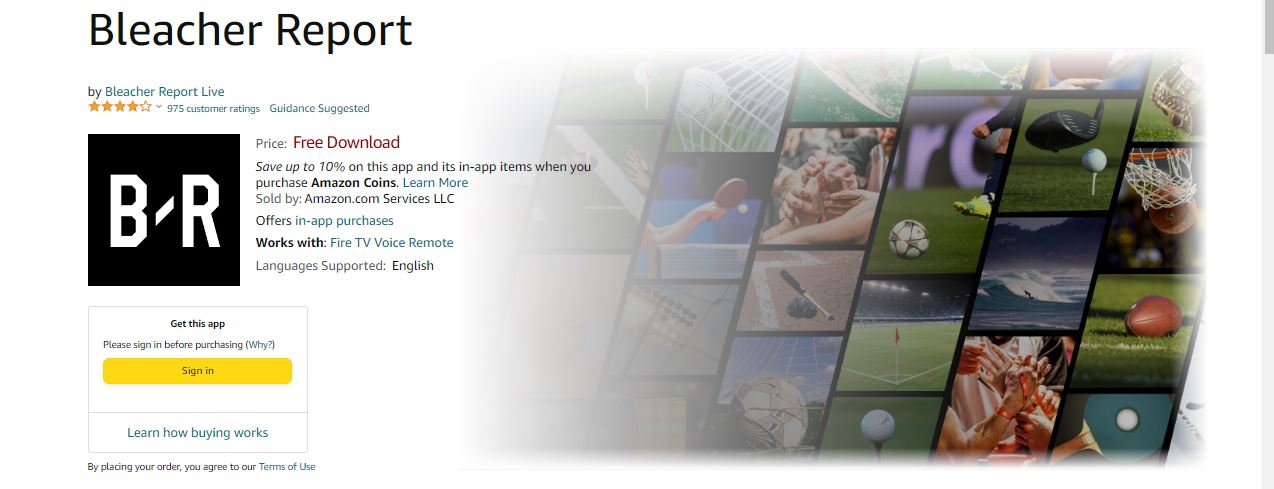
- On the Search, Type B/R App and Find the App.
- Install the B/ R App on your Firestick, and Log in using your Credentials.
- Now, Select the PPV Event banner and purchase it.
2). Showtime

Showtime is One of the most popular PPV Apps available on the Amazon App Store. You can watch a Variety of Content – Sports like MMA, UFC, and Boxing and also Movies, Documentaries, TV Shows, and much more. Use VPN for Non-US Users.
Download the app on Firestick > Search for the PPV Banner on the Home Screen > Order the Event > Sign in > Make the Payment > Follow the On Screen Prompts > Start Streaming the Pay Per View Content.
Since It is a Paid Service, You will need to buy it for a Price of $$59. 99 – 84.99.Showtimeanytime.com Activate on Firestick.

3). DAZN

DAZN is An Amazing Sports Streaming Service with an Affordable Cost of Subscription. You can watch both Live and On Demand Events that Mainly include MMA, Fights, and Boxing Tonight on Firestick. Below are the Plans pictured for your reference.

4). Sling TV
Sling TV is a popular Live Sports Streaming service. Also, you can watch other American Live Cable TV Channels on Sling TV. And, it is a Paid Streaming Service.
You can install the Sling TV App from the App Store, Log in to your Account, and Pick up an Event. Once Chosen, You will find the Event after You have Paid for the Service on the Sling PPV Channel in the Guide.

5). Fite TV
Fite TV is an American Video Streaming Service. It is completely dedicated to streaming Boxing, Mixed Martial Arts, and Professional Wrestling. It has a dedicated streaming service. And the app is available on Amazon Firestick. The Fite TV is also a Subscription-based streaming service. Install the Fite TV on Firestick and start watching the live PPV Events on your TV. If you have an active subscription package on your local cable TV Provider, then here you can check, What Channel is PPV on Optimum.
6). ESPN+

ESPN+ is the premium section of ESPN Television Network. You can watch Exclusive Live Sports Events and the Original Studio Show, and Acclaimed Series on ESPN+ which are all not available at the ESPN Television Network.
In Addition, You can purchase PPV Events and watch Live and on-demand videos.UFC 2023, The Fights are Covered as Huge on ESPN +, So get the PPV on Firestick by Subscribing to ESPN +. Here is the step-by-step installation guide for ESPN on Firestick.

7). Amazon Prime Video

Amazon Prime Video is Amazon’s own product and It is natively available on the Amazon Fire TV Stick device. So, there is no need to install it from the app store. And, the Prime Video app is an OTT Streaming Service. And, Paid Service too. Also, Prime Video is a Digital Distributing, Streaming Media, and Video-On-Demand service.
Launch the Amazon Prime Video app on your Firestick device. Select the PPV content and enjoy streaming.
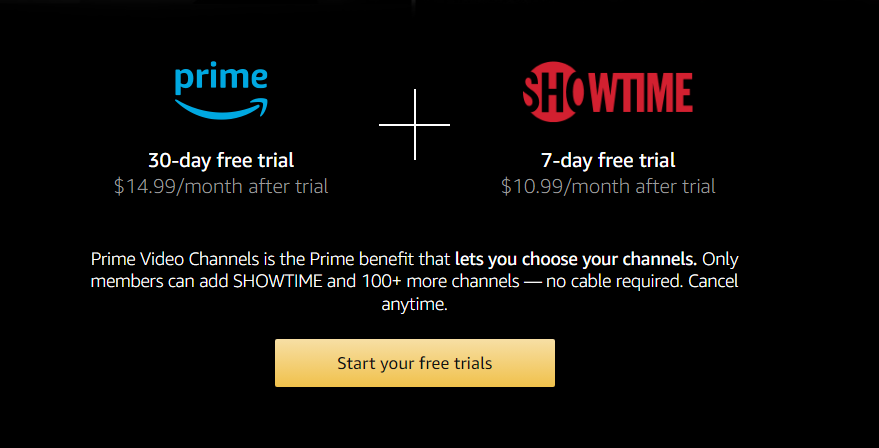
If you already have an Amazon Prime Subscription, You can add Showtime to get a Wide Library of Content to Watch. Both the Subscription Combines give you the Best PPV Service on your Firestick.
8). Peacock TV

Peacock TV is an American OTT Video Streaming Service. With this, you can access more Live Cable TV Channels on this platform including Live Sports Streaming channels. Also, Get to Watch the PPV Events with an Active Subscription. It is available on the Amazon App Store and to learn the steps to Install it on your Device – Refer to Peacock TV On FireStick.

How to Watch PPV on Firestick Free?
Considering that the Events like Fights, and Boxing Tonight are Just for Days that not gonna last long. But You need to watch them as a Priority. So, Using the Free PPV Services that can be accessible on Firestick Free of Cost. Let us have a Look at it.
Kodi Add-ons on Firestick
For Free Pay Per View, Streams of the Upcoming Events 2023 – Kodi Sports Add Ons is a Great Choice. Choose a Good Kodi Add to Stream the PPV Fights Free Tonight.
You can install the Kodi App on the Firestick > Sign in > Use VPN and Start to Stream Spence vs Crawford Fight for Free on your Device.
With the Kodi on, You can get the Most Watched PPV Events Covered on the Service – Boxing PPV on Firestick.
Free Live TV Apps
Several Live TV Apps provide the Live Streaming of Events Online. You can get the best Sports Streaming App / Site on your Firestick and Choose a PPV Event and Stream Free on your Firestick.
These are the Popular Live TV Streaming Services Free available.
- Swift Streamz,
- TVTap Pro,
- HD Streamz Apk,
- Ola TV,
- LiveNet TV and So on.
Sports Streaming Websites
Another Alternative is Free but Not as Effective as the Apps. Although you can use it in the Rare Case Scenario. You can access the Websites and Watch the Live PPV Events on Firestick Online. Use the In-Built – Amazon Silk Browser or Google Chrome to access these Streaming Sites.
These are Some of the Best Sports Streaming Websites that you can choose to watch the PPV on Firestick and Enjoy the Fights.
IPTV Services
However, there are some Good Lists of IPTV Services that allow users to Watch PPV Fights with a Monthly Plan. You can go now by installing any of the IPTV Providers with an IPTV player on your Firestick and Choose to Stream Live.
Give a try: TiviMate IPTV on Firestick
Boxing PPV Events on Firestick 2023
Here is the Boxing Schedule 2023 with the List of the Upcoming Major Events to watch on PPV Services.
| DATE | MAJOR BOXING EVENTS |
| 5 August 2023 | Jake Paul vs Nate Diaz |
| 12 August 2023 | Emanuel Navarette vs Oscar Valdez |
| 12 August 2023 | Anthony Joshua vs Dillian Whyte II |
| 19 August 2023 | Artur Beterbiev vs Callum Smith |
| 26 August 2023 | Oleksandr Usyk vs Daniel Dubois |
| 2 September 2023 | Liam Smith vs Chris Eubank Jr |
| 23 September 2023 | Joe Joyce vs Zhilei Zhang |
| 30 September 2023 | Canelo Alvarez vs Jermall Charlo |
| 28 October 2023 | Tyson Fury vs Francis Ngannou |
| 28 October 2023 | Regis Prograis vs Devin Haney |
2023 Live PPV Events Schedule
| 2023 PPV Events | |||
| Event | Month and Date | Day | Venue |
| WWE SummerSlam | August 5 | Saturday | Ford Field |
| WWE NXT In Your House | August 12 | Saturday | Capitol Wrestling Center |
| NXT Heatwave | August 12 | Saturday | Capitol Wrestling Center |
| WWE NXT Halloween Havoc | October 28, 29, 31 | Saturday, Sunday, Monday |
Capitol Wrestling Center |
| WWE Crown Jewel | November | – | TBA |
| Survivor Series WarGames of WWE | – | – | TBA |
| WWE NXT Deadline | – | – | Capitol Wrestling Center |
Conclusion
With the Above Guide on the Pay Per View, You will Surely Enjoy Per View. It is so simple to have access. Firstly, Make sure that you want to Stream Free or Paid, and With that, you can Proceed as you wish. Also, Know to Watch Spence vs Crawford, the Fights Tonight, and Much more. Enjoy your Streaming with a Good Internet!