
Say Bye – Bye to your Boring Shows, Cause it is time for SHOWTIME NOW! Streaming Online with No Commercial Ads is Something that we all manifest for in the days and Nights too. So, Here you have all your Wishes that can Come true. With Learning How to Watch Showtime on Firestick, You can get access to Unlimited Content with No Interruptions of Commercial Ads. Start Reading!

Table of Contents
Can you watch Showtime on Firestick?
Yes, Absolutely. You can Install and Watch Showtime on your Firestick Devices. Since the App is available on most of its devices and the Official Amazon App Store, So, it is quite accessible on Streaming devices.
Which Amazon Firestick Devices Support the SHOWTIME?

Currently, the Showtime Streaming Service app is available and Supported on the following Amazon Streaming Devices, Such as ;
It is Supported on ALL MODELS OF –
- FIRE TV.
- FIRE TV STICK.
- and FIRE TV Cube.
In Addition, the app is also Compatible with Other Amazon Devices such as the KINDLE FIRE Tablets running on FIRE OS 7 and Higher.
Is owning a Compatible Device enough to Stream Showtime? Ofcourse Not! You will also need some basic requirements to be filled in to get the Streaming. Scroll down to find out what are those.
You can also Watch on your Big TV Screens: Showtime on LG Smart TV
What are the Requirements to Watch Showtime on Firestick?
If you have a Compatible Firestick device, Do make sure that you have all these System Requirements with a Tick on the Check Box to get the App.
Required Internet Connection :
- An Internet /Wifi with a 4G or Higher Connection is needed.
- To Stream with Better Video Quality and Good Visualization, It is recommended that you use the SHOWTIME App with a WIFI Connection with Stable Connection ( Which will also result in minimizing your data usage ).
Streaming Bandwidth :
A Downstream Bandwidth of 5 Mbps or higher while using the app on Tablets or any Smartphone devices. Note that the Stream of the App is based on the bandwidth that you are using.
How to Watch Showtime on Firestick?

Accessing the app is easy and Quite Straightforward due to its availability on the Official Amazon Stores. While thinking of Whether the app is Legal and Safe to use on your Device, Keep in mind that Amazon undergoes several tests to detect harmful codes and malware in the app.
If any Specific Streaming App is available on the Amazon Store, It is likely to Consider it as Safe and Legal to use.
To Watch the Showtime on Firestick. You will need to follow two basic Steps.
- First is obviously, Installing the App and
- Secondly, Activate the App on your Device.
Install SHOWTIME App on Firestick
- First of all, Turn ON your Firestick device.

- Now, Access the Home Screen and Click on the Find tab.
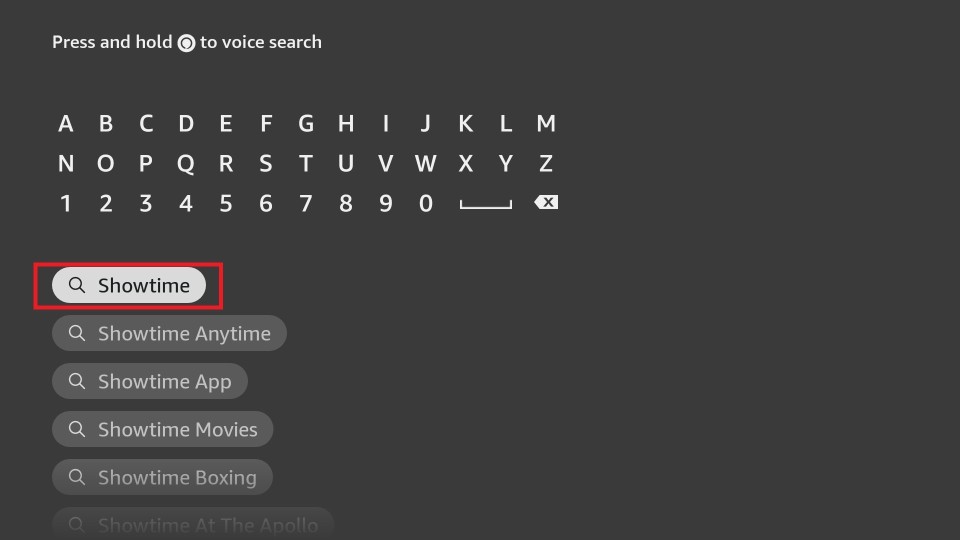
- Navigate to the Search bar and type SHOWTIME using the Virtual Keyboard.
- Find the App from its Search Results and Click on the App icon.
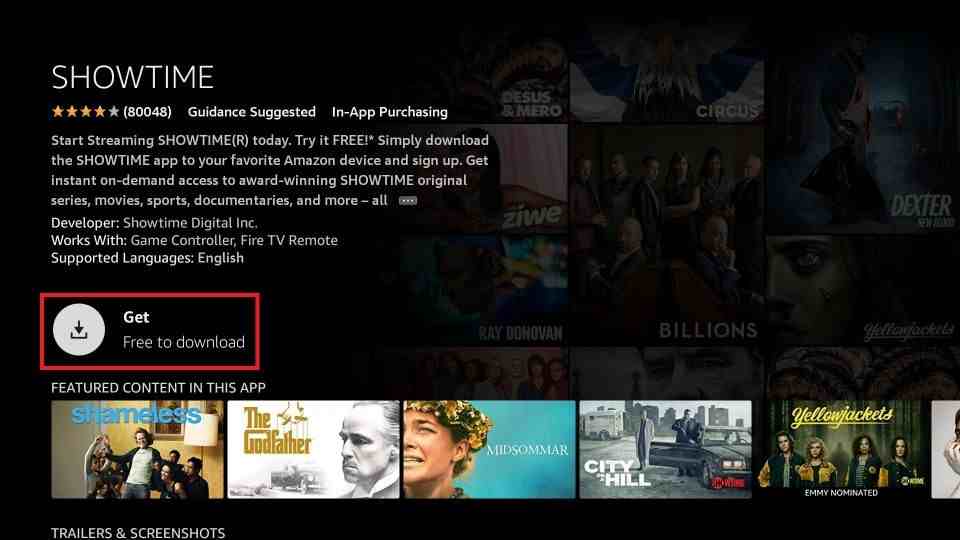
- Tap on the GET Button and Wait until the App gets installed on your Firestick.
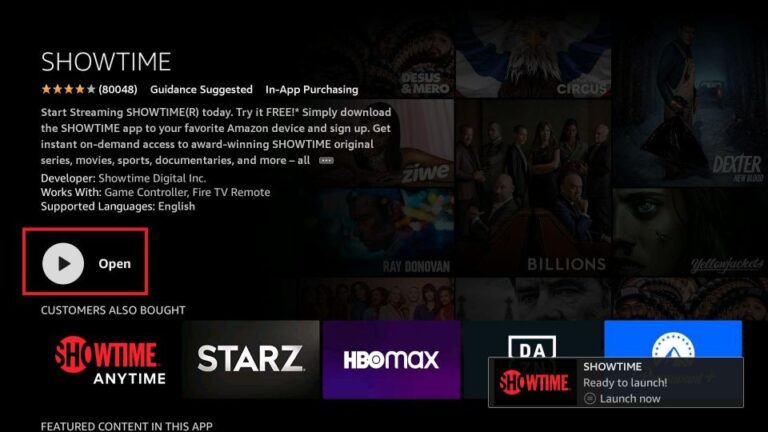
- Finally, After the Installation, Click on the Open Button to Launch the App on your device.
Subscribe to Showtime – Sign up
- Once the App is installed on your Firestick device, On the Apps Category – Launch the App.
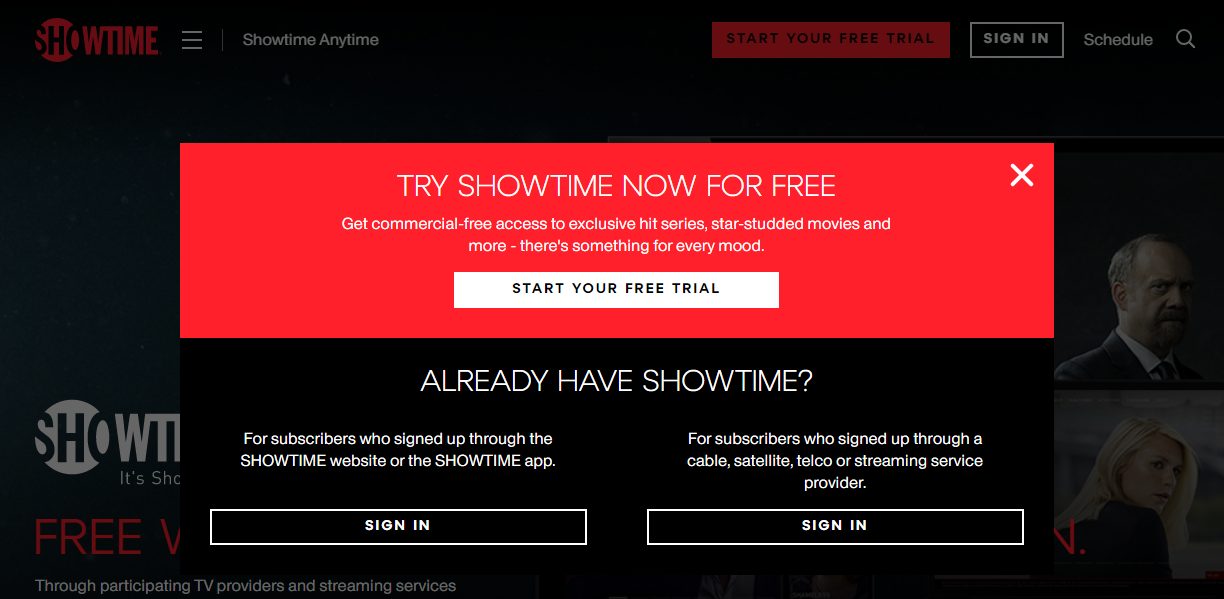
- Choose the FREE Option /START YOUR FREE TRIAL.

- To Create a New Showtime account – Enter your Email Address and A New Password on the Page.
- Instantly, Follow the On Screen Instructions to Subscribe to the SHOWTIME.
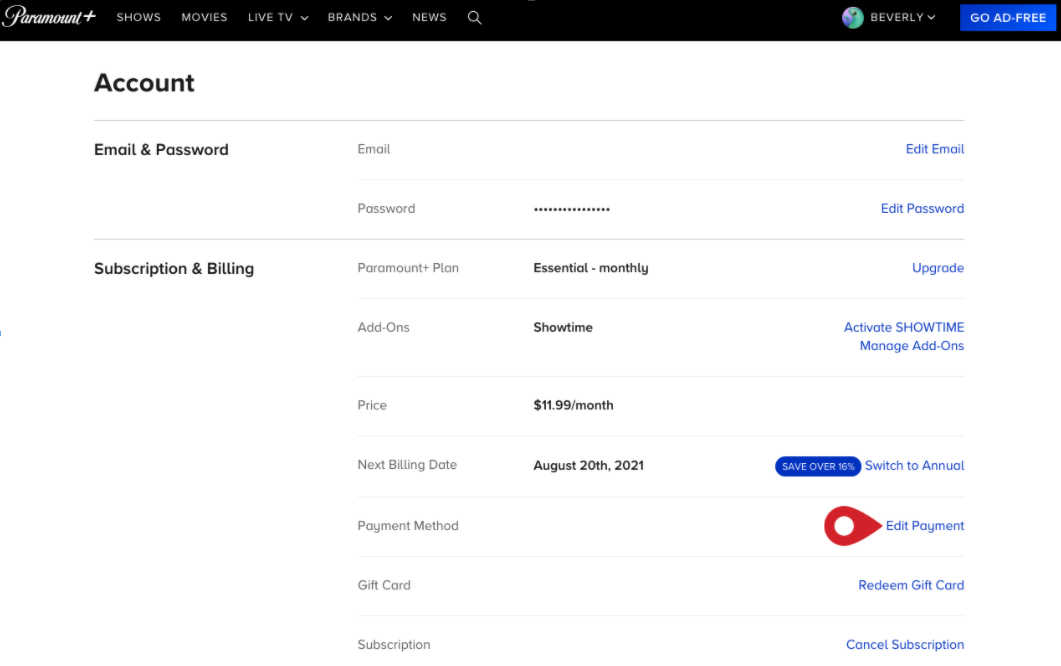
- Note that your Payment will be billed after the free trial ends through your Amazon Account – You can also choose to cancel the trial before it ends.
- Once you have subscribed and Signed up for the App, You can use your Registered Credentials to access the Streaming.
- Now, To access it on your Firestick, You will need to activate the app on your Firestick Connected TV, So that you can watch your Favourite Content Online. Keep Reading.
Activate Showtime App on Firestick
- Launch the Showtime App on your Firestick Streaming Device.
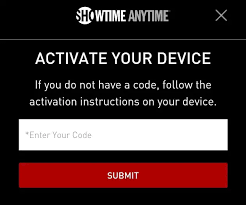
- Go to any program on the app and Click on Play or Click on ACTIVATE on the Settings menu.
- You will see an Activation Code on your Screens, Note down the Code.
- Now, Visit the Showtime activation website on your Web Browser.
- Enter the Activation Code and Press on the Submit option.
- If you have not Logged in earlier, You will be asked to log in using your TV Provider or Streaming Service account – You will need to Enter your Username and Password.
- OR You can also activate it via your Mobile Phones – Install the Showtime Anytime App and Log in using your Credentials > Go to the MENU > SETTINGS > ACTIVATE DEVICES.
- You will soon receive a message on your TV Screens, Right after that, you will finally be able to Stream Showtime on your Firestick device.
For more detailed information on the activation – You can check out the guide here :
Showtimeanytime.com Activate on Firestick
Other ways to Access Showtime on Firestick
Moreover, there are other possible ways, you can get the App on your Streaming Devices. Let us have a look at them too.
There are two Other methods that you can try in case you have a Firestick device that is Incompatible with the App. So, Let us get into the Alternative ways to access Streaming.
Download Showtime Via Amazon Website
- On your PC, Launch the Google Chrome Browser – and Visit the Official Amazon Website.

- Now, Sign in to your Amazon Account using your Credentials.
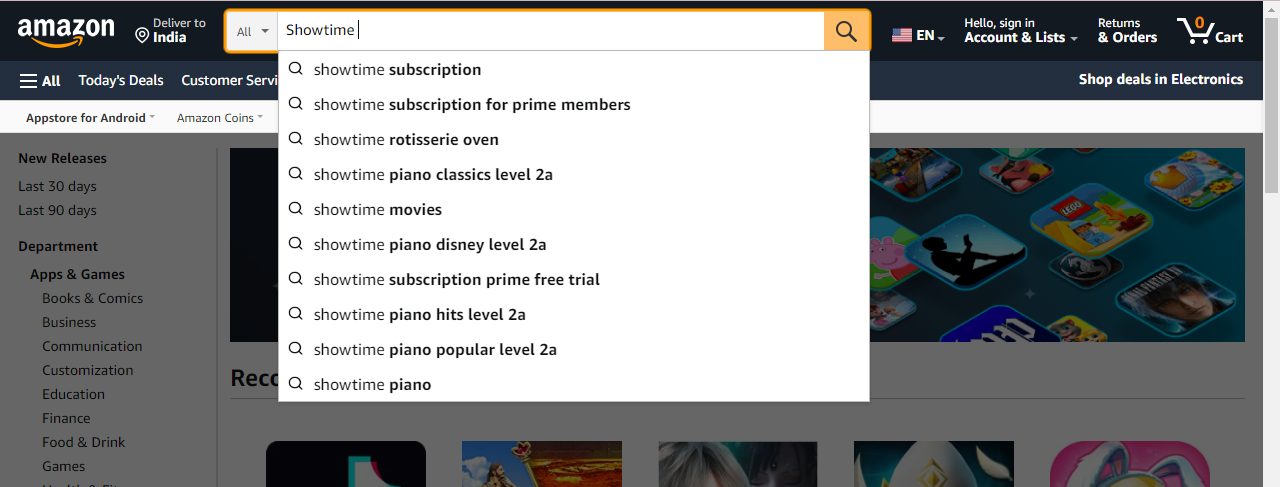
- On the Search bar, Type Showtime and Search for the App.
- Choose the App from the results and Click on the DELIVER TO option.
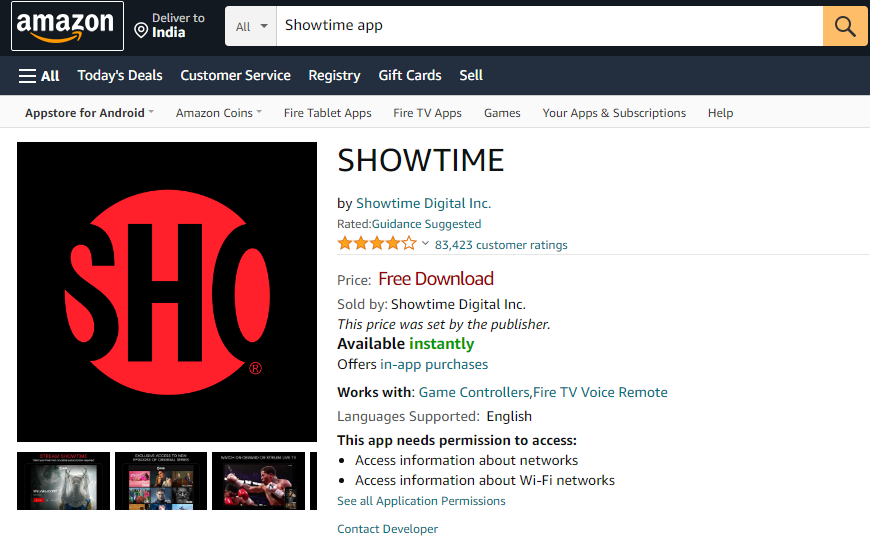
- Then, Select your Firestick device and Tap on the GET App to download Showtime on your Firestick Via the Amazon Website.
Sideload the Showtime App on Firestick
The Sideloading method is much more useful if you do not have a Compatible Firestick Device with which you are unable to get access to the App – USE THIS METHOD.
Two Sideloading Methods are available on the Firestick.
- Downloader and
- Amazon Silk Browser.
Before that enable the Installing apps from Unknown Sources on your device to use the Sideloading method.
»Go to Settings on your Fire TV > Select My Fire TV > Click on Developer Options > Tap on the Install Unknown Apps
Using Downloader

- Firstly, Install the Downloader App on your Firestick, If you do not have it as a Preinstalled app.
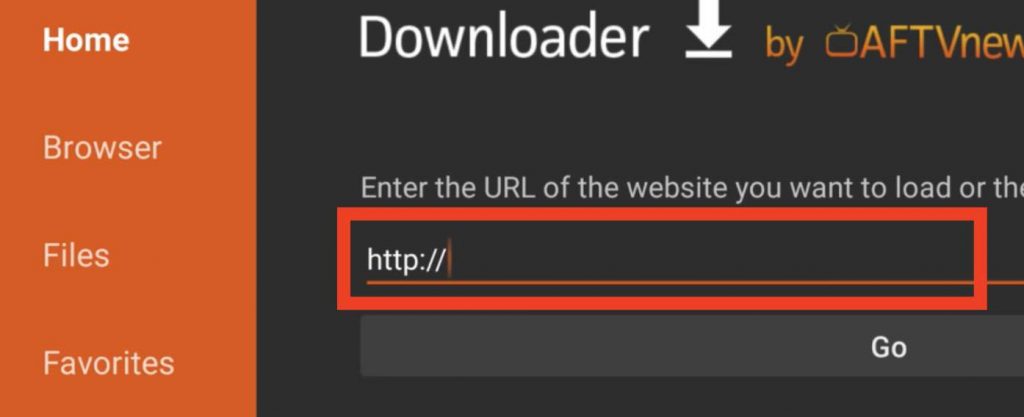
- Launch the App and On the URL field on the Screen Start typing SHOWTIME APK.
- Tap on the GO Button and Download the App’s APK File on your Firestick.
- Now, click Install to download the App on your Device and Tap on Open to Launch it.
- At last, you can Start Streaming with all the Amazing Content available.
Via Amazon Silk Browser
- Access the Firestick Home Screen, Click on Find and Go to the Search.

- Type Internet Browser and Select the Amazon Silk Browser.
- Click on the Download Button to Install the app on your Firestick.
- Open the App and Click on Accept terms,.you will be navigated to a Bing.com tab.
- On the Search bar, Type the Showtime .com App URL and Click GO.
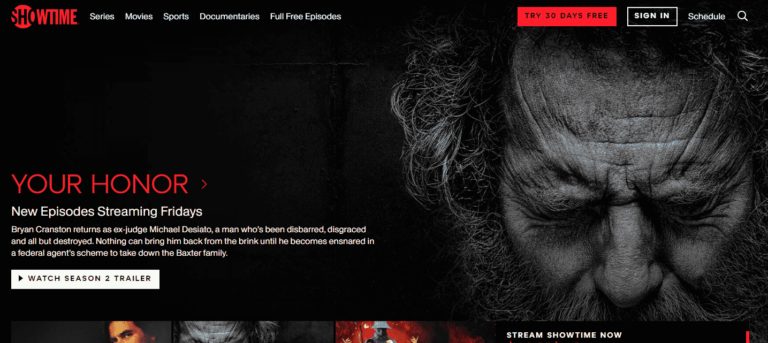
You will now see the Showtime website, Click on Start Your Free Trial and Select any Show /Movie that you want to watch. With this, You can Start Streaming Whatever you want on the App.
How much is the Showtime App?
Showtime offers different PLANS to its users. But the Happy thing is that It Offers A FREE TRIAL.

You can get the App at a Cost of $ 11.99 Per Month along with the Paramount Plus app.

Since the App is available on Other Streaming Service Apps, You can also access it through the Streaming Service Apps on your Amazon Firestick. We have a Pictured attached for your Reference for the Cost.
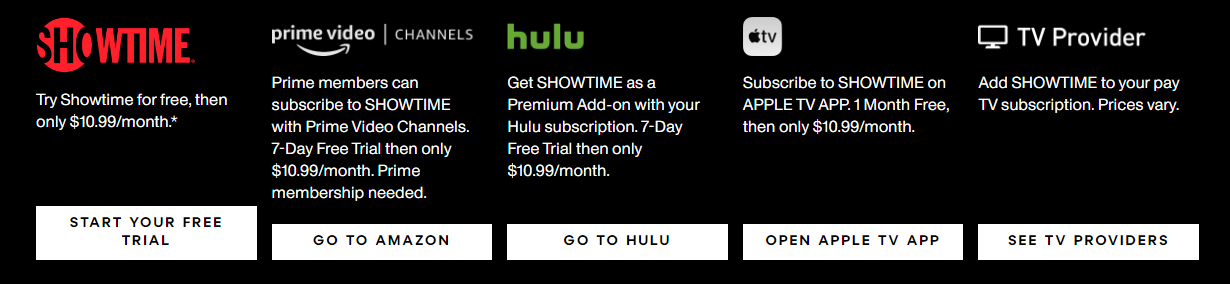
Showtime Cost on Amazon Prime Video
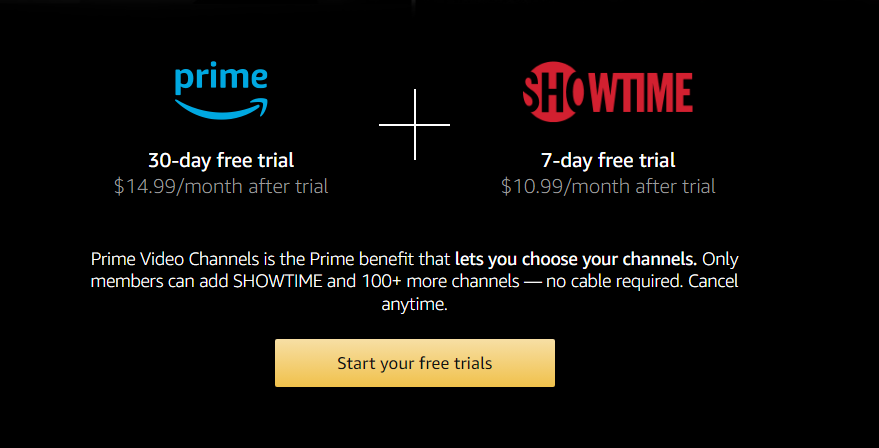
Also, If you are an Amazon Prime Member, You can Subscribe to Showtime with the Other Prime Video Channels with a 7 Day Free trial.
Bottom Line
With Reaching the End of the Article, You have made sure of One thing on your Firestick. Now, You can Enjoy Watching Award Winning Original Series, Movies, Documentaries, Sports, and Comedies all on this One App. So, Follow the Instructions given in the Guide and don’t wait to get the best Streaming Experience – As It is the Right Time with Showtime. Start your Show-time now!
Also, You can Stream on your Gaming Consoles, How? Click here: PS5
You can also Enjoy the Unlimited availability of Content with Original Movies, Award Winning Shows on your Cable TV with your Active TV Service Provider – Read: Showtime on DirecTV