
Accidentally you deleted your Facebook Account. But now you need to recover it. Yes! there are some possible ways to recover the account temporarily and permanently. Also, we will share the steps to undo the selection Facebook account. Let’s Read this article on How to Recover a Deleted Facebook Account. Swipe Down the page.

Table of Contents
Is Possible to Recover the Deleted Facebook Account?
Yeah! It is possible to recover the Deleted Facebook Account. But it has a only chance to recover it within 30 days. Otherwise, the Account will be Deleted. Then you have to create a new account on Your Facebook. Suppose, you Deactivate your account then you simply log in again to your account to activate it usually.
Check the Article, How to Install Facebook Watch on LG TV?
How to Recover a Deleted Facebook Account?
If you are trying to recover your deleted Facebook Account within 30 days then you should follow these simple steps to get back your Account
The Steps are:
- Launch Facebook—> Enter your same Email ID and password (Deleted account)—> Click the Log in Option.
Now you can see a Prompt that says your account will be scheduled on the Deleted platform. Now you click the Cancel Deletion. Then Will be removed from the Deletion part again you can access it as usual.
How to Recover a Permanent Deleted Facebook Account?
In case, you want to recover a permanently deleted Facebook account then you can try all these methods. It is slightly difficult, but you can try it.

Account Recovery Request: Make the first step to submit the account Recovery request to the service. For this process, you have to visit the Facebook Help account center. You have to enter the relevant information. You can request Emails and mention them to account recovery in Status.
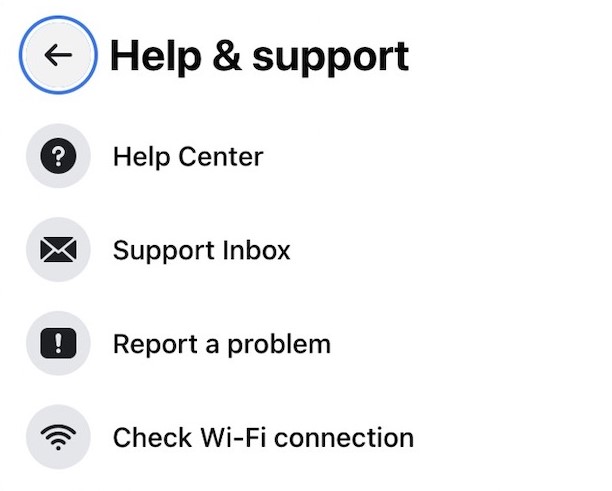
Contact Facebook Support: In General, Support@fb.com is available to solve your Facebook-related issues. once you have tried to raise a complaint and explain your situation. But there is no 100% percent guarantee. But if you have luck then they you guide you Follow the instructions and get back your Facebook Account.
Explore Alternatives Options: If both methods can’t recover your account then you can try this method. It includes the cached version of your Facebook profile on the search engine. Here are all the Saved Copies of your photos or posts on Facebook. Maybe it will not fully restore your account but it helps to recover back with some needed data and memories.
Additional Check, How to Get Facebook on Roku?
The Importance of Safeguarding Your Digital Assets
The main thing that we noted while recovering our account is the importance of safeguarding our Digital assets. We will live in an era where our online contains a Significant value Currently, Both personally and professionally. You must take proactive measures to save our Digital identities in the interconnected World.
How to Undo the Deletion of Facebook Account?
Here are the steps to undo your Deletion Facebook Account. Follow the steps given below.
The Steps are:

- Move to Facebook Website–> Log in (Existing account).
- If you get the deleted Facebook Account then you can see two types of options Such as “Confirm Deletion” or Cancel Deletion.
- Now you have to select the option of Cancel Deletion. Then your Facebook Account will be recovered from the deletion source.
For More Info, How to Stream Facebook on Xbox?
The Ending Words
We will sum up this article here. I hope you get the solution on How to Recover a Deleted Facebook Account. We have mentioned the steps to recovery from temporary and permanent. Also, Know the steps to undo the Facebook Account. If you need any information, Let me know in this comment section.