
Snapchat is an amazing social media network and you can also use it to take photos with lots of filters and chat with your family and friends. If you have any doubts about How to Download Snapchat on Mac. Read this article till the end to know the solution. While downloading Snapchat on Mac, you will need to use an Android emulator that allows you to download the apps on your Mac computer. Most important, that has risks while using a third-party emulator on your Mac. So be cautious and install the apps from a trustable source. Let’s read this article to know more additional information.

Table of Contents
Look at Features and facts about Snapchat
- Chat with your friends and you can upload reels using your account.
- You can take photos with extraordinary filters.
- It includes Live video Chatting with your friends and families.
- Share your stories, and reels from the Snapchat application.
- Also, you can privately send your photos and videos to your friends in particular.
- You can also share your locations.
- Also, you can make your account private or public.
Also, Read How to Enable iTunes Dark Mode on Mac & Windows
How to download Snapchat on Mac?
Currently, Snapchat is officially unavailable on your Mac so you can use a third-party or sideload method to get the app on your Mac device. Here we can use an emulator to get Snapchat on your Mac. You can use a Bluestacks emulator which will help you to download lots of apps and games on your Mac computer. Whereas the installer is free to download on your device. Here we share the steps to download Snapchat on Mac.
Here are the steps:

- Navigate to the Bluestacks website and install it.
- Once it gets downloaded then open the app.
- Sign in with your google Account. suppose, you haven’t an account then create one.
Note: Bluestacks need a Google account to create it.

- Link the Bluestack to your Google Account.
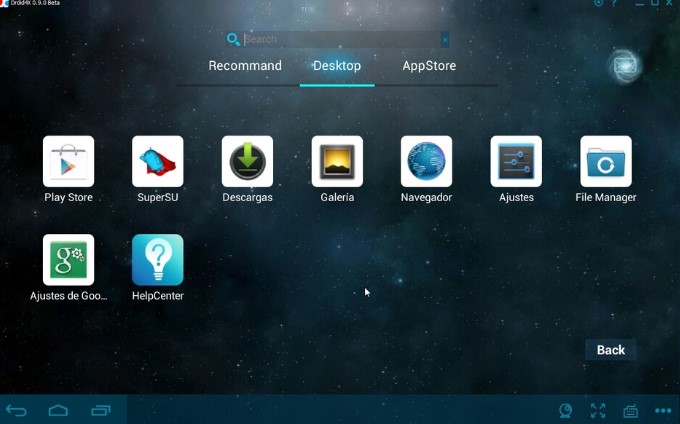
- Now, you can download Snapchat from the App Store.
- After that, find the respective application from the Emulator.
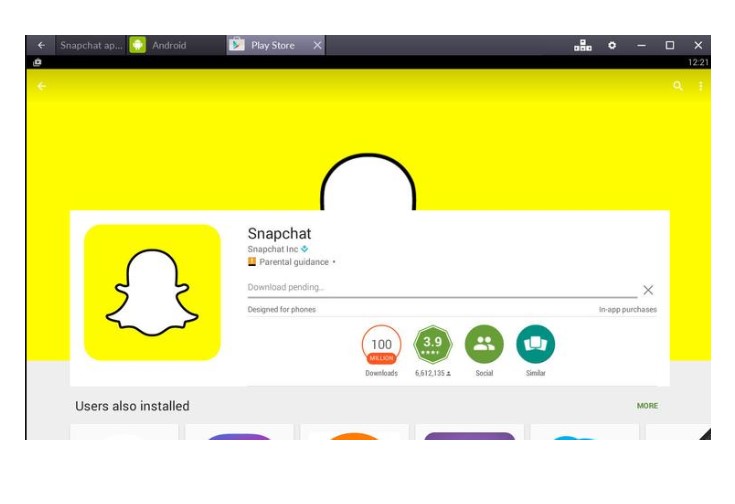
- Next, you can create a Snapchat account from blue stacks directly.
- Now, you can see your friends on the snap.
Now it’s ready to access, if you have a camera on your Mac then you can use it for video chatting or taking photos. If not available then you can cancel the pop-ups asking you to connect to the camera at every time.
Check the post: How to Use Skype on Windows/ Mac/ SmartPhone
How to Download Snapchat on Mac? [Without Bluestacks]
Bluestacks is an Android emulator to use to get Snapchat on Mac. Other than that, you can use a Nox player to download the apps on both Android and Mac computers. Easy to download the app using this Nox Player. Follow the upcoming steps.
Here are the steps:
- Move to the Nox official site to download the Nox player on Mac computers.
- Tap to open it.
- If it is not open on your system then you can download the Virtual Box.
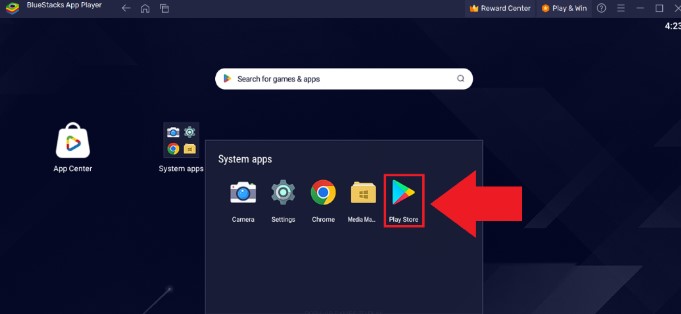
- After that, open the Nox player and press the google play store sign-in with your account.
- Now search for Snapchat.
- Hit the app from the list.
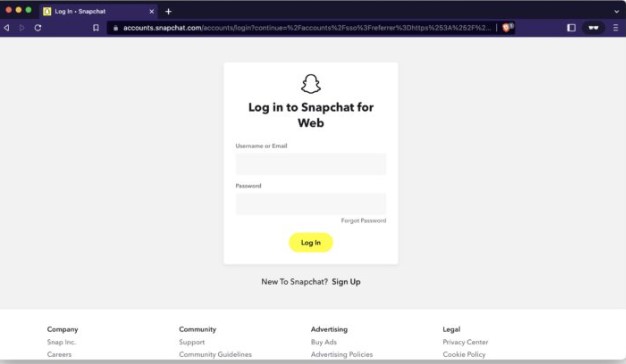
- Sign in with your account.
- Now you can use the SnapChat app on your Mac.
How to Run Snapchat on Mac?
You can use a web browser to get Snapchat on your Mac. It is a very simple method to use Snapchat on your device. Let’s follow the steps to get Snapchat on Mac.
The steps are:
- Launch the browser on Mac.
- Move to the official site Snapchat “https://web.snapchat.com/”.
- After that, log in to your Snapchat account.
Once you logged in then you can simply chat with your friends and also send a request to your friends. In addition, make a call with your contact friends who are having Snapchat on their devices.
Similar Post: How to Find MAC Address on LG TV
How to sign in to Snapchat on Mac?
Once you download the application on your device then you have to sign in with your account. There are simple steps to download Snapchat on your Mac computer.
Here are the steps:
- Click the signup button.
- It will ask for some personal information like email, username, and password.
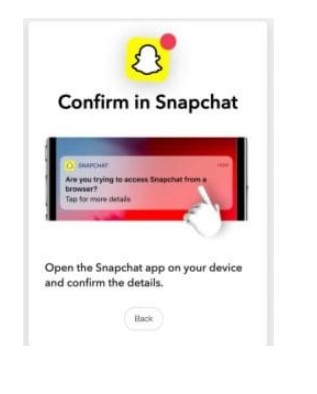
- Then you have to give access to the app on your devices.
- While opening Snapchat on your iPhone or else.
- You must Click the blue yes button.
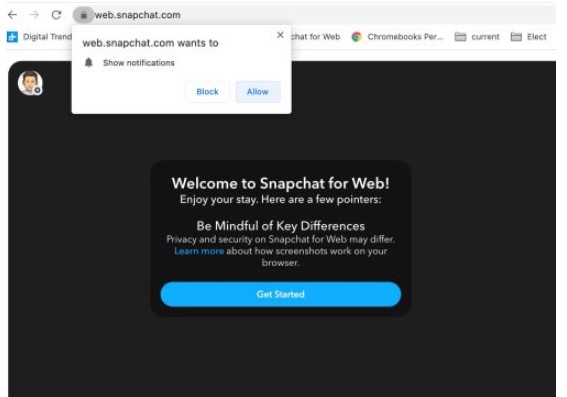
- Now you will the Home page of Snapchat.
- Permit receiving the permission.
- Now you can see the various options available on Snapchat.
- Move to the message section and send a friend request to your friends and start chatting with your friends.
That’s all it’s done. Additionally, also give access to a microphone and camera. Now you can turn on the camera for making a Live video chat and connect with your family and friends.
Alternative Android Emulator to download Snapchat on Mac:
You can also use this Android emulator to get Snapchat on your Mac device. But these are not much popular as Bluestack, but you can use it to get the app on your Mac computer. Here we mention some emulators to download the apps.

- YouWave – It has lots of features best for using download apps on your Mac devices. It offers a premium account for users who needs to get a higher level of game experience.
- Droid4X – This is an Android Emulator for Mac and also it is used as a game Controller. If you are a gamer as well Snapchat user then you can use this app without any doubt. It gives the best result. Hardware compatibility is not an issue with this app. It will give you the best gaming experience.
- Genymotion- Use this emulator for downloading the apps on your device. It is the best Android emulator and you can obtain the best customer support. Whereas it supports 4 million users.
The Ending Words
In short, we conclude this article here, downloading Snapchat on Mac with the help of Android emulators such as Bluestack or nox player and then you can download the Snapchat app via the emulator’s application Store. You have to follow the steps and instructions we have mentioned above in this guide. Let’s download it and enjoy Snapchat features on your Mac computer.