
Can You Use a Firestick on Roku TV? Is this your Doubt? I have a Solution to clear all your queries. First of all, this is a great idea to use a Firestick device with Roku TV. It will provide double the benefits for the users. Moreover, Firestick and Roku have lots of differences in their setting and interface of using devices. Now this article will explain to you how to connect and set up the devices and their features and benefits of the device. Let’s Start reading.

Table of Contents
Firestick VS. Roku TV
Firestick and Roku Tv are Amazing devices to watch all your favorites. You can access stream various categories that include Seasons, movies, documentries, Games, events, TV shows, and more.
Here you can look at the difference between both devices to find out if you need both devices.
Data Efficiency
Comparing the data Efficiency the Roku Tv wins here because the cast is four times less than a Firestick in terms of data usage.
Voice Control
The Roku TV and Firestick have a Voice control system. It is easy to access your command to search for anything on your device. Here you can use Firestick Alexa for getting a better experience. Also, the systematic and it’s updated regularly.
Interface
Here we compare the interface between Firestick and Roku TV. Roku TV is best because the Roku TV interface is Extremely straightforward. Overall it looks like the old School app interface and many users find it easily.
The Firestick device has a Complicated interface. Moreover, it is thought to find other videos and is time-consuming also.
Also, Read How to Watch The Roku Channel on Firestick
Flexibility
It’s Amazon Firestick. Becasue the Amazon Firestick is got far and flexible with Firestick. Furthermore, it has more subscription packages and you can even use it with a laptop, Roku TV, Mobile device, and more.
Features of Firestick
Amazon Firestick is one of the best companies and it has better quality devices and reliability of its products.
- It contains 1000 streaming channels.
- Free access to premium apps.
- 4K resolution enables.
- You can control on TV with remote control.
Features of Roku TV
The Roku device is user-friendly and it is easy usability. While using a Roku TV then you will get easy control menu apps and search options.
- The Roku device offers a headphone jack.
- Also, you can control your Smart Tv by using the Roku mobile app.
- It contains 4000 Channels and 70000+ movies, programs, and TV shows.
- Also, you can get excellent picture quality and unlimited entertainment.
Benefits of Firestick to a Roku TV
Even if a single device has contain lots of beneficial things for the user. Now you can get the benefits of using both devices together. Moreover, the Firestick is easier to move the menu has a huge library of already installed applications and it is a cost-efficient device.
The benefit of using a Firestick with a Roku TV device is that comes with a Voice remote option. Whereas the Roku TV doesn’t allow Voice sensor commands. Suppose you move to the menu option or search for information then this in-built feature will help you to access your command easily.
Check the Post: How to Use AllCast on Firestick
Can You Use a Firestick on a Roku TV?
Yes, Of Course, you can access the Firestick on the Roku TV without any doubts.
This is not a big deal to access the Firetsick with Roku TV. You can just insert the Streaming device into your Roku TV’s HDMI port. It provides the device Power through the micro USB port.
Apart from that, other streaming device works Cross-platform. Same as Smart Tv is not locked with a particular OS.
Even you can fix an Apple TV or Google Chromecast device into your Roku TV. Otherwise, you can fix a Roku streaming device to a Smart TV with an in-built Fire OS.
How to Connect the Firestick to a Roku TV?
Here you can get the steps to connect the Firestick to a Roku TV.
The Steps are:
- Switch on your Roku TV.
- Connect your Fire TV Stick to the Roku TVs HDMI Port.
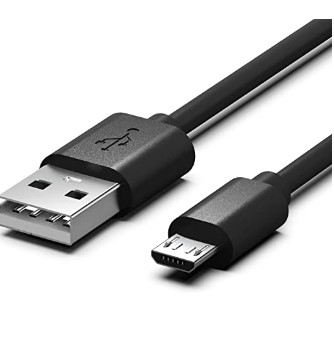
- Fix the Micro-USB cable to the Firestick and the USB-A connector into the wall.
- Either use an In-Box Power adapter or Directly switch the cable into the TV.
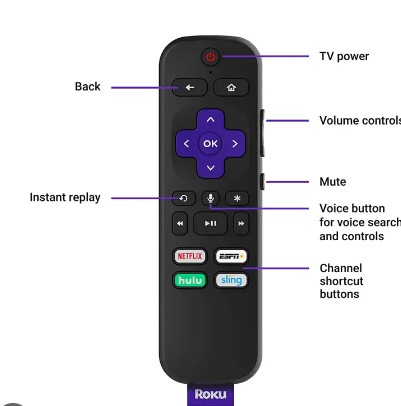
- Tap the input key on your Roku TV remote.
- If the TV is powered on then the Firestick is ready to access the content
In case your Roku TV Remote doesn’t contain the Input button then you can try the upcoming Procedure step.

- Click the setting option and select TV inputs.
- Choose your Fire TV and select the setup input.
- Then the Fire TV Option will be shown on the TV Home page.
- Now you can edit the name and icon for your Fire TV stick in the inputs to recognition easily.
- Switch to Fire TV and return back to the Home screen and choose the Fire TV tile.
Now the Roku TV remote is not working any longer with the Fire TV OS enabled.
Similar Post: How to Install Mouse Toggle For Firestick
How to Set Up Firestick on Roku TV?
Once you connect the Firestick device to the Roku Tvs. Then you have to Set up the Firestick on Roku. Here we will share the steps for it.
The steps are:
- Switch in the Streaming Stick and turn on the TV.
- Fix the TV to the Input source the Firetsick is Plugged into.
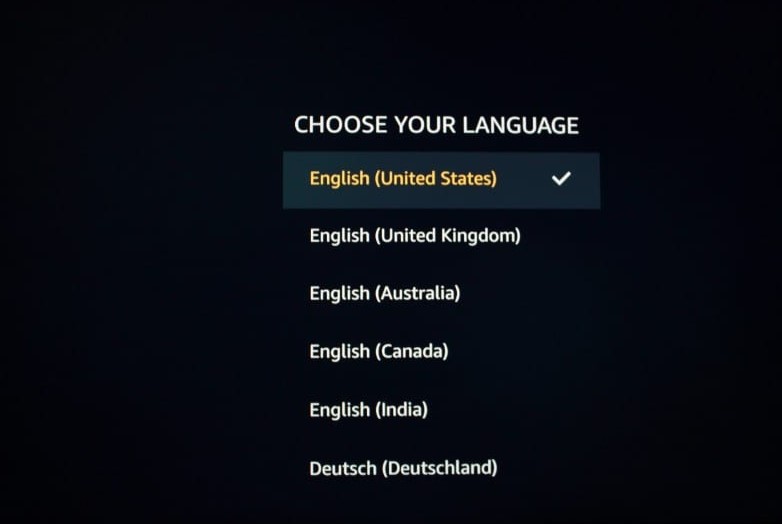
- Then select OS and choose your Language.
- Fix your Firestick device to your Home internet.
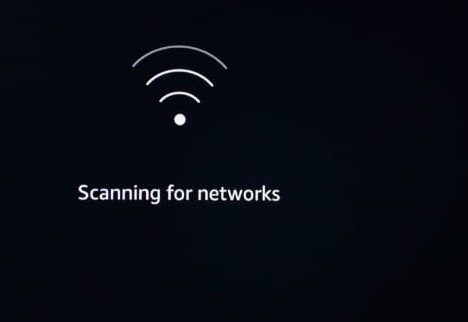
- And select the Wifi options from the list and then type the password.
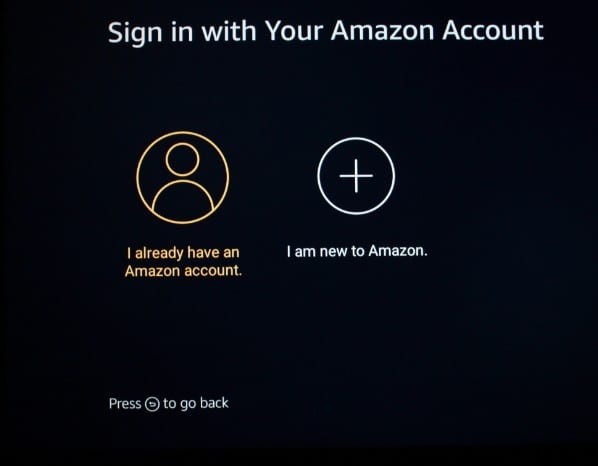
- Further, Log into your Amazon Account. If you don’t have an account already then you have to create an account.
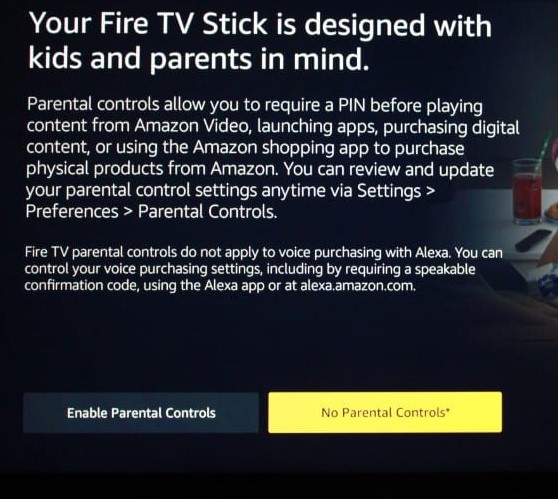
- Select to enable or Not set parental controls.
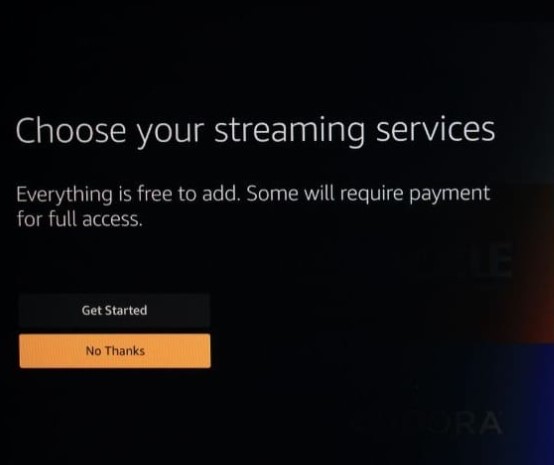
- From the TV list option, you have to select your brand.
The Ending Words
Hence the article gets completed with the required information to watch and use Firestick on Roku TV. We have mentioned the detailed information that you can easily access the Firestick device with Roku Tv. Moreover, this is a combo offer to the users. They have to get both beneficial things together. In addition, we have included the steps to connect and set up the Firestick device to the Roku TV device. Referred to the above article and collect more information. Still, if you have queries let me know in this comment section.