
The Orange Light on Firestick Remote plays a crucial role in developing your Fire TV Stick usage. But why has it become an Indispensable thing of the Streaming Experience? Do not wonder about it, in this section, we will guide you on How to Fix the issue of Firestick Remote Not Working.
So, Sit back, relax, and Read what are the methods to fix this. Then, try all methods one by one by one as given in the upcoming section. And break the break of your streaming experience. Here are the topics…
Table of Contents
What is the Purpose of Orange Light on Firestick Remote?
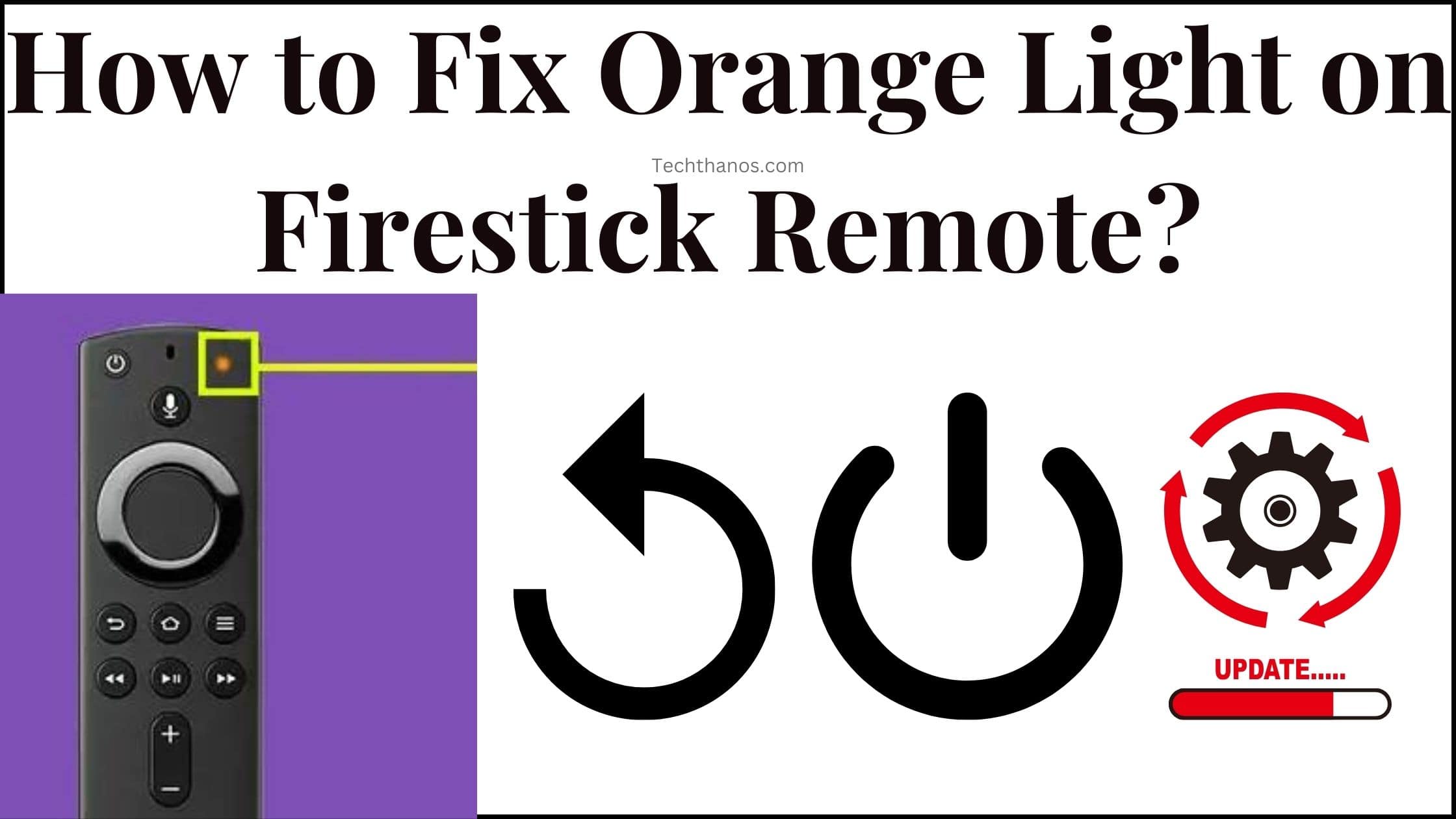
It has a Specific Purpose to access. The Orange light in the Amazon Fire TV Stick indicates that your remote is in pairing mode. This orange light signals you that your Fire TV Stick remote is now ready to connect with your Firestick device. Once, your Firestick remote is successfully paired, the Orange light will stop blinking. And you can start using it on your Firestick device. If still the Orange light is blinking on your Firestick remote, check out the problem-solving methods given below;
Also, read: How to Reset FireStick Without Remote or WiFi?
How to Fix Orange Light Blinking on Firestick Remote?
If the Firestick remote is not supported for pairing or it is still blinking after it gets paired. Do not worry about it, Just follow a few simple methods to fix it. It may be any connection issues or it may be a Wireless Interference. All you need is to follow the steps mentioned here;
Check Batteries
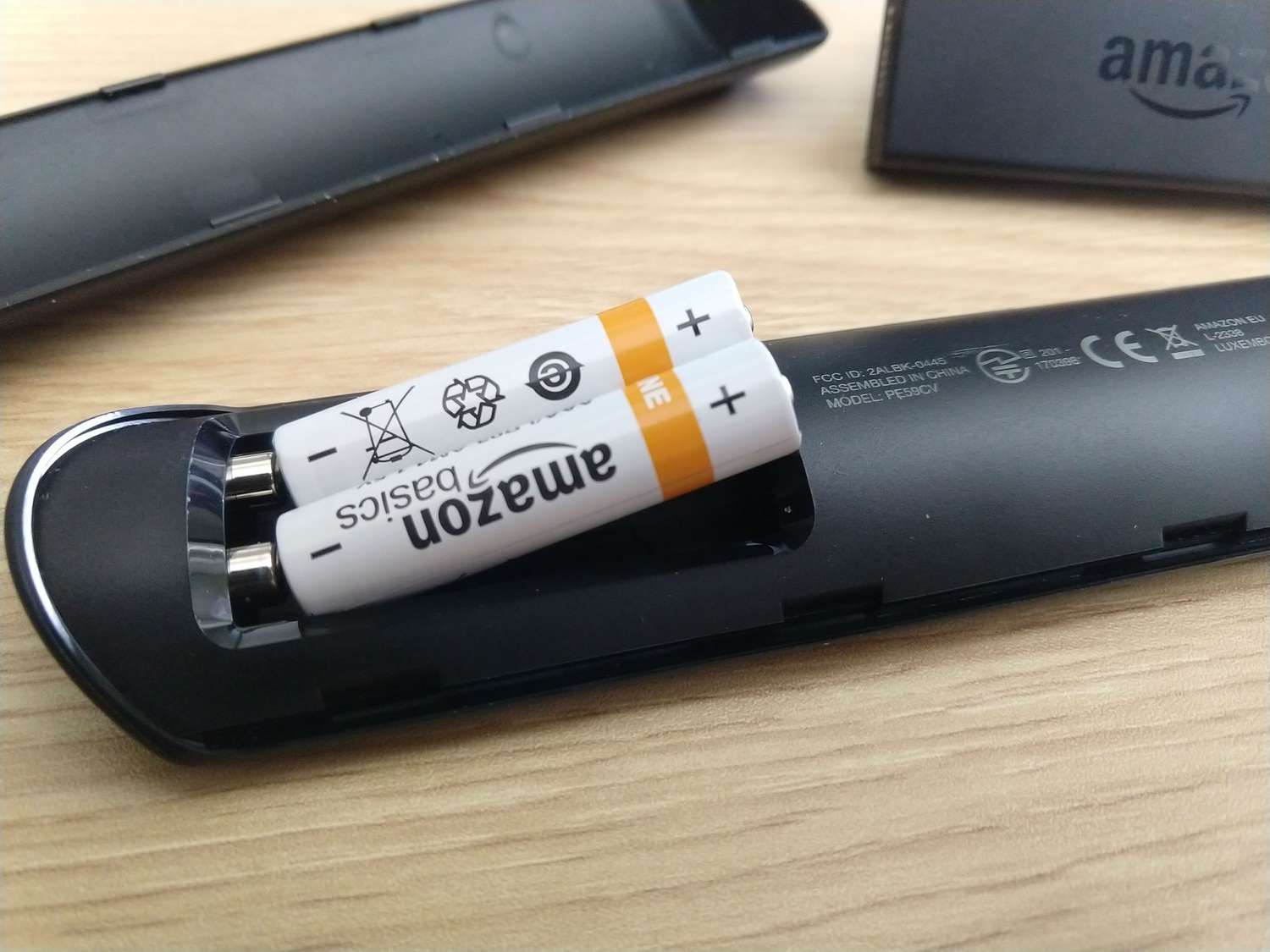
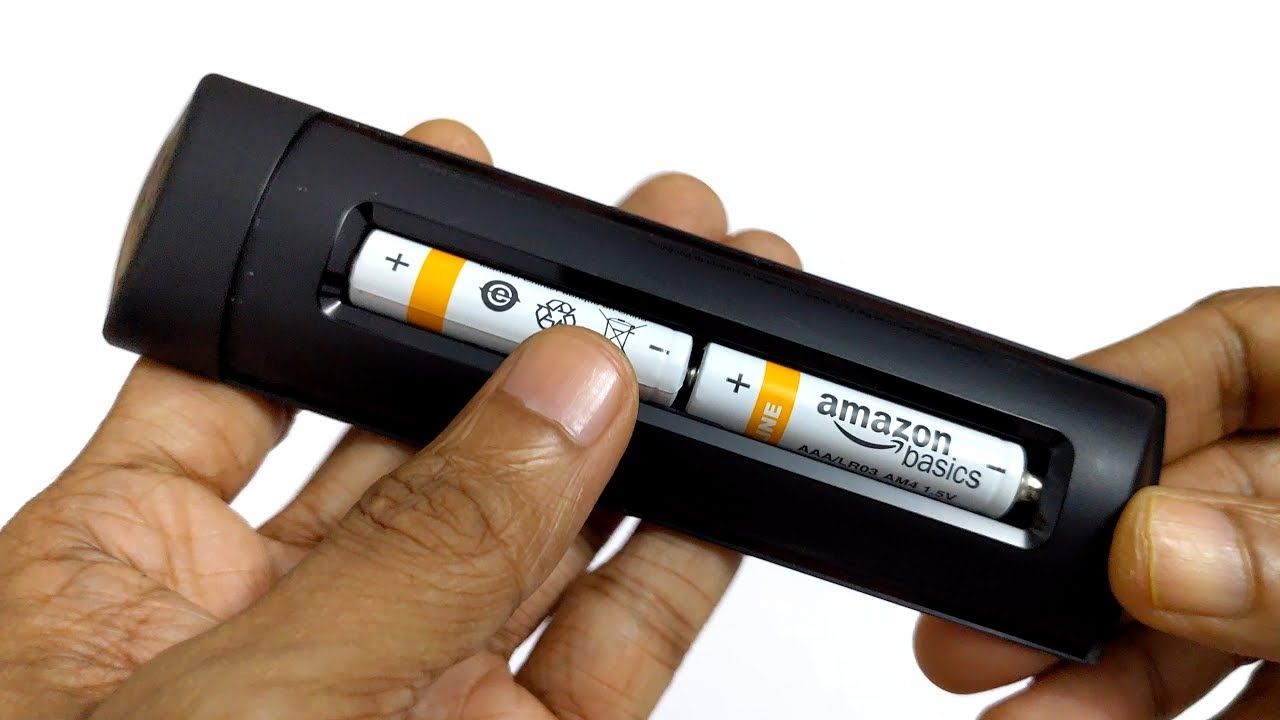
First, you have to check out the batteries on your Firestick remote. If it is not fixed properly, it does not work or it is stuck in the last process. So, remove the Battery cover and then check, that the batteries are fixed in the right position. If not, take it out and fix it properly. Then, check, that your Firestick remote is working well. If not, do the next process.
Battery is Low
The batteries are fixed properly, but still, the Orange light is blinking, Check the battery has enough power to work. Throughout the old batteries change the new batteries to your Firestick remote. Now, the Orange Light on Firestick Remote is changed. Start accessing all the things you need to do on your Firestick device.
Factory Reset Remote to fix the Orange Light Blinking on the Firestick Remote
If Battery is not an issue, Factory Reset your Firestick remote. Hopefully, Blinking Orange Light will get fixed. Do the process mentioned as steps here;
-
-
- First, Take the Battery Cover of the Firestick remote.
- Remove the Batteries out.
- It does not interfere with the resetting process.
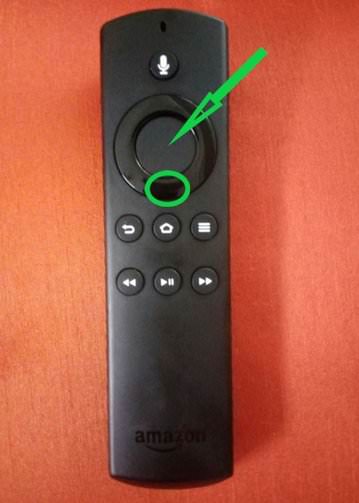
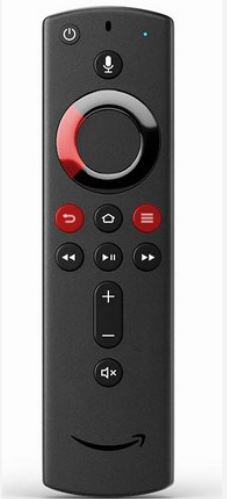
- Press and Hold the Back Button on the remote.
-
-
-
- While Press and Hold the Menu Button also.
-
-
-
- Next, click and hold the Left Directional key.
- You have to Press and Hold these three buttons Simultaneously.
- Now, you have to wait for the White LED Light.
-
While holding these buttons, you should notice that your remote starts flashing. You have to hold the buttons until you have seen the light blinks rapidly.
-
-
- Now, release the holding buttons.
- When the LED Light Stop Blinking,
- It indicates that your Firestick remote’s reset process is completed.
- Now, reinsert the batteries to the Firestick remote.
-
-
-
- Turn On the Fire TV.
- Pair your Firestick remote again.
- Test your remote is working.
-
Just click the home button or volume button to test whether it is working or not. Also, check the Orange Light on Firestick Remote is now disabled. Definitely it is.
Also, read: How to Change Wi-Fi on FireStick without Remote?
Update Firestick OS to Fix the Orange Light on Firestick Remote
If your Fire TV Stick is still running on an older Operating System version, it is also a major reason for the Orange Light on Firestick Remote. So, check it out and Update it right now. Here are the steps;
-
-
- Turn On the Firestick Device.
- Click the Home Button on your Firestick remote.
- Go to the Network Settings.
- Select your home Wi-Fi Network from the list.
- Enter the right Wi-Fi password in the field.
- Go back to the Home Screen.
-

-
-
- Click the Settings icon.
-

-
-
- Select, the My Fire TV option.
-

-
-
- Heads to the About button.
-

-
-
- Click the Check for System Update option.
- Wait until the loading screen shows the result.
-

-
-
- If the Update is required, click, Update Now or Install Now.
-
Wait for the Updated Version of the Firestick device to show. It takes a minute or so. Based on your Wi-Fi speed, Firestick will update soon. Then, Turn On the Firestick TV. Check, the Orange Light on your Firestick remote is still blinking.
Update the Remote to Fix Orange Light on Firestick Remote
Still, you can see the Orange Light on Firestick Remote, then try updating your Fire Stick TV remote. If you do not know, how to update the Firestick remote, follow the steps given here;
-
-
- Click the Home Button on the remote.
-
-
-
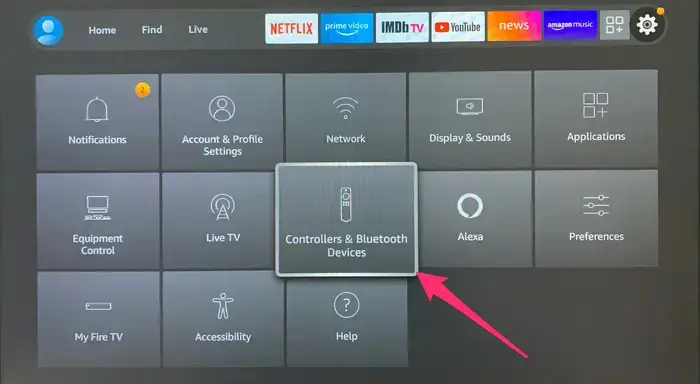
- Tap the Settings icon.
-

-
-
- Select the Controllers and Bluetooth Devices.
-
-
-
- Choose the Amazon Fire TV Remotes option.
- Look for your Fire TV remote there.
- If it shows any update for your remote,
- Select it and Install the latest version.
-
It supports your Firestick remote to run properly. Here after any time, your Firestick remote is not working, once check the Update for the remote.
Also, Check: How to Fix Roku Remote Volume Not Working?
Check Wireless Interference
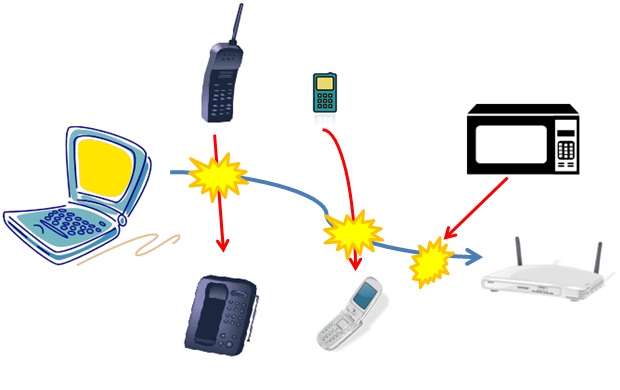
Another reason the Orange Light on Firestick Remote is blinking is, that there is an interruption in the Firestick remote pairing. It means, your Firestick will be connected with any other devices. For example, Bluetooth devices or Wi-Fi routers like that. Once, disconnect all Wireless connections. Then, pair your Fire TV Stick remote again.
Restart the TV to Fix Orange Light on Firestick Remote
Also, restart your Fire TV once. It may clear all technical glitches on your Streaming device. You can Restart your Fire TV by two methods. One is using the Firestick remote and the other one is using the manual buttons. Here are the references;
Using Firestick Remote
-
-
- Power On the Fire Stick TV.
- Press the Home Button on your Firestick remote.
- Hold the Home Button for 5 – 10 seconds.
- Now, the menu will appear on the screen.
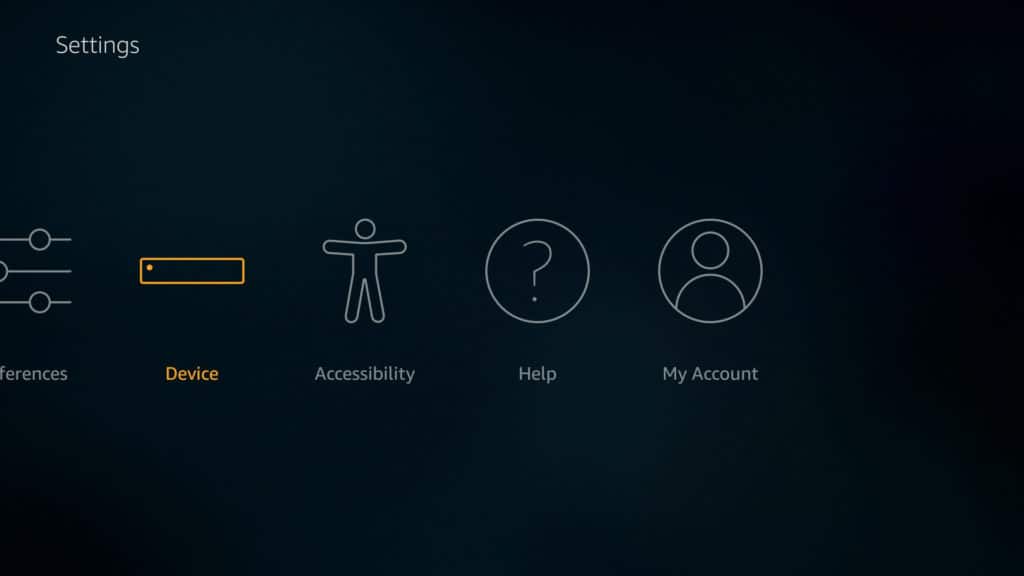
- Select the Settings option.
-

-
-
- Click on the Device button.
-
-
-
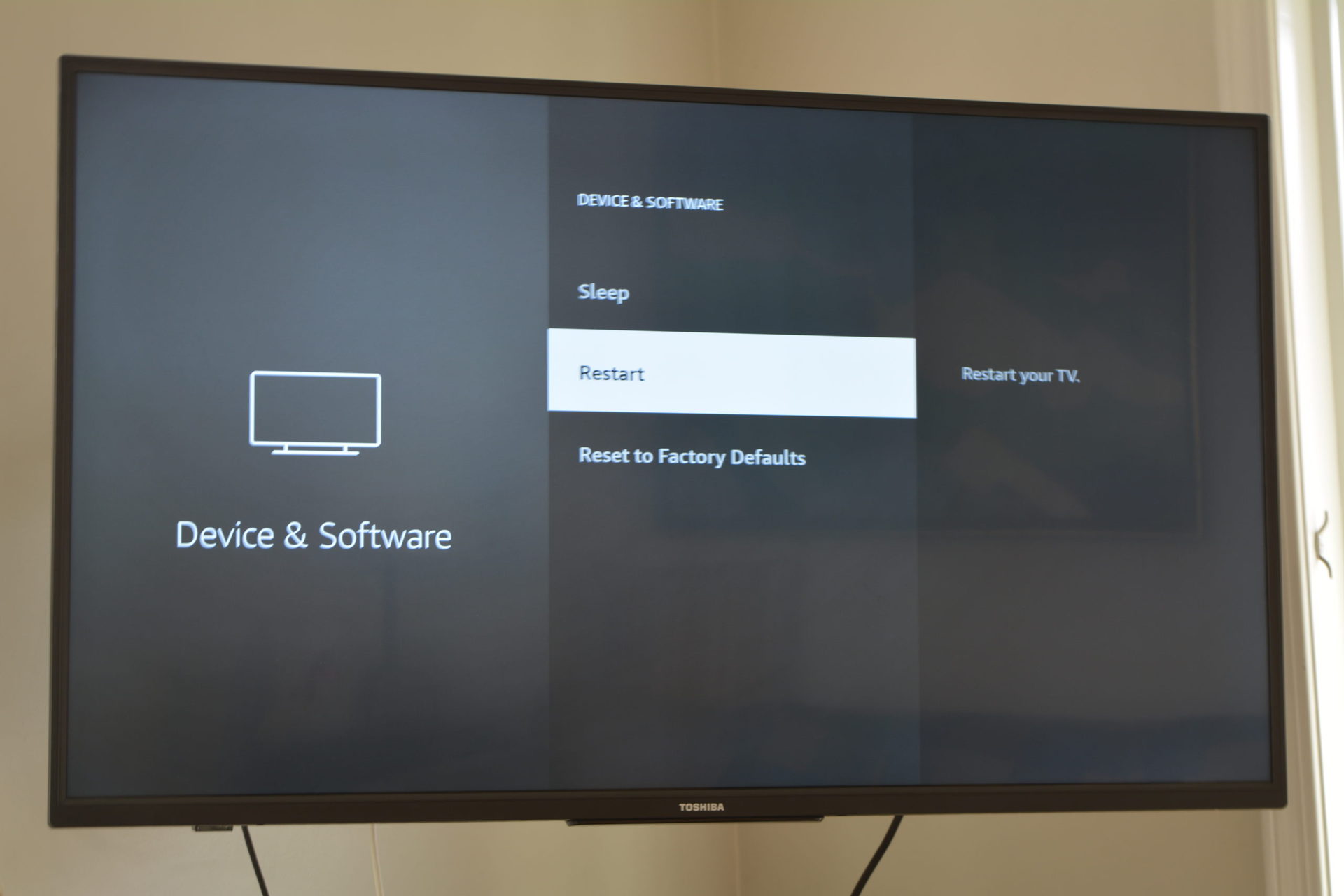
- Now, tap on the Restart option.
-
-
-
- The Confirmation screen will appear on the screen.
- Again, click on the Restart button.
-
Now, your Firestick device is restarted. Check, that the Orange Light on Firestick Remote is still flashing. In manually, just go in front of your Fire TV. Click and Long press the power button on the TV. Your TV will automatically be restarted.
Use the Fire TV App
No methods will help you to fix the Orange Light Blinking on Firestick remote, then use the Fire TV App on your Smartphone. Using it, you can access all menus on your Firestick.
-
-
- Unlock your Smartphone or Tablet.
- Launch the default Google Play Store or Apple App Store.
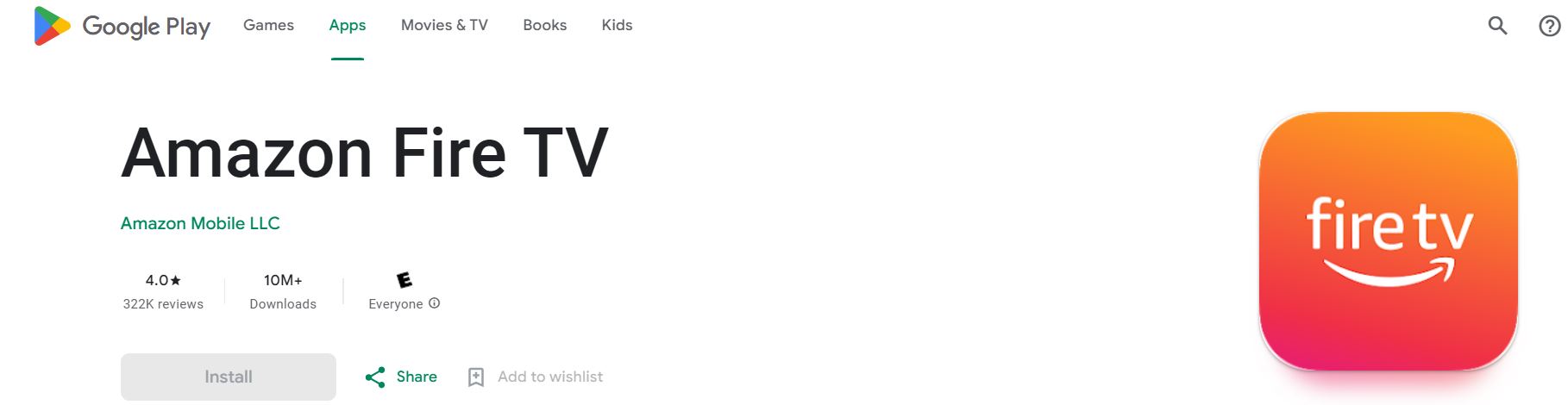
- Search for the “Fire TV” app in the App Store.
-
-
-
- Discover the official app from the search results.
- Then, click the Install button.
- Wait until the Fire TV app is installed on your Smartphone.
- Launch the Fire TV App once it gets installed.
- Connect the app with your Firestick device.
-
You have to connect your Smartphone and Firestick with the same Wi-Fi Network.
-
-
- The Fire TV App will automatically detect your Firestick device.
- Select the On-Screen Remote.
- Click the Home Button.
- You can see the Home Screen on your Fire TV.
-
Also, you can use all the buttons you will use on the real remote. You can also search any apps using the on-screen keyboard on your Smartphone.
Also, check: How to Fix VIZIO TV Remote Not Working Issue?
Power Reset Fire TV

Once, Power Reset your Amazon Fire TV. It is nothing but, Switch Off your Fire TV. Plug Out all cables connected to your Fire TV. Remove the Firestick from the Smart TV HDMI portal. Plug Out the Cable from the Wi-Fi router. And from the Power Socket. Wait for 10 – 15 minutes. Just long press the power button on your TV. After that, connect all cables to the Power Socket, Firestick, and Wi-Fi Router.
Finally…
The Orange Light on Firestick Remote means that your Firestick remote is ready to pair with your Firestick device. But the Orange light is blinking after it is connected, you have to take a look at it. Blinking LED is the trusted companion for your Streaming device. It is a little embracing while watching your favorite content on your Fire TV.
Just Reset the Firestick remote or Firestick TV. Also, you can use the Fire TV app on your mobile or laptop to access the Firestick menus. Or, else, contact the Firestick Customer Support service. They will guide you to fix it. Or, they suggest you buy a new remote as well.