
Anime is such a Joy to Watch. There is No End to Watching it – When you are Eating, A Time off your Work, On Weekends, and at Sleep. If you are just tired of the time – Crunchyroll and Funimation – Then Let us say Hi, Hello, Hey, and Hola to How to Hidive on Amazon and Get it on your Devices to Stream.
Table of Contents
Can you Get Hidive on Amazon?
Yes, You can get the Hidive on Amazon. The App is available on the Official Amazon App Stores.
With an Active Amazon Prime Video Channel Subscription, and Only if you are a Member, You can add the Hidive with No Cable Required to access.
Also, available on Streaming Devices: How to Watch Hidive on Roku
How to Hidive Sign up?
- Use a Web Browser of your Choice and Visit https://www.hidive.com/signup.
- Scroll down When you see Account Info and Fill in your Email and Password in the Space Given.
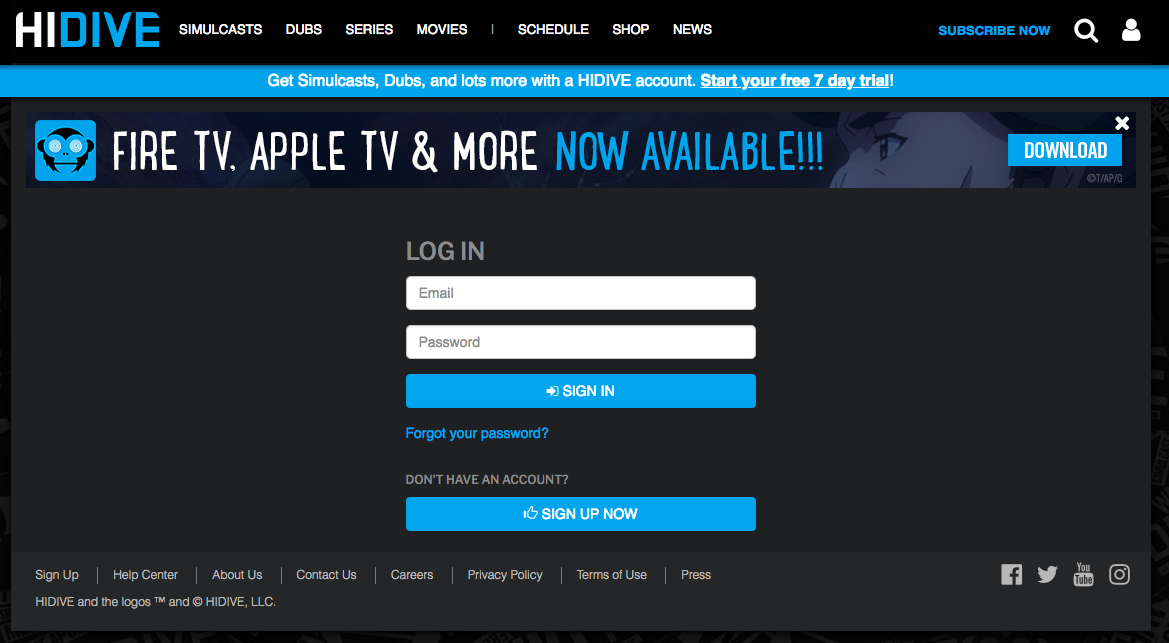
- Click on Create Account and Follow the Further Procedures.
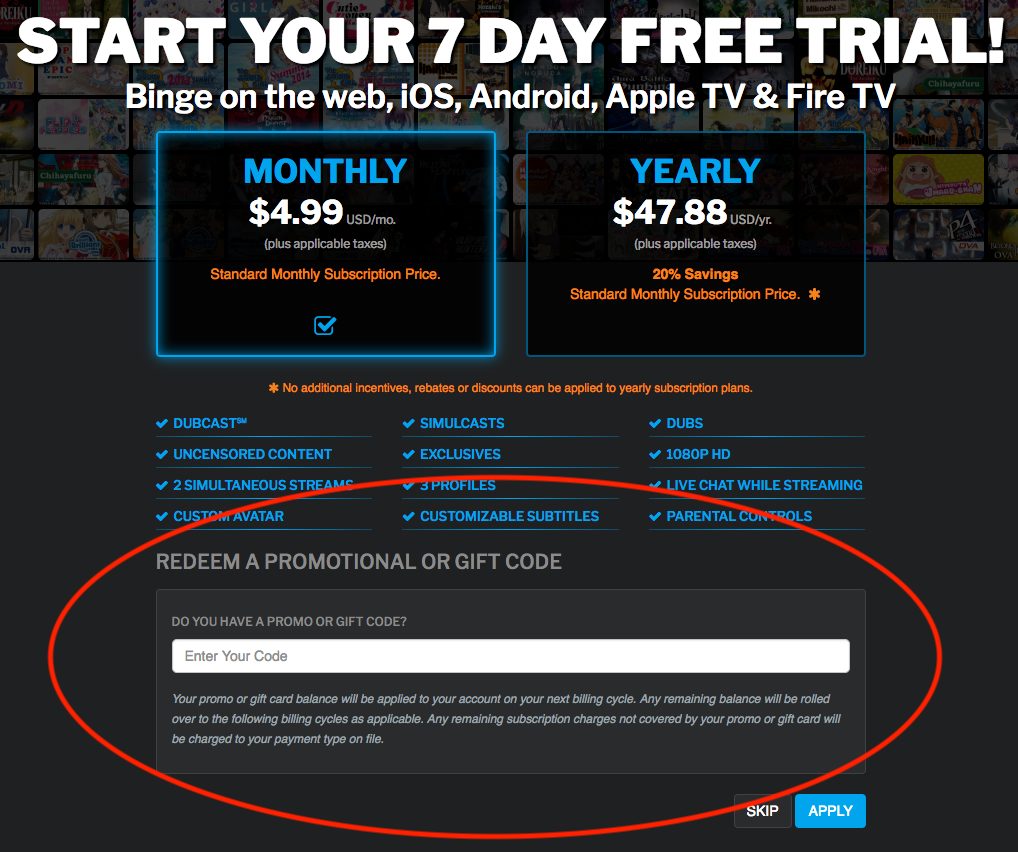
- Subscribe to the App with the available plans.
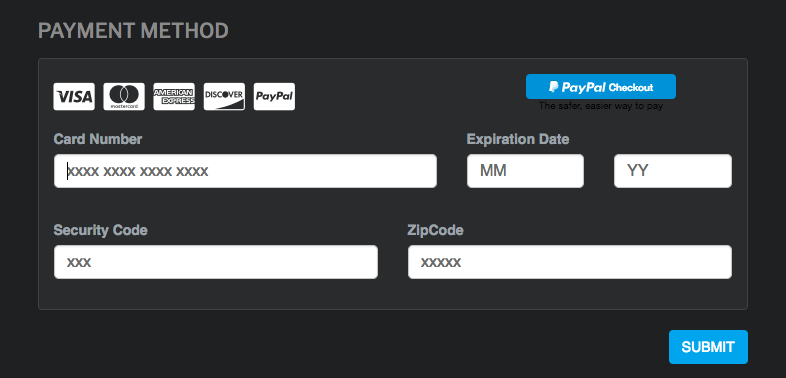
- Choose a Mode you want to Pay for the Service.
- Enter your Payment Details – Your Card Number, Zip Code, and Country.
- Click on Complete Sign up and Get it done.
OR

- Go to the Official Hidive Website. Click on Profile ( Right Side on the Screen ) > Tap on login and Then Sign up Now.
- Enter your Credentials and Make the Payment to Complete.
- You can use the Signup Credentials to Log in to the App.
How to Add Hidive to Amazon?
Since the Hidive is available on the Amazon App Stores, You can access the Web Browser or the App on your Device to install the app.
If you have a Compatible Amazon Device, A Hidive Account, and a Subscription to Either Amazon Prime or the app. You can go on and Add Hidive Amazon.
- On the Browser, Go to the Official Amazon App Store.
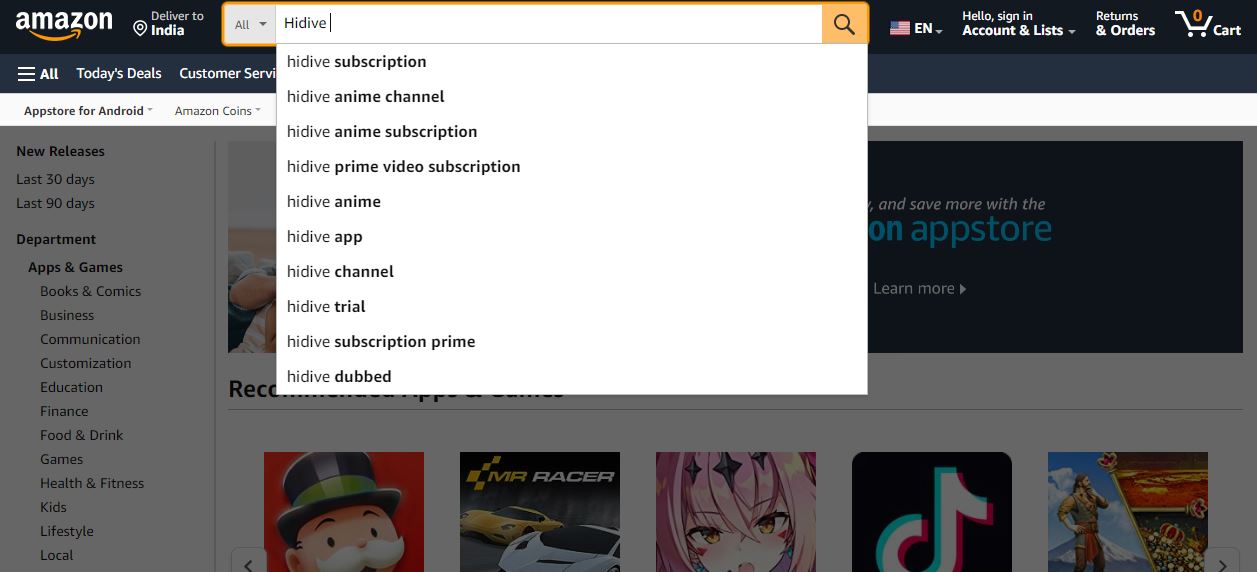
- Type and Search for Hidive.

- Select the app and then Click on Deliver to ( If you have a Compatible Amazon Device ) Choose Device from the Dropdown Menu.
- Tap on Deliver to Option.
- Now, The App will be added to your Selected Device. You can Go to the Device > Choose Settings > Account> Sync > Download the app as necessary.
Do Check Out to get it on your Game Consoles too: How to Watch HIDIVE on PS5?
Is Hidive available on Amazon Firestick?
Yes, The Hidive app is available to Stream on Various Amazon Devices – including Streaming Devices such as the Amazon Fire HD Devices.
- Fire TV – Fire HD 7 and 8 are Compatible.
- And Amazon Fire Tablet.
How to Install Hidive on Amazon Firestick?
Make sure that you have signed up individually for the app. Since the Sign up on the App is not possible. Get your Sign-up Credentials and Move on to Install the App on your Streaming Device.
- Set up your Firestick Device and Connect to an Internet Source.
- On your Home Screen, Go to the Find and Click on Search.

- Using the On-Screen Keyboard, Type Hidive and Find the app.
- Now, Click on Download to Install Hidive on Firestick.
- Tap on the Open to Launch the app on your Device.
- Finally, Log in to the app using your Account Credentials and Activate your Subscription.
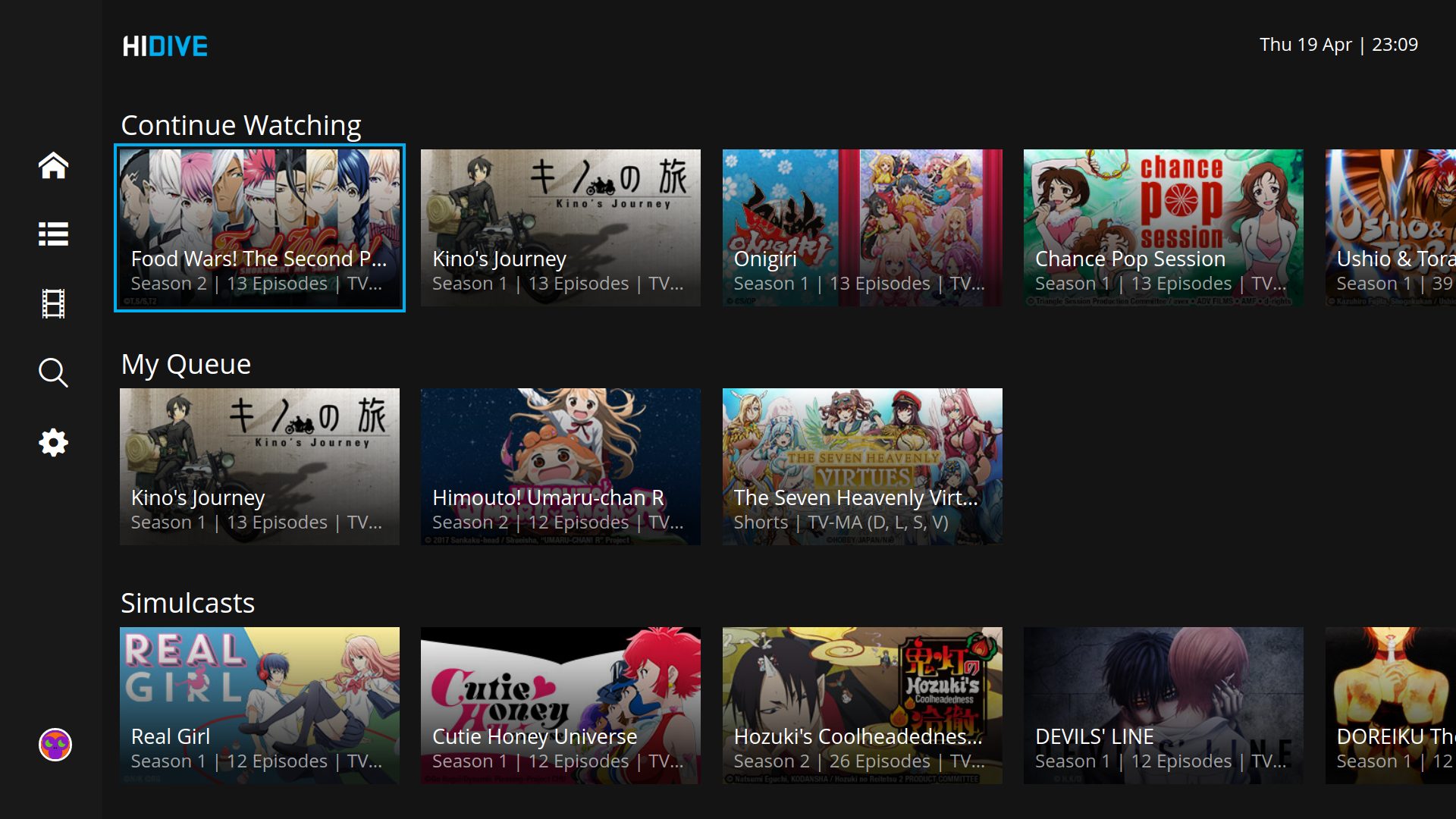
- Browse Option is to Look into the App’s Interface, Its Latest Updates, and Available Categories.
- If you have not already Signed up – Go to HIDIVE.com and Sign up before using the App on your Fire TV. Refer to the above Section.
Add Hidive App on Firestick Via Website
Another way to access the app is using the Official Amazon App Store.
- You can First install it on the Browser and then Deliver it to your Streaming Device.
Follow the Steps over here to Add Hidive :
- Access the Amazon App Store, On the Deliver To – from the Dropdown Menu, Choose Fire TV.
- Click on Deliver.
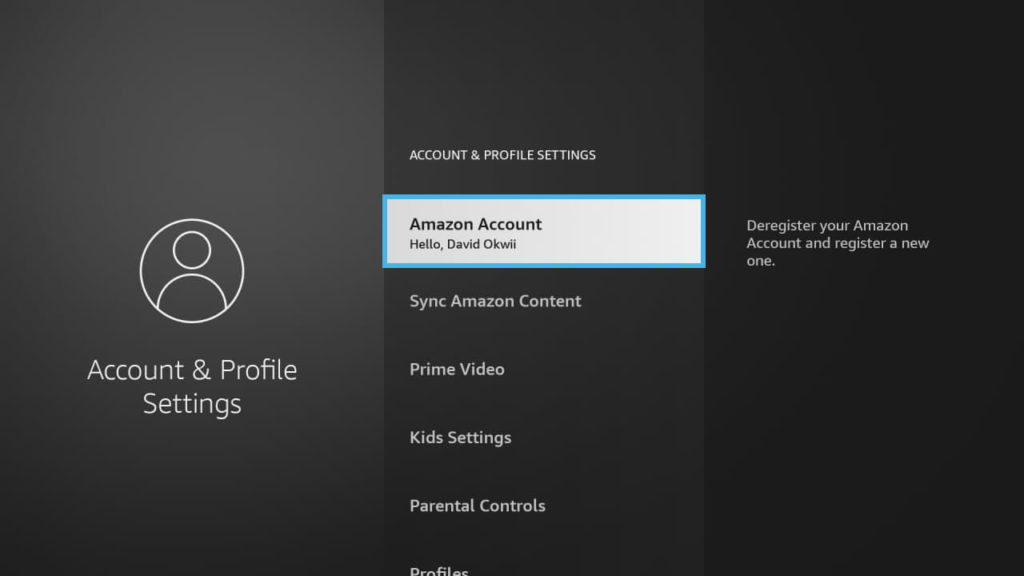
- Now, Launch your Fire TV and Navigate to the Settings.
- Select the My Account and Then Sync Amazon Content.
- Navigate to Go to Apps Library and Click on Download to Add the Hidive on your Fire TV.
- Once Downloaded, Refresh your Device and the App is Ready to Launch and Stream on your Firestick.
Get an Updated Installation Guide on How to Watch HIDIVE on PS4.
How to Activate and Link Hidive on Amazon Devices?
- Once you have installed the app, Log in on your Device.
- Click on the Connect Device Option or A Code will appear on your Screens when you Sign in.
- Right then, Go to the Web browser on your Smartphone. PC.
- Visit https://www.hidive.com/linkdevice.
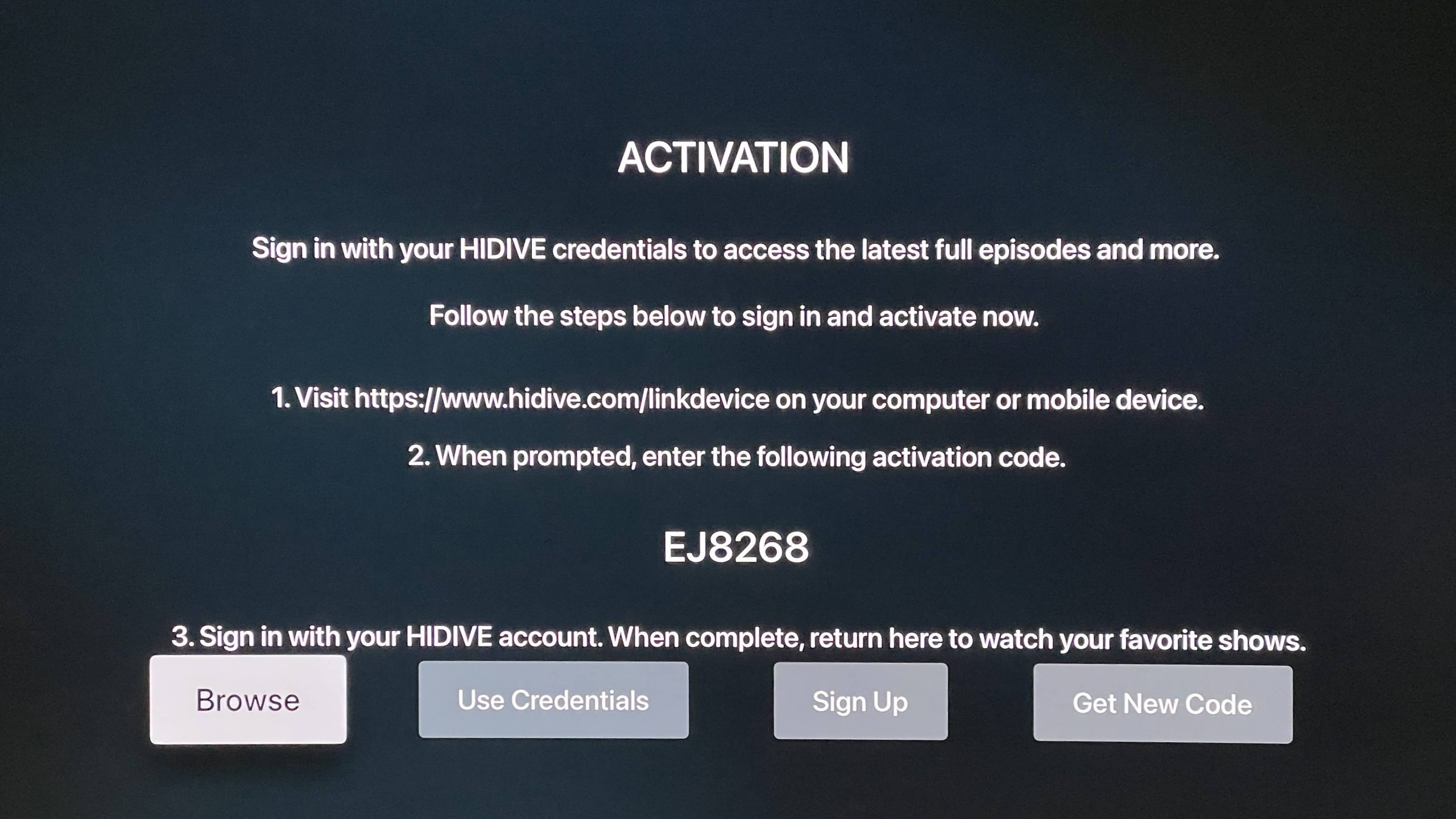
- Follow the instructions on the web page.
- User with already Logged in – Enter the Code on your TV.
- If you have logged in, You will need to Enter your Username, Password and the Code displayed.
- At last, Click Submit or log in.
- After some time, The App account will get linked to your Device automatically – Prompting you to Choose, Edit, and Manage your Profile.
Alternatives to Get the Hidive App on Amazon
The App is available and accessible on a Number of Devices. Such as ;
- Android.
- iOS.
- Xbox One.
- Apple TV.
- Roku.
- Chromecast.
So, If you have a Device that is not on the Compatible List, You can choose to Screencast the App to your Device. On Firestick, You can Cast Hidive using Android or iOS Devices.
- Enable the Screen Mirroring on Firestick.
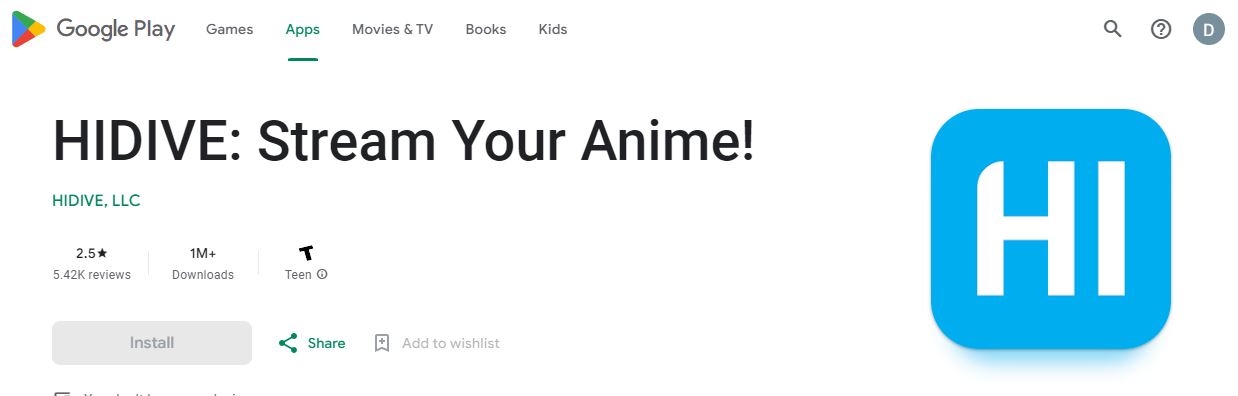
- Install the Hidive App from the Google Play Store or Apple App Store.
- Sign up and Subscribe to the App on its Official Website.
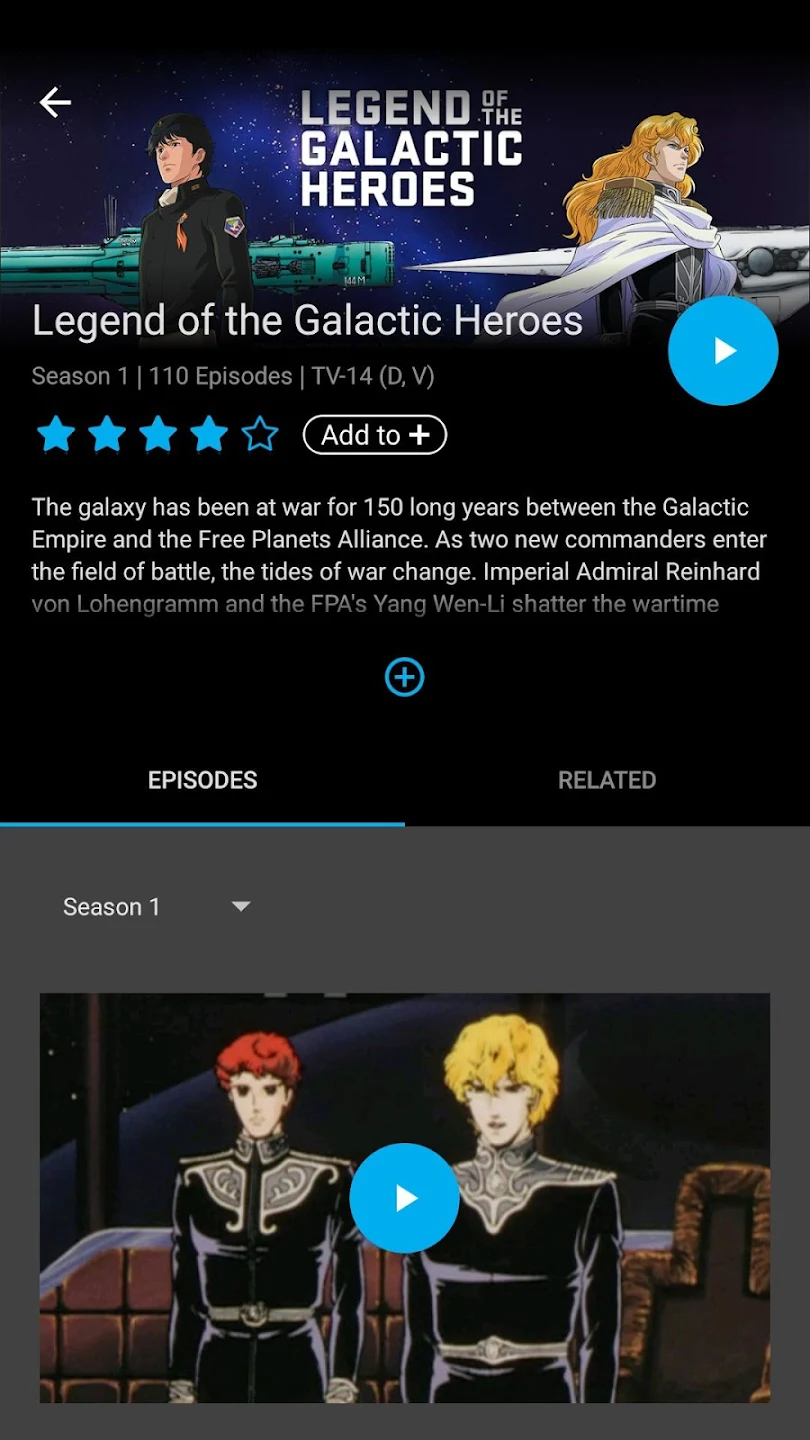
- Log in using your Account Credentials.
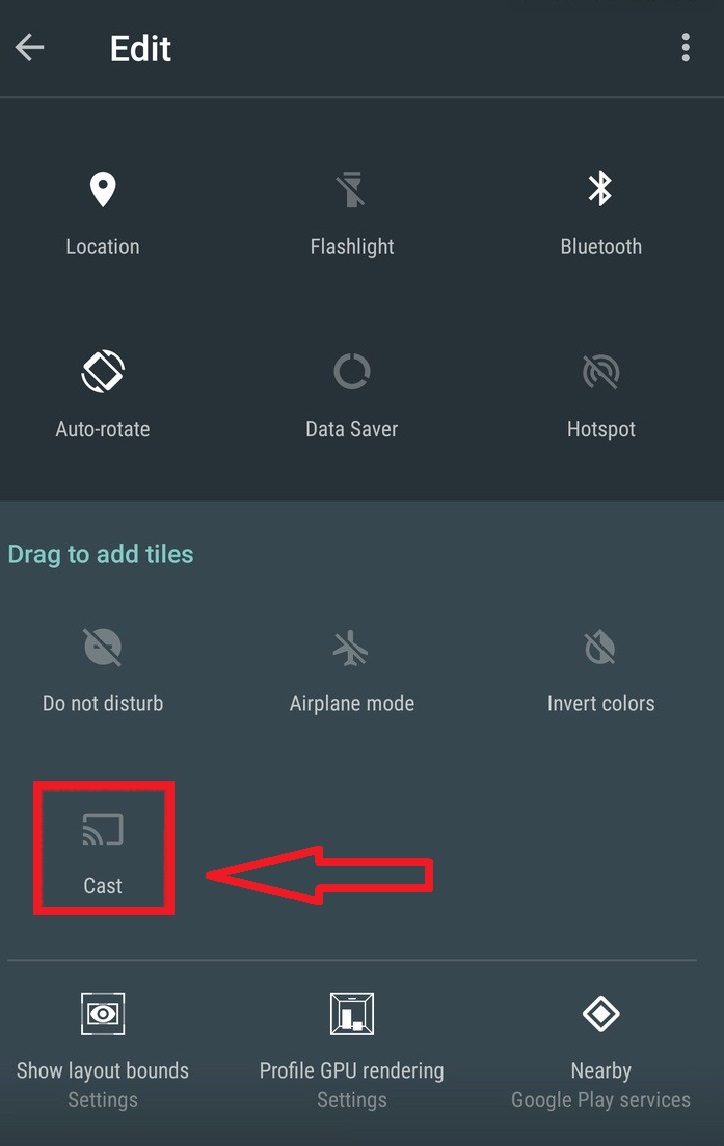
On Android: Notification Panel > Tap Cast > Choose Firestick > Start Streaming.

On iOS: Control Center > Tap Screen Mirroring > Choose your Firestick >Start Casting Hidive.
Know More on How to Cast to Amazon Firestick TV?
How Much is a Hidive App Subscription?
The Hidive app is available as a Paid Service and You will need to Subscribe to its Plan in order to get the Streaming.
There are two Plans: Monthly and Yearly.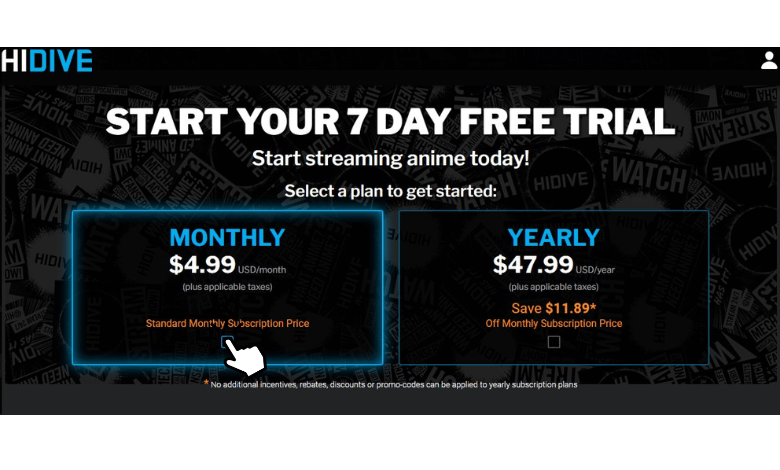
Subscribe to one of your choices by Reviewing and Comparing.
Is Hidive Worth it?
Yes, It is definitely Worth it. The App is available as an Individual and as with the Amazon Prime Subscription. If you are an Existing Amazon User, then you can get access to the App at an Affordable Price.
With a Good Variety of Anime Collections, You will Love this app and that will be worth it.
How Much is Hidive with Amazon Prime?
Along with the Prime Video Channels – You do not need any apps or Cables to get the Hidive and Stream Anime.

All you need to have an Active Subscription or Pay for this Plan is Reasonable.
Is there a Free Trial on Hidive App?
Hidive offers its users a Free Trial of 7 Days. The Users who use the Service for the First time can use the Free Trial and Enjoy the Anime Streams – ad-free Content and Other Features at No Cost.
But to Continue, You will need to Pay for its Plans.
How much is Hidive a Month?
The Monthly Plan with a 7-day free Trial costs around $ 4.99 Per Month.
Why Stream Hidive Anime on Amazon?
- Parental Controls.
- Users can Customize their Avatars.
- Customize the Subtitles.
- 3 Profiles to access.
- Auto Play and Live Chat while Live Streaming.
- Simultaneous Streaming of 2 at a time.
- Exclusives, Latest Anime Content available.
- 1080P HD Picture Video Quality.
- Free Trial available.
- English Dubs and Simulcasts.
- Enormous Choice on the Catalog with Large Anime Collection.
All these Above Features are just One-Third of the Features, Get the app now and Explore More.
You may like to Learn: How to Enable Amazon Dark Mode.
Conclusion
Go through the Article and get the best way to download the app, Sign up, and Stream in the Easiest way Possible. Now, You can Watch your Favourite Anime – Latest and On Demand on the app Whenever, Wherever you want to. With its Amazing Features, This is the best Alternative for any Other Anime Streaming app you are using – Unlimited Content, with ad-free Content.