
In searching for the best Anime Streaming service, the Hidive app is the best one I found. If you too feel the same, then, read this article to know How to Install and Stream Hidive on Roku. Yes, if you are a Roku device user, this entire article is for you.
Only the installation procedure is for the Roku device user. The Sign Up process and activating process are the same for all streaming device users. First, check the basic details about the Hidive app in the four lines below…
Table of Contents
About Hidive
Hidive is the American Anime Streaming Service. And it is an Independent app that streams Anime content. The Hidive app is initiated in 2017. The AMC Network owns the Hidive streaming service. This app is available on the most popular streaming devices officially. And the registration process is mandatory for this service. Because the Hidive is Paid Streaming Service. Let us learn more about it in the upcoming sections. You can also watch the Hidive on PS4. Click this link and grab how to get it on the PlayStation console.
Is Hidive on Roku?
Yes. Available. As we talk, the Hidive is the most famous Anime Show and movies streaming service. And it is available on Roku. You can install this app directly from the Roku Channel Store in-built on a Roku device. Just visit the Roku Channel Store and search for the Hidive app. Then Add the app to the streaming channels section. For the step-by-step instructions, get to the next portion.
How to Install Hidive on Roku?
Hidive App is now officially available on the Roku Channel Store. Only, you have to keep your Roku device Operating System updated. And then connect the Stable and High-Speed Internet Connection to the Roku device. Now, check the steps below;
Install the Hidive on Roku:
- Set the Roku with your Smart TV HDMI Portal.
- Combine your Smart TV and Roku with the same Wi-Fi network.
- Then, click the Home Button on the roku remote.

- Select the “Streaming Channels” option from the menu section.

- Now, click on the Search Channels in the sub-menu list.

- Type “Hidive” in the Roku Channel Store search panel.
- Select the Hidive Official app from the search result.
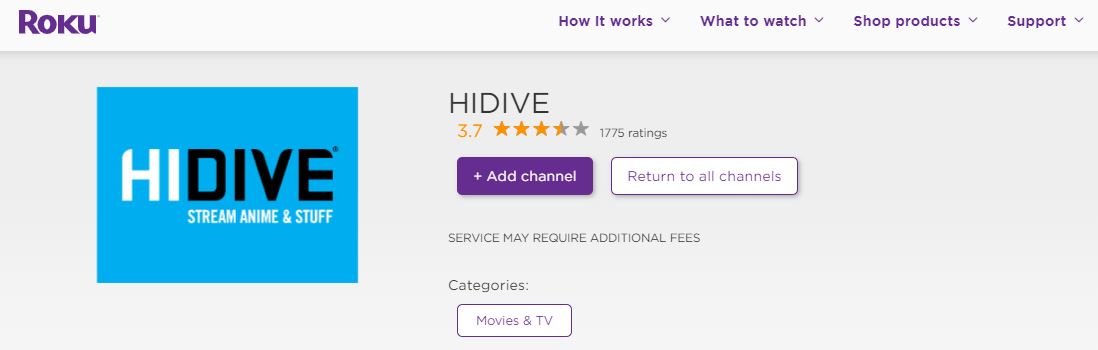
- Then, click the Add Channel button.
- The Hidive app gets started by adding the Streaming Channels page.
Once, the Installation process gets completed, you have received a notification from the Roku Channel Store. Or, you can see the Open option on the installation page. You can also add the installed app to the home screen. If you have a PlayStation 5 gaming console, here is the installation and streaming procedure for Hidive on PS5.
How to Sign Up and Subscribe with Hidive on Roku?
Once, the installation gets completed, you can Sign In with your HIDIVE user credentials and start streaming your favorite anime. If you are a new user, then Sign Up and create an account on HIDIVE. I hope you have a Smartphone or Computer. Turn On it and follow the procedures given in the following;
Now, we are going to Sign Up with the Hidive Streaming service through the web.
- Turn On the Internal Data.
- Or, connect your Smart Device with a Standard Wi-Fi connection.
- Then, launch the Internet Browser app on your Smart device.
- Navigate to the Search section.
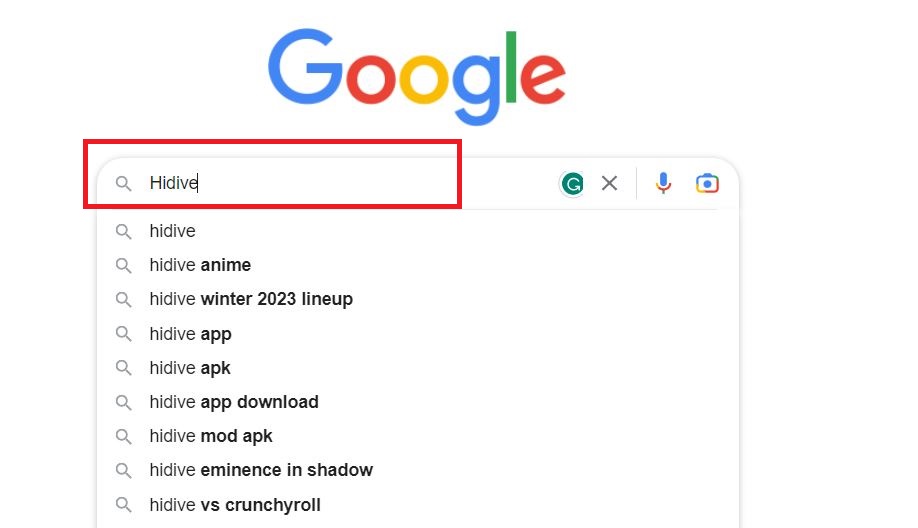
- And search for the “Hidive” in the given search space.
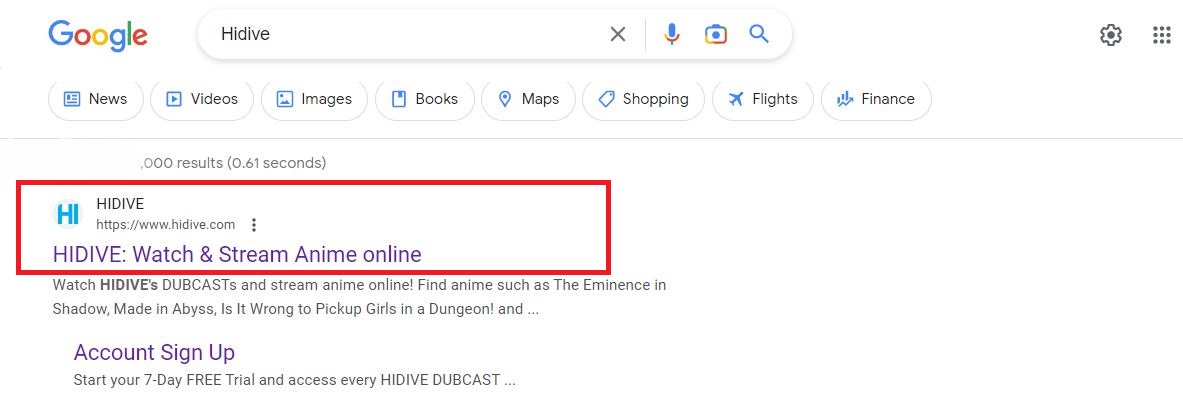
- Discover and launch the Hidive Official Website on the screen.
- Then, click the Account Icon in the top-right corner.

- Select Login from the drop-down menu.

- Now, click on the Sign Up Now button.

- Again, tap on the Sign Me Up! tab below.

- Now, you can see the Start Free Trial page on the next screen.

- Choose the Subscription Package on the Hidive site.

- Following that, fill up all details such as Card Details, email address, and other required information in the given space.

- Then, click on the Continue button.
Now, the payment details will start to be verified. Once, the Hidive Subscription process gets completed, you have received the confirmation mail from the Hidive to the registered mail address. Like Hidive and Crunchyroll, we have many quality anime streaming services. If you want to stream Roku Anime, click this link.
Conclusion
I hope the step-by-step instructions to install the Hidive on Roku is useful to you. And you have got what you need. The Hidive Streaming service is not the same as Crunchyroll. But it plays its role best. And providing the best quality anime content. So, install the app now and watch all of the classic anime series and movies on the Roku device. You can also get the 7 Days Free Trial on the Hidive app. It allows you to cancel the free trial at any time before 7 days. No, extra charges are applied for the cancelation.