
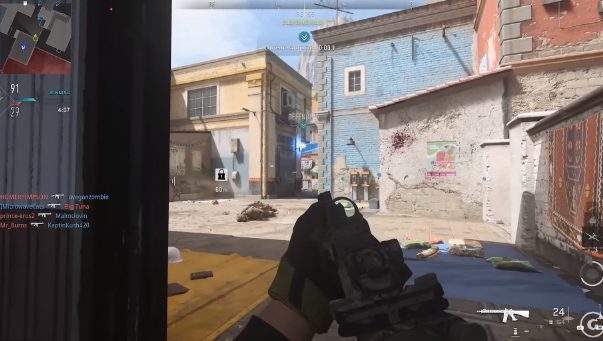
It is the beginner’s guide for Modern Warfare 2. This guide will cover everything you need to know and give you many helpful tips to level up quickly, get camos rapidly, and perform better in the game overall. It will cover everything you need to get started and get your foot in the door.
The menus of the games are complicated and intimidating. So, we will walk through them to make them simple and easy to understand. You will enjoy a lot about the experiences of modern warfare 2 while going through the article.
Table of Contents
Basic tips for getting started
When you load up Modern Warfare 2, before starting the game, you will get bombarded with many settings and options that you must change before starting the game. We will cover all the important ones. We will cover the points you need to look at, and you will also have to ensure that you have adjusted all the settings before jumping into your first match. Let’s go through it.
Quick settings
You must first go to the right side of the screen and click on quick setting. This section is partitioned into the important stuff. The stuff here will make the most significant impact on your game. You can adjust the master volume, controller or mouse settings, and keyboard.
Interestingly, in this game, you can change different controller mapping layouts based on any mode you are playing. It has separate controller presets for DMZ multiplayer campaigns and more.
You can also change the sensitivity setting here. Now, this is a crucial thing that you must change. There is no universal best sensitivity you are comfortable with according to general rules; stick to what you are used to.
Controller settings
There are some essential things to change in controller settings. There are many options, but only a few are critical. We recommend you change your button layout according to your comfort. Many of them play in default settings, but you should take off control vibration and trigger effect. You don’t have to change anything in ADS sensitivity multipliers.
Now, if you go to advanced controller settings and head to aim assist type, you can leave it as on default function, according to the Modern Warfare aim to assist operation or change it to the black Ops aim to assist.
Movement Behavior settings
You can leave most parts as default, but you should change the take-off grounded mantle and automatic mantle. It allows you to jump shot regardless of where you are on the map; it will not automatically mantle an unwanted object and interrupt your gunfight. So, turn off all that stuff, meaning you will have to double-tap a jump input to mantle something, giving you more control over how you move.
Combat behaviors
The most crucial setting that you have to do before jumping into a battle. Set your weapon Mount exit delays on medium or default or change this to short because this allows you to get off the objects quickly.
Graphic settings
For PC players, this is something more to do with your actual hardware, so it is a bit tricky, but for console players, this will be straightforward. We recommend you take off world motion blur, weapon motion blur, film grain, and depth of field because you don’t need these all things on your screen.
You can play with this for the campaign because it gives more cinematic looks, but multiplayer should take these off. The camera position is essential, and we recommend 95 fov. Most people max out, which is also acceptable, but the thing you will have to consider with max fov is that players who are in the center of your screen or right in front of you are more challenging to see.
You may have some peripheral vision around you, but enemies that are in front of you are going to be challenging to spot that is the reason 95 fov is the best selection for you. It will provide you with a perfect balance between peripheral vision and seeing the targets in front of you.
Conclusion
In conclusion, the primary tips are essential for beginners, and this article will provide you with all the information on crucial basic tips. By following the basic tips mentioned in this article, you will be able to turn the game on your side, and you can also check the cheats and hacks on Battlelog to win the game. So don’t be afraid to start a new journey in the gaming world. Grab the info and bang on!