
Want to watch free movies and TV shows on your Amazon Fire TV? Use the ZiniTevi Firestick App. You can also download and watch them offline.
![How to Download and Access ZiniTevi Firestick App [Updated]](https://techthanos.com/wp-content/uploads/2022/05/How-to-Download-and-Access-ZiniTevi-Firestick-App-Updated.jpg)
In this article, you can find details about ZiniTevi and the steps to download it on your Fire TV. You can use this sideloading method for all the third-party apps not available on the Amazon App Store. You will have to watch ads because all the content gets offered to you for free, which is the only drawback of using this app.
Table of Contents
About Zinitevi:
ZiniTevi is an application used to watch TV shows, films, and trailers, available in Android and iOS app stores. You can stream online and also offline. You don,t need jailbreak and not root access to install it.
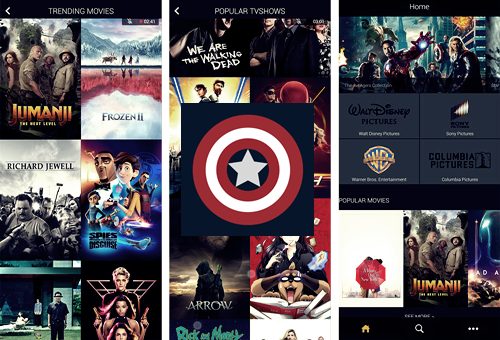
It is available for download on devices like,
- Android
- iOS
- Roku
- PC
- Xbox
- AirPlay
- MiBox
You can get ZiniTevi on Firestick by sideloading with the help of the Downloader App.
How Can I Get ZiniTevi Firestick App?
To get the ZiniTevi Firestick app on your Amazon Fire TV, follow the step carefully to the end. Since it is now directly available on Amazon App Store, you have to sideload the app using the Downloader App.
Get The Downloader App on Amazon Fire TV:
Follow the steps and install the Downloader app on your Firestick for sideloading apps.
- You can see the “Find” option on your Amazon Fire TV home screen; make sure to select it.
- Select the Search option with your FireTV remote.
- Using the Remote and the on-screen keyboard, type “Downloader.”

- Select the app from the result and click on Download.
- Wait for the app to get downloaded.
The download of the “Downloader” app is successful and can be used to sideload any app you want.
Set Up Amazon Fire TV to Sideload ZiniTevi:
You need to change some settings on your Firestick to allow you to download apps from other sources. Follow the steps to do soo,
- Navigate to your Fire TV settings.
- You can find the “My Fire TV” option on the screen.
- After selecting it, tap on the “Developers Options.”

- Select the option “Install Unknown Apps.”
Your Amazon Fire TV is now ready to sideload the ZiniTevi Firestick App.
Sideload ZiniTevi Firestick App using Downloader App:
To download the ZiniTevi Firestick App on your Amazon Fire TV, follow the instruction carefully, and don’t skip any steps.
- Open the Downloader app on your Firestick.
- Enter the URL of the ZiniTevi Firestick App from a reliable source.
- Now press ok and wait for the APK file download to complete.
- Install the app after it got completed.
- Select the app and press the option “Install.”
- Finish installation by pressing “Done.”
The ZiniTevi app is now successfully installed onto your Fire TV. You must delete the apk file to clear some space on your firestick.
How to Access ZiniTevi Firestick App on Amazon Fire TV?
Following these steps will help you access the ZiniTevi app on your Firestick.
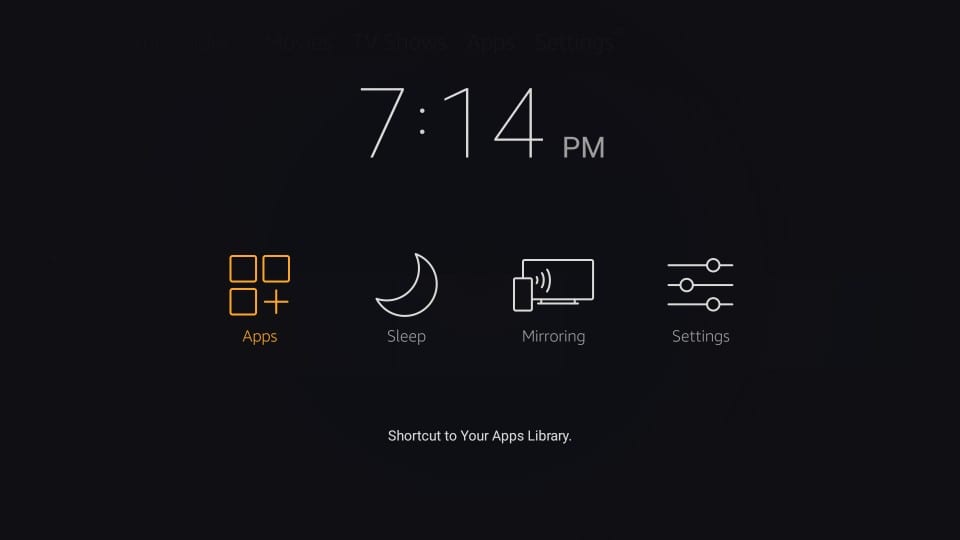
- Long press the Fire TV remote Home button.
- Select Apps and navigate to ZinTevi app.
- You get a prompt pop-up when you open the app; please select Allow.
- To dismiss the following prompt menu, click the Back key on your Remote or select cancel.
- You are now on the HomePage of the ZiniTevi app.
ZiniTevi Firestick App:
- Home: You can see a mixture of popular movies, TV shows, and new releases.
- Watched: Here is a list of all the movies you have watched or stopped watching. You can continue watching it by using this option.
- Favourites: A list of content you have marked as favourites are found here.
- Genres: Choose your favourite genre from the list of genres and watch the movies or TV shows available under it.
- Download: The titles you have downloaded is under this topic.
Key Features of ZiniTevi App:
- The interface is user friendly and easy to use.
- Contents available are categorised well.
- Good collection of TV shows and Movies.
- Just click and play
- Available Trakt support.
- Many varieties of Genres.
Frequently Asked Questions:
Is ZiniTevi Safe to Use?
Yes. ZeniTevi is safe to use and download movies and TV shows and causes nothing to your device.
What devices can use ZiniTevi?
In this article, you can use Android, iOS, Roku, Xbox, PC, etc.
How to Download a movie on ZiniTevi?
It is a straightforward process; all you have to do is press the download option of the content you want.
Can I Watch ZiniTevi on Firestick?
Even though it is not available on the Amazon App Store, you can sideload the app using other apps like the Downloader app and enjoy its contents on your Amazon Fire TV.
Finally, you have installed the ZiniTevi Firestick app on your Amazon Fire TV with the help of the steps provided in this article. If there is any doubt regarding the contents of this article, ask it immediately in the comment section. Thank you for the precious time you spent reading this article.