
Obviously, everyone gets irritated with pop-up ads when watching interesting content. Do you know, if you can block it/ Remove it? Also, you can generate revenue from these ads. Okay, let us know What is Adware?

As well as How to Remove it. Go through the topics given in the following section and learn everything about it. Here they are…
Table of Contents
Define Adware
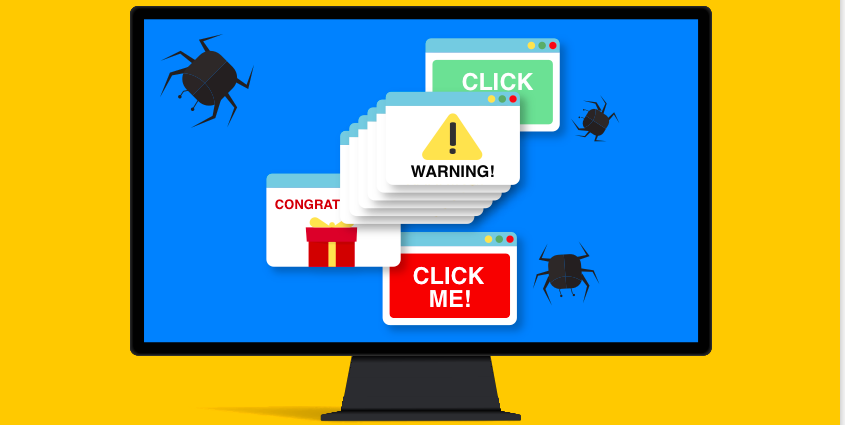
Adware is an Advertisement-Supported Software. That is installed itself on your Streaming device in the background. It can track everything that you have been surfing and what you are doing on your device. If you are searching for any product, next time, it will pop-up the product ad in all screens you are browsing. That is Adware.
It is mainly useful for Web Developers and App Developers. Because It Generates revenue for the site. If you have developed a site, and the ads are appearing on your site page means you can earn money. It will be done by Adware. You can also manually install it on your device and can also remove adware if you are a user.
Also, check: How to Hack / Jailbreak PS5?
How Does Adware Blocking Work?
As we have discussed in the above section, Adware is simply a nuisance. It will track the activities on your device. And if any useful information is tracked, it sells that information to a third party and makes money from it. It will make money in three ways from the third parties. They are;
PPC ( Pay-Per-Click )

Now you are active on any website and you can see any ads that pop up on the screen. The pop-up screen shows the product that you are searching for. Now, our mind automatically thinks to click that. When we tap the pop-up ad, the Adware gets paid each time we opened the ad.
PPV ( Pay-Per-View )

Not only by clicking the ads but also it gets money by viewing the ads that pop up on the screen.
PPI ( Pay-Per-Install )

At each time, they get paid when the bundled software is installed on your streaming device.
By clicking, viewing, and installing the software, it will generate revenue and make money. Additionally, it earns by selling the information from our device to third parties.
Also, refer to: Game Pigeon Hacks
How to Remove Adware from PC?
You can install the Adware on your Android, iPhone, and on your PC. It is not possible to disable it directly or manually. You need a tool to Remove the Adware from your device. To protect your privacy on your mobile, you have to Take Action;
- Adware
- Adware PUA
- Malware Infections
These all spoil your privacy on the device and it allows obnoxious malware threats.
Install the Anti-Adware products

First, you have to Install the Anti-Adware products in the system. It will automatically scan the malware and the adware and block it. Search for the software in your browser. And install it. Pay for it. And protect your data and keep your privacy from threats, Adware, and malware.
How to Get Rid of it?
First, you have to Uninstall the Adware on your PC. Follow the steps given in the following;
- Press the Start button on the PC Keyboard.
- Now, click on the Settings option.
- Tap the Apps button.
- Following that, click on the Apps and Features tab.
- Now, search for the App which is doubtful from the list.
- Tap on it.
- And, click on the Remove or Uninstall button.
- Also, Reset Web Browser Settings to remove Adware on PC.
- And also, Clear Cache and Cookies on Browser.
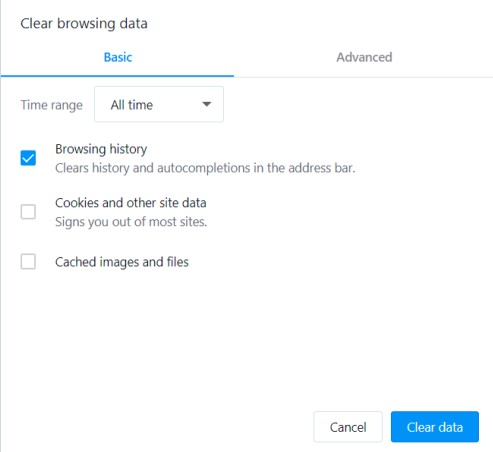
You can set the time range on the web browser on your PC. Then Clear Data and Clear Cache unwanted files on Browser.
Remove Adware from Android
If you have Adware trouble on your Android device, do not worry about getting rid of the Adware. Just follow the instructions given in the following section;
- Run your Smartphone in Safe mode.
- Remove the Hostile Device Admin Services.
- Uninstall the third-party apps or Malicious services from your Android.
- Install the Anti-Virus Software on your Android.
- Disable the pop-up and the redirect ads.
Remove Adware from iPhone
There is the rare activity of malware and adware on iPhones. Because the iPhone will jailbreak it automatically. The Apple iPhone’s Sandbox does not communicate with each other, so it Turned off the Redirect and the pop-up ads on iPhone or iPad.
- Open Chrome on your iPhone or iPad.
- Click the Three-dots on the Chrome page.
- Check it in the top-right corner.
- Select the Settings option.
- Click on the Content Settings.
- Heads to the Block Pop-Ups.
- And Turn Off it.
Also, read: How to Turn Off Ads on Roku TV?
Adware Threats
- Data Theft
- Vulnerabilities
- Malware Delivery
- Man in the Middle Attacks
We know about data theft. It will theft your information from the device and sell it to third parties. The Vulnerabilities and the Malware delivery are the Adware allows malware threats to your device easily. Man in the Middle attack also means Malware. Between you and the software, third parties easily enter and theft the information you have shared and searched.
Why do you Need to Know about it?
Because people want to know, why the ads are pop-up or redirecting on the device. As well as How harmful it is. And how profitable for the Adwares and for the Third parties. Also to the Web and App Developers. Importantly, by knowing about it, you can keep safe your dates and privacy on smartphones. And, it helps you to keep your distance from the Threats, You have your own privacy in your own phone, and your data will never be sold to anyone.