
On July 5th, Wednesday, 2023, the Threads app has been launched. Many Instagram Users and Celebrities are now joining Threads and sharing their views about the Threads app on their page. And, we do not know, what are the features available in the Threads app. So, in this article, we are going to learn How to Check Who Unfollowed on Threads.
Do you want to know more about Instagram Threads, then refer to the topic given below. Following that, you can learn How to Check Unfollowed Me on the Threads.
Table of Contents
About Threads
Threads is a Public Communication and Social Media Platform Launched by Instagram. Its owner is Meta. You can Share your Thoughts as Text, Videos, and Photos. Also, you can Tag Someone you want to. The Instagram Threads app is available on both Android and iOS platforms. And it is launched on July 5th in over 100 countries.
And Threads is accessible in over 31 Languages. You can log in with your Instagram user credentials. The Threads user details are linked on your Instagram bio page. It will be easy to follow your Threads Profile for your Followers. If you have a Roku device, then you can use Instagram on Roku. Tap to get the reference.
Can I Check Who Unfollowed on Threads?
Yes, You Can. In the Instagram Threads app, you can check who unfollowed you. There is no separate tool for it. You can check it manually on the app. For Example, Your friend is following you in Threads. And suddenly, you will see your follower number is decreased. Now, you can check Who Unfollowed on Threads. Learn how in the next topic.
How to Check Who Unfollowed on Threads?
With One Simple Way, you can check the unfollowed member in Instagram Threads. Follow the steps given in the following;
- First, launch the Instagram Threads app.
- Login with your Instagram User Credentials.
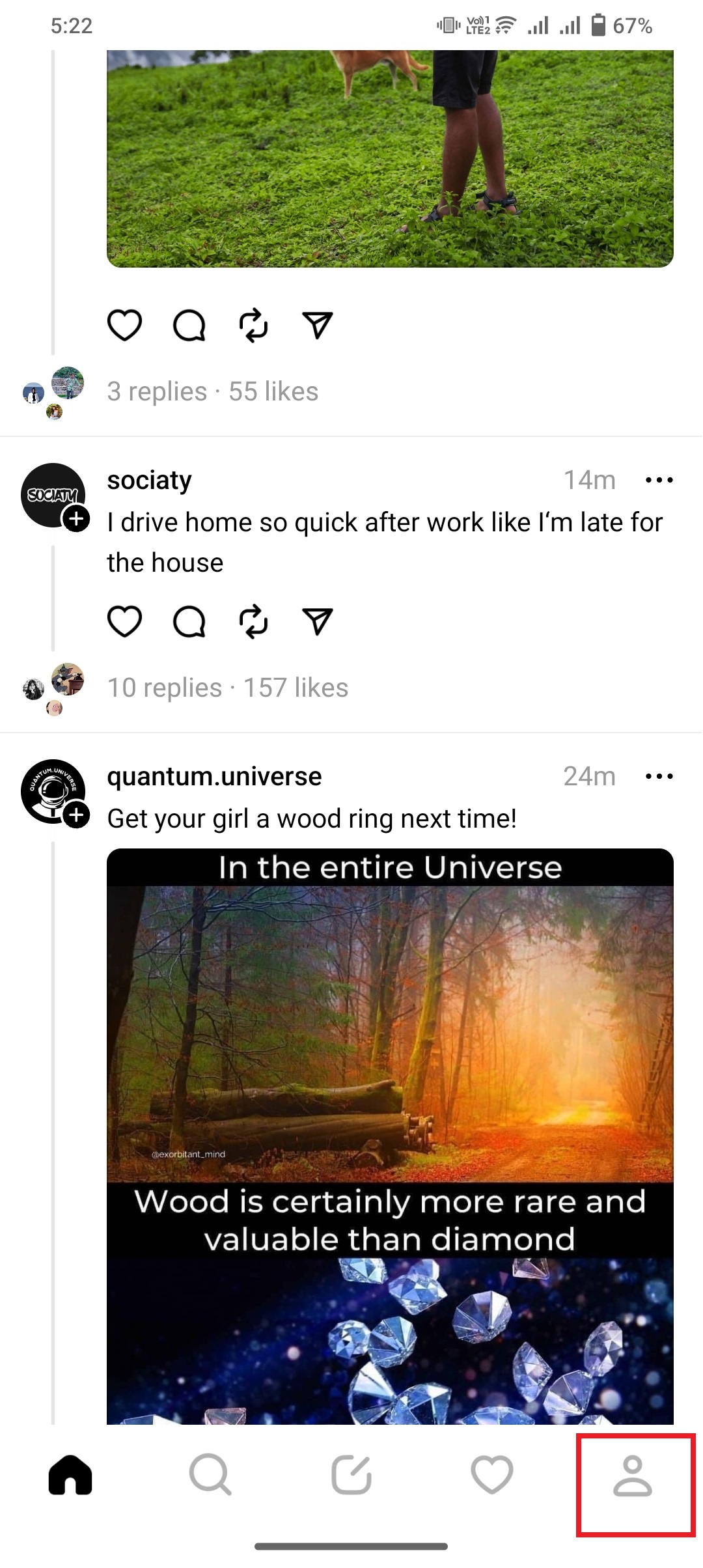
- Now, click the Profile Icon at the bottom of the page.
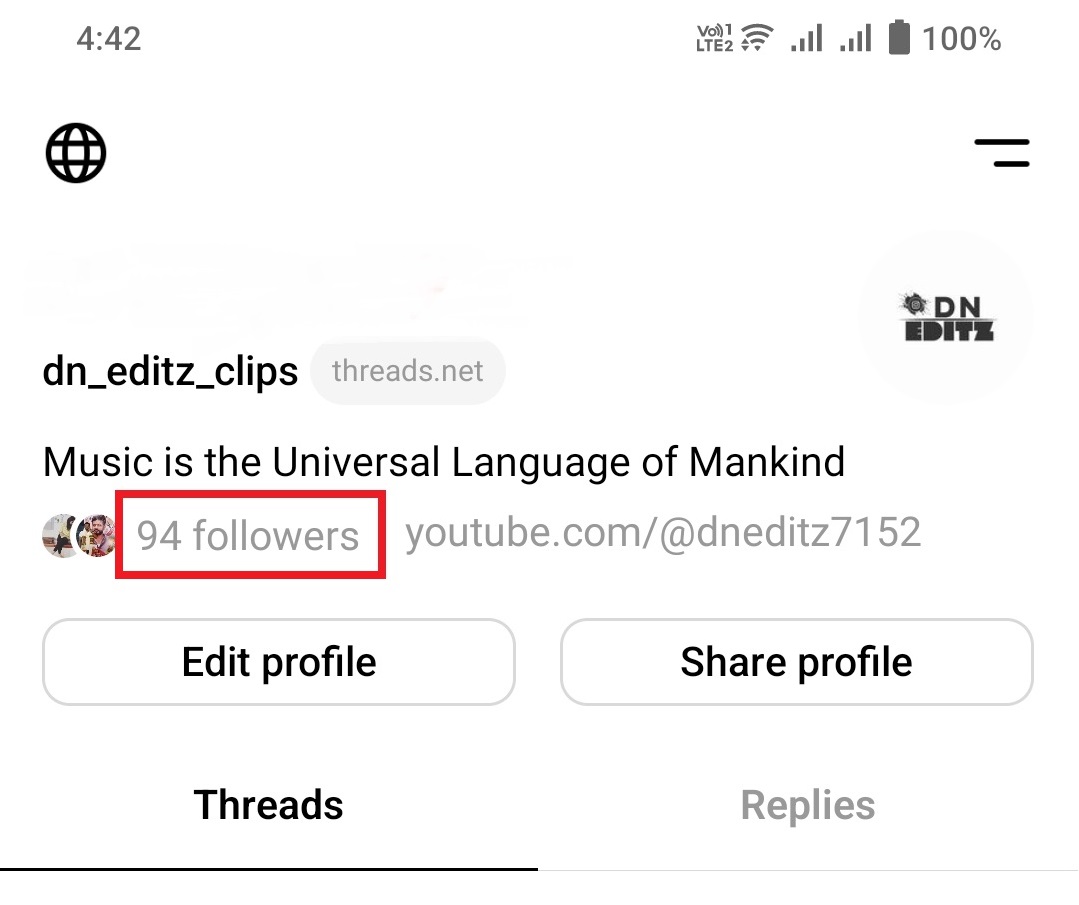
- Tap the Followers option next to the bio.
- There, click the Search Panel on the follower’s page.
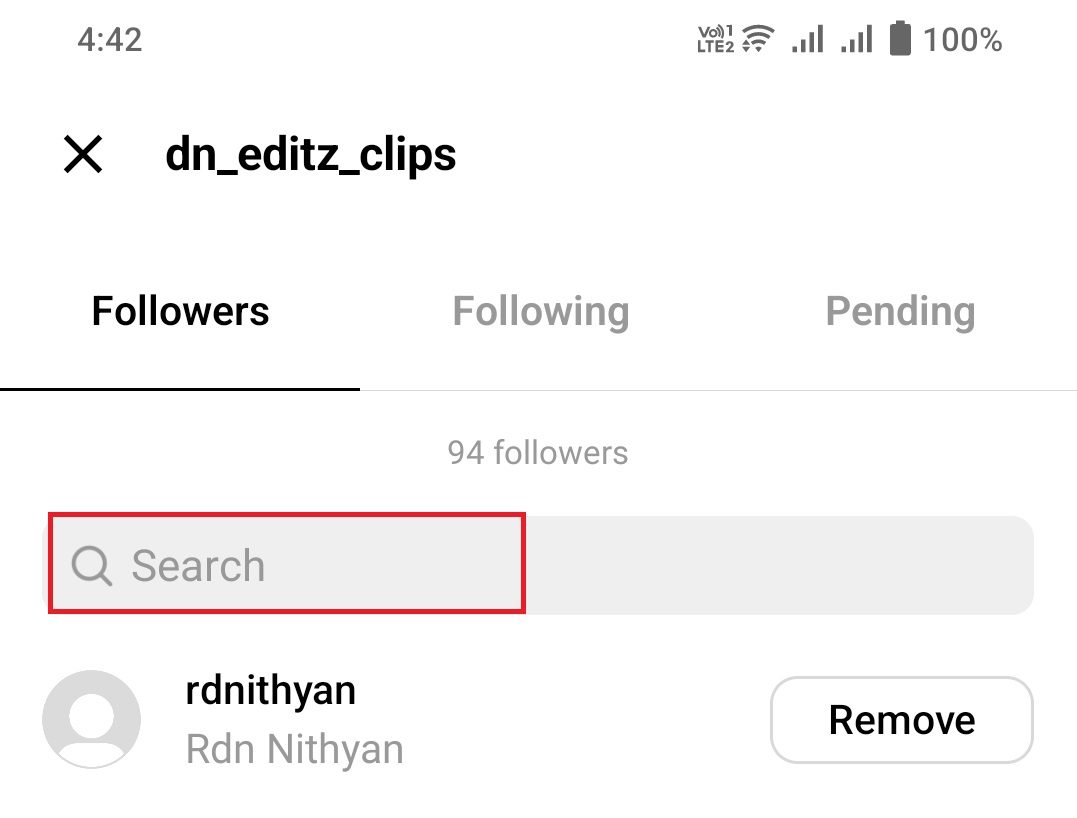
- Enter the Name of the ID whom you want to check.
- If the name you have searched is shown in the drop-down result,
- Then he/ she is still following you.
- Or, if the name is not shown in the result, they will unfollow you.
Simple, now you can find Who Unfollowed on Threads. Also, check the name you have entered is correct. If the name is wrong, you can not see any results. Are you thinking to create a new Instagram ID? Then there are the Unique Good Instagram Names For Boys. Click the link and pick the best one.
Conclusion
Who Unfollowed on Threads? Find it in the Instagram Threads app. Not only the Unfollowed person, but you can also check whom you have Blocked on Instagram. By checking the Blocked list, the Threads app will redirect you to the Instagram page. To know, more details about How to Block a profile on Threads and How to Check the Blocked list on Threads, refer to the articles linked here.