
![How to Jailbreak Oculus Quest 2?[Bypass Login|Sidequest]](https://techthanos.com/wp-content/uploads/2023/05/How-to-Jailbreak-Oculus-Quest-2Bypass-LoginSidequest.jpg)
Immerse yourself with the best VR experience with the Meta or Oculus Quest 2 VR Headset. There have been many attempts to Jailbreak Oculus Quest 2 and have succeeded. If you are bored of the limited games available on your Quest 2 console, you can sideload third-party games onto your VR headset. You can also bypass login procedures and access Quest 2 devices without Facebook or meta credentials. If you want to learn how to jailbreak Oculus Quest 2 console follow the simple procedure provided here.
Table of Contents
Is it safe to Jailbreak Oculus Quest 2?

If you are to get root access to your Oculus Quest 2 devices, it is Legal. Eventhough it is now possible to jailbreak Oculus Quest 2 console, there have been no clear policies for the right to repair. You can sideload applications and bypass login prompts, on your Quest 2 device on your own accord. Make sure that you have registered yourself as a Meta Quest Developer.
Sideload Third-Party App APK files on Oculus Quest 2
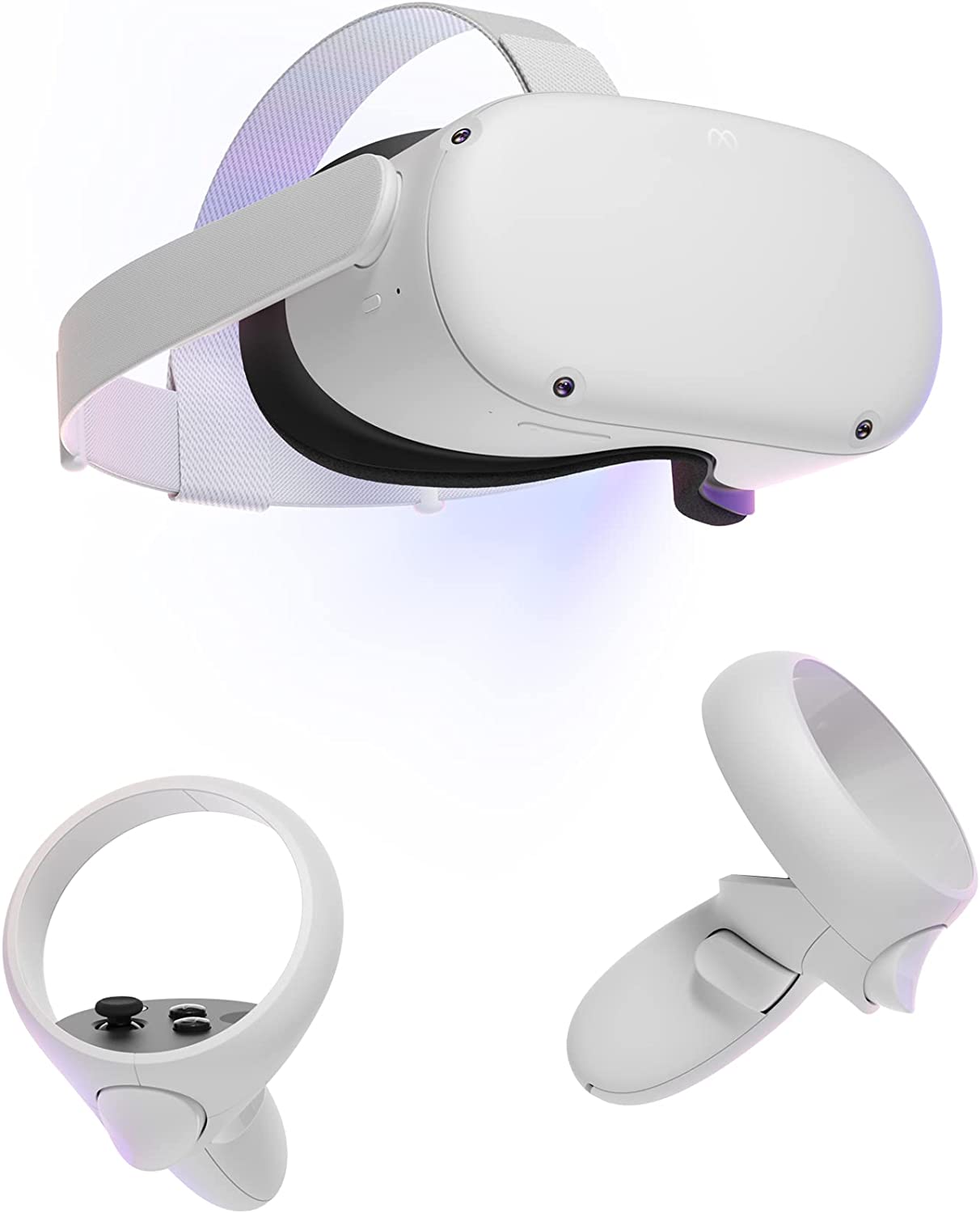
Sideloading is considered to be a basic jailbreak on the Oculus Quest 2 device. By sideloading you can gain access to contents that are not available as default on your device. SideQuest is one of the best applications to sideload third-party software, apps, and games on your Oculus console. Most of the Android-supported APK files can be accessed on your Jailbroken Oculus Quest 2 console. Follow the simple procedures given here to jailbreak Oculus Quest 2.
Get the Oculus Quest Setup App on a PC
- Open the web browser on your PC and visit meta.com/quest/setup site.
- Under Quest 2 setup tap on Download Software.
- Install the Oculus Setup on your PC
- Get back to the web browser and go to developer.oculus.com site.
- Sign Up with your Meta credentials to Create your Oculus Developer Account.
- Launch the Oculus Setup application and sign in with your Developer Account credentials.
Install Oculus ADB Drive
- Search for Oculus ADB Drive on your PC web browser. (developer.oculus.com/downloads/package/oculus-adb-drivers)
- Tap on Download and wait for some time.
- Go to the ZIP file downloaded location and extract it.
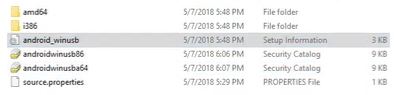
- Open the extracted file, right-click on android_winusb, and tap on install.
Developer Mode on Oculus Quest 2
- You will need the Oculus Quest application on your phone or tablet.
- Connect your Oculus Quest 2 console with the Oculus Quest application.
- Get your Console and the Oculus app-supported device to the same WiFi network.
- On the Oculus Quest app go to Menu.
- You can find your Oculus Quest 2 device here.
- Select the Developer Mode option and toggle it to turn it on.
You can now use the Sidequest app to install third-party applications on your Oculus Quest 2 device.
Jailbreak and Sideload App to Oculus Quest 2
- Go to the sidequestvr.com site on your PC.
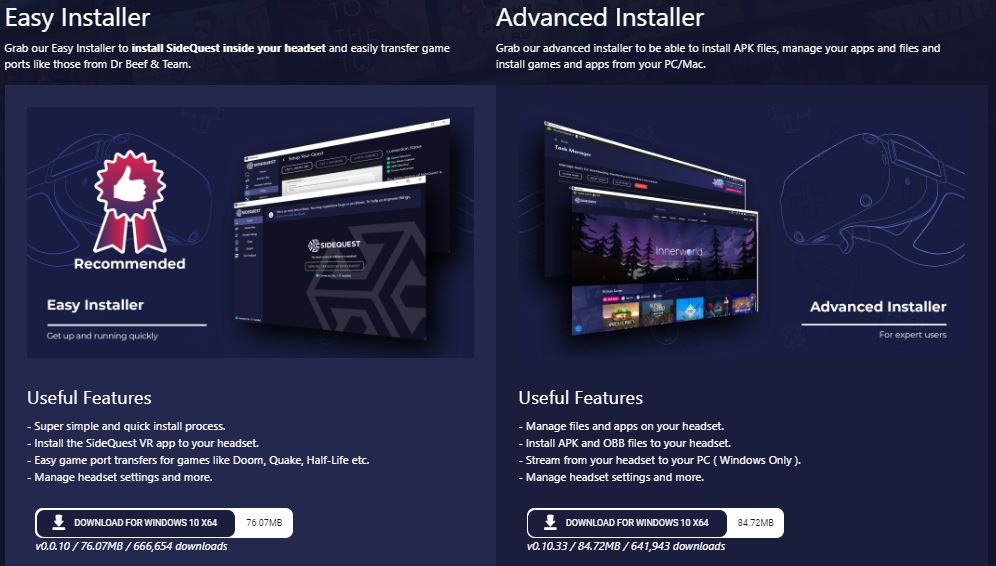
- Select the Get Suidequest option and choose an installer(Easy or Advanced).
- Tap on Download and get the Sidequest app on your PC.
- Connect your Oculus Console to your PC with a suitable USB cable.
- Wear your Oculus Quest VR headset.
- On the notification that you see, tap on the Allow USB debugging option.
- Now tap on Always Allow from this computer option to check the box and select OK.
- On the Sidequest app select the Install APK file from folder option (folder with downward arrow) from the top of the window.
- Select the APK file from your PC and get it on your Oculus Console.
- Now, On your Console select Install and get the APK file installed.
Once the installation is complete you can use the application on your Oculuse Quest 2 VR headset. With this, the Jailbreak of Oculus Quest 2 to install third-party applications is done. You can now easily install any APK file of your choice to your Oculus VR Headset. This method can be used for
Quest 2 | Oculus Rift S | Quest | Oculus Go | Oculus Rift
You may also like to learn about How to Get and Use File Explorer on Oculus Quest 2?
Bypass Login to Jailbreak Oculus Quest 2
Now that you have got the Oculus app on your Quest 2 VR Headset, you can use it to bypass Login. But this does not mean that Facebook or meta credentials are useless. To bypass the login prompt and Jailbreak Oculus Quest 2 console you need to disable the device admin app. Follow the simple procedures provided here to bypass Oculus Login.
- Put your Oculus Quest 2 VR headset on.
- Navigate to the Apps list and select the Unknown Sources option.
- Find and launch the Oculus app.
- Now tap on the Disable Companion option.
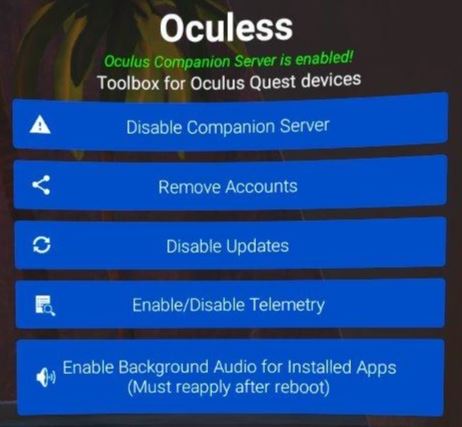
- Choose the Companion Server option and tap on the “Deactivate this device admin app” option.
- Now press and hold the power button on your console and wait for the Restart option to paper.
- When you restart your Oculus Quest 2 devices it will automatically bypass Login.
You may also like to learn about How to Cast Oculus Quest 2 to Apple TV?
Suggestions
When you jailbreak the Oculus Quest 2 VR Headset, make sure to register as a developer to avoid policy issues later on. If you are to access bypass login on your Quest 2 console, there is no assurance for the safety of the user. It might become difficult to repair your VR console once it is jailbroken. So, make sure that you have prepared for the consequences when you jailbreak your Quest 2 Console.