

Yoda Kodi Addon is one of the famous add-ons where you can stream all your favorite content. Moreover, you can use it with the help of Real Debrid if you want it. Furthermore, Yoda Kodi Addon provides TV shows, the latest movies, Documentaries, Movies, and much more. Through this addon, you can get all the categories easily without any buffering issues. Also, it offers several English contents. Furthermore, if you want more content then you can make use of the Real Debrid service where it provides more content. Here is the guide to know to install Yoda Kodi addon.

Also, search Vader Streams kodi Addon – Quick Installation Guide
Table of Contents
Steps to install Yoda Kodi Addon
Since Yoda Kodi addon is the third-party addon, you can get this only from the unauthorized Kodi Addon Repository. So to install the third-party add-ons, you have to enable the unknown sources in the security settings option. Following steps help you to enable it,
- First of all, go to Settings and then to System Settings.

- Choose Addons.
- And now, turn on the Unknown Source option.
Once the above-given steps are over, then you can install Yoda Kodi addon through the following steps.
- Now, come back to the System page using the remote.
- Select the File Manager option.

- Choose Add Source.
- Give a hit on <None>.
- Now, enter the URL and then give a hit on the OK option.
- And now, you have to highlight the source box where you also have to give a name. And, for example, you can give a source name as ‘Ghost’ here.
- Tap on the OK option.
- Navigate to the System Screen using the remote or keyboard.
- Choose Addons.
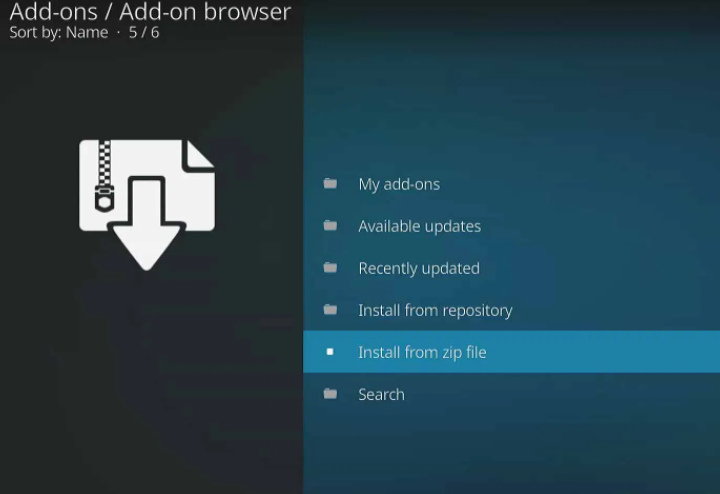
- Select Install from zip file.
You may like, Ultimate Guide to Install Phoenix on Kodi Addon
- Choose a “ghost” or the name whichever is given to the media source.
- Now, wait until you receive a message as Ghost repo Add-on Installed.
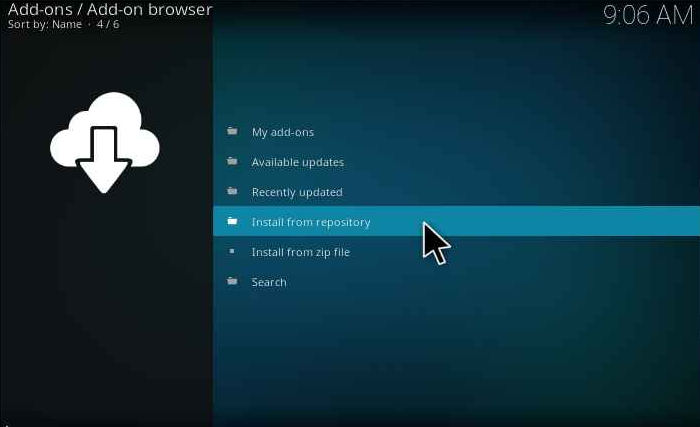
- Choose Install from repository.
- Select Ghost Repo.
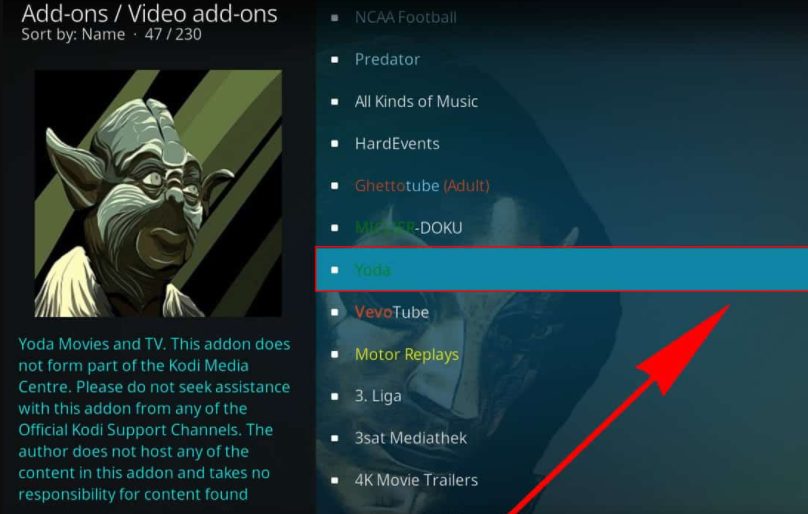
- Choose Video add-ons.
- Select Yoda.
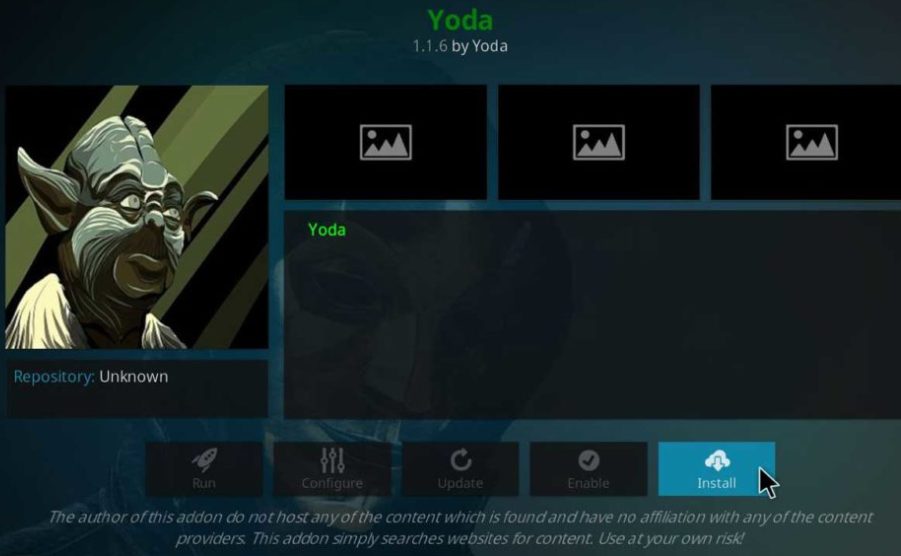
- Select Install.
- Tap on OK for the prompt you receive.
- After the Yoda Kodi addon is installed, navigate to the Kodi Home screen and then choose Add-ons.
- Choose video addons.
- Select Yoda and now, you can stream anything you want.
Final Thoughts
Since Yoda Kodi Addon is accessible on Real-Debrid, you can make use of the Real Debrid account. Through the Real Debrid account, you can get a large number of complete HD streams that too from great servers. Moreover, it updates its content regularly so you can get all the latest streaming content. We hope this article will help you to install Yoda Kodi Addon.
Related post, How to Install Misfit Mods Kodi Build? Easy Guide
Frequently asked questions
1. Is Yoda Kodi Add-on legal?
Yes, the Yoda Kodi legal but then you have to use VPN as sometimes this addon becomes illegal after installing it.
2. Is that possible to install Yoda Kodi addon on FireStick?
Yes, you can install Yoda on FireStick through the above-given installation steps.
3. What is Yoda Kodi addon?
It is a multi-source media Kodi addon that contains 40 scrapers built-in to scan and find the media files.