
You guys are a movie freak? And you guys are interested in watching the other language film. Also, you are feeling that the language will be the barrier to your entertainment. This article will show the way to watch other language films. So you can use this CC and subtitles to watch movies, shows, and programs in other languages. Also, this feature is very helpful for deaf people. They can use this option to enjoy the shows or movies. So, in this article, we will see how to turn on captions on MAX. The time taken for reading the whole article is 4 minutes.

Read also: How to Install HBO Max on Insignia Smart TV?
Table of Contents
What are the Closed Captions on MAX?

Closed caption is used for enjoying the shows by watching the audio descriptions on the videos. This helps to describe the actual scene for clear reference. Also, you can modify the caption’s font, size, opacity, and so on. So without captions, you can’t know what the actual scene is ongoing.
Is there any difference between CC and subtitles?
Yes, there is a slight difference. Moreover, the cc and subtitles are the same. But it has a slight difference. That is in subtitles the conversations that occur on the shows are only available in the description but in cc, the minor sounds will also be displayed in the description. So this is the minor difference between the cc and subtitles.
How to Turn On Captions on Max?
In this article, we will see how to turn on the cc on max on Amazon, Apple TV, roku, and other TV devices. Every step is simple and you guys can easily turn the caption. Generally, to turn on the caption just go to settings and turn on the CC button. To know the way just scroll through the article.
Also, read: Is Super Mario Movie on HBO Max?
Turn ON the CC on Max On the TV
This is based on the OS version. If you are using the latest version these steps are very helpful in turning on cc in Android TV. The steps are, just go to settings >> navigate to the device preference >> Accessibility >> Closed captions. As same as in Apple TV, just go to the settings on your TV >> go to the accessibility >> tap on subtitles and captioning >> click on toggle, and that’s it! So these are the simple steps to turn on the cc. And now, you can enjoy the other languages film with the subtitles.
Turn ON Captions on Max -Amazon Fire TV and Roku

These both are streaming devices. You can enjoy many shows and programs on this device. Moreover, turning on the cc option will help you to watch not only HBO Max. But you can enjoy each and every channel, and app on this streaming device. The steps for turning on the CC are, Go to settings >> tap on accessibility and select the closed caption >> tap on text that’s it! Also, for the basic edition, this setting is available. In addition, tuning the CC on roku is as same as on Amazon Fire TV. The steps are, to press the home button >> go to settings >> accessibility>> caption style and turn it on. These are the simple steps to know for changing the CC.
How to Turn ON Captions on Max on the Computer?
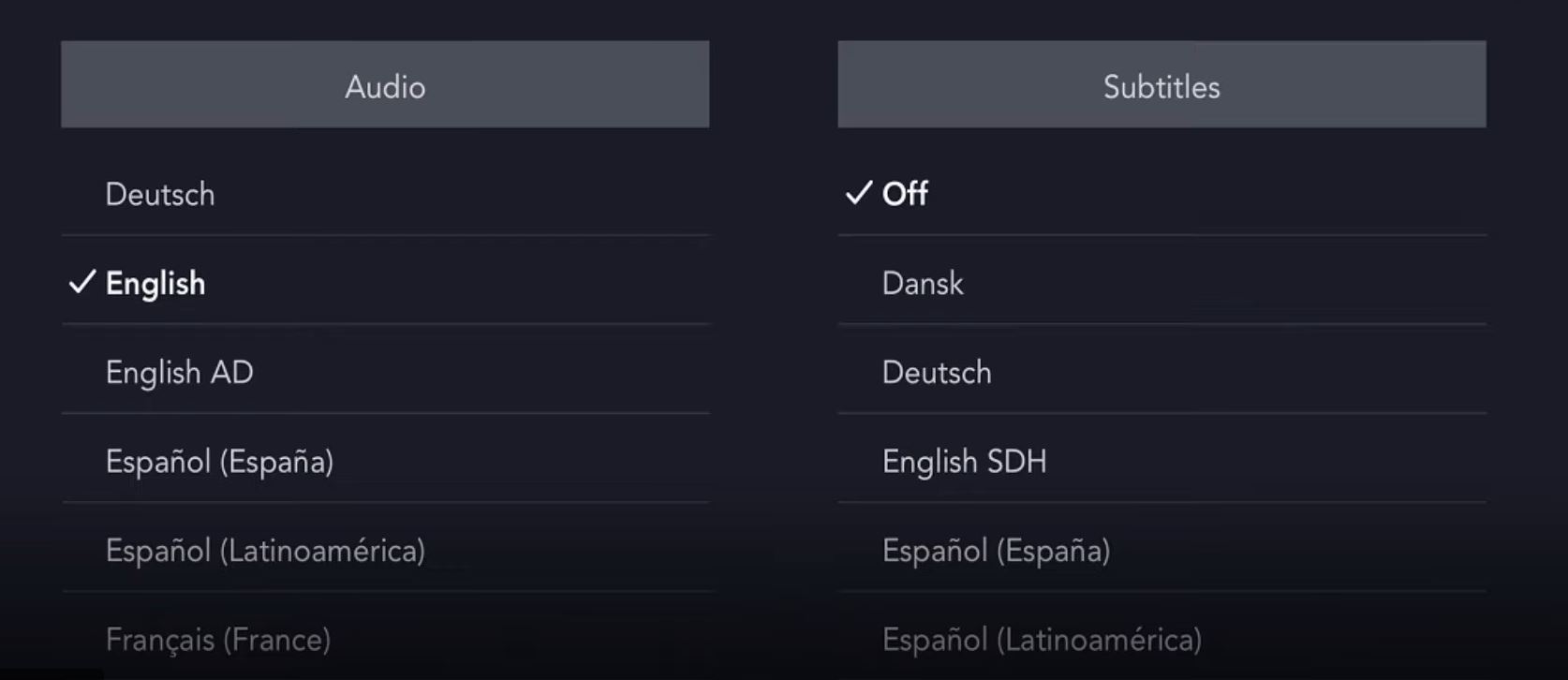
- Check the internet connections,
- Select any program or show to watch.
- Tap the screen and select the closed captions.
- Choose any language or tap the toggle button.
- Atlast, choose X to save your changes.
Switch on the cc while watching a show on the maxTV stream media box
- Press the OK button to display the features of the screen
- Press the done arrow on your remote
- Choose the cc option. You will see the message
- Tap on the Closed caption ON button.
- That’s it, You are done.
Visit this How to Fix HBO Max Subtitles Not Working.
How to Turn On The Captions on Max app?
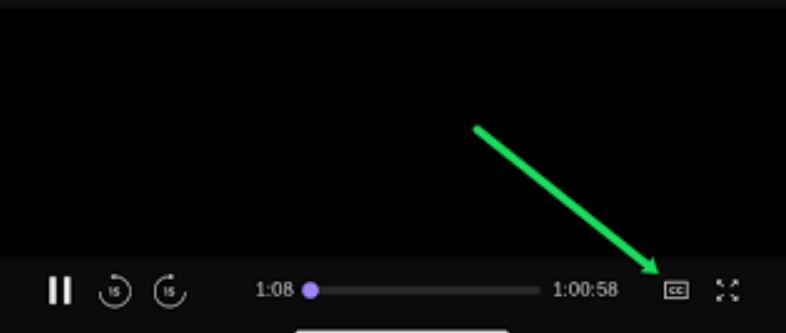
- Select any shows and tap on the screen.
- In display, they show some features at the bottom of the screen
- Tap the Up arrow on the remote.
- Tap on the cc button
- If the cc box is white color, it means the CC option is in OFF.
- If the cc box is in orange color, it means the CC options are in ON.
How to turn off the captions max?
If you feel this cc is disturbing you. Just turn off the cc on your device. If you dont know how to turn off the cc this section will give the best guide to you. Mostly, the turning of the cc is the same in all devices. So simply know the basic method. The steps are,
- Check the internet connections
- Touch the screen while the shows are telecasting.
- In the below, many tabs may be shown.
- On that, just tap the CC option.
- Thats it! you are done.
Captions on Hbo Max Not Working

- Turn on your TV and open the Main menu
- Tap on the left arrow on the remote
- select the settings
- Press the OK button and then go to Accessibility
- Tao on cc and furtherly in the digital closed captioning box
- Select change press the OK button and select the OFF option
- Furthermore, save and press the OK button.
Also, read: How to Stream HBO Max on PS5?
Report to MAX support to fix Max subtitles Not Working

Still have an issue with switching CC. Better you can contact Max Customer Support. Search for the Max Customer Care number from the browser. And make a call. Report them the issue about the issues. They will guide you until it is fixed.
Conclusion
Thank you so much for sticking with me all the way to the end. I hope you guys will try these methods for turning on the CC to watch other language shows or programs. If you have any buffering issues or issues mismatching the video to cc, just check your network connection. If the speed is low, just connect your network to a VPN service. Moreover, from this article, you can see how to turn on the CC available on many devices.
Frequently asked question
How to Fix HBO Max Subtitles Keep Turning ON?
To avoid this problem just follow the steps. Turn on your TV and go to settings >> ensure that subtitle is in off >> choose your profile >> tap on settings >> caption subtitles >> manage preferences. At the same time, while watching the video – tap on the screen and it displays the options on the screen. Search for the CC and subtitles, tap on the toggle bar that’s it! you are done. After you have done just tap on the X button to save the changes. This is too easy, right? So follow this to get rid of the issues.
How to Change Subtitles on HBO Max?
To change the subtitles on HBO Max, just follow these steps. Go to the CC and subtitles tab and select the preferred languages. To know how to go for the cc and subtitle tab, just read the above content. Not all languages are available on the default CC. You just select the languages from the listed set. After you select your preferred languages just tap on the X button to save the changes. Yes, you are done. Now you can enjoy the visuals with the preferred language subtitles.
How to change the language on HBO max CC?
Watching other language films or shows with our preferred language subtitles will feel different right? So to do this, just go to the audio and tap on the subtitles icon >> select the language buttons >> CC >> tap on preferred languages. After selecting the preferred language, just tap on the X button to save your changes. That’s it you are done!