
Exodus is an amazing feature of Kodi Add-On. It will be used to access free and Unlimited access to TV Shows and Movies. Also, you can filter the content on Kodi. Along with this, Exodus offers many features for its users. If you are a Firestick user, then check this article to learn, How to Install Exodus Redux on Firestick.
We know, that the Exodus V8 version was discontinued a few years ago. But the newest version called Exodus Redux is now released. Today, we are going to Install it on the Firestick device…
Table of Contents
How to Install Exodus Redux on Firestick?
As discussed, The oldest version of Exodus has been discontinued. And the newest version of Exodus ( Exodus Redux ) has been launched. We use the add-on apps to install or watch the app which is unavailable on the Amazon App Store. Before adding the Exodus Redux on Kodi Add-On, you have to prepare the app. Do follow the methods and the procedure given in the following;
Allow Unknown Sources on Kodi
Yes, to install the Exodus Redux on Firestick, you have to enable the Unknown Sources option on the Kodi Addon app. Follow the steps mentioned here;
- Turn On the Amazon Fire TV.
- Click the Home Button on the remote.

- Connect the Firestick with a stable Internet connection.

- Again, click the home button on the remote.
- Visit, the Apps and Games page.
- Launch the Kodi Addon app.
- Select the Settings option.
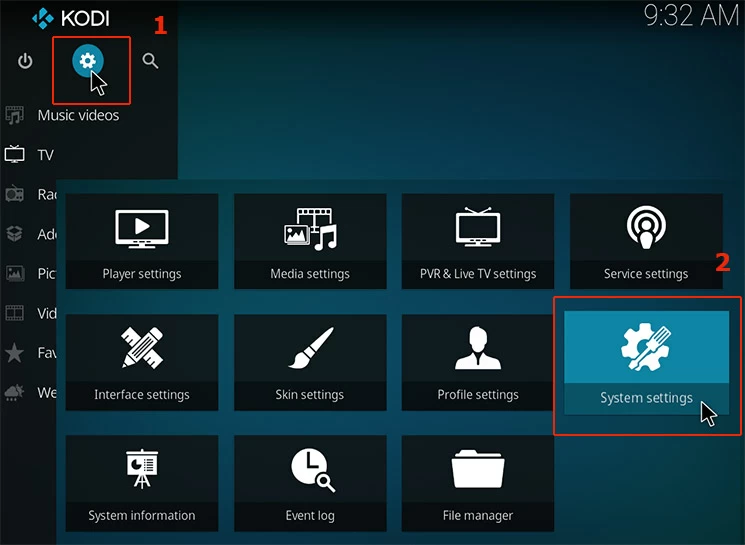
You can find the Settings icon in the top-left corner.
- Select the System option.
- Then, click on the Add-Ons from the menu.
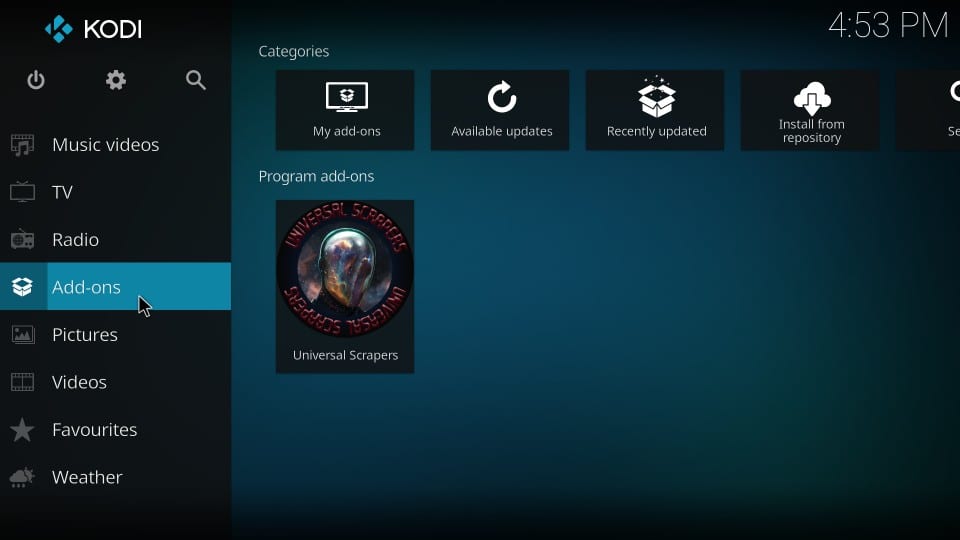
- Following that, tap the Unknown Sources option.

- Then, select the toggle button.
- Now, click on the Yes button on the pop-up window.
Now, the Unknown Sources option is enabled on the Kodi Add-On app.
Also, read: How to Fix Exodus or Kodi No Stream Available?
Install Exodus Repository
The next method is to install the Exodus Repository on the Kodi Add-On app. Refer to the upcoming steps.
- Go back to the Kodi Home Screen.
- Click on the File Manager option.
- And, tap the Add Source tab.

- Head to the None bar from the pop-up screen.

- Copy this URL https://i-a-c.github.io/.
- And, paste it in the None bar.
- Click the Ok button after pasting the URL.
- Select the Media Source bar.
- Now, use the on-screen keyboard and type Exodus Redux in the given space.
- And, click the OK button.
- Again, go back to the Kodi Home Screen page.
- Select, the Add-Ons button.
- Now, click on the Package Installer option.
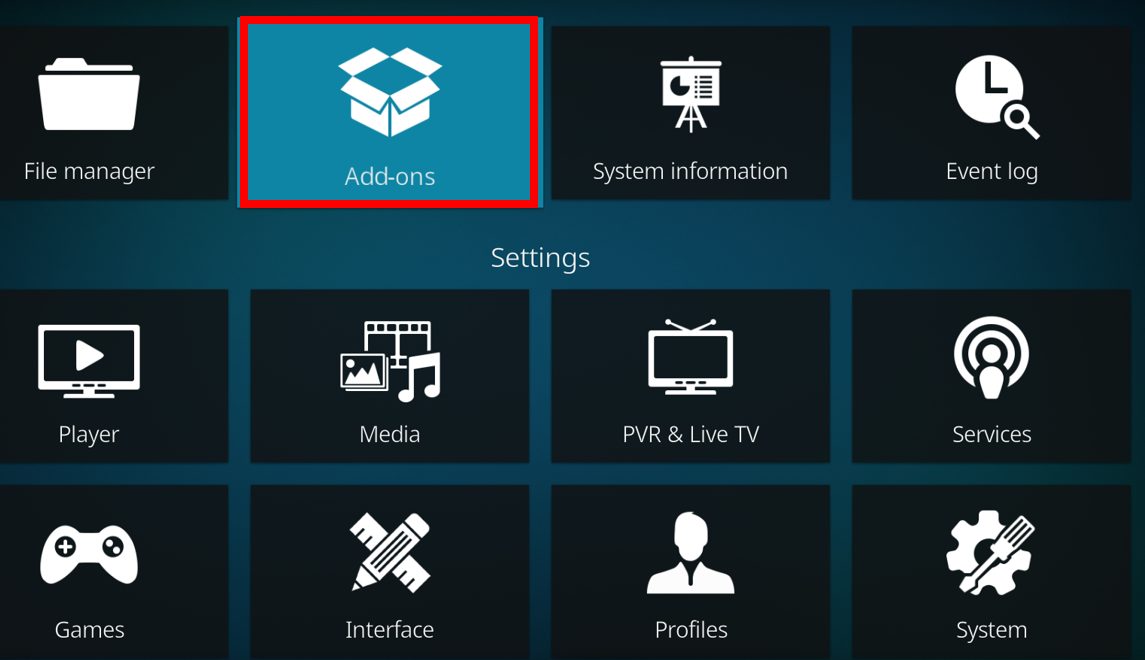
- By clicking the Open Box Icon at the top left corner.
- Head to the Install from Zip File option.
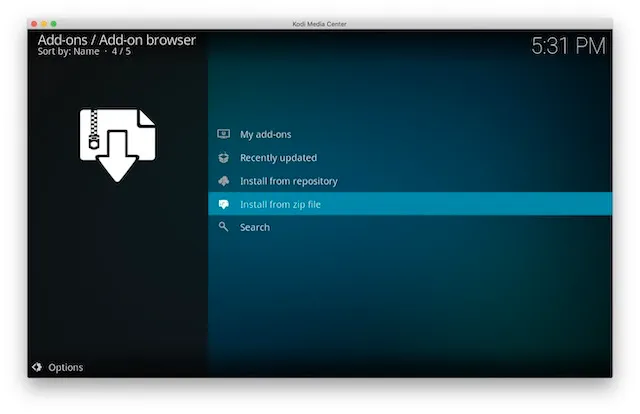
- And then click the Exodus Redux tab.
- Now, you can see the Notification on the screen.
- Just click on the Zip File named repository.exodusredux-0.0.6.zip.
Finally, the Exodus Repository has been installed successfully on the Amazon Firestick device.
Install Exodus Redux on Firestick
Now, the final process is to Install Exodus Redux on Firestick. Do follow the same procedure given in the following to Install it on your device.
- If you are on the Add-on page on the Kodi app,
- Select Install from the Repository option.
- Or, if you are on the Home Page,
- Select the Add-ons option.
- Next, click on the Install from the Repository tab.

- There, you can see the list of repositories on the screen.
- Scroll down and select the Exodus Redux Repo file.
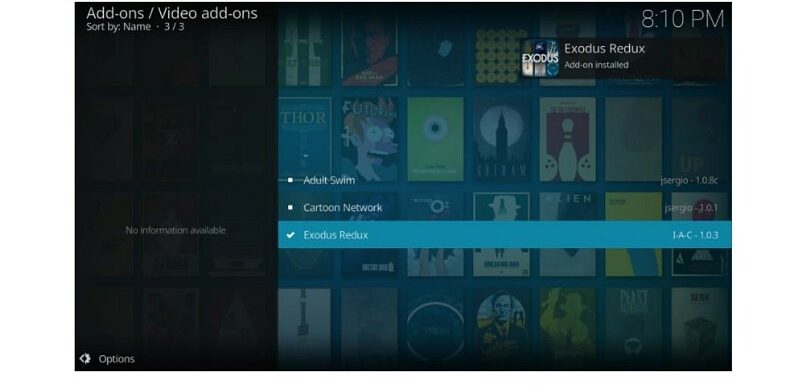
- Head to the Video Add-Ons option.
- Now, choose the Exodus Redux tab.
- Click the Install tab.
After that, the Kodi Add-on app will show the pop-up screen. You can see the files that Kodi Add-On is going to Install on Amazon Firestick. Click the OK option. After that, wait for a while. All file installation is in process. You will receive the Notification once the Add-on has been installed successfully.
Also, check: How to Get Kodi on Roku?
How to Watch Movies on Kodi Redux Addon?
If you need a guide to streaming Movies and TV Shows on Kodi, here is the proper and easy method.
- Go to the Kodi Addon Home Page.
- Select the Add-Ons option from the menu.
- Now, tap the Video Add-Ons on the left side of the screen.
- Click on the Exodus Redux option.
- Again, tap the Exodus Redux tab.
- It will redirect you to the category section.
- There, click on the Movies tab.
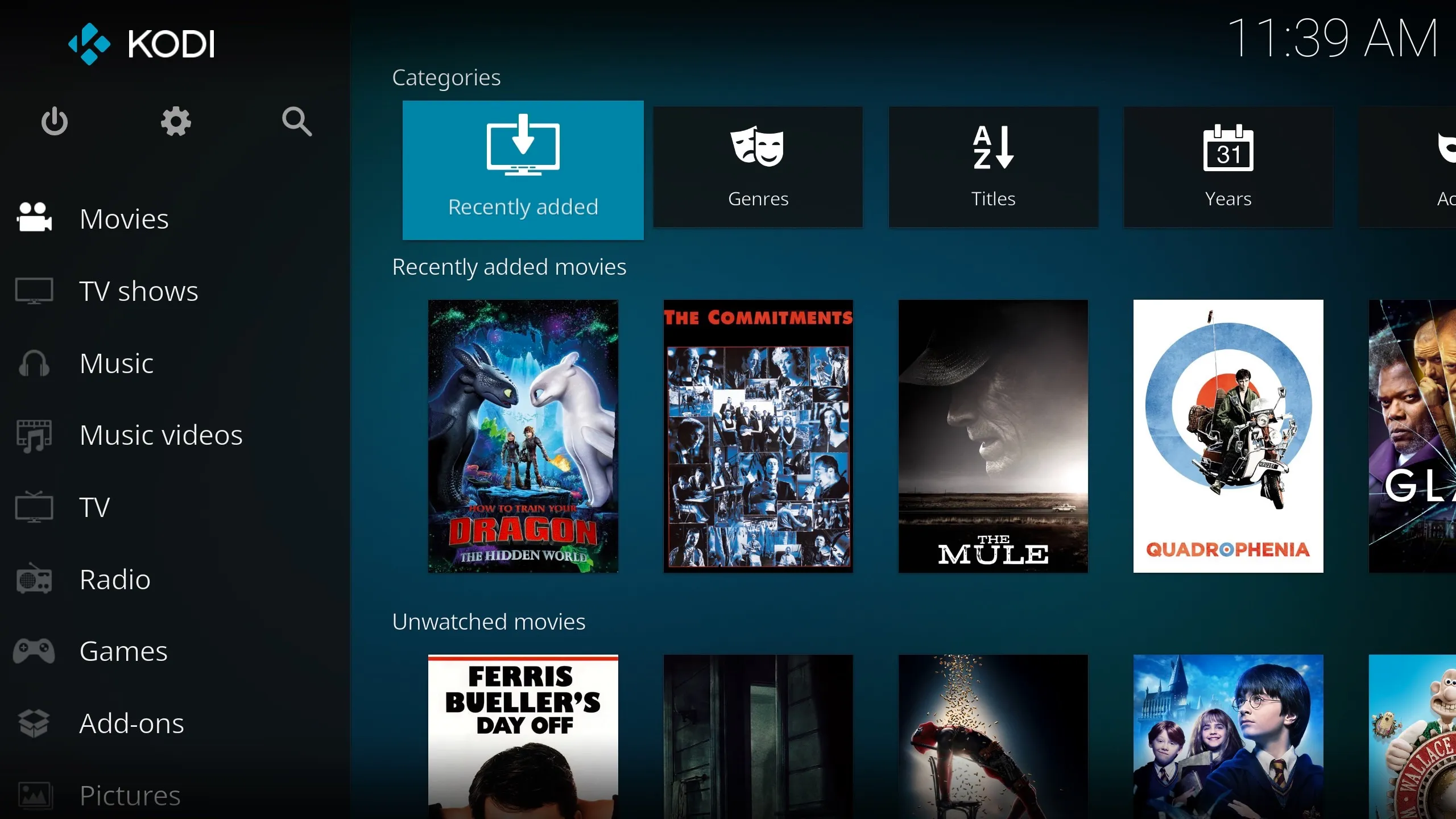
- Navigate to the Search button and click it.
- Now, click the New Search option.
- Type the Movie name using the on-screen keyboard.
- Then, click the OK option.
- There, you can see the movie you have searched on the search result.
- Select it.
- Choose the Streaming Option at the bottom.
And, start watching your favorite movies on your Firestick device. If you have made any mistake in installing the Exodus Redux on Firestick, Scroll up and check the above section.
Also, check: How to Get Kodil Repo on Firestick?
Finally…
So, the latest Exodus Redux has been released. Just refer to this content and install the Exodus Redux on Firestick. Kodi Add-on the Exodus Redux to watch your favorite movies or Shows. If the Exodus Redux Not Working on Firestick, go to the Firestick page. And check for the system update. If the System update requires, Click the Download/ Install button. Also, the Yoda, Fen, Magic Dragon, The Crew, Elementum, and more are the best alternatives for the Exodus Redux.