

Have you ever thought of getting 100 add-ons on your Kodi Video player at FireStick? It is a dream come true, you can now access the top video add-ons with Kodil Repo on FireStick. This can be achieved by installing Kodil Repo on the Kodi app compatible with your FireStick device. Here you can find the procedures and all the add-ons of Kodil Repo available for your FireStick.
Table of Contents
What are the Add-ons Available on Kodil Repository?

Kodil repository offers a large list of famous Kodi add-ons. The following list is the best English Kodi add-ons. One single Kodil repo provides 100 Kodi add-ons. You can use these add-ons to cut cords on your streaming device and watch live TV without cables. Here are the add-ons made available by Kodil Repo on your FireStick.
| Cerebro Media | Ares Fitness | TRACT Viewer | Showbox Arize |
| CerebroTV Vidics Player | Ares Kids Tube | Live Premiership | Alive.HD |
| Cerebro IPTV+ | Ares Kung-Fu | Verbal Inside | The Red Devils |
| Cerebro VOD+Player | Ares Magic | MoviesIL | Incrusion |
| BBC iPlayer | Ares Relaxation | Ares Extreme Sports | G10 Movies |
| Phoenix | AresMo TV | Ares Mafia | Football Today |
| 123Movies | CiterKita | AresDyslexia | Elysium |
| Movie4k.to | Kick-Off | Ares World | Exodus |
| Fox Sports | My Animasi | Ares UFO | Covenant |
| Zen | Israel Tube | Ares Moto Sports | Cartoons8 |
| Live Hub | Now Music | Ares Music | BoB Unleashed |
| JK$P Movies Plugin | Now Music USA | AniDUB | Genesis |
| Ziggo Sport | Ice films FIX | Celtic FC | McCloud TV |
| Poseidon | Titan | Chocolate Salty Balls | Football Replay |
| Bonecrusher | UGOTTOC | KissAnime | Kino-v-online.tv |
| Nemesis | Kinoem.by | Motor Replays | Kino-Dom.org |
| Ztreaming | Kinolist.net | iPlayer WWW |
Documented.HD
|
| Flixanity | PaulTheJoker | Guzril | STREAM ARMY |
| OCW Reborn | KickAss Viewer | Bash The Bishop (XXX Addon) | Filmodronet |
| ZEUS Video | FapZone (XXX Addon) | DocHub |
MuttsNutz Reloaded
|
| BlackPearl | Cerebro TV 4K Movies | Sports World | AnarchiTV |
| Ares Anime | cScVOD | Fear Of The Dark | Peaky Blinders |
| Ares Chef Skills | StreamHub | MIGHTY RED | LineCinema |
| Ares Comedy | StreamHub Premium | Real-Movies |
You’ll Never Walk Alone
|
| Ares Cookbook | Dream-film | Beats. HD |
Entertainment Time
|
Kodil Repo on FireStick contains some outstanding Video add-ons like Death Star, The Underdog, Gotham, Maverick TV, Zeus Video, StreamHub, JoyRide, and much more. It also provides add-ons to stream music like 99FM Playlists, Jango, MP3 Streams, WOW, Firecat, Legends, All in One, and much more. You may also like to learn about NewsOn on Kodi Addon
How to Get Kodil Repo on Firestick?

You can access the Kodil Repo on your FieStick by downloading the Kodi media player app. By adding Kodil Repo to your FirStick’s Kodi app, you can easily access all of its add-ons. Using these add-ons you can stream all your favorite content online on your FireStick using Kodi.
Refer to this article and get Kodi installed on your FireStick device, before following the Procedures given here. How to Install Kodi 20 on Firestick?
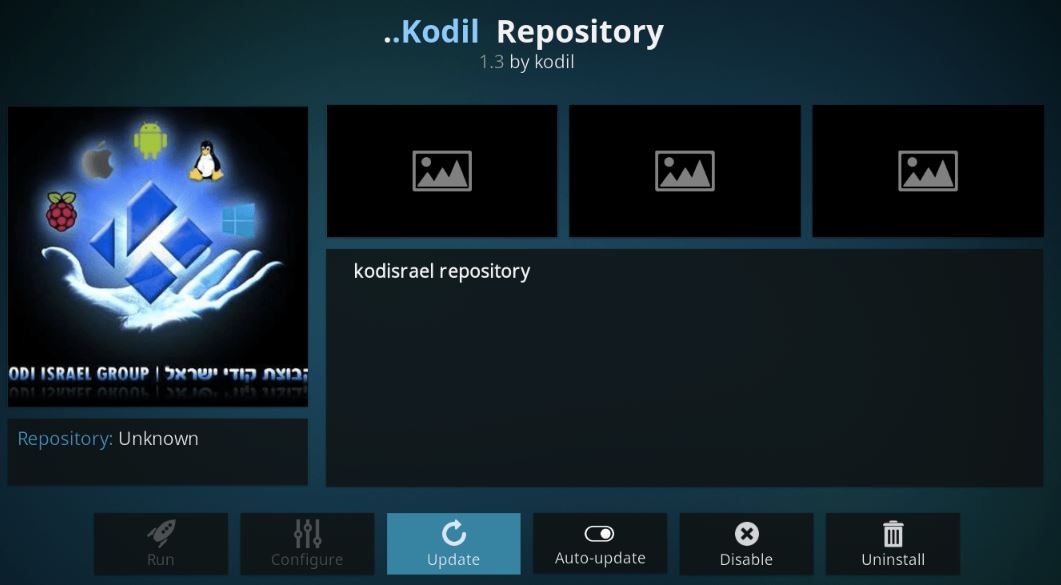
Kodil Repo on FireStick using the Kodi app:
- Launch the Silk Browser on your FireStick device.
- Visit the Kodil officiate site and download the kodil.zip file on your FireStick.
- Go to the Kodi app and navigate to its Main Menu.
- Tap on the Add-ons option and tap on the open box done.
- Select Install from the Zip file option and choose the kodil.zip file on your FireStick.
OR
- Open teh Kodi app and tap on the gear icon.
- Now from the System Menu select File Manager.
- Tap on Add source and enter the URL that traces back to the Kodil.Zip file.
- Give the name Kodil Repo to the repository and press OK.
- Trace back to Kodi Main Menu and tap on Add-ons.
- Choose the Open Box icon and select the Install from Zip file option.
- Tap on Kodil Repo and wait till the Kodil.zip file is downloaded on FireStick.
Install Kodil Repo Add-ons on FireStick Using the Kodi app:
- Again move to the Add-ons section of your Kodi app.
- Select the Open box icon and tap on Install from repository option.
- Select your Kodil Repo that got added.
- Tap on the Video add-ons option.
- Choose the add-ons of your choice and tap on Install.
Once the installation is complete you can find all the add-ons on the Kodi app Home page of your FireStick device. You can now use this add-on in the Kodi app to watch its contents live on your FireStick device. You may also like to learn about How to Install Kodi Bae Repository? .
THE END
Enjoy your free time with a lot of entertainment to stream from Kodil Repo add-ons on your FireStick device. There are no hidden charges and is completely free to use. Make sure to use VPN to hide your IP address from your ISP and hackers.
Frequently Asked Questions:
Is Kodil Repo free?
Yes, it is a free repository with more than a hundred add-ons available for the Kodi app at Amazon FireStick. The is free to download from secure URL sources.
Can I use Kodi without any worries?
The Kodi media player is completely legal but that would be until you get third-party add-ons on it. These add-on products can sometimes be good and sometimes they can be mods to pry off yoru personal information.