
![How to Get and Activate City TV on Apple TV [Guide 2022]](https://techthanos.com/wp-content/uploads/2022/09/How-to-Get-and-Activate-City-TV-on-Apple-TV-Guide-2022.jpg)
Get Canadian Entertainment to your house with the City TV app. Watch News, Sports, Entertainment, and on-demand content from Canada in one place, that is City TV. The City TV app can be accessed on most of devices like your Smart TVs, SmartPhones, and Streaming devices like FireStick, Apple TV, etc. If you go through this article, it can help you with getting City TV on Apple TV.
Table of Contents
City TV:

City TV is a Canadian-origin Broadcast Television network under Roger Sports & Media. You can enjoy watching TV series, reality TV shows, music videos, and more on this channel. You can access this wide range of Canadian TV programs anytime, anywhere, with the City TV application downloadable at most of the app stores.
Once you have downloaded this app, you need your TV provider credential to activate the City TV app and watch its content. You can watch famous TV shows like America’s Got Talent (AGT), So you think you can Dance, Hell’s Kitchen, The Bachelor, and more. Continue reading to get and activate this app on Apple TV.
How to Get City TV on Apple TV?

The City TV app is made available on the Apple App Store so that it can be easily downloaded on any Apple device. To get the app on Apple TV, you need to connect to your Smart TV and a WiFi network and search for the City TV app on the App Store and install it on your Apple TV device. The procedure is similar to downloading apps on your iPhone, which is,
- Take your Apple TV remote in your hand.
- Navigate to Apple App Store.
- Select search and either type City TV or use the Voice search feature to find the app.
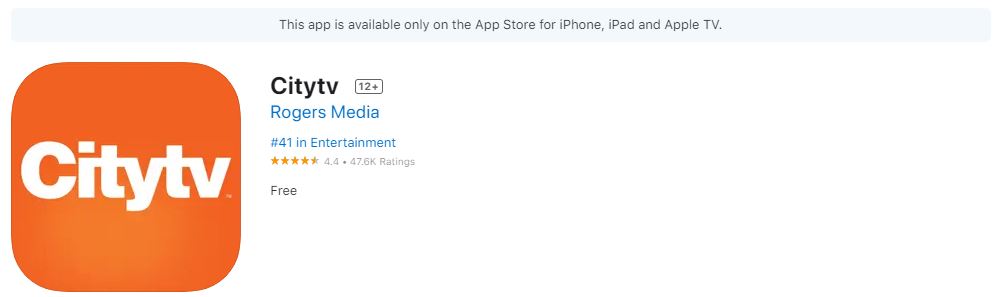
- The app is free to download, so click on Get to install it on your Apple TV device.
After successful installation, you can now open the app, but to view its contents, you need to Sign In with your TV provider credentials. To activate this channel on Apple TV, continue reading this article. You can follow the same procedure to get other apps on your Apple TV like ESPN+, Hulu + Live, HBO Go, and more.
How to Activate City TV on Apple TV?
All that’s left to get the entertainment and fun provided by City TV on your Apple TV is a simple Activation. You can activate the City TV app by visiting www.citytv.com and signing in with your TV provider. To know the complete process, you have to go through, follow the steps given here,
- Get your smartphone and open any web browser quickly.
- Now enter https://www.citytv.com/ in the URL tab and press Search.
- Select the TV PROVIDER SIGN IN option at the top-right side of the City TV home page.

- Choose your TV provider and Sign in with the credentials asked.
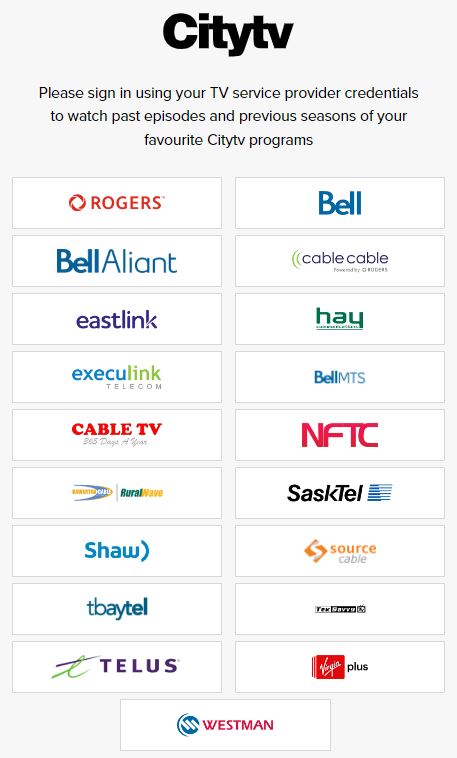
- Follow the on-screen instruction to activate City TV on Apple TV.
Now you can start streaming your favorite shows on this channel on your Apple TV without hassle.
The End
With the download and activation methods given in this article, you can now get the City TV app on your Apple TV device and start streaming. Make sure to watch the latest episodes of The Bachelorettes on City TV. If you have stammered while following this article and have difficulty getting the app, you can contact the City TV help center to solve it for you.
Frequently Asked Questions:
Is City TV+ free?
When you first subscribe to City TV+, you will get a 30-day free trial. After the trial period is complete, you have to pay $4.99 for a premium membership.
Can I Watch City TV on Roku?
Yes, The City TV channel is available at the Roku Channel Store. You can find the channel there and click on Add Channel to get it on your Roku device.
Is City TV on Prime?
City TV has partnered up with Prime Video and offers City TV+ at $4.99 per month.