
ADT Doorbell is the most advanced latest modern Doorbell, It is one of the most safety and security purposes for every house. You can this doorbell instead of using a normal Door lock. It has lots of features like you can see the person who’s ringing the bell and also, contact the person easily using this bell. This is an amazing product available in the market. If you have this doorbell at your home, but it’s suddenly blinking Red in color. Don’t worry, it will be solved by yourself due to some methods. We will share all the solutions to fix the error on your doorbell. Let’s start reading this article on How to Fix the ADT Doorbell Camera Blinking Red.
Table of Contents
How to Fix ADT Doorbell Blinking Red?
There are some technical reasons is there that your ADT Doorbell Blinking is Red. Any internet issues and battery problems. These two are the major issues affected by the ADT Doorbell Blinking Red. If the Doorbell Camera battery is drained out then it will Blink in Red signal. If you receive this signal then you must recharge it to prevent the battery Life.
Whereas the ADT is run with the help of an internet connection. If there is any lag in the internet connection it will indicate the Red Signal is blinking. Then check that ADT receives Stable Internet.
Steps for Fix the Errors:
- You can use an ADT Plus Application to check the Status of the Internet connection of the ADT Doorbell.
- It is much simpler than handling battery charge Problems.
Suppose the Router isn’t working properly then must wait for a stable Wi-Fi connection. Disconnect the Wi-Fi connection for the ADT Doorbell. After a few minutes, connect it again and check the ADT Doorbell Blinking Red.
Check the Post: How to Fix Sleeper App Not Working
Check the Internet Connection
These are the simple steps to solve the error from the Internet Connection. Suppose the doorbell is affected by an unstable Wi-Fi connection. Then you can use these steps to solve it.
The Steps are:
- Surely connect your device with your Home Wi-Fi connection.
- If there are any issues on the Network then you must reboot your Router.
- Now check the internet connection speed on the website speed test. Net.
How to Charge the Battery of the ADT Doorbell Camera?
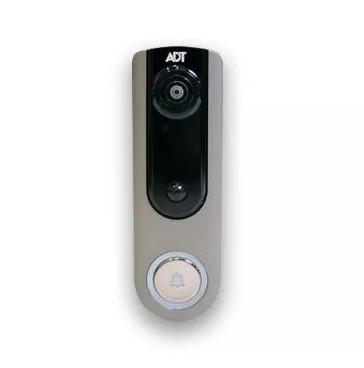
As said the battery of the device tends to decrease or stay longer depending on the amount of signal received. So the more the signal is received on the device, the more battery is lost, In case the signal is less received you will get a longer battery life to use. Regularly check the battery Status. Battery lifetime is calculated based on the device received signal.
First of all, Take the faceplate of the Doorbell and connect it with the rechargeable connector, and then plug it with the tiny USB Wire the charge port is fixed with the Pump Electricity. The battery will take 45 minutes to fill the battery. Once you Charge it. It will be stable for at least a few weeks. The Uses may vary based on the usage of the camera.
You can realize that your battery is full when the light turns blue in color. Remove all the USB Cord and it is now ready to work.
For More Info, How to Fix Discovery Plus Not Working
How to Replace the ADT Doorbell Camera Battery?
Still, the battery is not working even though the battery has enough charge to work. But it indicated a red signal then replaced the battery.
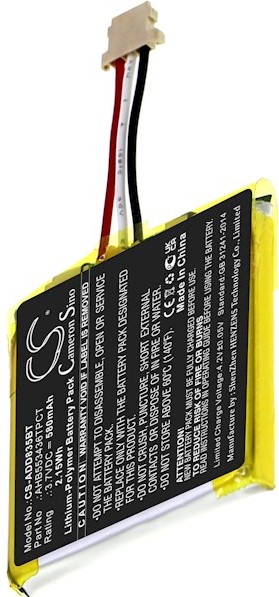
The Steps to Replace:
- Disconnect the Doorbell Camera from the wall.
- Remove the batteries from the place.
- take off the Old batteries replace the News battery and again fix the Doorbell Camera.
Factory Reset your ADT Doorbell
There are two types of Doorbells available Wired and Wireless. Both models have a Different step for Resetting the ADT Doorbell. Try out the steps, and see whether the ADT Doorbell blinking Red is solved.
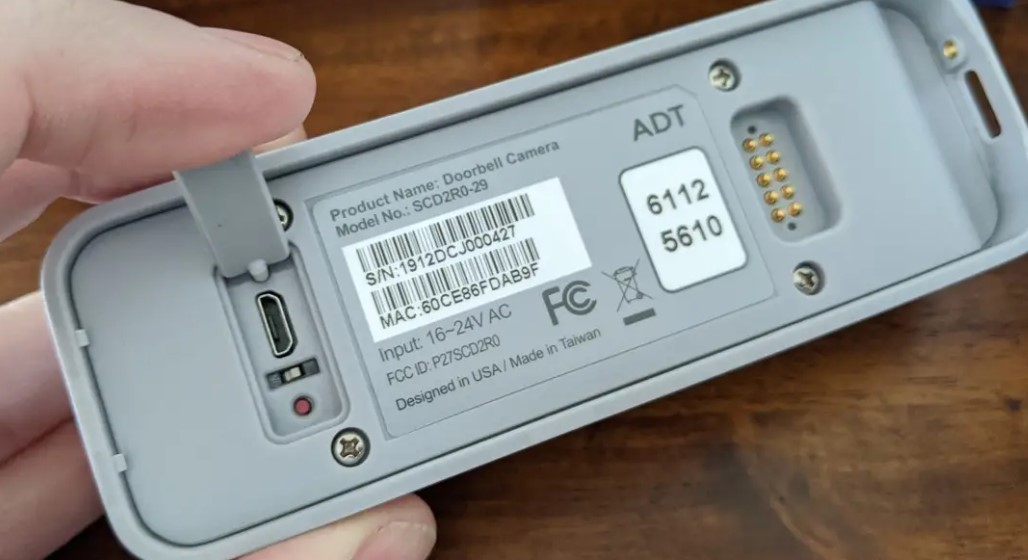
The Steps are: [Wireless]
- On the back side of the Doorbell, there is a reset small button available.
- Click and Hold it for 10-15 seconds. Once the device starts blinking the flashlight– It is Resetting.
- If it is Shut down, After 2-3 Minutes it works as usual.
The Steps are: [Wired Doorbell]
- Ensure that the Doorbell is connected to the electric source.
- Search for the reset button it is located near the power input.
- Click and hold it for 10-15 seconds the device will shut down.
Then Wait for 10 minutes and again switch on your device and check now the error is solved.
Similar Post: How to Fix Fox Not Working
The Ending Words
From this article, you guys know How to Fix the ADT Doorbell Camera Blinking Red. There are some possible reasons. The Problems are manageable by yourself. Check the battery issues, Network Connectivity errors, or any device maintenance. In addition, We have mentioned the steps and Methods to solve the error with the steps. You can do this process of Restoring your ADT Doorbell and you must ensure to safety and security of your Home. Try to solve the error until the ADT Doorbell is blinking Green in Color.