
Do you know how to install and Activate Starz on Amazon Firestick? yes, you can get Starz on Amazon Firestick in a direct way it is available in the United States and you can get lots of Movies and Original Television Programs. In addition, you can get an option to download your favorite movies and Shows to watch them offline. Many more interesting facts are hidden in this Starz application. Let’s Get to know more about How to Install Starz on Firestick.
Additionally, you will get the steps for downloading Starz on Firestick and its activation procedures.
STARZ is a Premium subscription network. You can stream its content starting with a seven-day free trial package.
After that, you have to subscribe to your service at the Cost of $8.99 for one month. Along with the subscription service, you can get more STARZ original series including Da Vinci’s Demons, Evil Dead, Outlander, Magic City, and more amazing contents are available.
Moreover, STARZ contains very big Libary content. Even you can get to see Kid’s content. Also, you can log in with your TV provider and stream your all favorites Live and On-demand content. In addition, This network has a monthly plan for Cord-cutter out there. You can download the Starz application on your streaming device to stream its content.
Also, read How to Watch Showtime on Firestick
Table of Contents
How to install Starz on Firestick?
Whereas Starz is officially available on the Firestick Amazon App Store. So you can download the application in an easy way. So you can install the application and watch all your favorite Seamless Video Streaming. It contains Unlimited content and a variety of Movies and TV shows. Here are the steps to download Starz on Firestick.
The Steps are:

- From the Firestick Home Page.

- Click the Find Option and click to get the search bar option.
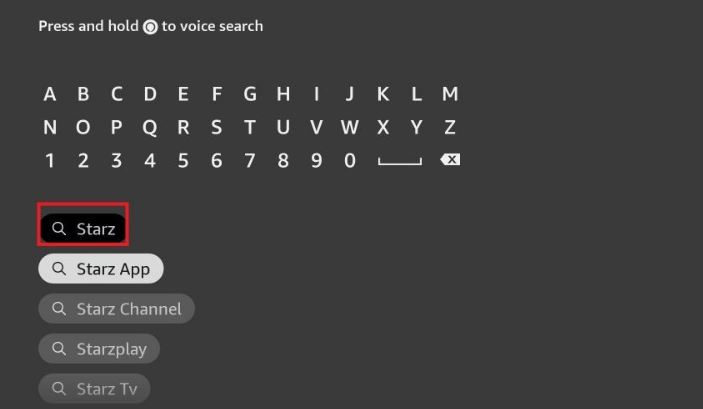
- Then Now Type the keyword “Starz”.
- Hit the Application from the result.
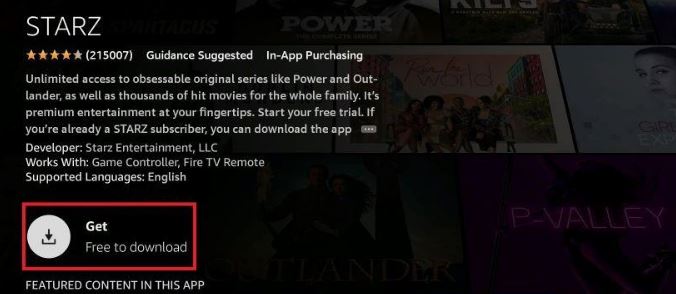
- And Click the Download option.
- Once the application is installed then you can watch all your favorite content.
How to Activate STARZ on Firestick?
Once you installed the application then you have to do the process of Activating the STARZ on Firestick. You have to enter the code and activate the application to access its content.
The Steps are:
- Open the STARZ application.
- It will show the Activation code on the screen.
- Make a Note of it.
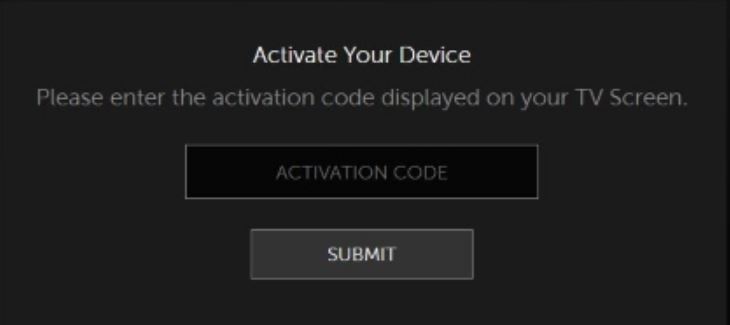
- Launch the Browser and visit the Activation link for STARZ.
- Now enter the Activation code and press the Next option.
- Further, Sign in by using your account.
- If you have successfully done the process, It will verify your code and give access to stream its content on the Firestick device.
You can use a TV provider subscription and its monthly package plans to watch STARZ content. Once you Log in with your credentials and you can start with a free trial offer to enjoy watching all your favorites free for seven days.
Now STARZ provides Special offers that you can get all this content for $5 per month for the first three months. In addition, It gives Unlimited HS streaming and Downloads. Moreover, you can access the content up to four devices at the same time.
Check More Info, How to Install & Activate Urbanflix TV on FireStick
How to Use STARZ on Firestick?
There are some proper procedures available to use STARZ on Firestick. This application contains lots of Selected tabs, you have to select your tab according to your wish you need to stream the content.
While you launch the home screen for the First time. Then you have to see the different tab and it includes the Home page and Features options.
The steps are:
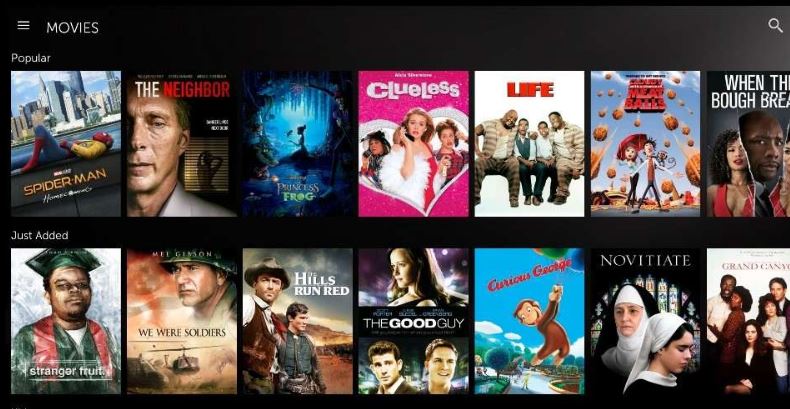
- Choose the Series Tab to see the collection of TV series. Choose any of your favorites and stream it on Firestick.
- Next, you can see the Movies Tab it will go directly to watch all your favorite blockbuster Movies.
Otherwise, also you can use a search bar to find your favorite movies and shows from the STARZ application.
Additional Info, How to Watch Wimbledon on Firestick
Features of Starz on Firestick
- It has the option to download favorite movies and series to watch Offline.
- You can get a High rated movie in 1080p Full high-definition Quaitly videos.
- If you want a preferred music then you can connect a Spotify account.
- It is a user interface.
- This application adds the latest content every Week.
- You can get a Seven-days Free trial offer.
How to Watch STARZ App Outside the US?
STARZ is a US-based Streaming application and it is an official application and it is only available in US territories. So you can download the application in a direct way if you live in the United States. Suppose you Live across the United States to stream STARZ content. Then you have to connect to the VPN server to watch the unofficial apps outside of the United States. There are many best PVPN servers available in the market. While using a VPN server it is hiding your IP address and Gives more security to use the application in the Outside of the United States.
Conclusion
We are seen about the installation of the Install and Active Starz on the Amazon Firestick. You can download the app from the Amazon App Store. We have mentioned the steps to Install and activate the application. Furthermore, STARZ is an American streaming app so we have included a solution to watch its content the Outside of the United States. If you have any suggestions related to this article, Let me know in this comment section.