
![How to Get twoku Back on Roku [Alternatives Expalined]](https://techthanos.com/wp-content/uploads/2022/07/How-to-Get-twoku-Back-on-Roku-Alternatives-Expalined.jpg)
Are you guys tired of searching for Twitch on your Roku? But could not find it still. Then Let me tell you this. You are stressing about something that’s not needed. Cause, Sadly- Twitch is been discontinued on Roku, It is not possible to install it. However, there are multiple ways that you can get it – Either the Alternatives or Switching to some other similar apps. One of a kind is the TWOKU on Roku. What is that and how can you get it – Everything is covered right in the article. Scroll and find out.
Table of Contents
What is Twoku?
Twoku is a Private channel available in the Roku Channel Store, which gives access to live streams from the Twitch app. Using Twoku is the best option to watch live streams on Roku.Read How to Watch Twitch on Roku.
How to get Twoku on Roku?
Twoku on Roku is available and you can get it through the Channel Code on the website. Make sure you have active Roku account credentials. Here is a simple procedure you will need to follow to get the App on your Roku device.
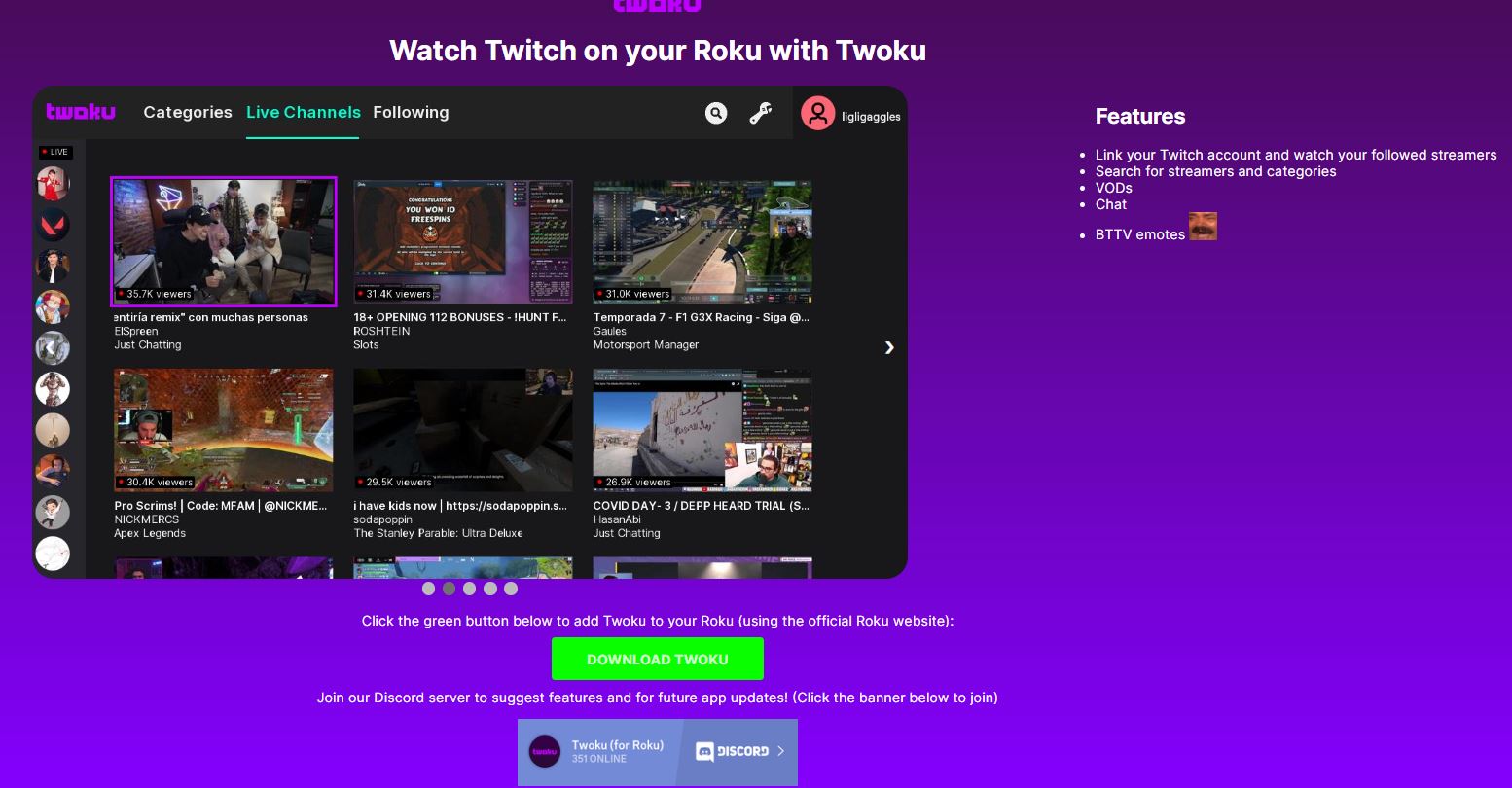
- On your Web browser, Visit the https://www.twitchonroku.com/
- Click on the Download Twoku Option right below.
- You will be navigated to the Roku Sign – Enter your account Credentials and Login.
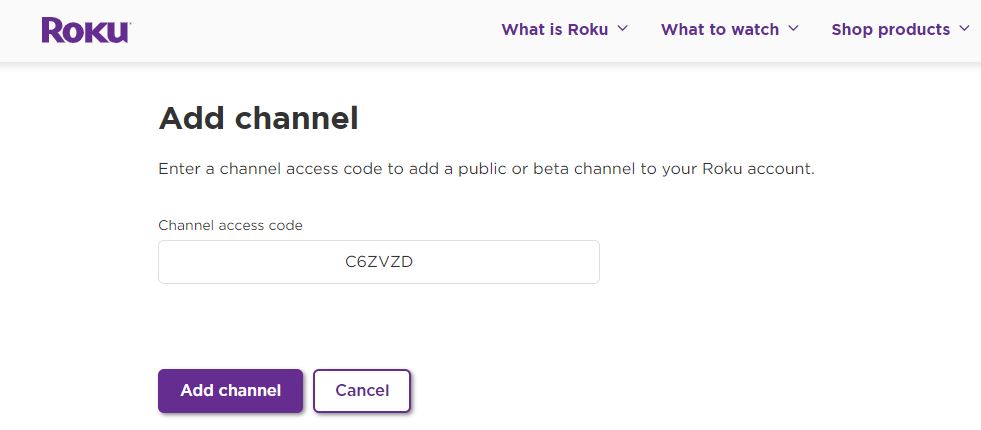
- Right after, You will get the Channel Code – Click on the ADD CHANNEL TAB.
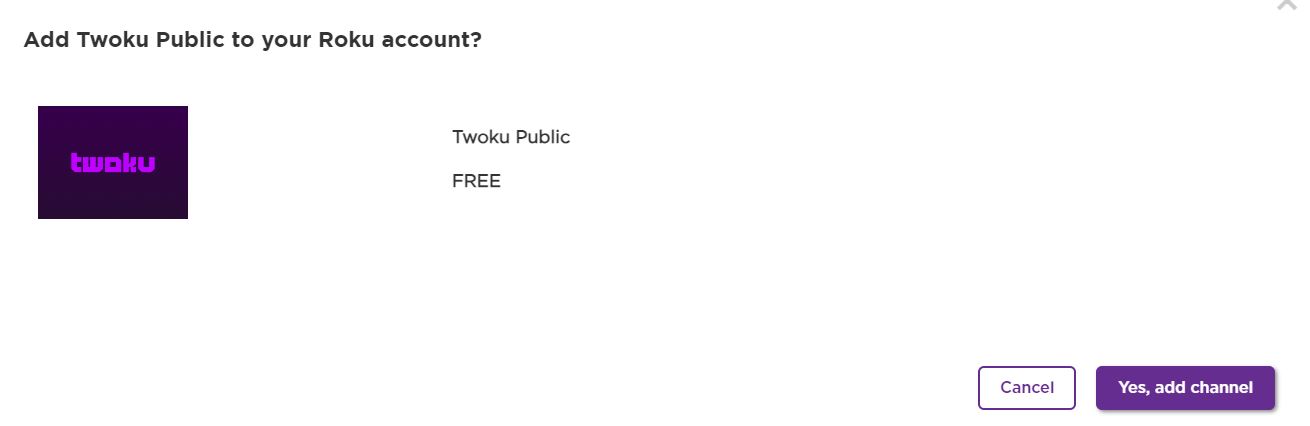
- Finally, The Twoku Channel will be added to your Roku. You can start streaming the Twitch content.
Twoku on Roku-Best Twitch Alternative
However, This app is not an officially available app, So here is am alternative to try on. You can get the Twitch app on Other Devices.What you could possibly do is SCREENMIRROR TWITCH ON ROKU through the following devices.
- Windows.
- Mac.
- Android.
- iOS.
NOTE: All devices subjected to screen mirror, screencast and AirPlay must all be connected to the same WiFi network.
Cast Twoku on Roku
To enable screen mirroring action on your Roku device, go through the steps given,
- Tap Home on your Roku remote.
- Move to Settings and choose the System option.
- Tap on the Screen Mirroring option.

- Go to Screen Mirroring Mode and select Prompt or Always Allow.
By selecting these options, your Roku device is now ready to mirror your device screen.
For iOS devices, you need to enable the AirPlay function to do the following, go through these steps,
- Tap Home on your Roku remote.
- Move to Settings and choose Apple AirPlay and HomeKit.
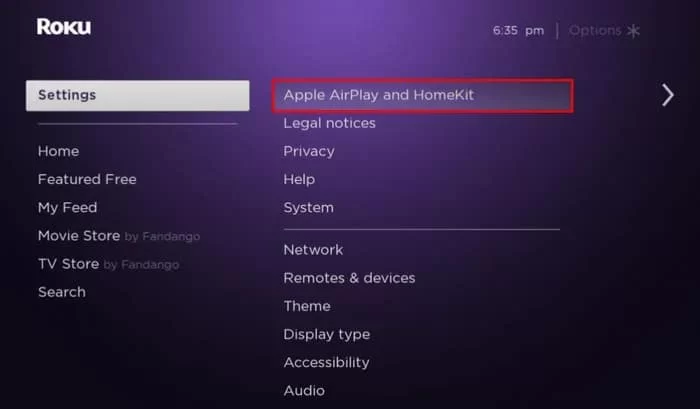
- Now choose HomeKit and go to Set Up.
- On an iOS device, open the camera and scan the code on the TV screen.

- Follow the instructions on the screen from now on to complete the setup process.
You can now AirPlay the iOS device screen to your Roku device-connected TV screen. Read Screen Mirror to Roku TV to know more.
To Mirror the Windows screen with Twitch, follow these steps,
- Go to Twitch on your Windows PC and sign in to your account.
- Move to the Notification tab and choose the Project option.
- Now tap on the Connect to a Wireless Display option.
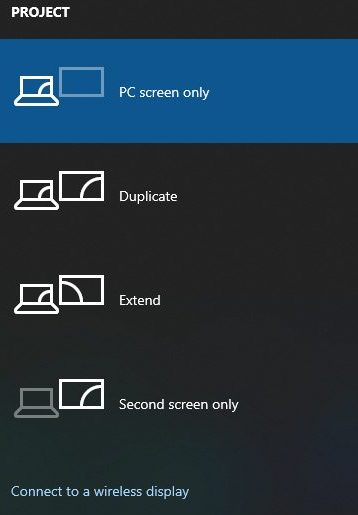
- Wait for Windows to find the Roku device.
- Choose your Roku device and find your Twitch screen from windows mirrored to the screen.
By the steps given, you have now successfully screen mirrored Twitch from Windows to Roku TV.
Get Twoku by Casting Twitch from Android to Roku
To cast your Andorid device screen to Roku, go through the given steps,
- On Android devices, open and sign in on Twitch.
- Select the Cast option from the drop-down notification tab.
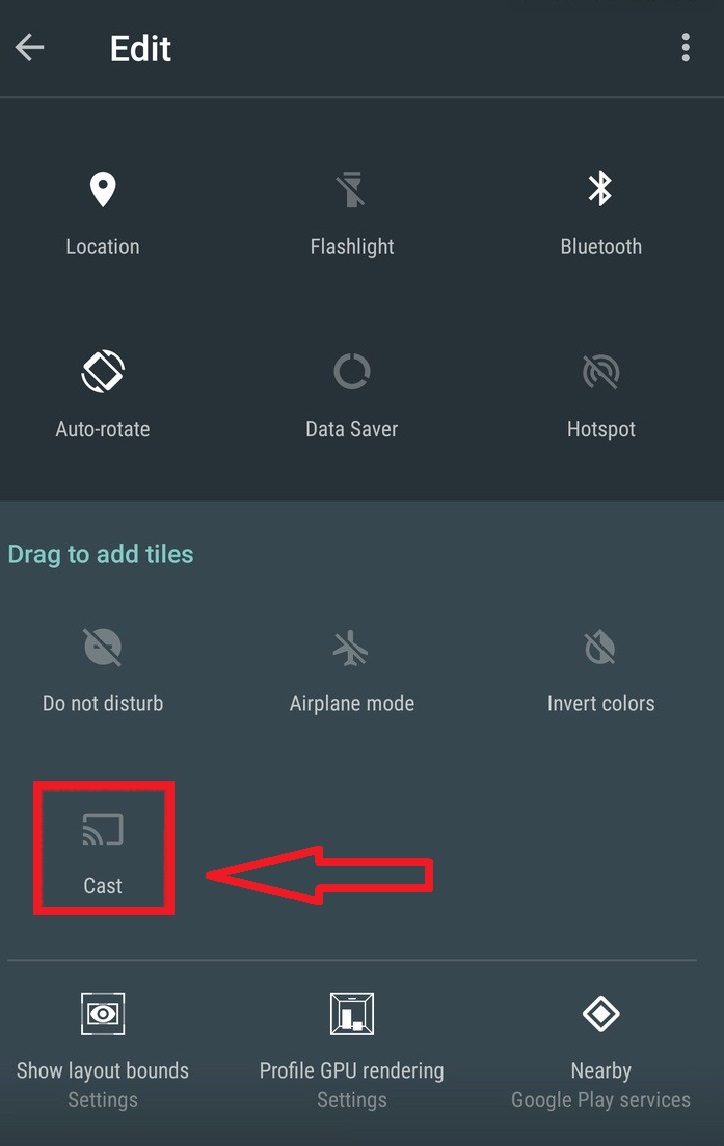
- Wait and choose the Roku device from devices connected to the same network.
The android screen with the Twitch app is cast to Roku TV and makes it similar to Twoku.
How to Mirror Twitch from iOS to Roku?
To cast your iOS device screen to Roku, go through the given steps,
- On iOS devices, open and sign in on Twitch.
- Select the Screen Mirroring option from the drag-up Command Center.

- Wait and choose the Roku device from devices connected to the same network.
The iOS device screen with the Twitch app is cast to Roku TV and makes it similar to Twoku. Read How to Stream Yahoo Sports on Roku? to know more.
Why is Twitch Not Working on Roku?
Due to some technical issue, Twitch is not working on Roku. In this part of this article, let’s get to Fix Twitch on Roku.
Check the Twitch Servers:
Twitch is an entertainment streaming service. Most importantly, it has a reliable server to keep running the video smoothly. If you see any difficulties that occur on the service, do not work on the Twitch service. Then you have to visit the Twitch official website to see if it works perfectly. After that, you have to check the Roku device.
Log Out and Log In
Suppose you are facing a problem with the Twitch application not working on the Roku streaming device. For this reason, I have a possible solution to resolve the issue once you have to log out and log in to your same account. While this process, all your unwanted history, and files are gone to be Clear. Then your Twitch application has enough space to stream the content.
Check the Internet connection
If you see any slowness in your video, then you have to connect a stable internet connection to your device. Once you should check out when the router is running properly. If there is any lack of internet speed, then it will show good-quality of Videos. On the other hand, you have to connect your both devices with the same internet connection. If you see a lack of internet issue, Then you have to reconnect the Internet once again.
The End
It is not possible to get twoku on Roku, but you can make it look like it by screen mirroring Twitch from other devices to your Roku screen. The methods to screen mirror other devices to Roku are given in this article. Go through it and ask your doubts in the comment section.
Frequently Asked Questions
Is twoku still available on Roku?
It is available through the channel code and since it is not a certified channel. Roku has access to remove it without any prior notice. So, There is ofcourse risk in installing Twoku on Roku.