
Samsung is one of the best brands and this has a separate fanbase. Also, each device of Samsung is developed beautifully compared to other devices. The South Korean electronics giant is known as Samsung. And still, it plays the king role in all electronic devices. Even though this product is a king, the fault may occur. Moreover, this problem is one of the most common issues that occur in every device. So in this article, we are going to see Samsung TV No Sound. To Fix this issue, just scroll through the article.
Read also: Max Not Installing on Samsung TV
Table of Contents
How to Fix No Sound on Samsung Smart TV?
If you guys feel this issue is serious, The answer is NO. In this article, There are many ways to fix the sound issues on your Samsung TV. For the steps and guidelines for fixing the sound on Samsung TV. To know more scroll the article fully.
Restart Samsung TV

The easy way to fix the issue is just by following this method. You all need to do is, just take your remote and press the power button to switch it on. If the audio is not audible or the audio is not clear, just restart the device. For restarting, you should decrease the volume to a low level and power off the TV. After these steps, just power off the main switch of the TV. And wait for 10 seconds. Then, power on the main switch of your TV and power on the TV by pressing the button on the remote. Now, increase the volume of your TV. If you are not able to hear the audio, just you can follow the next step to solving the no-sound issue.
Disconnect all Devices
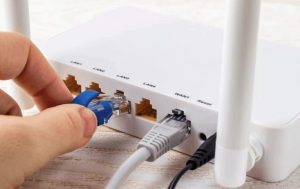
Sometimes, this audio issue may occur because of continuous usage. So by following this method, you can enjoy the audio with the visuals. So, ensure that the volume is muted or not. Switch off your TV and unplug your TV wires one by one. As a side, check whether the wires are damaged. If the wire is damaged, then change the cables or wire. And plug it again into your TV. Now, Check if the Samsung TV No Sound issue is solved.
Also, read Football on Samsung TV Plus
Perform Sound Test

This is one of the best and most famous methods to sort out issues and we can fix it easily. You can easily do this test on your Samsung TV which is too simple. The steps are given below,
- Turn on your TV and take the remote.
- Go to settings and select support.
- Select the self-diagnosis options.
- Choose the sound test options.
So, just wait till the test is over and if you have any faults or issues on your tv will be displayed on your tv. After, it showed, you just restart your device. For restarting your device, scroll down the article and follow the guidelines for restarting your TV. After that, go to settings >> sound >> expert settings >> reset sound. Thats it! you are done, now you can enjoy the movie or scene with the audio.
Samsung TV No Sound through HDMI

Some TVs have an HDMI cable test. Also, this method is used for clearing audio issues. If you guys dont have this method on your TV, please skip this section and try the other methods given in the article. In addition, this test is done only for the TV sound and not for the Home theater and so on. The steps are, to turn on your TV and go to settings >> tap on support >> select self-diagnosis>> tap on signal information >> tap on HDMI cable test >> and click on the start test button. Yes, you are done, just wait till the process is over to Solve the Samsung TV No Sound Issue.
Note: If the test result is bad, just change the HDMI cable, and the service is not needed.
Visit this for How to Fix Freeview Not Working on Smart TV.
Input Mismatch
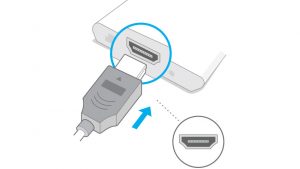
Sometimes, this issue will occur. the device may carried into the various ports and the video cable will be plugged into another port. So the signal will get disconnected and this error may occur. Just check the video and audio input. Also, the source 1 is for video and the source 2 is for audio. Try this and insert the cable into the port. Thats it! if this does not work properly, just go to the next method.
Firmware glitch

If the above steps do not work properly, just follow this method. There is a hard reset that can perform the TV to factory settings, but by doing this you can’t get the data back. So better take a backup of your data. The steps are, just go to settings >> search for the reset button, and tap on the reset. The other way is just go to support >> select diagnosis and choose reset option. thats it! you are done.
Change Export sound settings
This is the special feature given for the Samsung devices. You can customize the settings and also balance the settings according to your wish. In addition, equalizing the sound is possible through export sound settings. The steps are to go to settings on your TV and select sound >> Tap on expert settings >> select the hit-and-trial method >> select the digital output audio for PCM >> click on the reset button. This is the best idea to do before doing the other steps.
Check the signal information

Have you tried every method but you can’t hear the audio? Just try this hack. This method is followed by some people. So, check the signal information. To do this the guidelines are given here.
- Turn on your TV.
- Select the settings.
- Tap on support and click on self-diagnosis.
- And go to the signal information.
- Choose the signal to Noise ratio.
If the value is below 20, you may not get the proper sound on your TV.
Request Service
You tried many methods but still, you dont get audio. Just contact the customer service of the Samsung firm. Customer service is available 24/7. You can contact them through mail, call, or nearby Samsung Stores. Just explain the problem in detail and You will get help from them.
Conclusion
So in this article, we saw many methods to solve the problem of Samsung TV No Sound. Moreover, if the repair cost is high, just exchange your TV in the mart. So, you can enjoy the visuals with the high-pitched audio. In addition, if you guys are facing any issues, just comment in the comment box. Also, if you have any ideas please let me know to solve the issue.
Frequently asked questions
Why Samsung TV screen goes black but the sound still works?
This may happen when you lose the input connections. So, if you people facing this issue, just unplug the wire from the Samsung TV, click the power button, and wait for some time. After that, just plug it in. Ensure the HDMI cables are connected to the correct port and perform the factory reset for the device.
Why the sound is low on Samsung TV when watching movies?
This issue occurs commonly and this issue is happening because they are recorded at a lower volume than the normal TV. So for this error, here is the solution, just connect with the projector or Odyssey Ark gaming screen. Also, ensure that the theater system is prepared to receive a 5.1 audio source and will deliver a more satisfactory audio experience.
How to fix my Samsung Smart TV has sound but no Picture.
If you guys facing issues like a Samsung smart TV has sound but not picture? try this method to clear the issue. So, check the connection of the cables and reset your TV. This fix may be due to the relay of the channels. So, update your TV and reset your Satellite box. That’s it. You are done. Still, facing the problem, just contact the customer support of your TV.