
If you have been into Roku for a long time, you could think of adding a few more services. So Roku has now added Direct TV to its streaming list to make the platform bigger. Direct TV, launched by AT&T, has created a revolution in the OTT industry. Though it may seem new, it handles matured content and also has top-rated streaming content. And if you are already an existing AT&T customer, then you don’t need any hidden subscription fees. Roku is available in almost all countries through OTT services and OEM. In this article, you will see how to get Direct TV on Roku.
Table of Contents
Direct TV App
Direct TV, formerly AT&T TV users, stream this exclusive service on a subscription-based option. This Direct TV has created channels all at an affordable price and with top-rated content. Being one of the top-rated channels offers a bundle of TV channels and core offerings. Despite this, it doesn’t have any cloud DVR offerings, and you can stream AT&T TV content via Direct TV. It has many packages to stream Direct TV, namely, the Entertainment package @64.99 a month, Choice package @69.99 a month, Ultimate package @84.99 a month, and premier package @134.99 a month.
Direct TV features
- The greatest feature is you can stream and record that in the Direct TV app anytime and anywhere.
- When it comes to recording, you can record 5 shows simultaneously, and it has High-Quality Resolution at 1080p.
- Automatic subtitles support and control what your children can see as it is parental control in Direct TV.
- Organize and categorize the content, and search by filter by title and name in Direct TV to stream unlimited content.
- Any time, you can restart your Live Shows and have great streaming info within 72 hours after airing.
Also Read: Roku Secret Menu: How to Use It?
If Roku Device Supports the DirecTV Stream Application?
Read the below table and know the compatible Roku device models for the DirecTV application.
| Roku Device | Model |
|
Roku Streaming Stick
|
3500X, 3600X, 3800X
|
|
Soundbar
Roku smart
|
9100X |
| Roku Ultra |
4640X, 4660X, 4661X, 4670X
|
| Roku Express |
3700X, 3900X, 3930X
|
| 4K Roku TV |
C000GB, 7000X, A000X, C000X, 6000X
|
| Roku Premiere | 3920X, 4620X |
How to get Direct TV on Roku?
As we know, Direct TV is already available in the Official Roku Channel store to stream Unlimited AT&T TV. Let’s get started with the process of Direct TV on Roku…
- Firstly, tap on the “Home” button and navigate to the “Search” option on the Roku Home screen to get Direct TV on Roku.
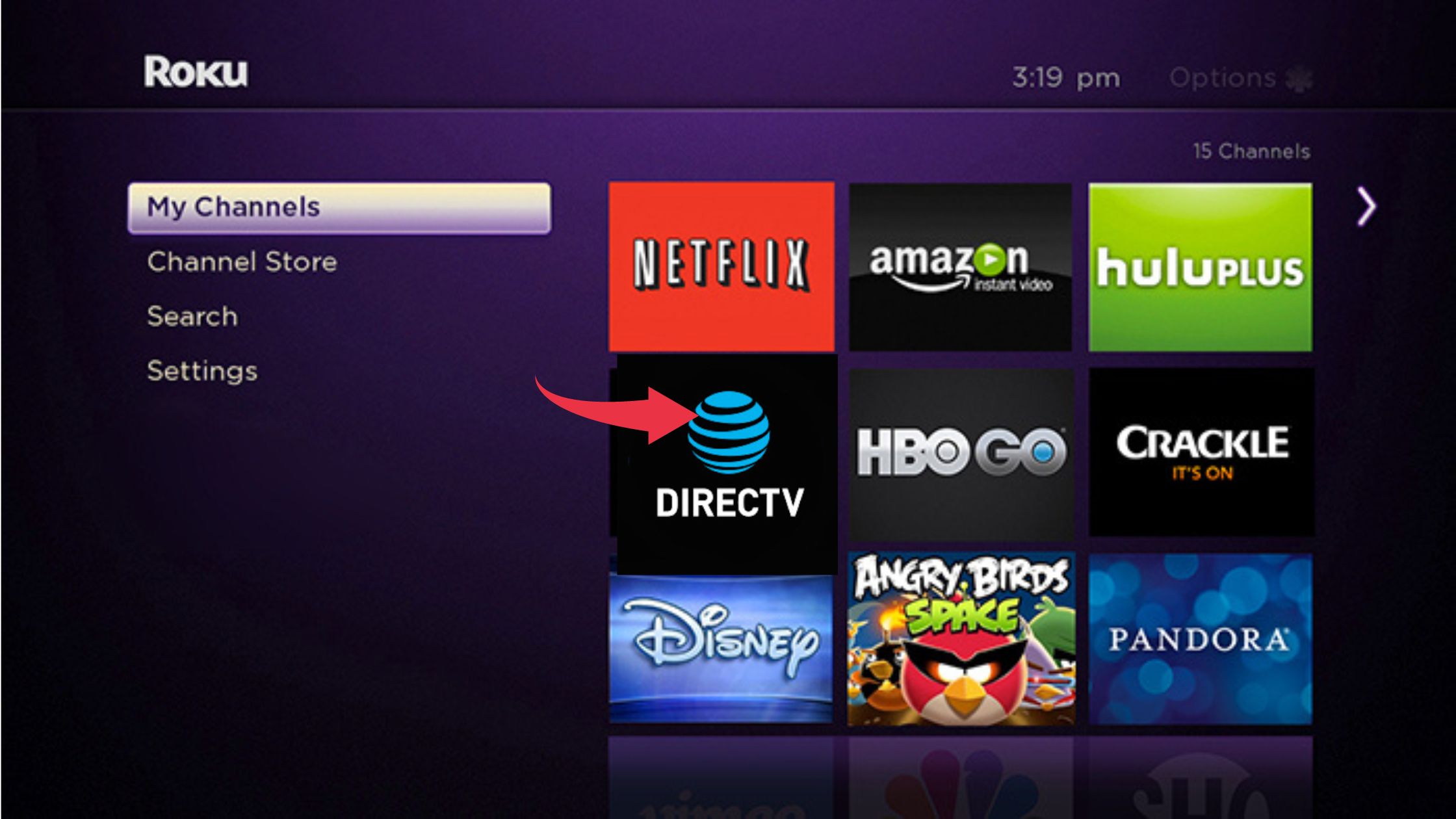
- Secondly, look for the Direct TV app on Roku, and after that, give Add Channel to add it to your list.
- Thirdly, after Direct TV is added, go to the “Streaming Channels” and log in with your Direct TV credentials.
Related Post: VLC on Roku: How to Cast on Streaming Devices
How to Activate Direct TV on Roku?
- Look for the Direct TV app on Roku, and after that, give Add Channel to add it to your list.
- After Direct TV is added, go to the “Streaming Channels” and log in with your Direct TV credentials.

- Once logged in with your Direct TV credentials and hovered to the official Direct TV website.
- Finally, you will see an activation code on your Roku screen, enter the code and activate the Direct TV on Roku.
Alternate Ways: To Get DirecTV stream App on Roku:
Here, we are going to mention some alternate ways to stream DirecTV content on Roku streaming devices. Follow the instruction.
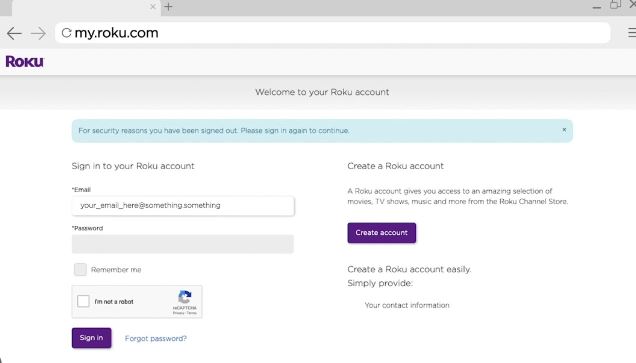
- Move to the Web browser and enter the official website of the Roku channel store.
- Then you have to sign in by using your Roku account and click the find channel box.
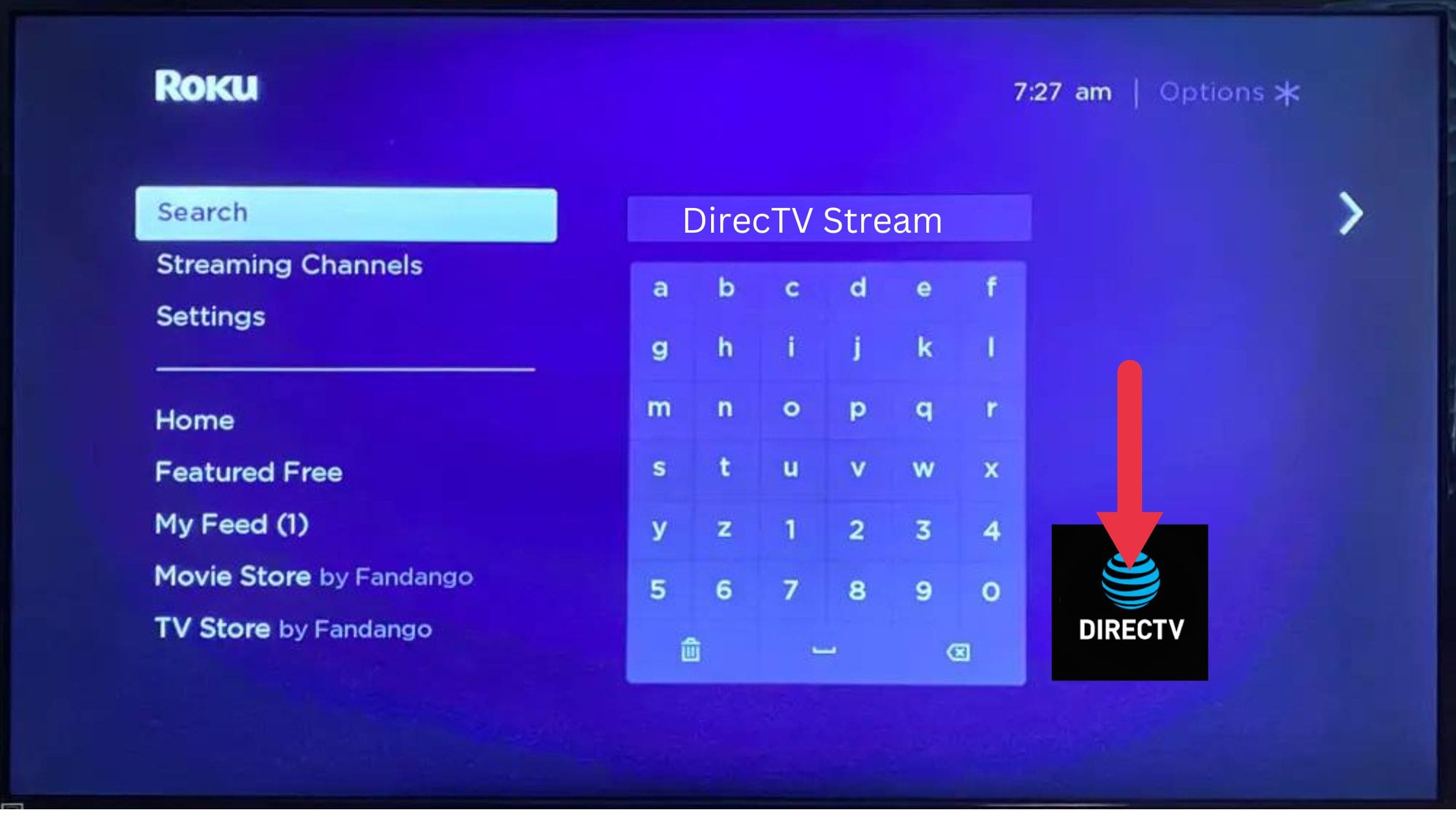
- After that, enter the DirecTV stream to search for it.
- From the result, hit the application and click Add Channel button.
- Your request will be processed within 24 hours.
- Suppose you need to add a DirecTV stream to your channel grid, then you should update Roku Now then you will get this DirecTV Stream immediately.
To Get DirecTV Stream on Roku by Using Android Device:
- First of all, you have to move to the Google Play store and download the DirecTV application onto your smartphone.
- Further, you have to fix your android device and the Roku with the same internet connection.

- Direct to the Notification panel and click the cast icon.
- From the icon, you have to select your device name and pair it.
- Once the device gets paired, then you have to watch whatever your favorite is on the Roku device.
For iOS device users:
For this process, initially, you have to update your Roku device to the latest version to get the Airplay Supports.
- Make sure to Fix a stable internet connection to both iOS and Roku devices.
- Direct to the App store and download the DirecTV app.
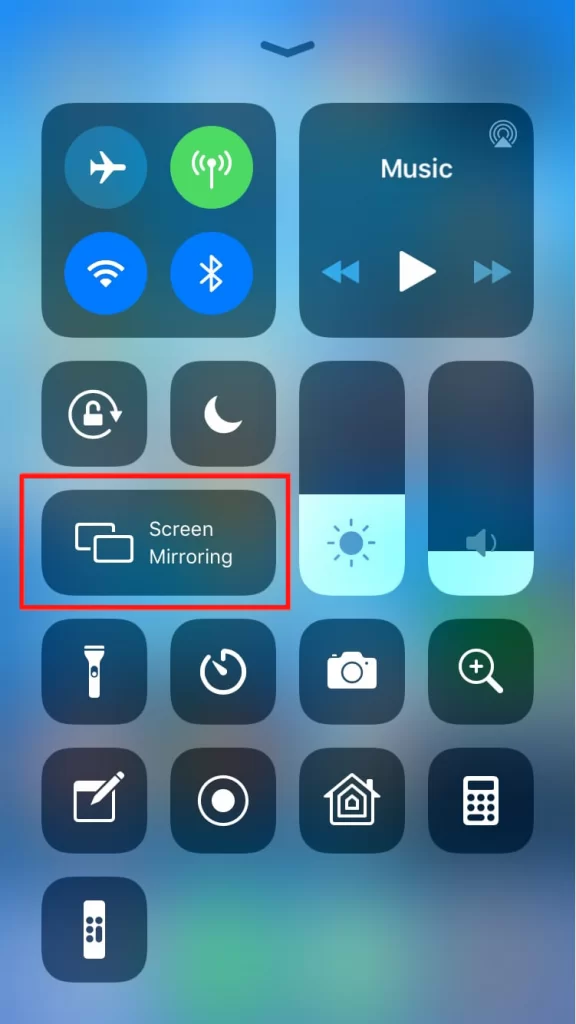
- Then you have to click the screen Mirroring icon from the control center.
- Further, you have to select your Roku device name from the device list.
- You have to open the DirecTV application and sign in to your account.
- Atlast, select your favorite shows or programs and start mirroring on the Roku screen.
How to Get Record DirecTV Stream on Roku?
If you want to record your favorite content from DirecTV and save it onto the Roku streaming device, then you have to follow the upcoming points.
- First, you have to click the Home button by using Roku TV remote. Further, you have to click the Right Arrow button by using your remote.
- Choose the DirecTV stream channels and click the Ok button by using your remote to open it.
- Then you have to complete the sign-in process. Log in with your account.
- Next, you receive the Homepage.
- Navigate to the Live TV section and play any of your favorite channels.
- At this stage, you have to click the Right Arrow button by using your remote to start recording.
- If your record is done, then you have to click the OK button to stop the record.
- Your saved content will be located in the My Library section.
Wrapping Up
Roku has now added Direct TV to its streaming list to make the platform bigger. Now, Direct TV, launched by AT&T, has created a revolution in the OTT industry. It may seem new, but it handles matured content and also has top-rated streaming content. If you are already an existing AT&T customer, then you don’t need any hidden subscription fees. Then, Roku is available in almost all countries through OTT services and OEM.
Frequently Asked Questions
1) What is Direct TV?
To conclude, Direct TV has created channels all at an affordable price and with top-rated content. One of the top-rated channels offers a bundle of TV channels and core offerings. Despite this, it doesn’t have any cloud DVR offerings, and you can stream AT&T TV content via Direct TV.
2) Explain the features of Direct TV:
Automatic subtitles support and control what your children can see as it is parental control in Direct TV. In addition, The greatest feature is you can stream and record that in the Direct TV app anytime and anywhere with unlimited content.
3) How Can I Watch DirecTV on TV?
You can watch all your favorite content on DirecTV, The categories such as Entertainment, News, and Live sports anytime, by using DirecTV apps. Currently, it is available on Amazon FireTV, Android TV, Apple TV, and Roku streaming device.