
If you want to get the best online Music Streaming service on the Firestick Device. Then preferred the Pandora online music application. This Article tells Information on How to Install Pandora on Firestick. This is one of the best Music applications. Moreover, you can access many types of music such as podcasts, playlists, Albums, and More categories are available.

Additionally, you can get an option to stream Offline Music. Also, this application updated the latest worldwide music hits automatically. Most important, You have to access this Pandro Music content only from the United States, New Zealand, and Australia. Moreover, The pandora application offers numerous Live Radio Stations.
Table of Contents
Features of Pandora Application:
Here we are going to share some features of the Pandora Application. Check it out.
- You can Download offline songs and watch the Songs with High Quality even without an Internet connection.
- And You can get to watch Songs on unlimited Devices with one subscription.
- Moreover, it has a share and Creates its own playlist with your group and families.
- It has a customized station for every user according to their wishes.
- And you can skip unlimited songs that you want.
Subscription Package to get Pandora on Firestick:
Pandora Application has both Free and paid services. The Free package has lots of ads. So that, you can choose any one of the paid services and listen to the Music without any interaction.
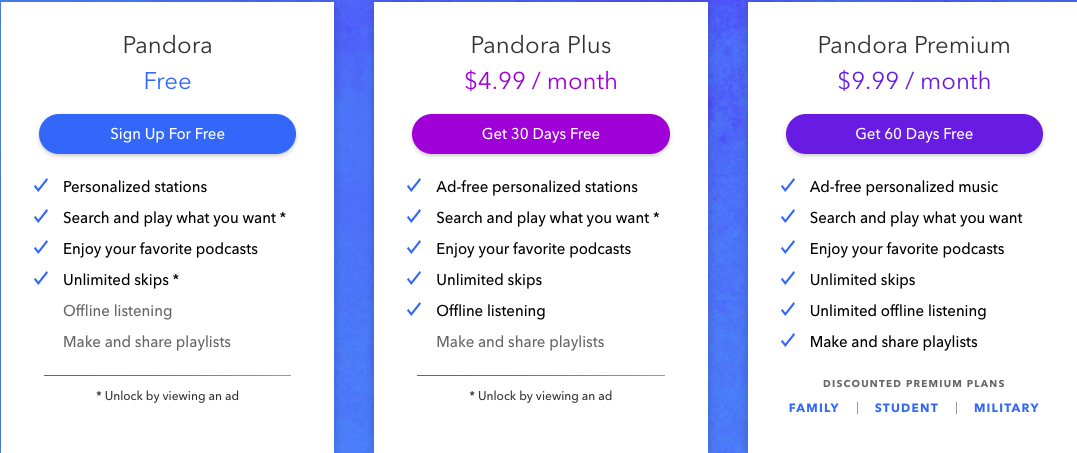
- Free: This is a free Cost package and it is Ad-supported music.
- Plus: At the rate of $4.99 for one month with Ad-free music with an unlimited Track. Also, you can subscribe to the yearly package at $54.89.
- Premium- At the Cost of $9.99 for 30 days or you can subscribe for one year at the price of $109.89. It provides Ad-free Music, On-demand Music, and Offline Downloads and also gives Unlimited Skips.
Additionally, you can get three more exacting offers from Pandora.
- Pandora Premium Family: It gives up to six unique pandora Accounts at the cost of $14.99 for one month or $164.89 for one year.
- Student Premium- It gives a premium discount of $4.99 for one month or $59.88 for one year.
- Military Premium- Moreover, this service provides many beneficial offers at the Cost of $7.99 for one month or $87.99 for one year.
It offers a 30-day free trial time to listen to music for free. Also, you can get a 60-day free trial with all the premium Plans.
Also, Read How to Install hotstar on Firestick
How to Install Pandora on Firestick?
There are three methods available to get a Pandora application on Firestick. Then you have to use an Amazon app store to install the Pandora application directly if you are in the US, Australia, and New Zealand. As well as you can also utilize the Browser and APK method to install Pandora on Firestick If you Live across these countries.
Method 1: Direct Way

- From the Firestick Home page Move to the Amazon app store section.
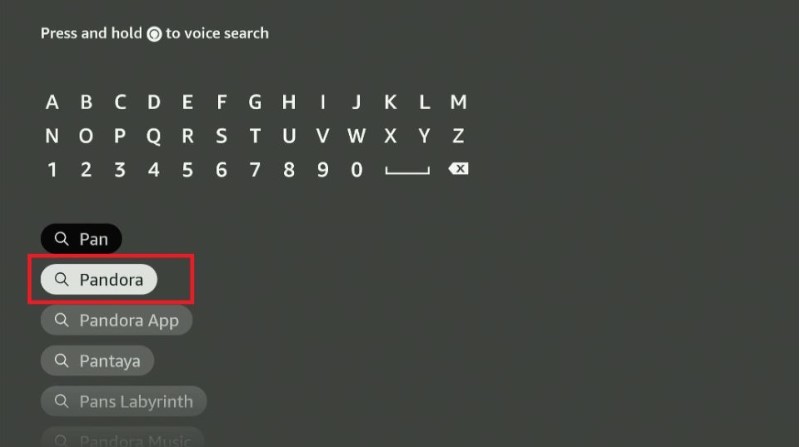
- Then you have to search for the app “Pandora” in the search field.
- From the result hit the application.
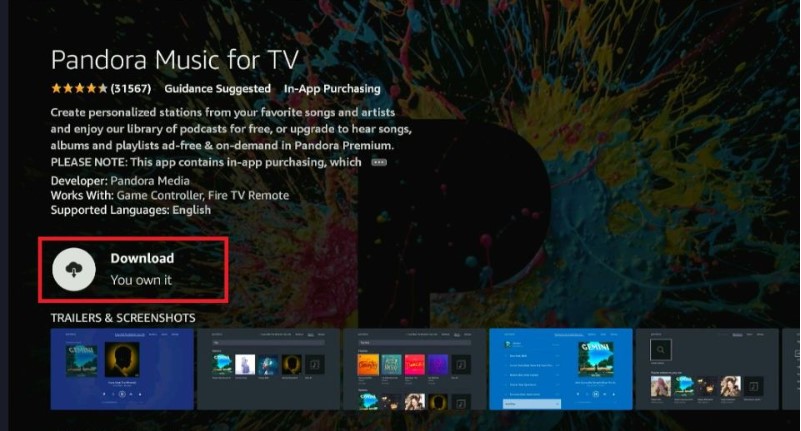
- Click the Download option.
- You should wait till the application is installed on your Firestick Device.
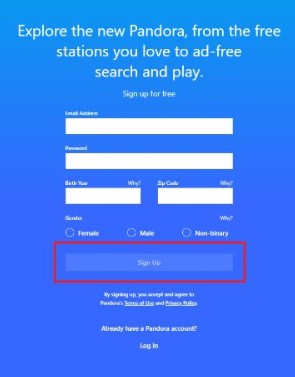
- Once the Pandora app is installed then you have to sign in by using your account and started listening to the music.
Related Post, Best Browser For Amazon FireStick
Method 2: To Install Pandora on Firestick by using the Browser method:
You can access Pandora Music on Firestick through the browser Because it has an official Website. Here, in this article, we use an Amazon Silk Browser. Already we said that Pandora is available only few countries. So, if you want to access the Pandora app across this country we advise using a VPN server to get the App on your Firestick.
The Best VPN server for Firestick we suggested is an ExpressVPN server. Before you proceed the steps to install the app by using a Browser. You have to install the ExpressVPN server on Firestick and sign in with your ExpressVPN subscription account and Fix the server to the Firestick device.
Next, we proceed to the steps to get Pandora on Firestick through Browser.
- Launch the Firestick Home page.

- Choose the Find menu Option and press the Search Tab.

- After that, you have to insert the keyword Internet Browser in the search field.
- Hit the Internet Icon from the list.
- Press the Download option and then you should wait until the app is installed completely.
- Now, At this stage, you have to install and connect the ExpressVPN server if you access Pandora from the Outside of the United States.

- Open the installed browser and accept all the terms.

- In-built the Bing.com tab will be open. In that, you have to enter the URL link and click the GO button.
- Once it has been done then you have to choose any plan to subscribe to or watch the music for free.
- And listed your favorite music from the Pandora application.
For More Info, How to Cinemax on Firestick
How to Activate Pandora on Firestick?
You can use any of this method have been used to download the Pandora application on Firestick devices. Then you can use these upcoming procedures to activate the application to access its content on your device.
The steps are:
- Open the Pandora Application on Firestick.
- Then you see the activation code on the screen.
- Make a Note of it.
- Move to the browser on your other device such as Smartphone or PC.
- Visit the official site for activating Pandora and enter the code on it.
- And click the Continue button.
- Once the process is done then you can stream Pandora content.
Alternate Way to Watch Pandora on Firestick:
Officially, the Pandora application is available on the Google Play Store and Apple App Store. So it is easy to access the application on a Smartphone. While using the application on your Mobile you stream content anywhere and anytime. As well as you can also use a Screen mirroring method to cast the content to the Firestick Screen.
The Steps are:
- Initally, you have to fix the Same internet connection to your device.
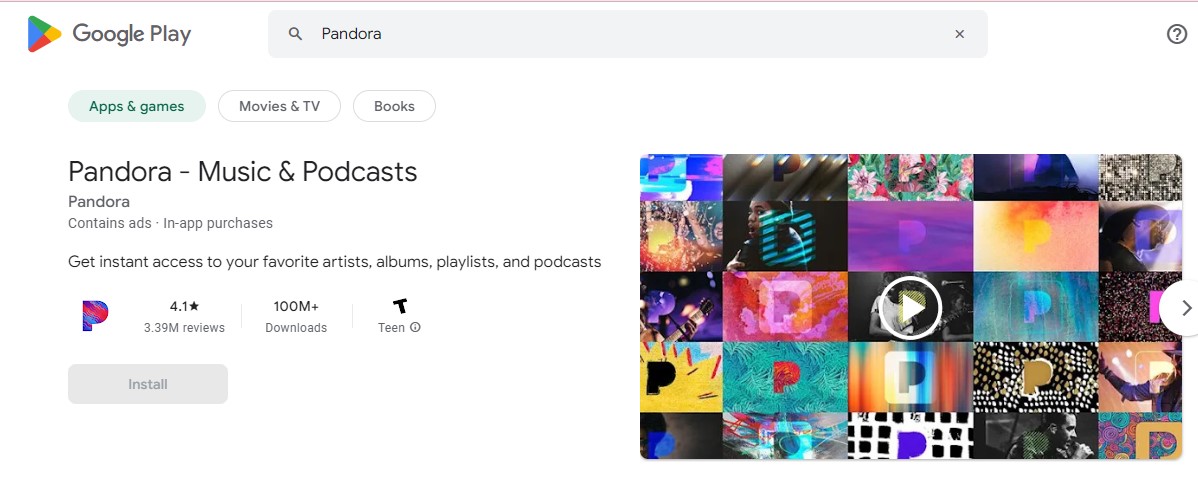
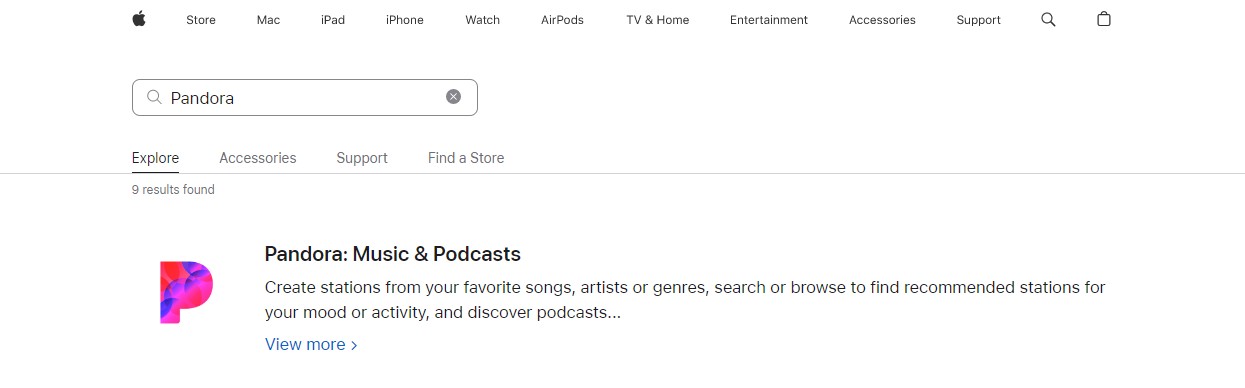
- Then, install the application from the respective App Store.
- After that, Sign in with your account.

- Navigate to the notification center and click the Cast icon option.
- Inside the option select your device from the list.
- Once the device gets paired then you can play any of your favorites from the Pandora application.
Final Words
We Sum up this article here, the above article contains the required information to install Pandora on Firestick. Also, we include three ways to install it. You can install it directly from the Amazon App Store. As well as use the Alternate way. Additionally, we mention the features and subscription rate of this application. Refer to this article, if you have any doubts related to this article, Let me know in the comment portion.