
There are plenty of streaming services available in the United Kingdom. Yet ITVX is one of the most popular platforms where you can get an extensive library of content to stream. Apart from that, Errors are common when comes to streaming services but we have a solution for this. So don’t get frustrated when ITVX Not Working on Firestick. Go through this guide to troubleshoot the errors available in the ITVX app on Firestick when it is not working or loading issues.
ITVX is a streaming platform that lets you stream a vast library of content from old to new ITV series, and live TV content for free without a subscription. But it has ad interruption while streaming its content. ITV Hub is now replaced by ITVX and it offers the most popular reality dating shows as well. However, this platform allows you to stream the most popular live TV reality shows including Love Island. Also, you can get ITVX on your Firestick device since it is replaced by ITV Hub.
Regardless of all, there are many Firestick users who have complained that the ITVX new streaming app is not working properly. This may be due to bugs that cause buffering or freezing and crashing of the app that is not launched. Then get to know the below troubleshooting techniques explained in this guide. Since it is a popular streaming platform known in the United Kingdom and launched on December 8, 2022. It has improved and offers many advanced versions and has much new content to stream.
Table of Contents
Reasons for ITVX Not Working on Firestick:
Lets we get into the steps to fix the issue and the reasons for ITVX not working on the Firestick device. There are so many reasons for not working the ITVX app on your Fire TV that are explained below.
-
-
- ITVX Error
- Server Outage
- Unstable internet
- Software glitches
- An outdated ITVX app or Fire TV Firmware
- Not enough space on the device
- Hardware issues
-
How to Fix ITVX Not Working on Firestick?
Fortunately, there are many troubleshooting methods are introduced in this guide. So learn everything and fix it by yourself using this detailed fixing guide through the below methods.
#Fix 1: Restart your Firestick
When your Firestick doesn’t work properly on your streaming service then you should primarily restart
- In case the ITVX app was caused by any system freeze then you won’t move your screen further. In that case, you should press and hold the Select and Play or Pause buttons from your Firestick for up to 5 seconds. It will force restart your device.
- Suppose the remote inputs don’t seem to be working then plug out the device from your power outlet. Then plug it back into the power source after a few seconds.
- When your Firestick encounters any crashes or playback errors while playing the ITVX content. For that, you should move to the Settings section from the Fire TVs main menu.
- Head to the Settings menu.
- Tap the Device & Software or My Fire TV.
- Select the Restart option.
- Make sure to restart your device by tapping the Confirm button.
#Fix 2: Check your internet speed
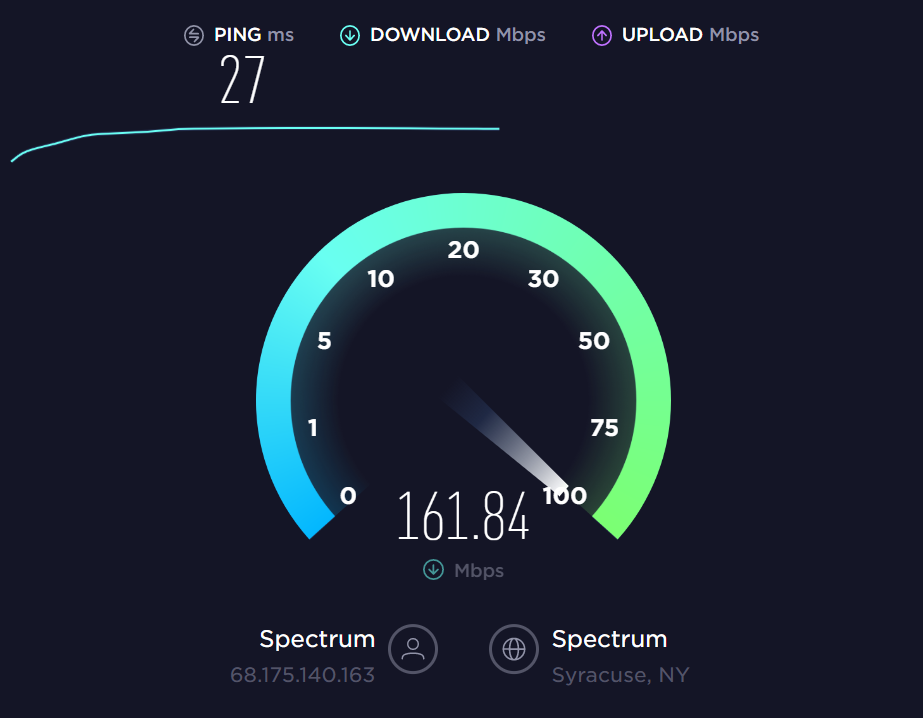
Sometimes you may face interruptions while streaming its content like loading or buffering due to unstable internet or Wifi network. Therefore, you have to make sure that your internet requirements have met the average to stream its content by running the speed test. Still, it doesn’t provide proper internet then you should use an ethernet cable internet to get rid of this issue.
To fix the internet issue on your Fire TV then proceed to the given below instructions.
- Navigate to the Fire TV Settings menu.
- Look over the Network section.
- Choose WiFi or Ethernet Configuration.
- Pick the option then hit the Play or Pause button in order to check the network status.
To restart your internet router, you should follow the upcoming steps given below.
- Unplug your router from the power source.
- Leave it for at least five minutes.
- Again plug back your router into the power outlet.
Check for the internet stability if solved or not. In case the issue has continued then you should proceed to the next troubleshooting methods to fix the issue from ITVX on Firestick.
#Fix 3: Use VPN
In case you are trying to stream ITVX content from outside the UK. Then you should want to use a reliable VPN service. Using a VPN service will allow unblocking the streaming content even in geo-blocked areas. The ITVX not working problem may occur due to its service being only available in the UK only. Since it has copyright infringement, you won’t be allowed to stream from outside the country excluding the UK.
If you use any VPN service, it will protect your online activity and shields your IP Address from the government. Generally, ITVX runs often DNS checks, IP Addresses, and WebRTC breaches in order to confirm that the user to keep safe and private. Suppose you use any subpar VPN service then it will get your IP Address and blocks your connection.
#Fix 4: Clear ITVX Cache
Most of the time ITVX doesn’t seem to be working on your Firestick device. If you delete the cache and temporary data from the app, then it might help to work properly without a hassle. Clearing the cache would help to clear up the space, freezing, running slow, or any glitches found in your device or app. To delete the cache from ITVX on Firestick, follow the below steps.
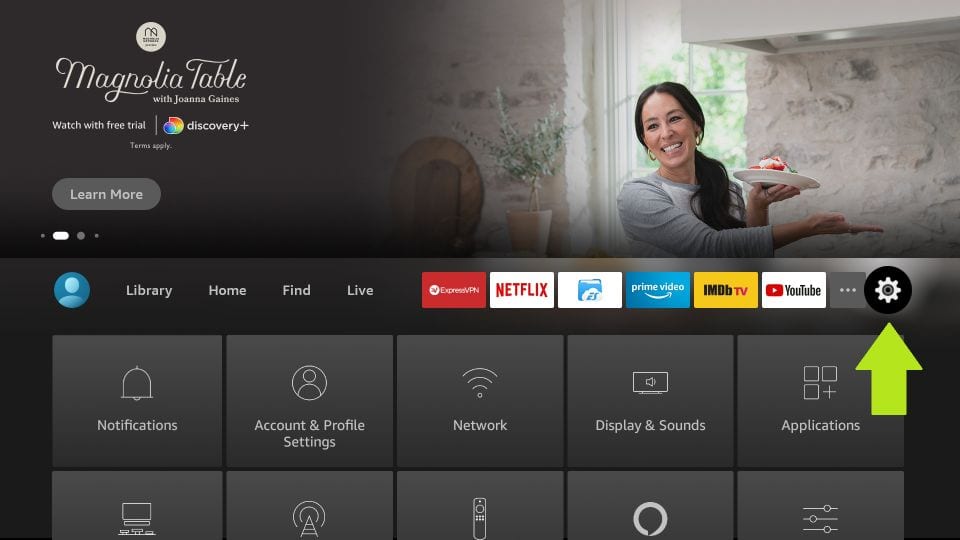
- Navigate to the Settings menu from your Firestick.

- Choose the Applications then move down to the Manage Installed Applications.
- Go to the drop-down menu and choose ITVX under the installed apps.
- Choose the clear cache from the ITVX apps info page.

However, clearing the cache will help you to save space from your device storage. Besides, it gets rid of the loading or slow process.
#Fix 5: Update ITVX & Firestick
Suppose you are no longer updating your ITVX app for while. So that you may encounter ITVX not working on Firestick issues. To avoid this kind of issue, you should enable Automatic Updates. It will get updated whenever it has any updates available. Make sure to follow these steps to update the ITVX app to its current version on your Fire TV from below.
- Get into the Settings menu under the Firesticks Home page.
- Choose the Applications option under the App Store.
- Tap the Automatic Updates option.
- Tap to enable it and then allow the Amazon App store to Auto download app updates.

In case you dont want automatic updates, nevertheless, you can update it manually if you want. Then proceed to the below instructions.
- Tap on the Apps section from the upper right side of your screen.
- Choose My Apps in order to open all installed apps.
- Now pick the ITVX on the listed apps.
- Hit the Menu button from your Firestick remote.
- Again tap on the More Info options.
- If ITVX has any updates then choose to Update Now.
Check if any Update for Firestick:
In case you have not updated your Fire TV for a long time then you should check for any updates available by proceeding with the steps given below.
- Head to the Settings menu.
- Choose the Device & Software.
- Highlight the About option.
- Choose Check for Updates.
- Tap the Install Update whenever the update is available.

#Fix 6: Delete & ReInstall ITVX
Updating your ITVX app on Firestick doesn’t seem to be working then you should have to uninstall the app. Then you have to re-install them in order to fix the issue on your device.
To Uninstall the ITVX app on your Firestick,
- Head to the Find menu from your Fire TV main menu.
- Tap on the Search bar and then look for the ITVX app.
- Choose the ITVX app info and then tap on the Uninstall tab.
Once you deleted the app from your Fire TV, then you should want to re-install it under the Apps & Games section. After completing the installation process, you should log in using its credentials. Check whether the problem has been solved or not.
#Fix 7: Check for ITVX Outage
You should also check your ITVX app service might go offline due to server issues. So make sure of it by proceeding to the Downdetector site. If it shows offline the server is then you have nothing to do until it comes online. You can visit Twitter or Facebook to know the ITVX server status from its hashtags.
#Fix 8: Contact ITVX to get help for not working on Firestick
If none of the above troubleshooting doesn’t seem to be working then you should get help from ITVX customer care service. They will assist you with a better solution for ITVX Not Working on Firestick.
Wrapping Up:
In this guide, we have enlisted eight troubleshooting methods to fix the ITVX not working on the Firestick issue. Try out all the solutions shown in this guide to get rid of this issue by yourself with help of this guide. In case it doesn’t work still trying all the above methods, then don’t hesitate to mention using the comment section.