

TeaTV is an entertainment application. Via Teatv, we can stream many famous and top movies, TV shows, and many video contents. FireStick is primarily a streamer that streams multimedia content via dedicated applications with a valid subscription (if needed). With this combination, the user can enjoy high-quality video streaming. The following article will direct you to install TeaTV on FireStick.

Also, search How to Install & Activate TBN on Firestick?
Table of Contents
What is TeaTV?
TeaTV is an entertainment platform where users can enjoy thousands of movies and shows, almost the latest. TeaTV streams movies and shows of the latest and popular. TeaTV can entertain you with the newest video content in full high definition quality with 1080p and 720p or quality you would like to watch with a steady network connection.

Features of TeaTV:
- TeaTV is free of cost, so that the user can benefit from TeaTV free.
- Also, the user does not need to log in for sure.
- TeaTV supports Chromecast also. So we can easily mirror Teatv from any device to our big screen; TV.
- It is safe to use. that doesn’t show any illegal content or pirated content.
What is FireStick?
Firestick is primarily a streaming stick. It is a compactable device attached to the smart TV and used to watch any online streaming videos. Besides movies and videos, we can enjoy many multimedia applications and entertainment applications via Firestick. The size of the Firestick is no bigger than a flash drive. Despite the size, it has the perfect hardware.

Connecting the Firestick to the TV is an easy process. We can connect the drive to the TV’s HDMI port or through Bluetooth or Wi-Fi. It also comes with a remote with audio control function. Firestick also allows its users to use other multimedia online streamers like Netflix, Kodi, and others.
TeaTV is also an online multimedia streamer, but it’s free of cost. Let’s see the steps to install TeaTV on the Firestick.
You may like, How to Download Terrarium TV on Firestick.
Steps to install Teatv on Firestick:
TeaTV is a third-party application; we can’t download it from the Amazon fire shop. Ut we can sideload it from other sources. E can easily download it by downloader the app.
Method:
# Step1.Launch the Firestick and go to the home screen.
# Step2. Go to my fire and click on the developer option.

# Step3. Now click allow apps from unknown sources.

# Step4. Then click on the ADP debugging.

# Step5. Now open the Downloader app.
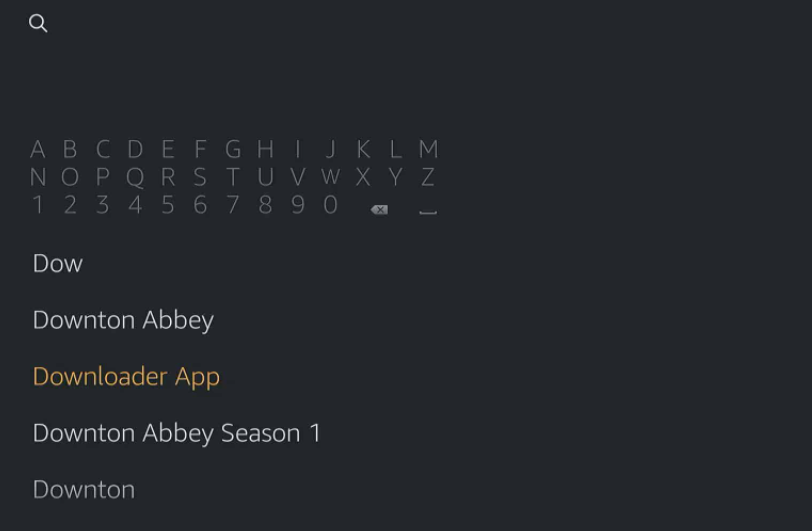
# Step6. Then enter the URL of TeaTV on the search bar
# Step7. Start the search and start the downloading.

# Step8. You will be automatically directed to install the application when the download is finished.
# Step9. Now open the TeaTV app, click ok at the changelog prompt, and accept the terms and conditions.

Now you can enjoy your favourite movies, TV shows, and much more video content anytime.
Culmination:
People turned more interested in TeaTV after the shutdown of terrarium TV. T is easy to approach Teatv on Firestick. Ith TeaTV on FireStick, the user can get a diverse experience. E hope this article helps you to find what you have surfed for.
Related post, How to Install Google Duo on FireStick: Complete Guide