
![How to Watch and Play Roblox on Roku [Simple Guide]](https://techthanos.com/wp-content/uploads/2022/07/How-to-Watch-and-Play-Roblox-on-Roku-Simple-Guide.jpg)
You can get access to Roblox on Roku by downloading channels with Roblox streaming and can cast from other devices with the Roblox app to Roku TV Screen. You can also use the Roku TV screen as a display and device with Roblox as control and play the game on your Roku device. To learn more, read this article to the end.
Table of Contents
Can I Get Roblox on Roku?
On Roku, you cannot get direct access to the Roblox app. But you can get Roblox games made by other developers and can stream Roblox games from streaming channels made by players. If you want to play Roblox on Roku, you can use a screencast or mirror the screen of the device with the Roblox app on your TV screen.
How to Watch Roblox on Roku?
With the help of the streaming channels present on the Roku Channel Store, which streams Roblox, you can watch the gameplay of other players on your Roku TV.
The channels that you can use to stream Roblox on Roku are,
- Best of Roblox
- Roblox Minecraft & More-Tankee
- Tankee Minecraft Roblox & More
- Gaming Plus – Minecraft, Roblox and more!
- Roblox by Let’s Play Today
- Leah Ashe – Roblox
- Jeffo – Let’s Play Roblox
- Honey & MeganPlays Roblox
- Roblox by Ant
- HappyKids Gaming – Video from Roblox Experiences
- Ant – Roblox Gaming!
- ROBLOX with Keiran Black
- iifnatick – Roblox Gaming Fun!
- Alex – Roblox & Minecraft
How to Get Channels with Roblox on Roku?
To get any channels that stream Roblox on your Roku device from Roku Channel Store, get the channel and add it to the Roku channel list. The steps to do soo are,
- Link the Roku device to your Smart TV and finish the setup process.
- Now connect to a network with good internet speed.
- Navigate to the Roku Home page by pressing the Home icon on the Roku remote.
- Scroll down and select the streaming channels option.
- Now go to the Search Channels option and tap on the OK button on your Roku remote.
- Now in the search tab, type “Roblox” using the virtual keyboard.
- You can find the related channels appearing on the left of the screen.
- Press the left key on the remote to go to the list of channels from the search result.
- Highlight the channel you want and press OK on the remote to go to its information page.
- Now tap on Add channel and wait for the channel to be downloaded on your Roku device.
You have now successfully downloaded the channel that streams games played by other players onto your Roku TV.
How to Play Roblox on Roku TV?
You can play the Roblox game on Roku by screencasting the game from other devices to your Roku TV screen. To do soo, you need to first have a Roblox game on your device and credentials to access your account. The devices from which you can download Roblox and mirror the app to Roku are,
- Android Phone and Tablet
- Apple iPhone,iPad and MAC
- PC
How to Enable Screen Mirroring and AirPlay on Roku?
NOTE: To screen mirror, screencast or AirPlay all the devices must get connected to a single network.
To Screen Mirror or AirPlay the Roblox app from other devices to your Roku TV screen, you need to enable the Screen mirroring function device. To step to be followed to do soo are,
Screen Mirroring:
- Go to the Roku Home screen, move on to the Setting option and select System.
- Now select the Screen Mirroring option and go to the Screen Mirroring mode section.
- Now select Prompt or Always allow to make your Roku device Screen Mirroring from other devices.
AirPlay:
- Go to settings and then to the system from Roku home.
- Now Select Apple AirPlay and HomeKit and go to the AirPlay setting screen section and then toggle the option to get AirPlay enabled on the Roku device.
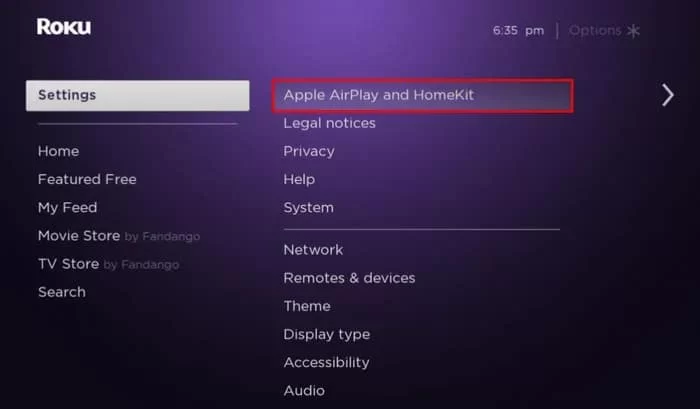
- You can get the code to connect your iOS device go to Require Code option and getting the Roku AirPlay code.
With these steps, you can now screen mirror and AirPlay your device to your Roku TV screen.
To know more, try reading,
Screen Mirroring on Roku: Detailed Guide
How to Get Roblox on Android, Apple and PC Devices?
The system requirements for the Roblox app to work on,
- Android – Must have Android OS 5.0 had higher
- Apple – Must have iPhone 4s or higher, iPad 2 or higher and Mac with supported browsers like Chrome and Firefox.
- PC – Must have a process with 1.6Hz or higher, 1 GB RAM and 20 Mb storage space.
If your device has all the mentioned requirements met, then you can get Roblox on your device. For,
Android:
The Roblox app is available on Google Play Store and can be easily installed on your Android device. The steps to do soo are,
- Switch on your Android device and go to launch the Google Play Store.
- Search for the Roblox app
- Tap on the app from the results to go to its app details section.
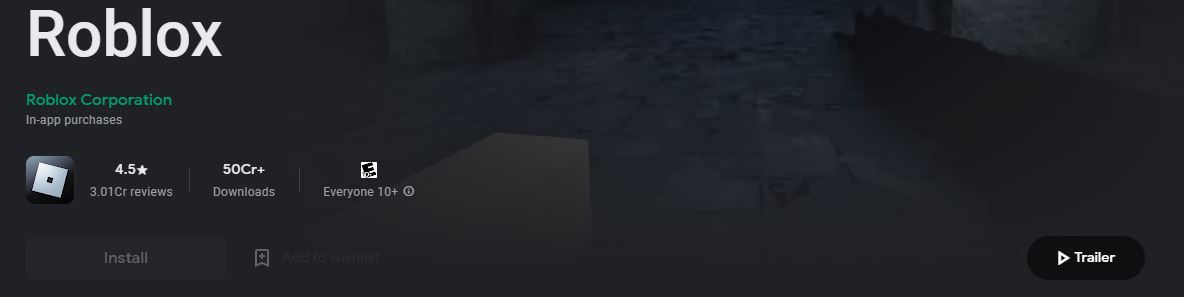
- Now Tap the Install option and wait for the app to get downloaded and installed on your device.
- Now select open to launch app and sign in account details.
Apple:
You can download the Roblox app from Apple App Store. To do soo, the steps to be followed are,
- Switch on your device and go to launch the Apple App Store.
- Search for the Roblox app
- Tap on the app from the results to go to its details page.
- Now select the Buy option and get the app to downloaded and installed on your Apple device.
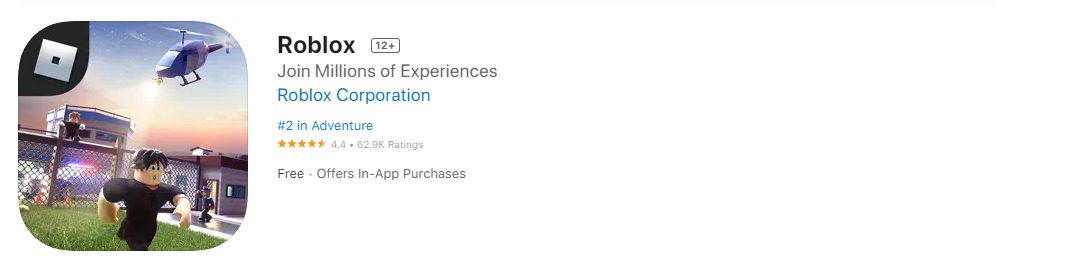
- Use your Roblox credentials to sign in to your account.
PC (Windows OS):
You can download the Roblox app from Microsoft Store. To do soo, the steps to be followed are,
- Switch on your PC and launch the Microsoft Store.
- Search for the Roblox website.
- Select the application to go to its information page.
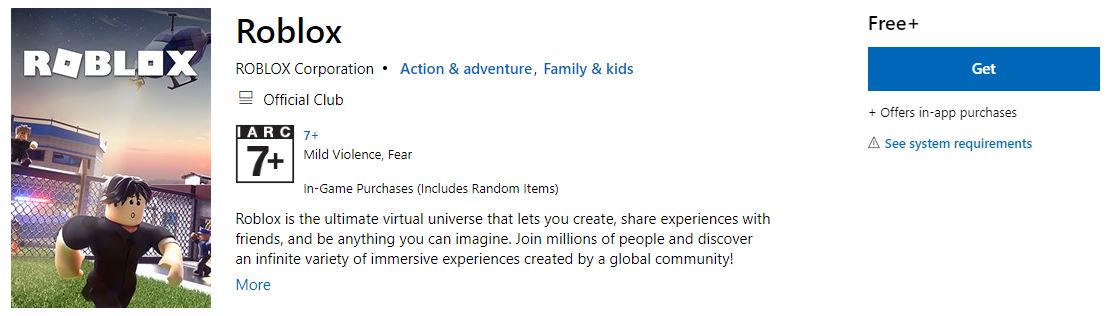
- Now tap on the Get option to download and install the Roblox game on your PC from Microsoft Store.
How to Mirror Roblox to Roku?
After enabling the Screen mirroring option on your Roku device, follow the given steps to mirror another device’s screens to your Roku TV.
Android:
- Connect the Android device with Roblox to the same WiFi network to which you have connected your Roku device.
- From your Android Home page, swipe down on the screen to open the Notification tab.
- Tap on the option ScreenCast or the relevant term on your model of Android device.
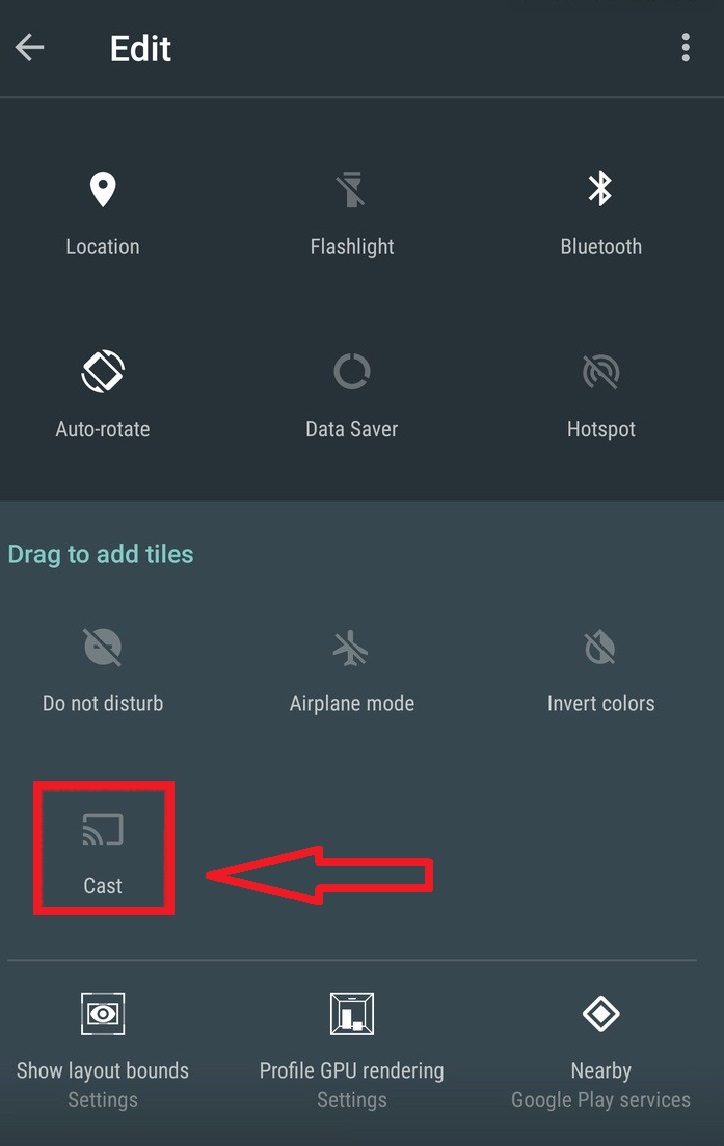
- Now select your Roku device from the devices connected to the same network.
- Your Android device gets cast onto your Roku TV screen.
- Now launch and play the Roblox game on your Android device and watch the game on the Roku TV screen.
Apple TV:
- Connect the Apple device with Roblox to the same WiFi network to which you have connected your Roku device.
- From your Apple Home page, swipe up on the screen to open the Control centre.
- From the control centre, find and select Screen Mirroring option.

- From the list of devices available on the same network select Roku.
- Your Apple device screen is now cast on the Roku TV screen.
- Now launch and play the Roblox game on your Apple device and watch the game on the Roku TV screen.
PC:
- Connect the PC with Roblox to the same WiFi network to which you have connected your Roku device.
- From your PC Home page, click on the Notification icon on the bottom left side
- Tap on the option Project.

- Select your Roku device from the devices available.
- Your PC screen is now cast on the Roku TV screen.
- Now launch and play the Roblox game on your PC and watch the game on the Roku TV screen.
With the following steps, you can have control of the Roblox game on your device and watch the game on your TV screen.
How to Screencast Roblox website from Chrome to Roku?
You can screencast your Chrome website to your Roku TV screen by following the simple steps given.
- On any device connected to the same WiFi network as Roku TV, open the Chrome browser.
- Type Roblox on the URL or Search tab and press enter.
- Now Navigate to Roblox’s official website and sign in with your credentials.
- Play the game you like on the chrome browser.
- On the Chrome browser, select the vertical three-dot option.
- Select Cast and get the browser screen to Roku.
- From the devices available on the same network, select Roku TV.
With the following steps, you can see that your Chrome browser with Roblox gets cast to your Roku TV screen.
You may also like to read,
How to Watch TikTok on Roku? [Updated 2022]
Install & Activate ABC on Roku?
How to Add & Listen to Pandora on Roku? Step by Step
The End
With the following steps, you can now watch Gameplay of Roblox on Roku by downloading streaming channels from the Roku Channel Store. You can also use the Roku TV screen as a display and device with the Roblox app as controlled and cast this device screen and play the game on Roku. If you have doubts about the steps or methods discussed, contact me in the comment section.
Frequently Asked Questions:
How to Get Roblox on Roku?
You can watch Roblox by downloading the Roblox streaming channels available at Roku Channel Store. To cannot play Roblox on Roku, but you can cast your Roblox app from other accessible devices to your Roku TV screen.
Can I Play a Game on Roku?
Yes, You can play games on your Roku device by downloading them from the channel store. With the Roku remote, you can play free and paid games on your Roku device.