
If you bought a new Fire TV Stick device, you have to pair the remote to Turn Off and Turn On the device. And to access everything on your TV. Today we are going to learn, How to Connect Firestick Remote to Turn Off TV.
To know How to Pair a Firestick Remote to a TV, read all the topics mentioned in this article. Here they are…
Table of Contents
How to Connect Firestick Remote to Turn Off TV?
You can connect your Amazon Fire TV Stick remote to your TV Manually. Here is the step-by-step guide;
- First, Associate the Fire Stick with your Smart TV HDMI Portal.
- Connect the charger cable to the Firestick.
- Then, Turn On the TV.
- And, Long Press the Home Button on the Fire TV Stick remote.

- You can see the LED Light will start blinking on the remote.
- It means, that your Firestick remote is looking for a Smart TV.
- Check, your Firestick blue light blinks three times.
Within a minute, your Firestick remote will automatically connect to the Smart TV. Now, Click the Power Button to Turn Off and Turn On the TV.
How to Set Firestick to TV?
Once, the Firestick remote gets paired with the Smart TV, next, you have to set the Fire TV Stick device to the Smart TV. Now, follow the steps given in the following section to set the Firestick to TV;
- Click the Home Button on the remote.
- Navigate to the Settings icon and tap it.

- Heads to the Display & Audio option.
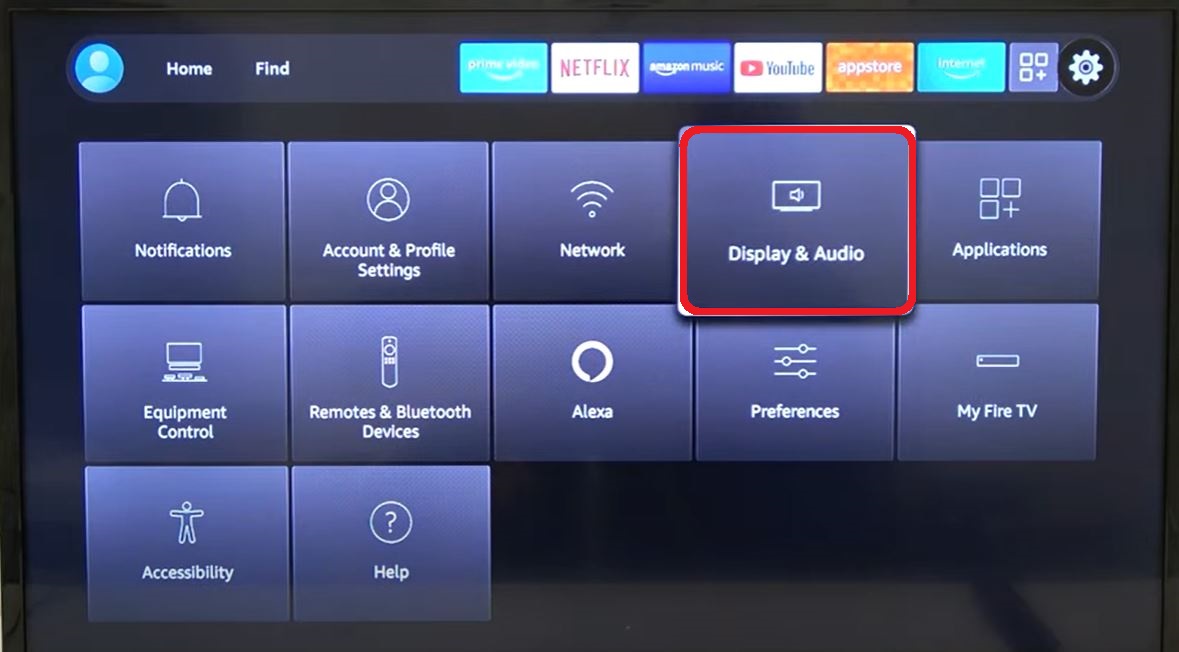
- Click the HDMI CEC Device Control tab.
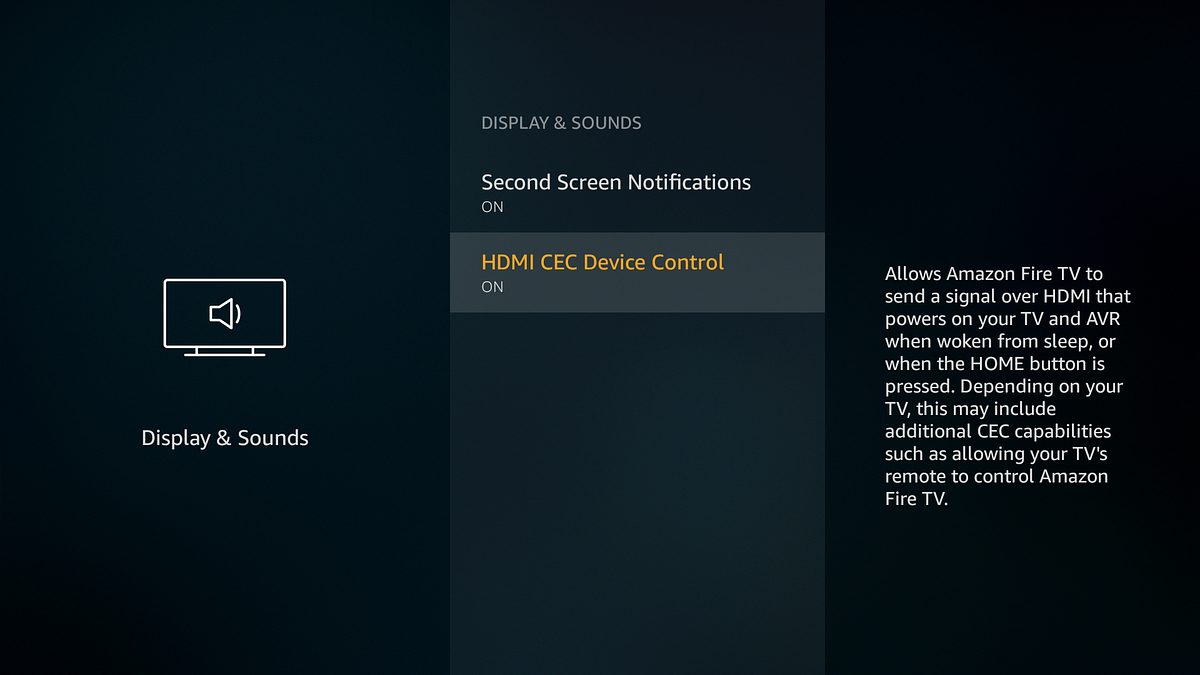
- If you have seen the Off option in HDMI CEC.
- Click on the option to Turn On it.
That’s all. Now, your Amazon Firestick device is ready to use.
Also, read: How to Fix Roku Remote Volume Not Working?
How to Connect your Firestick remote to your TV?
Also, we have another method to connect and pair the Amazon Firestick remote to the Smart TV. Here are the step-by-step instructions;
- Press the Home Button on the Firestick remote.

- Click the Settings icon on the home screen.

- Tap on the Equipment Control option.
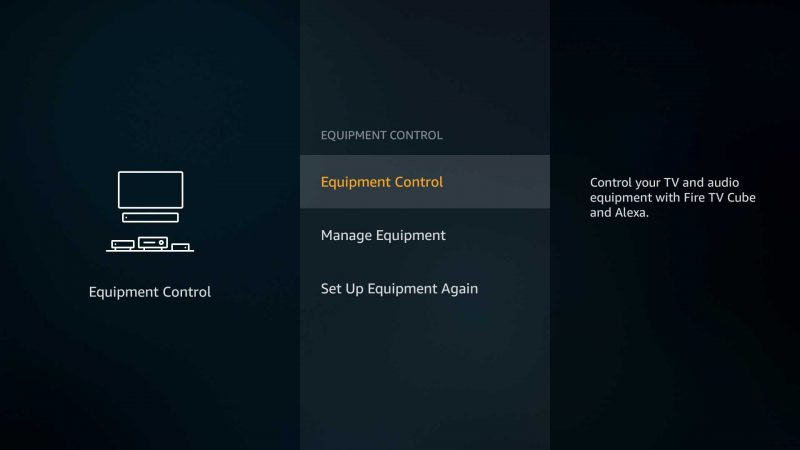
- Now, Select the Manage Equipment tab.
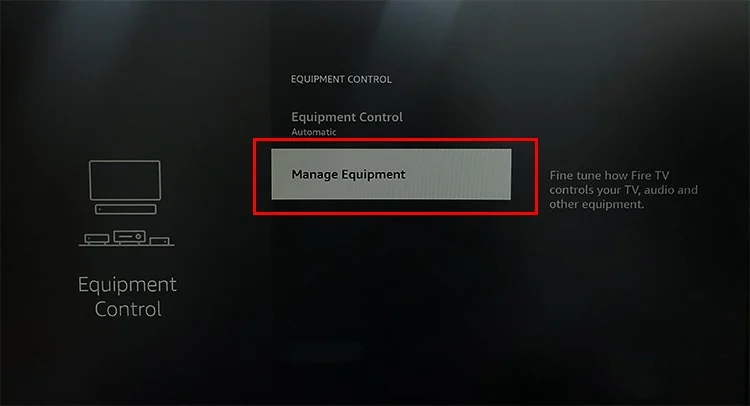
- Next, click on the Add Equipment option.
- Head to the TV option and tap it.
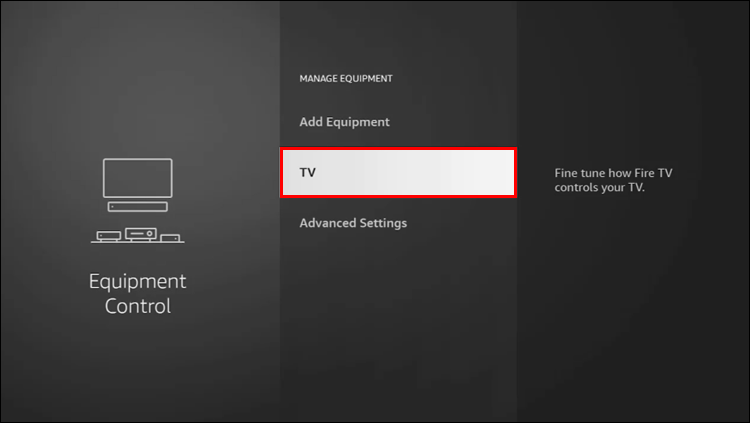
- It takes some time to connect.
- Wait until the Firestick remote connects to the Smart TV.
- Once, your Smart TV gets detected,
- Click the Yes button.
- Or, it shows the wrong device,
- Click the No option.
- Now, Firestick shows a list of Smart TV brands.
- Scroll down and select your TV brand from the list.
- Come back with the On-Screen Instructions.
- And, Press the power button on the Firestick remote for 10 – 15 seconds.

- Again, click the Power Button on the remote.
- Now, your Smart TV is turned off and back turned on within a while.
- Click the Yes option.
- Then, click on the I use just my TV.
Follow the on-screen instructions to set the device completely.
How to Change Pairing Firestick to TV?
If you changed your Smart TV, you cannot access your Firestick remote with your New TV. So, follow the steps given here to learn how to pair your Firestick remote to the new TV,
- Go to the Firestick home screen.
- Select the Settings icon.
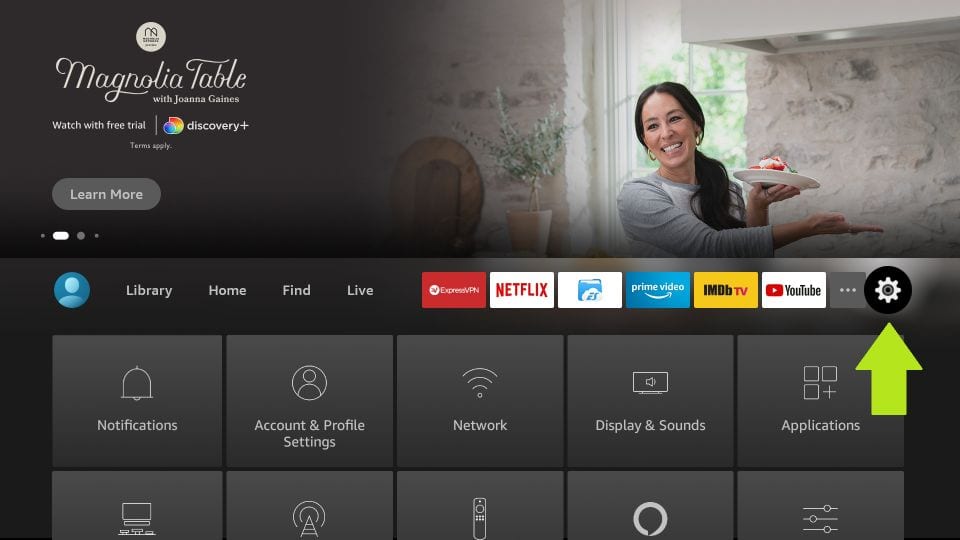
- Click the Equipment Control from the menu.
- Then, tap the Manage Equipment.
- Select the TV option.
- Next, click on the Change TV button.
- Again tap the Change TV option.
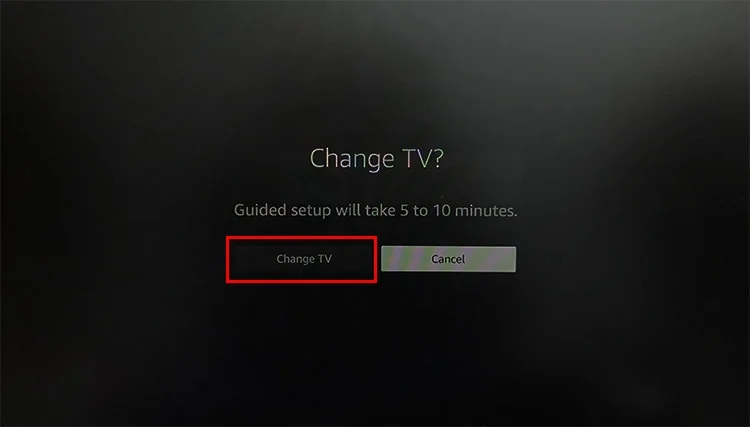
- Select your New Smart TV brand from the list.
- Click the Yes option.
And, wait for your Firestick device to be paired to your Smart TV.
Also, read: How to Turn on Toshiba TV without Remote?
How to Pair New Remote to Firestick?
Or else, you have changed new Firestick, you have to pair it with your Fire TV Stick. Here are the steps given below;
- Visit the Firestick Home page.
- Select the Settings option.

- And, click Controllers & Bluetooth Devices.
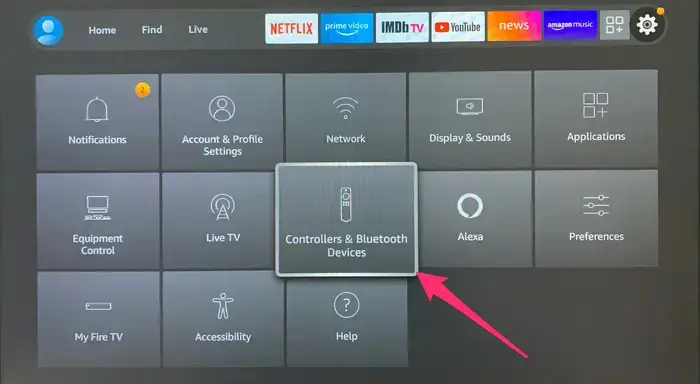
- Head to the Amazon Fire TV Remotes.
- Click, the Add New Remote option.
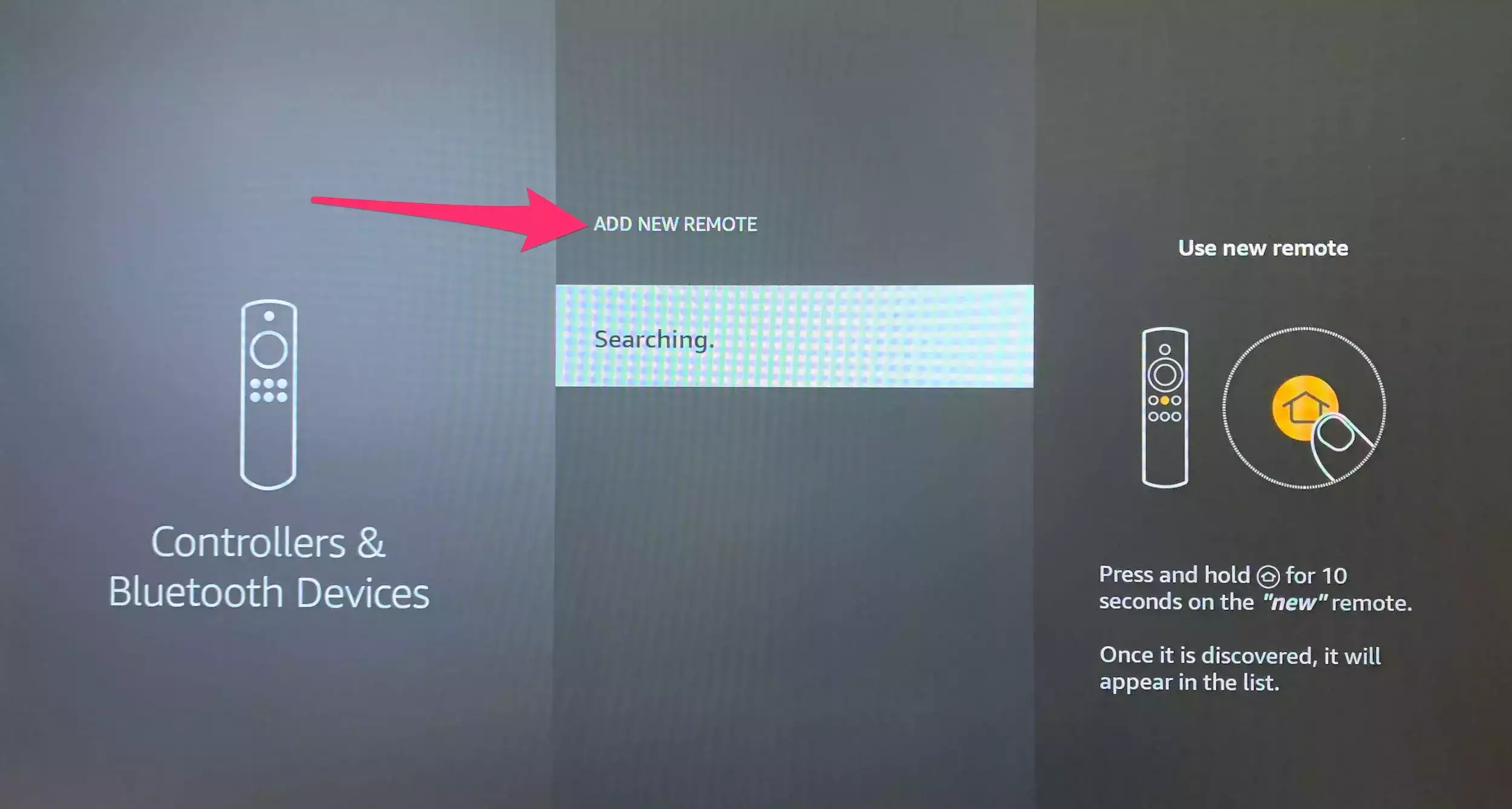
- Press the Power Button and hold it for a while.
- Your Firestick device started searching for the remote.
- Select your new remote.
It will show alongside your old Firestick remote. Now, take off your new Firestick remote and click the Power Button once. Now, you can see your TV is switched off. Hereafter you can use your new Firestick remote.
Finally…
Learn, How to Connect Firestick Remote to Turn Off TV in this article. We have used more ways to pair and connect the remote to the Smart TV. Also, check all the topics given below, if you have changed a new Smart TV or Firestick remote. And, how to pair it with the TV. If no methods will work and cannot connect to the TV, get the Remote to the shop where you have bought it. They will fix it technically, or return another device to you.