
Guru IPTV service is used for Indians who are all living in the United States. It will help to stream shows, programs, and Movies from India. So that, they will never miss the Indian Cinemas. Various language channels are available in this service. So you can get this service to stream all your favorite Indian Content. If you want to know Guru IPTV price, Reviews, and Features, Sign Up. Continually scroll and roll down the slide to know more.

Table of Contents
Is Guru IPTV Legal?
Whereas the Guru IPTV service is an Indian Regional Channel. It contains lots of Movies and shows covered by India. But Guru IPTV service contains many Copyrighted content. So it is not safe to use on your device. Carefully, you have to choose this service to watch its content. better, you can connect to the best VPN service to secure your devices.
Can I Get Guru IPTV for free?
Sorry, the Guru IPTV is not available for free. Even you will never get the Free trial days to offer. You have to stream the content with its premium subscription package to get Live TV Channel content. Other than that, it has a Chance to access this provider’s content for free in some specified limited month.
The Way to stream this service content is if you refer the Grur IPTV to your friend. If they purchased the service by using your Referral ID then you can get this special offer that you can get a 6-month free subscription.
Check the Post: Hive IPTV
How much is Guru IPTV?
This Provider is a subscription-based service you have to pay the cost to access its content. Moreover, it offers the top four yearly packages. You will never get a monthly package from the provider. Here we attach the image for the subscription details for this IPTV provider.

Choose the Package based on your budget. You can get numerous variety of content in these packages. In addition, you can obtain a huge library of movies, shows, and programs.
How to Sign up for Guru IPTV?
Once you have this provider service. After that, you have to sign in with your account to access its content.
The Steps are:
- Move to the official site for Guru IPTV from your device.
- Press the Buy Now option at the top right corner.
- Choose the respective plans.
- Click the accept terms and conditions.
- After that, press I Agree to Buy Now.
- Further, fill in the necessary details such as billing address, username, and more. Tap to Check out.
- Once you purchase the service.
- Then you can allow access to the content from the Guru IPTV.
How Can I Set Up Guru IPTV with Smart TV?
If you have a MAG device then you can check that you have the required cables to connect the devices. If you have set all the necessary things then you can follow the upcoming steps to set up this provider with your Smart TV.
The Steps are:
- Connect your HDMI Cables on one end to the Set-top box, and another side to the smart TV.
- Now Fix the Power Cable of the set-top Box to the electric outlet.
- Switch on your smart TV, as well as your MAG device.
- Now contact the customer support team (www.guruiptv.tv/contact-us.html).
- If you have done the Process then you can start streaming your favorite regional Channels on your device.
Similar Post: Vavaview IPTV
How to Get Guru IPTV on Streaming Devices?
The Guru IPTV is compatible with many streaming devices. You can access it on various devices namely;
- Android devices.
- Windows and Mac PC.
- iOS.
- Android Smart TV.
- Firestick.
Guru IPTV on Android device
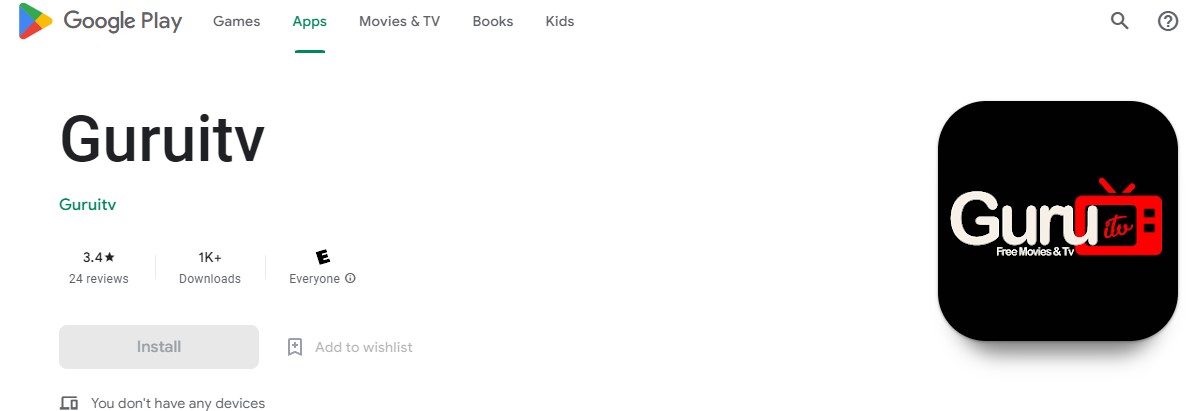
There is no official standalone application in the Google Play Store. So you have to download an IPTV Player and access the IPTV provider’s channel Playlists.
The Steps are:
- Lunch Google Play store.
- Use the search bar “XCIPTV player”.
- Hit the app from it.
- Tap the install button,
- Sign in to stream the Guru IPTV content.
Guru IPTV on Firestick
You can use a Downloader application to watch Guru IPTV content. You can get this provider content through Lilly IPTV Player.
The Steps are:

- From the Firestick Home page.

- Click the Find Tab.

- Then search for downloader.
- install the downloader app.

- Enable unknown sources.

- Click the setting option.

- Choose the Fire TV option.

- Developer option.

- Install Unknow apps.
- Open the Downloader app.

- Now you have to enter the Lilly IPTV Player APK URL.
- Press the Go button.
- Select the Playlists Option.
- Tap +Icon to enter the Playlist name.
- Now it will show you this provider Playlist choose it and start streaming the content.
For More Info, How to Install IPTV Smarters Pro on FireStick
Guru IPTV on Windows and Mac PC
You can download the VLC media Player on your PC to watch its content officially through the site.
The Steps are:
- Open the VLC Media Player on your PC.
- Select Media Tab–> Then Select the Open Network Stream.
- Now enter the Guru IPTV Playlist URL in the respective field.
- Then click the Play Button.
- Watch your favorites with your family and friends.
Channels Available on Guru IPTV
The Guru IPTV Provider offers More than 17000 Channels in different types of categories such as Sports, News, entertainment, Shows, programs, Series, and More international content. Moreover, you can get content in High quality.
Here we mention the channel List available on this IPTV provider for Indians living in the United States. Refer to the below tabular Cloumn.
Guru IPTV Channel List |
|
| DD Urdu | Time Now |
| New 18 Urudu | Asianet Movies |
| Zee Punjab | Saam TV |
| Star Plus | Sony Aath |
| Colors Gururati | Star Suvarna |
| Zee Entertainment | Kannada Channels |
| India Today | Srilankan Channels |
| ABP Punjab | Pakistani Channels |
| ETV Gujarati | Tami Channels |
| Safari TV | Telugu Channels |
| Colors Marathi | Nepali channels |
| Sangeet Marathi | Marathi Channels |
| Star Vijay | Malayalam Channels |
| Udaya Music | English Channels |
Whereas the Channels vary in various Locations. There are some channels that are not available in some particular regions. You have to check the availability of channels in your Place. You can use this Dial Number to contact customer service to know about the channel availability of your venue. The numbers are 647-943-1999.
Highlights of Guru IPTV
There are many good things available from this provider. It is preferable and best for getting Indian channels in the United States. In addition. it offers many valuable features for its customers. If you are a user or planning to get this provider spend your time with this provider. Then you must know its wonderful features.
- It contains a large library of Bollywood content.
- You can get a Channel from numerous regions.
- Provides 1 Year Warranty for hardware.
- Access pause and rewind option for the Live TV Channels.
- Free Shipping.
- You can get 24/7 Customer service support.
- It Provides Multilingual Customer service.
- Nearly 100 Of Live Hindi Channels.
- It offers an IPTV Subscription Warranty that can be enlarged.
Final Words
In short, You can download the Guru IPTV on your devices. It will give the Indian Channels programs and shows. Furthermore, this will help you to stream all your favorite content who are all Indians living in the United States. We have mentioned the entire details to get this provider on the devices. Sign-in steps and more related information. Additionaly, we have shared the channel list information in this Guide. Refer to this article. If you have any doubts, Share your Views in this comment section.