
![DOG TV on FireStick. [Make your Pup Happy]](https://techthanos.com/wp-content/uploads/2023/04/DOG-TV-on-FireStick.-Make-your-Pup-Happy.jpg)
If you are going out for some time don’t leave your dog to get bored. Get DOG TV on your FireStick and get the best entertainment for your little buddy. DOG TV can provide the best company for your dog and relieve their boredom with this stimulative audio and video therapy for dogs. Let your pup enjoy some videos that are from the perspective of their own color spectrum. Follow this article to know more about DOG TV on FireStick.
Table of Contents
How to Get DOG TV on FireStick?

You can easily get DOG TV on your FireStick device from its default app store. After installation, you need to activate it with your subscription account credentials. Just it’s content and let your dog enjoy it while you are not playing with him. Here are the simple procedures you can follow to get DOG TV on FireStick.

How to Install DOG TV on FireStick?
- Go to the FireStick home page by pressing the Home button on your FireStick remote.
- Select the Search icon and type “dog tv” in the search tab using the virtual keyboard.
- Start the search and select the DOG TV app from the results.
- Now from the apps information page select Download and Wait.
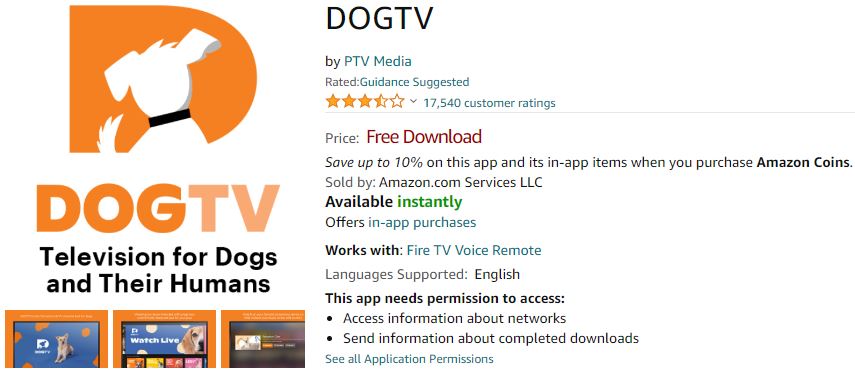
- After a few seconds, the DOG TV app is installed on FireStick.
For more other installation procedures refer to How to Install Apps on Firestick?
How to Subscribe to DOGTV?
- Visit the official site of DOG TV, watch.dogtv.com
- Tap on the Start Free Trial option from the Home page.
- Select Eithter Monthly or Annual Plan.
- Provide your email ID and give a Secure password.
- Use your Card details and tap on Start Subscription to create your account.
- These credentials can be used to activate DOG TV on its supported devices.
How to Activate DOGTV?
- Launch the DOG TV app on FireStick and tap on Sign In.
- Get the DOG TV Activation code for your FireStick device.
- Go to a web browser on a different device and visit watch.dogtv.com/activate.
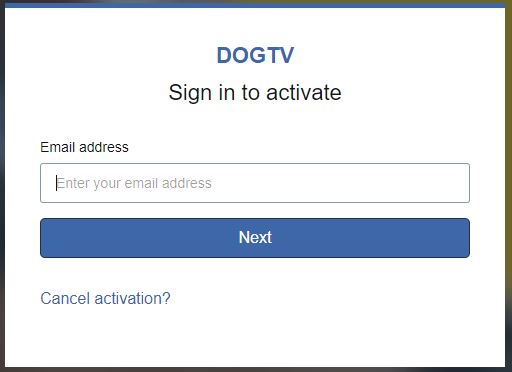
- Enter the Activation Code here and select Activate.
- Use your DOG TV subscription account credentials to Sign In.
- The DOG TV app will get activated on FireStick.
After activation, you can select the content offered by DOG TV and play it on your big screen, so that your dog can enjoy it.
What Channel is DOG TV on?
If you are a cable or satellite TV service subscriber, you can easily go to DOG TV with the correct channel number. Get this 24/7 DOG entertainment channel on your TV with the channel number for your TV Provider from here.
| DOG TV | |
|
SERVICE PROVIDER
|
CHANNEL NUMBER
|
| DIRECTV | 354 / 562 |
| DISH Network | 285 |
| SKY | 480 |
You can also watch DOG TV on other providers like Mediacom, COX, Xfinity, Sling TV, and more. You may also like to learn about Where to Watch Creed 3 for Free?
What is on DOGTV?
The programs available on DOG TV can be categorized into three segments. The Programs from these segments are designed for a dog’s visual, auditory, and emotional sensibility. The three segments of DOG TV are,
Stimulation: In this section, you can find Playful and animated video sequences to catch the attention of your dogs. This section makes your dogs to have mental stimulation and relieve them of their boredom.
Relaxation: Here you can find calming and soothing sounds and pup scenes that can make dogs relax.
Exposure: The content here can make your dog exposed to new sounds and visuals. It can help your dog to be used to doorbells and car sounds.
Suggestions
Pup parents are very much delighted with the content offered by the DOG TV channel. You can try it out for your dog with a 3-day subscription offered by DOG TV. If your pup doesn’t like it, cancel the subscription before the trial ends. I would recommend you DOG TV on FireStick if you are an office worker who leaves his/her pup at home all day.