
![DOG TV on DISH. [Ch. Number | DOGTV App]](https://techthanos.com/wp-content/uploads/2023/06/DOG-TV-on-DISH.-Ch.-Number-DOGTV-App-1.jpg)
Do you leave your dogs at home when you go out? Don’t make your paw friend lonely, get DOG TV on your DISH cable network and make their time enjoyable. The DOGTV channel can help your dog get relaxed, prevent boredom and improve their exposure to new things from your home. Get the Channel number for DOG TV on DISH from here. You can also learn more about the DOGTV app.
Table of Contents
What Channel is DOG TV on DISH?
DOG TV provides the best company for your dogs when you are away. This channel can make your dog less lonely and make them feel better. To watch DOGTV on DISH, you need to add it to your subscription for $4.99 per month with a 30 days free trial. You can get this dog babysitter channel on your DISH Network on channel number 285.
| SERVICE PROVIDER | CHANNEL NAME | CHANNEL NUMBER |
| DISH Network | DOGTV | 285 |
The Basic subscription plans to which you can add the DOG TV channel on DISH are as follows,

You may also like to learn about What Channel is Animal Planet on Dish?
How to LiveStream DOG TV on DISH Anywhere App?
After subscribing to DISH cable services, you can use its credentials to live to stream your favorite channel from the Channel Lineup on the DISH Anywhere app. You can now let your dog watch the live broadcast of DOGTV programs from anywhere and anytime they want. It is also possible to cat the DISH Anywhere app from supported devices to a Big screen easily. The devices on which you can get the DISH Anywhere app are as follows,
Android Phone & Tablet | iOS Phone & Tablet | Android TV | FireStick | Windoes | Mac OS
Chrome | Safari
How to Access the DOGTV App?
Now that you have the channel number for DOGTV on DISH Network you can easily navigate to the channel number and make your dog enjoy the programs. You can also use the DOG TV app to access its programs on the supported devices and cast them to your TV Screen. The devices on which you can get the DOGTV app are as follows,
Roku | Apple TV | Amazon Fire TV | iOS devices | Android devices
How to Subscribe to DOGTV?
- Visit the official site of DOG TV, watch.dogtv.com
- Tap on the Start Free Trial option from the Home page.
- Select Eithter Monthly or Annual Plan.
- Provide your email ID and give a Secure password.
- Use your Card details and tap on Start Subscription to create your account.
- These credentials can be used to activate DOG TV on its supported devices.
How to Activate DOGTV?
- Launch the DOG TV app on FireStick and tap on Sign In.
- Get the DOG TV Activation code for your FireStick device.
- Go to a web browser on a different device and visit watch.dogtv.com/activate.
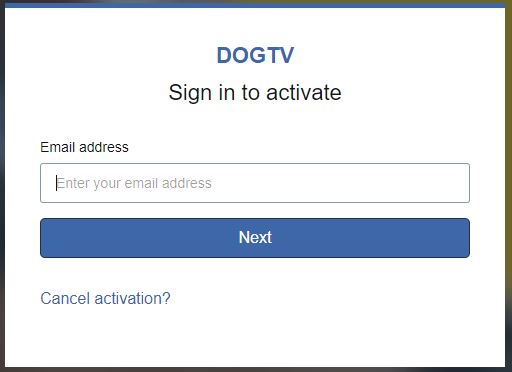
- Enter the Activation Code here and select Activate.
- Use your DOG TV subscription account credentials to Sign In.
- The DOG TV app will get activated on FireStick.
After activation, you can select the content offered by DOG TV and play it on your big screen, so that your dog can enjoy it. You may also like to learn about What Channel is Lifetime on Dish?
Suggestion
Since there are limited shows broadcasted on the DOG TV channel on DISH, it is better to get the DOG TV app which has more shows. If you are using a DOGTV app non-supported device, you can just cast it from other supported devices to your TV screen. The Exposure program from the DOGTV app can make your dog get used to various sounds. Don’t leave your dog waiting for you at home, make their time enjoyable now with DOG TV on DISH now.
Frequently Asked Questions
Do Dogs Watch TV?
Yes, your Dog can respond to the visuals and sounds from your TV. The survey conducted by the American Kennel Club and IAMS Dog Food proves that nearly half of the dogs show interest in what’s happening on your TV screen.
Is DOGTV free?
You can get a 3-day free trial but once the trial period ends you will be charged with the subscription plan of your choice.
What Channel is DOG TV on DIRECTV?
DOG TV is live broadcasted on your DIRECTV subscription on channel number 562 in HD video quality.