
Motor Racing is one such famous sports event that is streamed by all. There are various racing leagues like the F1 league and Racing games too. It is preferred by a huge audience, and you can see it as a craze among many, just like Football. A dirt race is a sport that is held on oval race tracks covered with clay. This sporting event is mostly famous in places like Australia, New Zealand, Canada, South Africa, and many more. Yet, there are only a few services to stream this Dirt Racing. In this post, you will see how to install the DIRTVision on Roku.

Table of Contents
DIRTVision on Roku
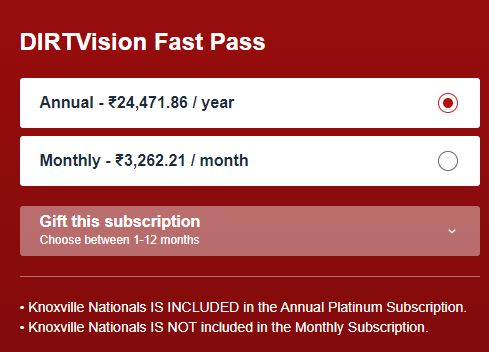
Among the few, DIRTVision is the only premium provider for streaming Dirt Race. It lets you stream Dirt Race as a live-streaming sport in the app. In this app, you get crystal-clear video and audio streaming of these Dirt racing games. Though it is one of a kind, you can stream it via the subscription only. There is Live Race Day and Video vault, and it requires a subscription to access them. The First subscription plan is a Fast pass for $39 a month. The second subscription pass is named a Single day pass and is priced at $24.99 a month.
How to Install the DIRTVision on Roku?
DIRTVision on Roku is directly available on the official Roku channel store. So you can watch its content on your Roku TV screen with a greater streaming experience.
- Associate your Roku TV with a high-speed internet service.
- Head to Roku’s main menu and then move to the Streaming Channels.
- After that, choose Categories under the Search Channels.
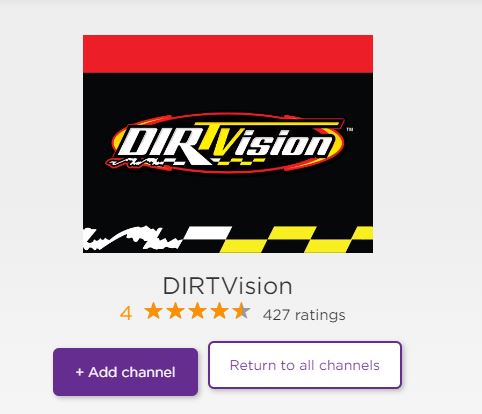
- Look for the DIRTVision app and then tap the Add Channel tab.
- Now it will start to download and then install it.
- Launch the app on the main page and then proceed to log in.
- Next, enter the credentials in the respective field.
- Finally, choose any of the events that you like to watch.
How to Sign up for DIRTVision on Roku?
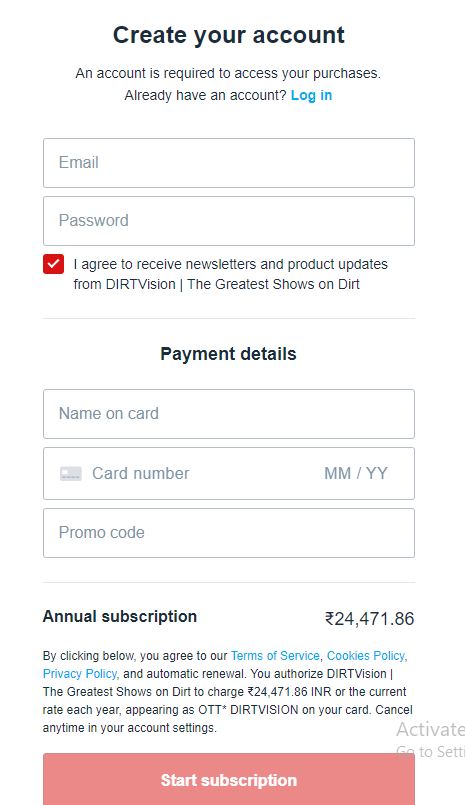
- As the First step, hover over the official website of DIRTVision on Roku to complete the Sign-Up process.
- In this step, tap on the register option to sign up for DIRTVision on Roku.
- Next, give all the necessary details asked by the Dirt race’s official page and sign up with it.
- Lastly, subscribe to any one of your plans and start streaming the DIRTVision and watch the endless races.
How to Purchase Fast Pass or Single day PPV event?
- Tap any of the upcoming videos which you want to stream.
- Tap the Watch tab from the screen.
- Now it will redirect you to a Purchase page.
- Select the subscription plan and then tap the Next option.
- Register your login credentials in the respective space.
- Now click the Subscribe option.
- That’s it. You can watch DIRTVision dirt racing events on the Roku TV screen.
Events to stream on DIRTVision
-
-
- Australian events
- DIRTcar Summer Nationals
- Attica Raceway Park Weekly Events
- Hi-Tec Oils Speedway and other major events
- Kings Royal
- Knoxville Raceway
- Kings Royal
- Murray Machining and Sheds Murray Bridge Speedway
- The Ultimate Speedway Challenge
- Xtreme DIRTcar Series events
- USA Nationals
- Valvoline Raceway
- Super DIRTcar Series Big-block Modifieds
- World of Outlaws Sprint Car event
- The Ultimate Sprintcar Championship
- Williams Grove Speedway Weekly Events
- World of Outlaws Sprint Car event
- Valvoline Raceway
-
Wrapping Up:
In simpler terms, Motor Racing is one such famous sports event that is streamed by all. Also, there are various racing leagues like the F1 league and Racing games too. Since it is preferred by a huge audience and you can see it as a craze among many, just like Football. A dirt race is a sport that is held on oval race tracks covered with clay. This sporting event is mostly famous in places like Australia, New Zealand, Canada, South Africa, and many more. Yet, there are only a few services to stream this Dirt Racing. Suppose you have any queries regarding how to install DIRTVision on Roku, let me know in the comment section.
FAQs:
1. How to cancel DIRTVision on Roku?
Follow the given below instructions to cancel the DIRTVision on your Roku device.
- Move to the Settings menu from the upper right of the screen.
- Now choose the Manage subscription option.
- Tap on it within the Billing and Subscription settings.
- Click the Cancel Subscription option.
2. What are the alternative apps available to watch car races?
-
- FIA Formula E app sports
- DTM sports app
- Autosport sports
- IMSA sports
- WorldSBK
- MotoAmerica Live+ sports
3. How to watch NASCAR on Roku?
Obviously, you can watch NASCAR on the fubo TV platform. Along with FOX, FS1, NBC, and USA Network from the channel lineup. So you can watch all the NASCAR Race content on Roku TV.
Related Posts: