
Big Ten Network, devoted to Big Ten Conference college sports of its conference members. Watch all live events, needs, analysis programs, and recorded events on Big Ten Network. As myself being a Big Ten Network fan and FireStick user, I have looking for a way to watch my favorite college team games live on my Fire TV. Since Big Ten Network is a network channel available on cable and satellite services, am having doubts like “Is Big Ten Network on Firestick?” I found out the answers to my questions and have provided them here for you. Continue on to watch Big Ten Network on your FireStick.
Table of Contents
Can I Get Big Ten Network on FireStick?
Yes, the Big Ten Network app can be easily installed on your FireStick devices directly from its default app store.
To access its contents you need to subscribe to any of the plans offered by B1G+. After subscription, you can use its credentials at the BTN Plus app on your FireStick and live stream or watch on-demand videos of your favorite college team sports events.

How to Get / Install Big Ten Network App on FireStick?
- Press the Home button on your FireStick device.
- Select the Find option (magnifying glass icon)
- Go to the search tab and press OK.
- Use the on-screen keyboard and type the name of the app for Big Ten Network [B1G]
- Select the Big Ten Network app from the search results.
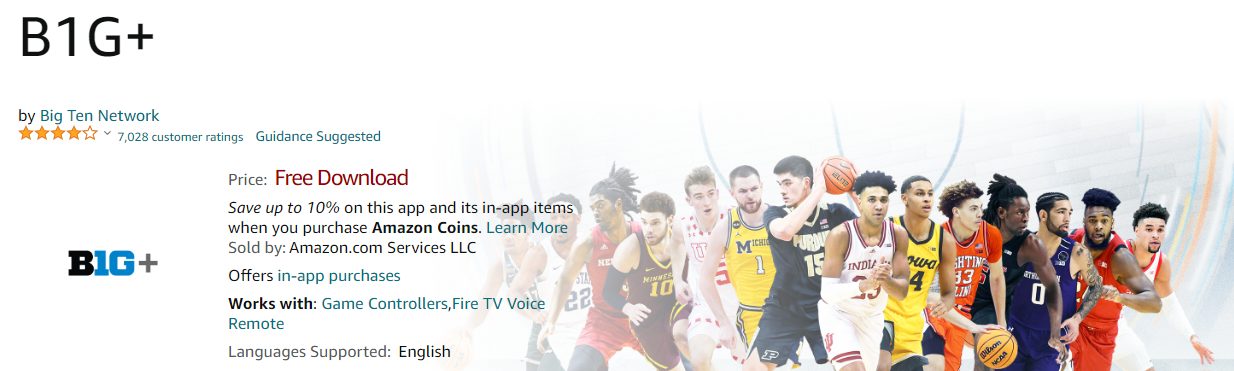
- Tap on the Get or Download option from its information page.
- Wait for a few seconds for the Big Ten Network app B1G+ to get installed on your FireStick.
Using Alexa Voice Remote
- Press the Microphone button.
- Speak the name of the app (Big Ten Network) on the Alexa Voice Remote audio receiver.
- If the app is not available on your devices, you will be directed to the app in App Store.
- Choose the Big Ten Network app from its logo.
- Select Get or Download and wait for the B1G+ app to get installed on FireStick.
How to Watch BTN on FireStick?
- After the installation process is complete tap on Open to launch the Big Ten Network app on FireStick.
- Select Sign In and use BTN Plus subscription account credentials.
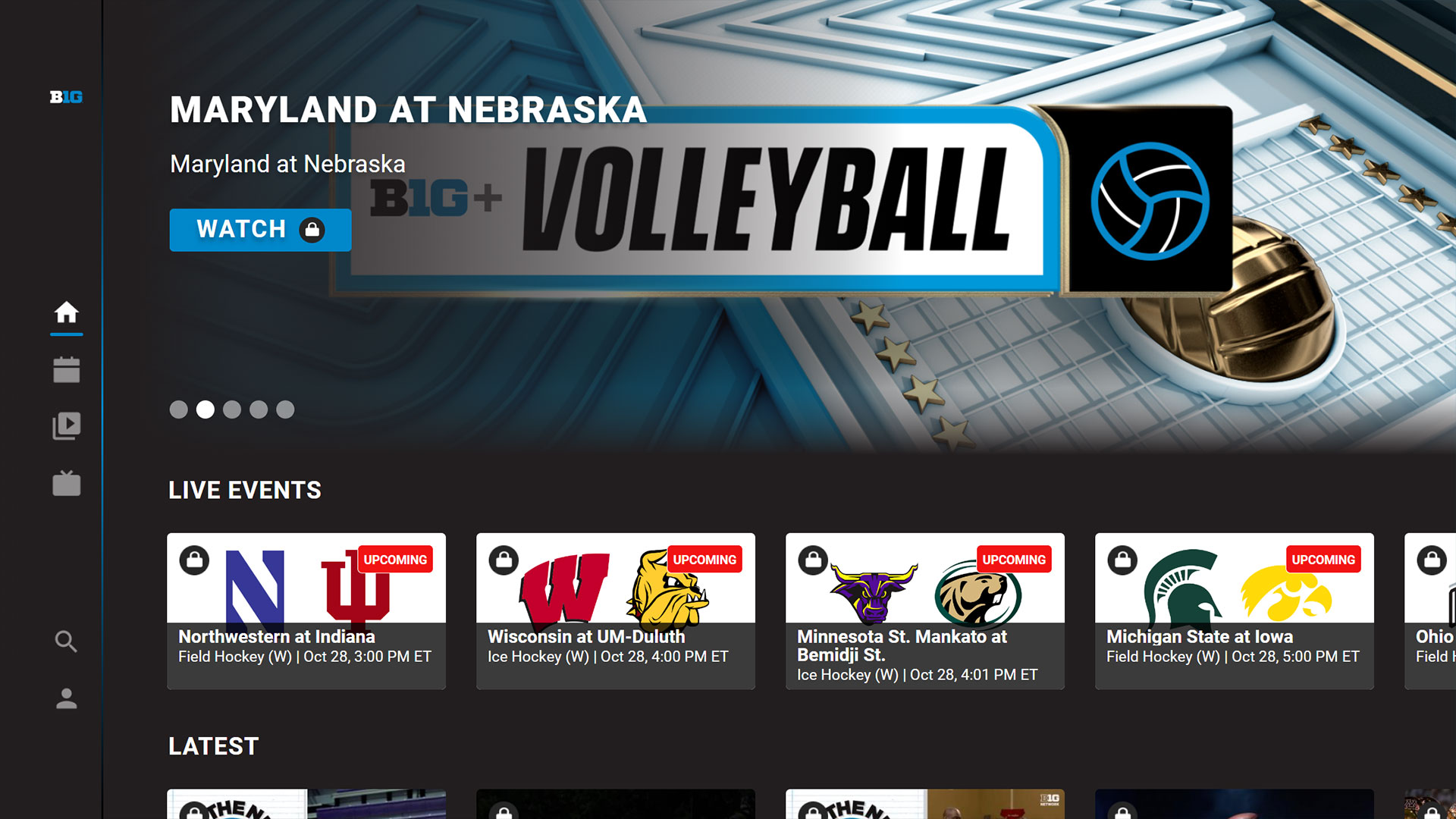
- You can now select the content you want to watch and live-stream it on your FireStick.
Are there any Alternative Ways to Watch Live Big Ten Network on FireStick? [Fox Sports]
Yes, you can use the Fox Sports App to watch Big Ten Network, FS1, and Fox on its supported devices. You can easily get the Fox Sports App on your FireStick device and watch the Big Ten Network channel live on your Fire TV. Check out How to Watch Fox Sports on Firestick? and get Fox Sports on FireStick. Get the app now and enjoy watching your favorite college team from Big Ten Conference games live on your FireStick.
How do I Subscribe to B1G Plus?
- Visit the bigtenplus.com site on your web browser on your Phone or PC.
- Select the Subscribe option to register yourself on Big Ten Network.
- Provided the required details, check the boxes, and tap on Create Account.
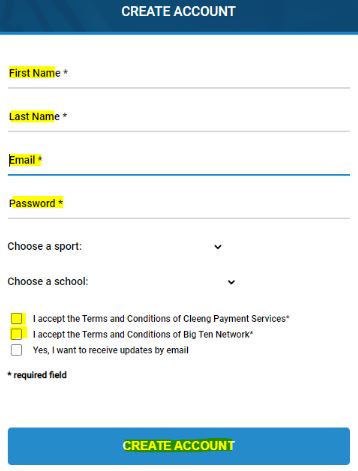
- Now Sign In to your Big Ten Network account and tap on the My Account option.
- Select Add A Subscription option and choose the Pass you want.
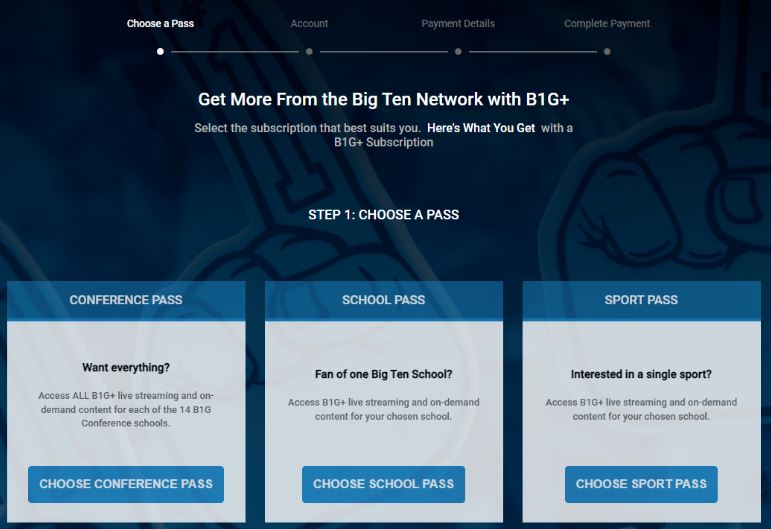
- Now complete payment with Credit, Debit Card, or PayPal.
After subscription, you can use these credentials on the Big Ten Network app on FireStick and access all the contents available in it. You may also like to learn about How to Watch Big Ten Network on Roku?
Subscription Plans offered by BTN Plus
With a subscription to BTN Plus you can watch the televised live events on the next day as replays. Other than this you can watch sports events and on-demand contents that are not available on the Big Ten Network channel here. You can check on the latest news, schedules, on-demand original programs, and classic games here. The subscription plans required to access these features on the Big Ten Network app on your FireStick device are as follows,
| B1G+ SUBSCRIPTION OFFERS | ||
| MONTHLY | ANNUAL | |
| CONFERENCE PASS | $14.95 | $199.95 |
| SCHOOL PASS | $9.95 | $79.95 |
| SPORTS PASS | ||
| SPORT | ANNUAL | |
| Baseball | $39.99 | |
| Basketball | $54.99 | |
| Field hockey | $39.99 | |
| WCHA women’s hockey | $49.99 | |
| Men’s hockey | $59.99 | |
| Lacrosse | $39.99 | |
| Soccer | $49.99 | |
| Softball | $39.99 | |
| Tennis | $39.99 | |
| Volleyball | $54.99 | |
| Wrestling | $69.99 | |
What to Watch with Big Ten Network on FireStick?
You can watch all the Big Ten Network programs on FireStick with the B1G+ app. The TV shows that can live stream now on your FrieStick devices with this app are as follows,
- B1G Live
- Big Ten Elite
- The Journey
- B1G Football in 60
- Big Ten Treasure Hunter
- The B1G Trip
- B1G Trailblazer
- The B1G Story
- Campus Eats
- B1G Tailgate
Sports Events on Big Ten Network
- Women’s Volleyball
- Women’s Lacrosse
- Baseball
- Women’s Soccer
- Women’s Basketball
- Softball
You can watch on-demand archives and games from B1G+, televised games, and programs from Big Ten Network channel and Big Ten Conference media partners, FOX, FS1, ABC, ESPN, and CBS. If you miss the game you can watch it on next day with a B1G subscription. You may also like to learn about What Channel is BTN on FiOS?
THE END
With this article, you can now subscribe to B1G Plus and watch Big Ten Network programs on-demand on yoru FireStick device. Enjoy watching the classic games and original programs of BTN without the help of TV Providers on your Fire TV. Make sure you are within the United States, and Canada, and select Caribbean Islands to access the B1G Plus applications.
Frequently Asked Questions
Can I Get a Refund on B1G+ Subscription?
Teh B1G+ subscription gets auto-renewed every month if you are a monthly subscriber. You can get a refund within 7 days of auto-renewal. The request cna be made through email or chat.
Which is the best way to watch Big Ten Conference Games live?
With the help of ESPN, ESPN2, FS1, CBS, and ABC channels and using ESPN+ and FOX Sports applications you can watch all the Big Ten Conference member school games live on a supported device with your TV Provider subscription.