
Nowadays, chatting on social media is normal. We have more platforms to communicate with your friends and families. Snapchat is one of the best platforms in that list to start chatting with multiple people. Including your Contact Friends. Today, we are going to study How to Find Chat Friends on Snapchat.

Not only do you can contact friends, but also you can chat with the random person whom you want to Chat with. Just take a look at the topics given in the following and learn How to Find Chat Friends on Snapchat.
Table of Contents
How to Find Chat Friends on Snapchat?
If you are a new user of Snapchat, then learn How to chat with the friends in your contact. Here are the step-by-step instructions.
-
-
- First, launch the Google Play Store or Apple App Store on your Mobile.
- Search for “Snapchat” on the App Store.
- Discover the official app from the Search result.
-

-
-
- Then, click the Install button.
- Launch the Snapchat app after it gets downloaded.
- Sign In or Sign Up with your mobile number or email address.
- Give Access to the Contacts on Snapchat.
- Click the Chat Icon on the bottom screen.
-

-
-
- Navigate to the top left corner of the screen.
- Click the Search Icon ( magnifying glass ) once.
-
-
-
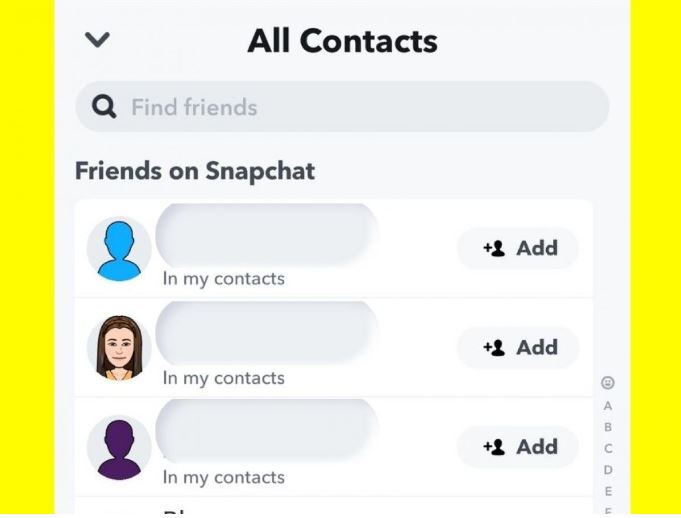
- Type your friend’s name using the on-screen keyboard.
- You can see their name in the search results.
- Click, the Add option.
-
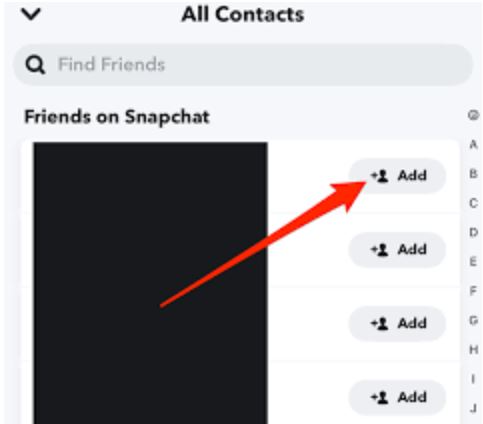
Now, click on the contact name you have searched. Then, Start Chatting with your friend on Snapchat. If they are using different usernames, you can also find them by searching their username in the search panel.
Also, read: How to Add Snapchat Filters to Instagram Stories?
Who Can Contact Me on Snapchat?
If you are a person under 18, the friends in your contact or the people you have added on Snapchat can contact you. Also, the Mutual Friends you have shared can also chat with you on Snapchat.
Or, if you are over 18, the friends who you have added to your Contact Book, Mutual Friends, as well as everyone who is on Snapchat can contact you. If you don’t like someone contacting you on Snapchat, use the Friends option to allow your Phonebook contacts to chat with you and contact you on Snapchat.
How to Add Friends by Mention on Snapchat?
You have an idea by adding friends from your Phonebook and by searching. Also, you can add someone by mentioning them. Here are the steps;
-
-
- Go to the Home Screen of Snapchat.
- And open the Stories page.
-

-
-
- View the Story that Snapchat has mentioned.
- Swipe Up on the Snap that is featured.
- Then, click on the + ( Add ) option.
-
So, now the person you have added is a friend of yours. Click the Chat option and Happy Chatting with them.
How to Add a Friend by Scanning their Snapcode?
All registered Snapchat users have a unique code. Using it, you can add them as your Snapchat friends. The Snapcode generally looks like a yellow Bar with Black Dots. Check out the steps here to find friends by scanning the Snapcode.
-
-
- Ask your friend to launch the Snapchat app.
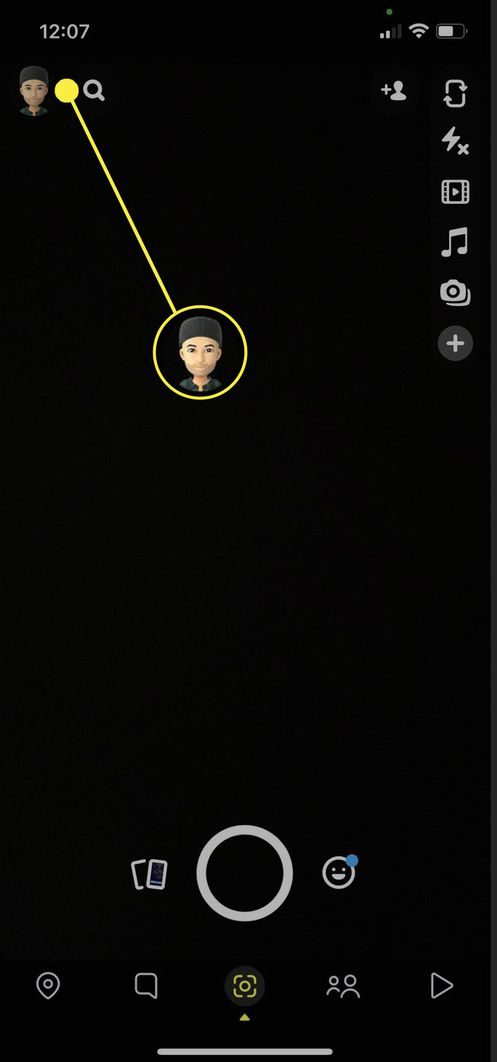
- Click on the Profile Icon in the top right corner.
-
-
-
- Scroll the screen to the Snapcode.
- Now, launch the Snapchat app on your Smartphone.
- And, point out the camera at your Friend’s Snapcode.
- Press and Hold the Shutter button to Scan the Snapcode.
-

-
-
- Then, click the Add Friend option.
-
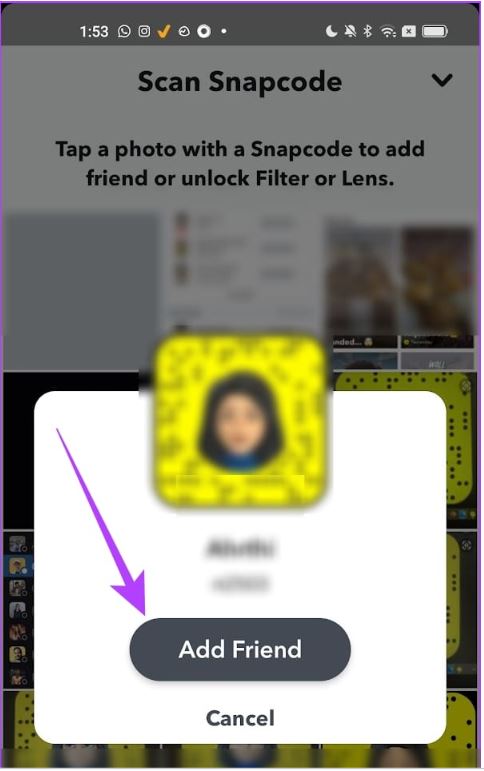
Now, you and the person you have scanned the Snapcode are friends on Snapchat. Tap the Chat option and have fun with your new friend on the Snapchat app.
Also, check: How to start Streaks on Snapchat?
Finally…
Refer to this entire content to learn How to Find Chat Friends on Snapchat. Also, you can add friends on Snapchat in many ways. You can add them by searching for their username or contact name. Also, you can add friends by following them on the public profile. If you have any doubts about adding Snapchat, refer to the above section or mention your queries in the comment box.