
![How to Turn Off Ads on Roku TV? [Ads | Notifications]](https://techthanos.com/wp-content/uploads/2023/04/How-to-Turn-Off-Ads-on-Roku-TV-Ads-Notifications.jpg)
Lately, the ads on my Roku TV have become more annoying and take up large space on the Home screen. There is no way to totally get rid of Roku ads because they make more money with ads than with their hardware. Eventhough you cannot turn off ads on Roku TV completely, it is still possible to get rid of some of the ads. Continue with this article and find out the different methods that can be used on your Roku devices to turn off ads.
Table of Contents
How to Turn Off Ads on Roku TV?

Even though the Ads or annoying, the procedure to Turn Off Ads on Roku TV turned out to be simple. You can tweak some settings and disable some features on your Roku drive to get fewer ads and improve your privacy. Using Stremaing Services which are ad-free can help you get rid of ads that appear while streaming your favorite shows on your Roku device. You can also make some adjustments to your Router settings by blocking domains and keywords to prevent ads.
Turn Off Ads on Roku TV using Settings and Features.
Here is the list of settings you can change on your Roku device or Roku TV to make it work with lesser Ads. Follow the simple procedure to disable the features and control the settings on Roku.
Enable Limit Ad Tracking: Go to the Privacy option under the Roku Settings menu. Select the Advertising option and Tap on the Limit Ad Tracking option to enable it.

Reset Advertising Identifier: Get back to the Advertisement option on Roku and select the Reset advertising identifier option. You can do this step frequently to get lesser ads.
Disable Smart TV Experience: Again on the Privacy settings on Roku, go to the Smart TV Experience option. Here you need to de-select the options
- Use info from TV Inputs (disable it)
- Enable auto notification (disable it)

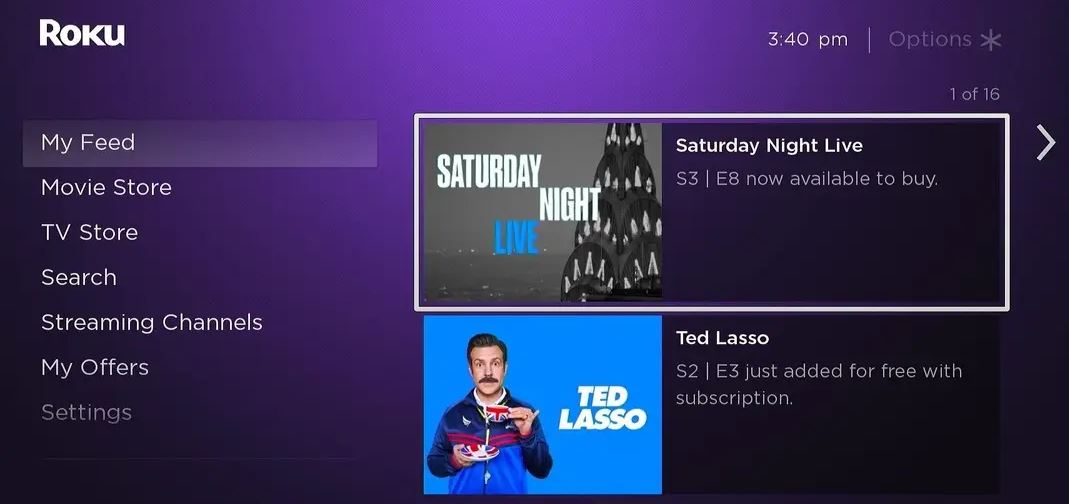
Hide Home Screen Notifications: On your Roku devices, visit the Home Screen option under the Settings menu and hide some notifications to have a clean home screen. The Notification to Hide is as follows,
- Featured Free
- Movie Store and TV Store
- My Offers
You may also like to take a peek at How to Fix MLB TV Not Working on Roku?
Adjust Router Settings to Turn Off Ads
You can get rid of ads on your Router itself by blocking domains that pop up ads on your Roku device. Make sure that you are well versed with Router Settings to make the changes. Because the wrong move can make you reset your Router. So, follow the given procedures carefully.
- Grab the documentation files of your Router.
- Visit the login page and sign in with your username and password, provided in the documentation.
- Go to Menu and select the Advanced option.
- Now tap on the Security option and choose the Filtering or Control option.
- Under Block Domains and Keywords, section add the following links
| ads.roku.com | griffin.logs.roku.com | raps.ravm.tv |
| amarillo.logs.roku.com | hereford.logs.roku.com | ravm.tv |
| amoeba-plus.web.roku.com | i.ads.roku.com |
richmond.logs.roku.com
|
| austin.logs.roku.com | identity-dev.ads.roku.com |
rollingwood.logs.roku.com
|
| bryan.logs.roku.com | identity.ads.roku.com | rxr.ravm.tv |
| camden.logs.roku.com | lagrange.logs.roku.com |
samples.voice.cti.roku.com
|
| cloudservices.roku.com | liberty.logs.roku.com |
scribe.logs.roku.com
|
| cooper.logs.roku.com | littlefield.logs.roku.com |
sugarland.logs.roku.com
|
| customer-feedbacks.web.roku.com | logs.roku.com |
traces.sr.roku.com
|
| digdug-g2.logs.roku.com | longview.logs.roku.com |
track.sr.roku.com
|
| digdug.logs.roku.com | midland.logs.roku.com |
tyler.logs.roku.com
|
| display.ravm.tv | mobile.logs.roku.com |
victoria.logs.roku.com
|
| esp.logs.roku.com | p.ads.roku.com |
windsor.logs.roku.com
|
| giga.logs.roku.com | paolo.logs.roku.com |
wwwimg.roku.com
|
| gilbert.logs.roku.com | raps-perf.ravm.tv |
analytichtpp/cloufservices.roku.com
|
- Save the Setting and perform a restart on your router.
- This will get rid of most of the ads appearing on your Roku Home screen.
You may also like to take a peek at How to Fix F1 TV Not Working on Roku?
Suggestion
It is not possible to remove all the ads on your Roku device. But with this method, you can get fewer ads than before. Try to use streaming services with a premium subscription plan to get rid of ads while streaming your favorite content.
Frequently Asked Questions
Are there any Ad Blocks on Roku?
No, Roku devices are not compatible with Ad Block software. They made this way, because, ads make the main source of income for Roku.