
Here, in this guide on How to Install MeTV on Firestick. You can get the steps and ways to stream the MeTV content on your Firestick Screen. Read this article till the end and get valid information and steps. In addition, we mention the information to get a MeTV Kodi Addon for Firestick and the points to get a VPN server for Firestick. Much more exciting information is available in this article.

Table of Contents
How to Watch Me Tv on Firestick?
Me TV have contain amazing content and lots of fun entertaining Channels, But the Firestick App Store doesn’t have the MeTV application on its list. But don’t worry. You have another choice to stream Me TV content through streaming services. Moreover, you have the top popular streaming services such as Frndly TV and Philo TV services.
Furthermore, it is available on the Firestick app store, you can directly download the application sign in with your account, and watch MeTV Channel.
Additional Info, How to Watch PPV on Firestick
Steps to Download the streaming services on Firestick
- From the Firestick Home page.
- Click the Search option.


- Type the keyword “Frndly TV” and “Philo TV” and click to find them.
- Hit the applications from the result.
- Click the install button option.

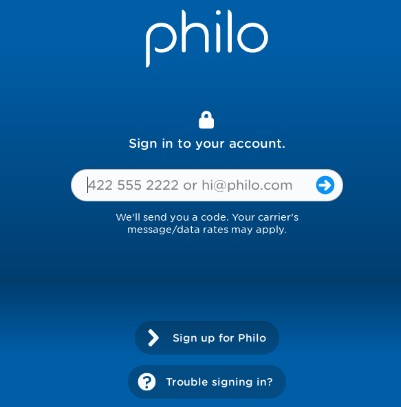
- Once the application is installed then sign in with your account.
- Watch Me TV Content on Firestick.
For More Info, How to install apps on Firestick
Subscription package for Frndly TV and Philo TV
Frndly TV and Philo TV are subscription-based streaming services and it offers lots of amazing content and various categories of Channels and programs and events that are telecasted. Here we will share the Subscription package for those two Streaming services. For more information refers to the below images.
Frndly TV

Philo TV

Alternate Ways to Install MeTV on Firestick
Screen Mirroring Method
You can use these steps if your device has no official version MeTV app on your App Store. Then you have to use this screen mirroring method to watch all your favorite MeTV content.
Recommended to use your Android, iOS, or PC device to cast the content to the Firestick Streaming device. Also, you can use a website to watch the content directly on your PC. You can get the Metv application on your Smartphone application. Follow the upcoming steps to get the application.

- Click the home button by using your Firestick remote.
- Then you will able to see the window on the Screen.
- Following this, you have to select the Mirroring option.

- After that, you have to click the Cast icon from the notification panel on your smartphone.
- Inside the icon, you have to choose your device name and click to pair it.
- Once the device gets paired then you have to install the MeTV application from your smartphone store once the app is installed then sign in with your account and play your favorite content and watch it on the Firestick Screen.
For More Info, How to Watch hotstar on Firestick
How to Create an Account For MeTV on Firestick?
Creating an account for MeTV is a very easy process. First, you have to move the website for MeTV and press the Login tab and press to register option. And you have to fill in the information such as Name, email address, and password and re-enter the password. If you finish these steps then you have to Hit the Submit button and then you have got a message on your email ID.
Final Words
Since you know that MeTV is not available officially on the Amazon Firestick. So you can use the streaming services as we have mentioned in the above article. As well as you can use a screen mirroring method to watch its content on Firestick devices. Also, we have included the information to create an account for MeTV account on the Firestick devices. If you have any related queries share them in the comment section.